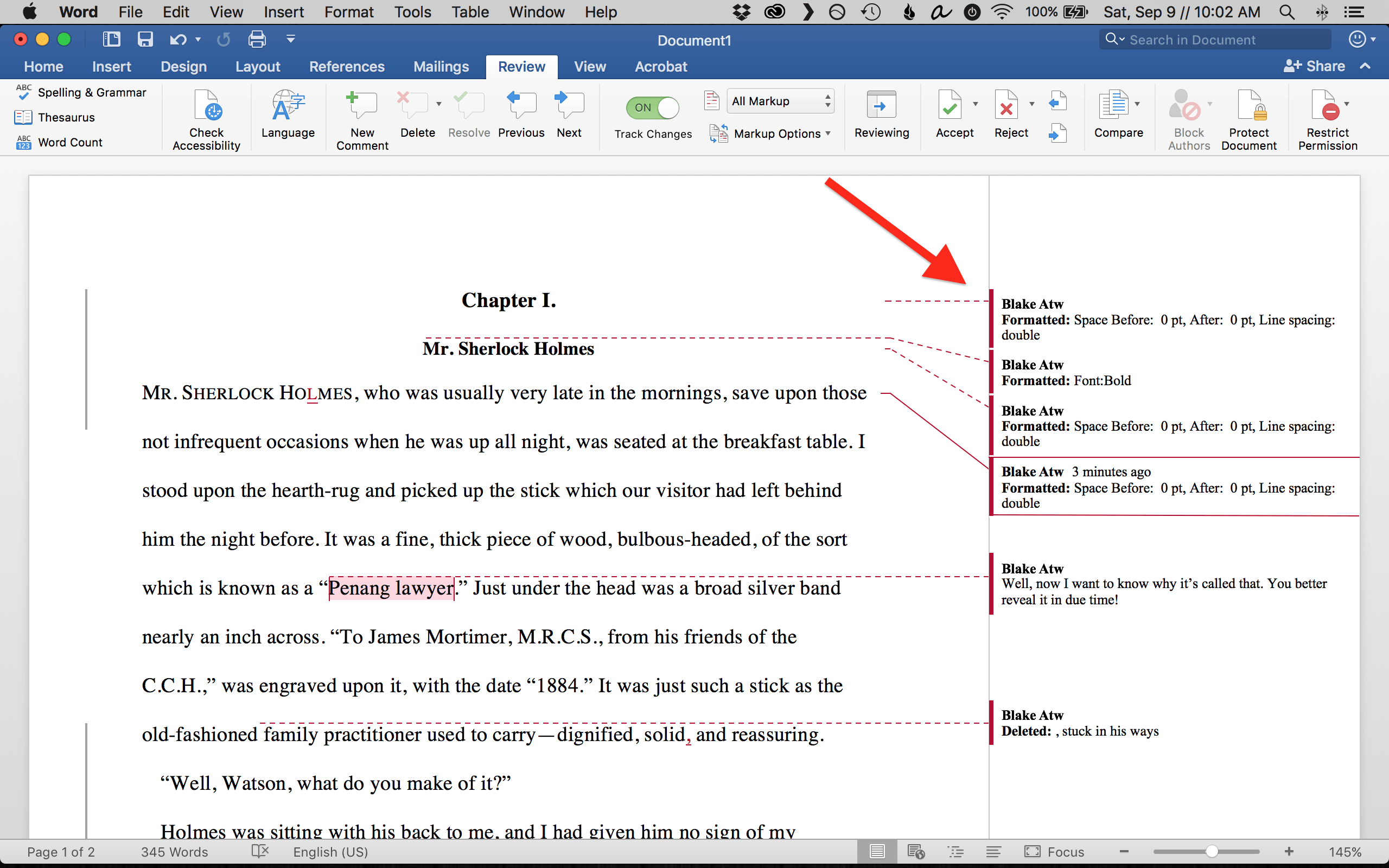
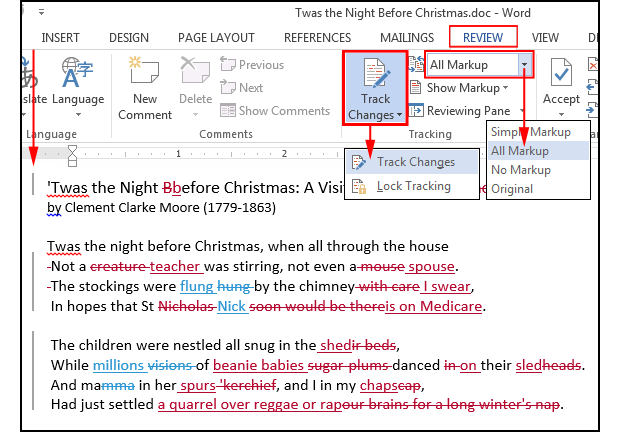
How To Edit Changes In Word How To Edit A Document Using Microsoft Word s Track Changes Feature How To Use Track Changes In Word To Effectively Collaborate On A Document How To Use Track Changes In Word To Effectively Collaborate On A Document Microsoft Word Track Changes Tutorial Bpospiritual How To Track Changes In Microsoft Word Without Going Insane PCWorld To access your Google Analytics account Go to https www google analytics Click Sign in to Analytics Sign in to your Google Account Learn
If you forgot your password or username or you can t get verification codes follow these steps to recover your Google Account That way you can use services like Gmail Pho Official Google Play Help Center where you can find tips and tutorials on using Google Play and other answers to frequently asked questions
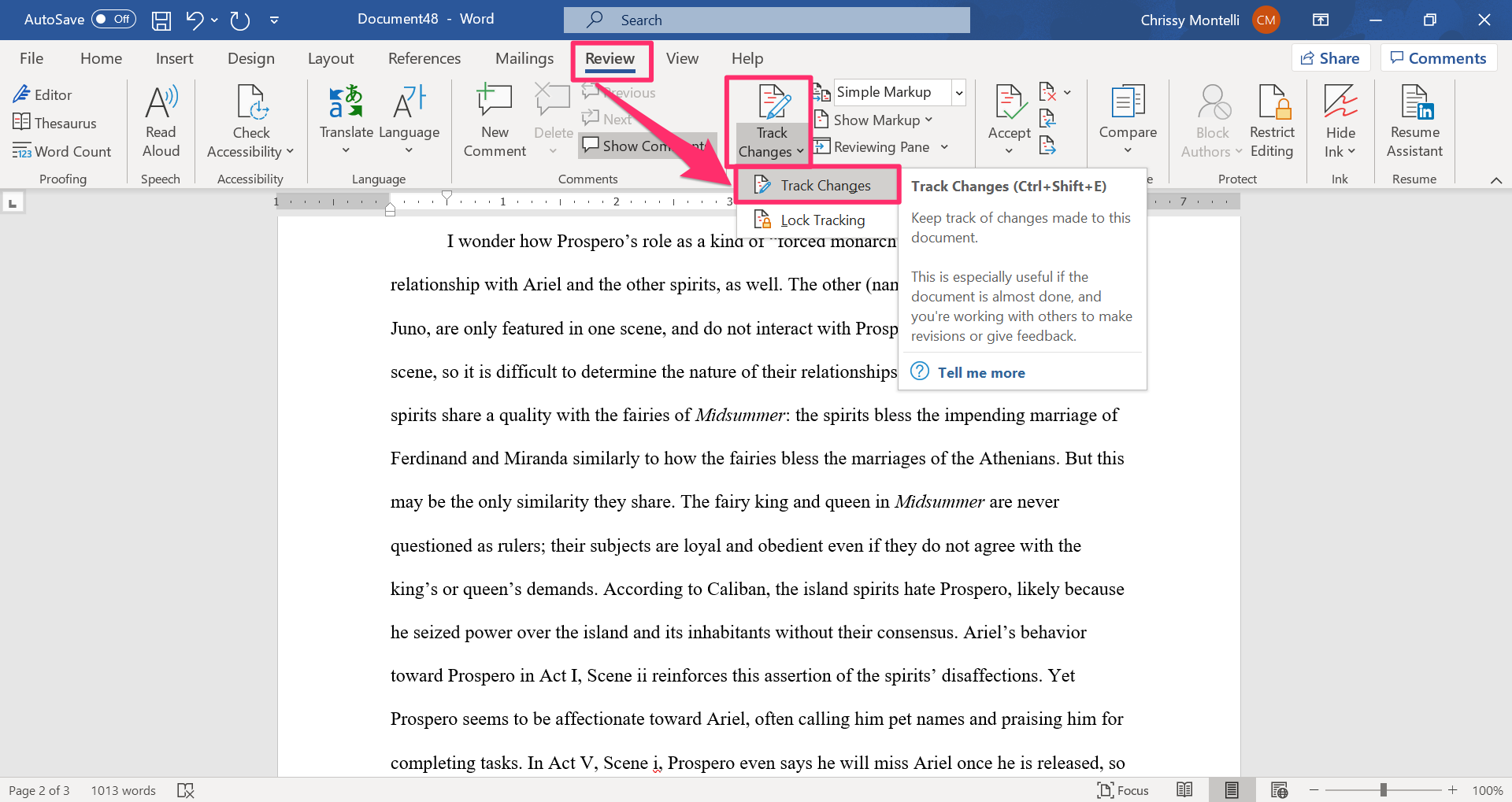
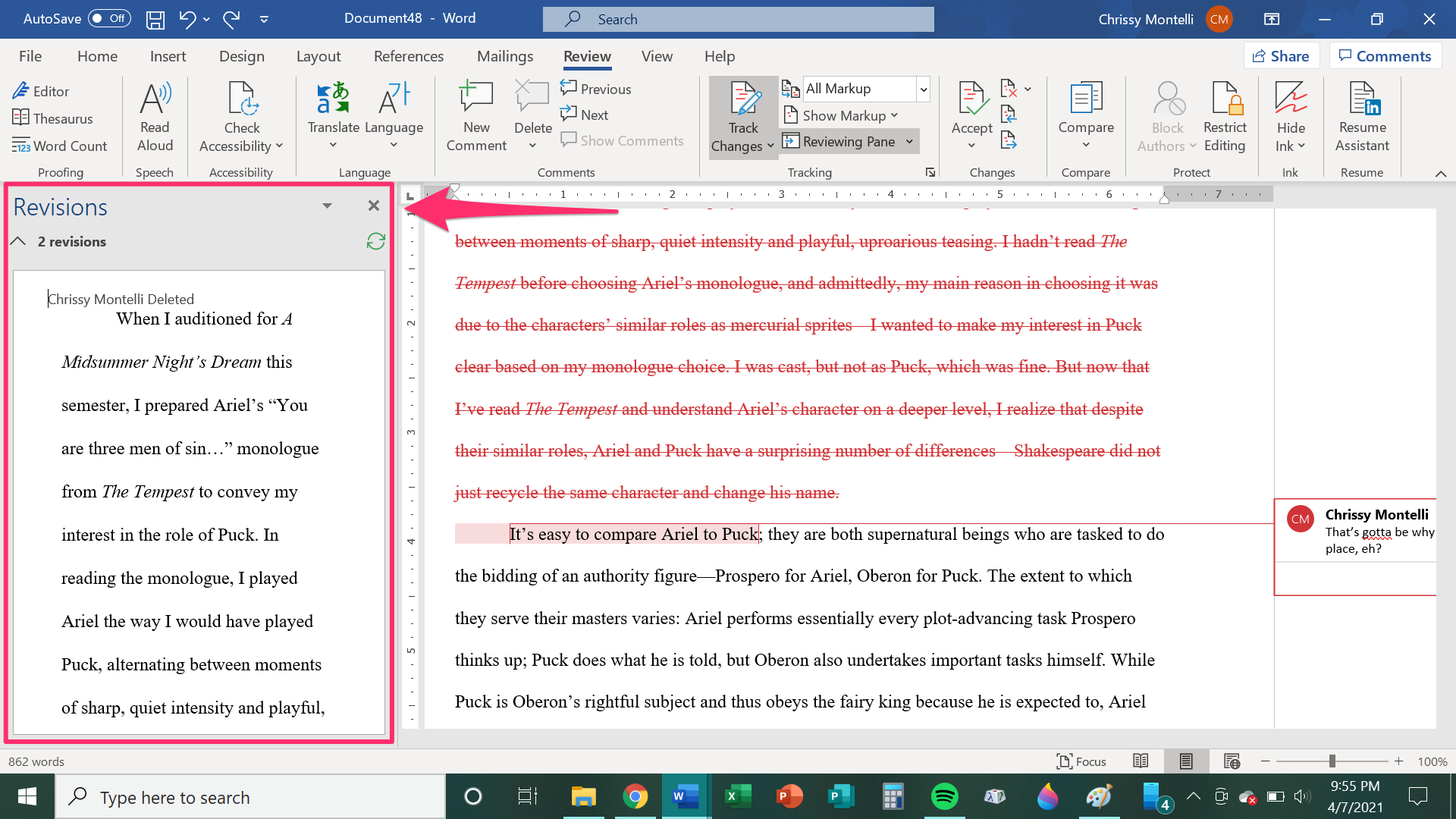
How To Track Changes In Microsoft Word Without Going Insane PCWorld How To Track Changes In Microsoft Word A Complete Guide Bank2home How To Use The Track Changes Feature In Microsoft Word Simple Help How To Edit In Word Document Scalelasopa How To Track Changes In Word 2010 Track Changes In Word Green Host IT How To Deal With Tracked Changes In Microsoft Word Editing Writing How Do I Use The Track Changes In Word Design Talk How To Edit In Word With Different Fonts Oramalsa
How To Edit Changes In Word
 How To Edit Changes In Word
http://www.wikihow.com/images/6/61/Edit-a-Document-Using-Microsoft-Word's-Track-Changes-Feature-Step-3.jpg
Official Google Business Profile Help Center where you can find tips and tutorials on using Google Business Profile and other answers to frequently asked questions
Templates are pre-designed documents or files that can be used for numerous purposes. They can save effort and time by supplying a ready-made format and layout for developing various kinds of content. Templates can be utilized for individual or expert projects, such as resumes, invitations, leaflets, newsletters, reports, discussions, and more.
How To Edit Changes In Word
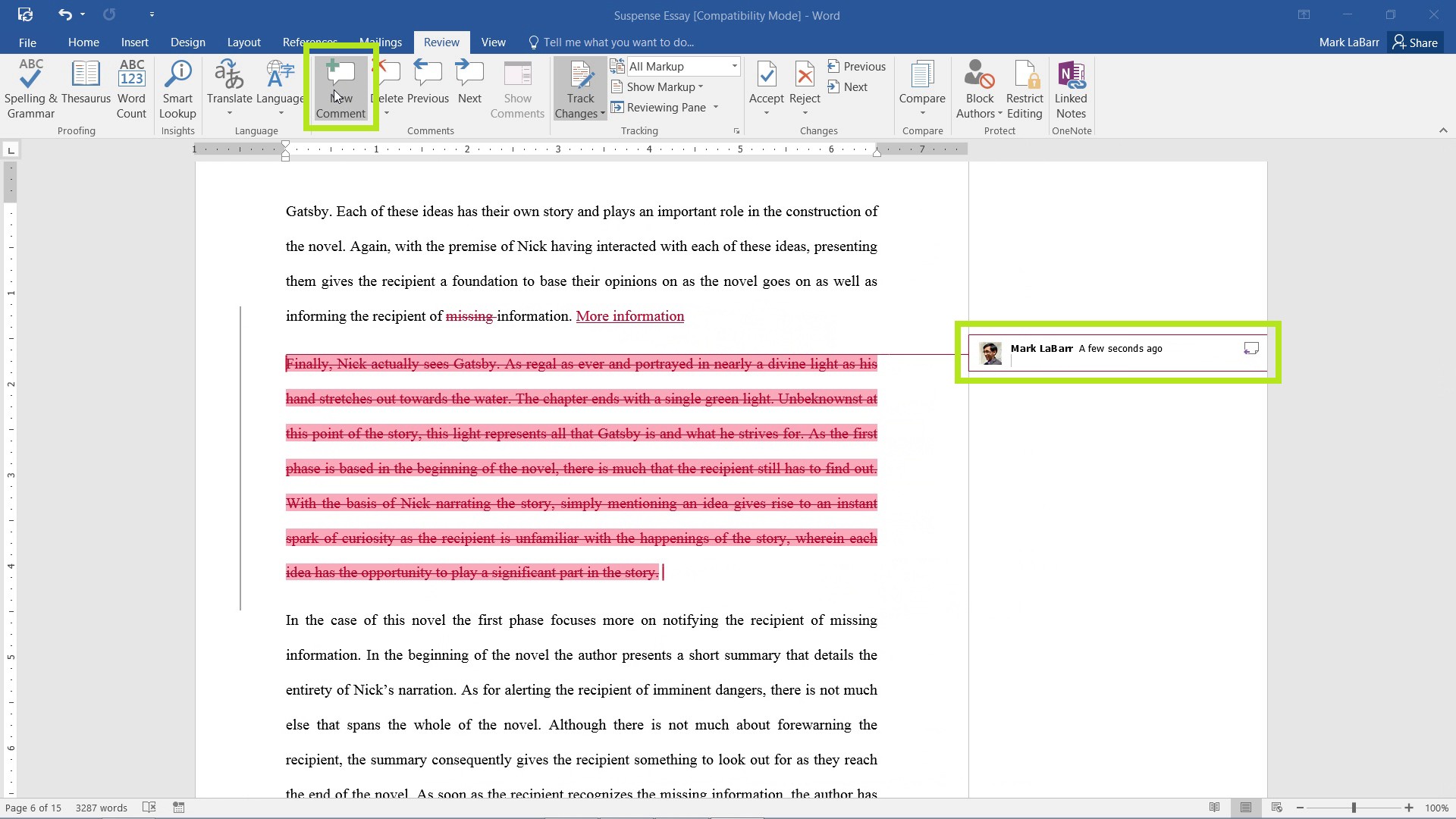
How To Track Changes And Add Comments In Word 2016 HowTech
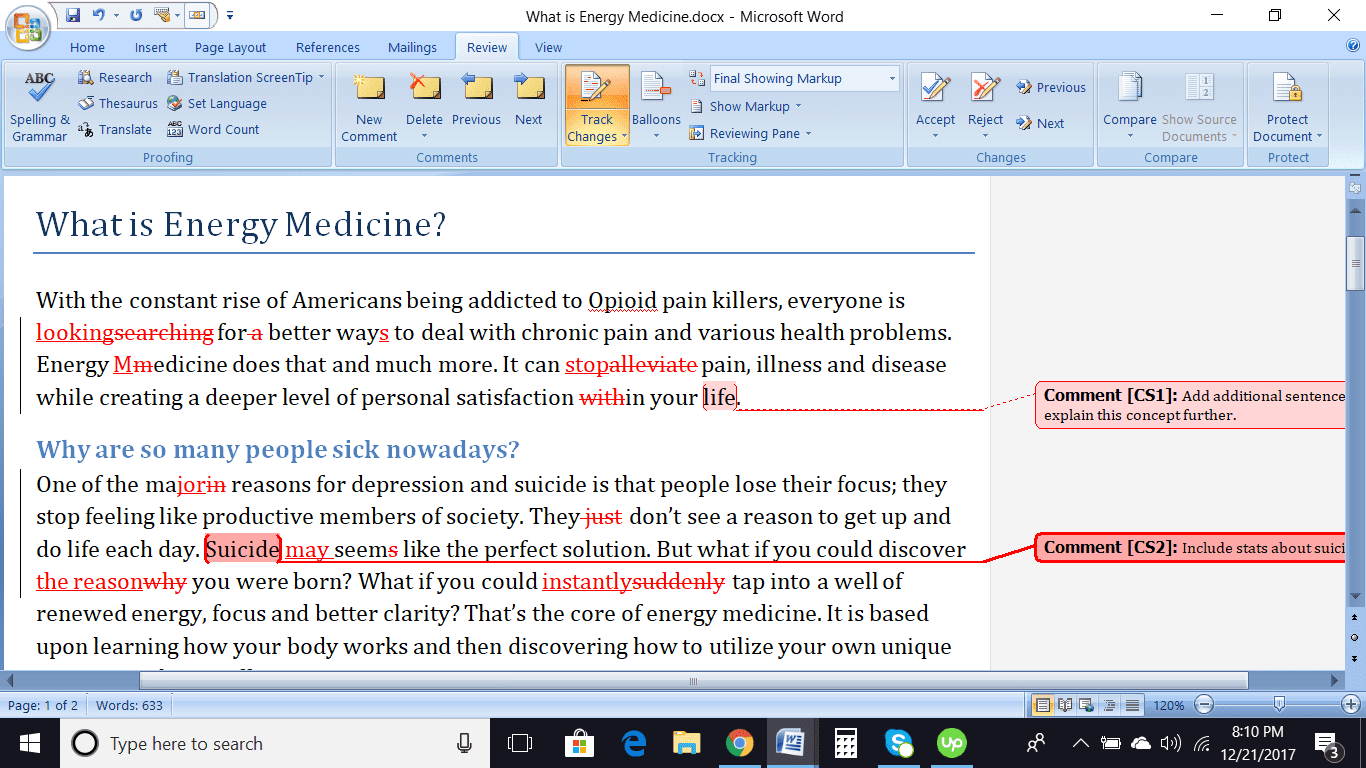
How To Track Changes In Microsoft Word A Complete Guide Bank2home

How To Use The Track Changes Feature In Microsoft Word Simple Help

How To Edit In Word Document Scalelasopa

Track Changes In Word Green Host IT

How To Deal With Tracked Changes In Microsoft Word Editing Writing

Analytics Academy on Skillshop is a collection of free e learning courses designed by Analytics experts to help users get the most out of Google Analytics Google Analytics currently offers 4
Sign in to Gmail Tip If you sign in to a public computer make sure to sign out before you leave the computer Learn how to sign in on a device that s not yours
Official Gmail Help Center where you can find tips and tutorials on using Gmail and other answers to frequently asked questions
To easily manage and share content across all of your devices and the cloud use Google s desktop sync client Drive for desktop If you edit delete or move a file on the Cloud the same
In Incognito mode third party cookies are blocked by default If a site that relies on third party cookies doesn t work as expected you can try temporarily allowing them for that site Learn
[desc-11] [desc-12]
[desc-13]