How To Edit A Table In Google Docs Creating A Table In Google Docs YouTube 30Tip Editing A Table In Google Docs YouTube How To Edit Tables In Google Docs Its Linux FOSS How To Add A Table To Google Docs YouTube How Can I Read A Table In Google Docs And Then Change Its Cells Thanks to the user friendly design of Google Docs inserting and editing a table is fairly straightforward By following a few easy steps you can insert and edit tables in Google docs and start organizing your data images and other items in no time
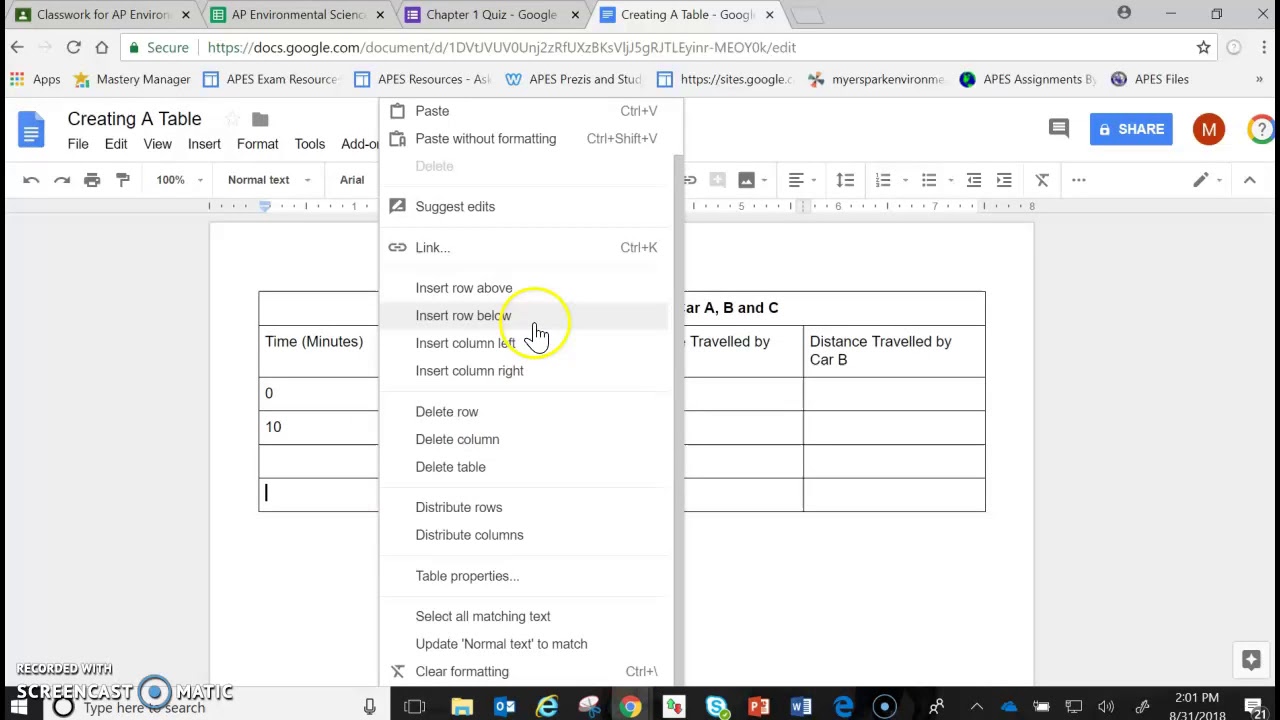
108K views 3 years ago Google Docs In this video tutorial I show you how to add and customize tables within Google Docs Tables are a great way to organize data and show information How to Edit a Table in Google Docs You can do several things to a table s columns and rows like add and remove them change their size and adjust the text alignment within them You can also change the table s border size and color and pick a background color for each cell Add Columns and Rows
How Can I Read A Table In Google Docs And Then Change Its Cells Edit A Table In The Properties Google Docs Snipping Tool Edit How To Insert Tables In Google Docs Brokeasshome How To Make A Table On Google Docs Google Docs Tips Google Drive Tips Do Google Docs Tables Have Something Similar To The Google Sheets How To Add Table Of Contents On Docs Brokeasshome How Do I Make A Table In Google Docs Brokeasshome How To Insert And Format A Table In Google Sheets How To Make Tables In Google Docs Masteryourtech
How To Edit A Table In Google Docs
 How To Edit A Table In Google Docs
https://i.ytimg.com/vi/WyY5HPP4smg/maxresdefault.jpg
We re adding several new ways to customize tables in Google Docs You can now Pin a table header row to repeat on each page Designate that a row should not be split across pages Quickly add and arrange columns and rows Sorting tables to better organize data Use a new table sidebar to manage table properties See below for more
Templates are pre-designed files or files that can be utilized for different purposes. They can conserve time and effort by offering a ready-made format and layout for creating different sort of material. Templates can be used for personal or professional tasks, such as resumes, invites, leaflets, newsletters, reports, discussions, and more.
How To Edit A Table In Google Docs
How To Add And Edit A Table In Google Docs

Edit A Table In The Properties Google Docs Snipping Tool Edit
How To Insert Tables In Google Docs Brokeasshome

How To Make A Table On Google Docs Google Docs Tips Google Drive Tips
How To Add Table Of Contents On Docs Brokeasshome
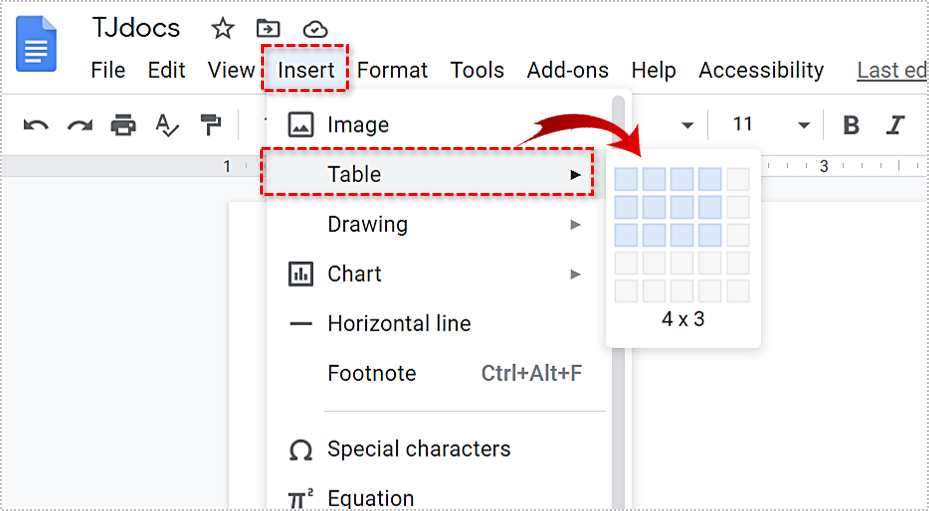
How Do I Make A Table In Google Docs Brokeasshome
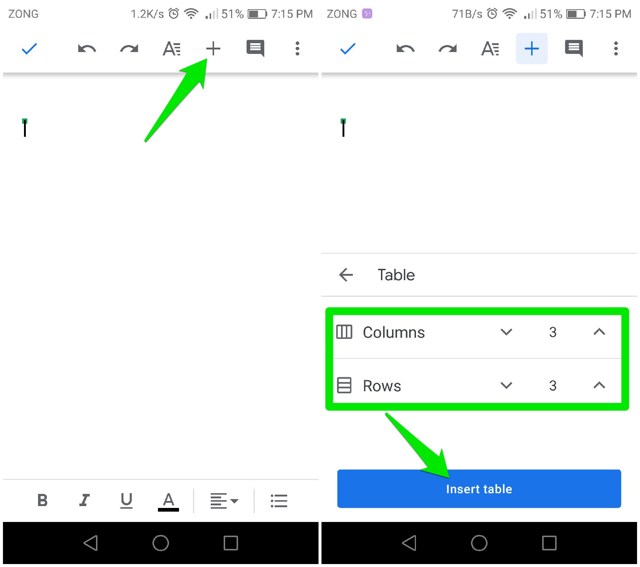
Edit a Table in the Properties Change the Table Border Select the Cell Color and Alignment Adjust the Dimensions and Cell Padding Move the Table Alignment Insert a Table in Google Docs Head to Google Docs sign in and open your document or create a new one Place your cursor in the document where you want to
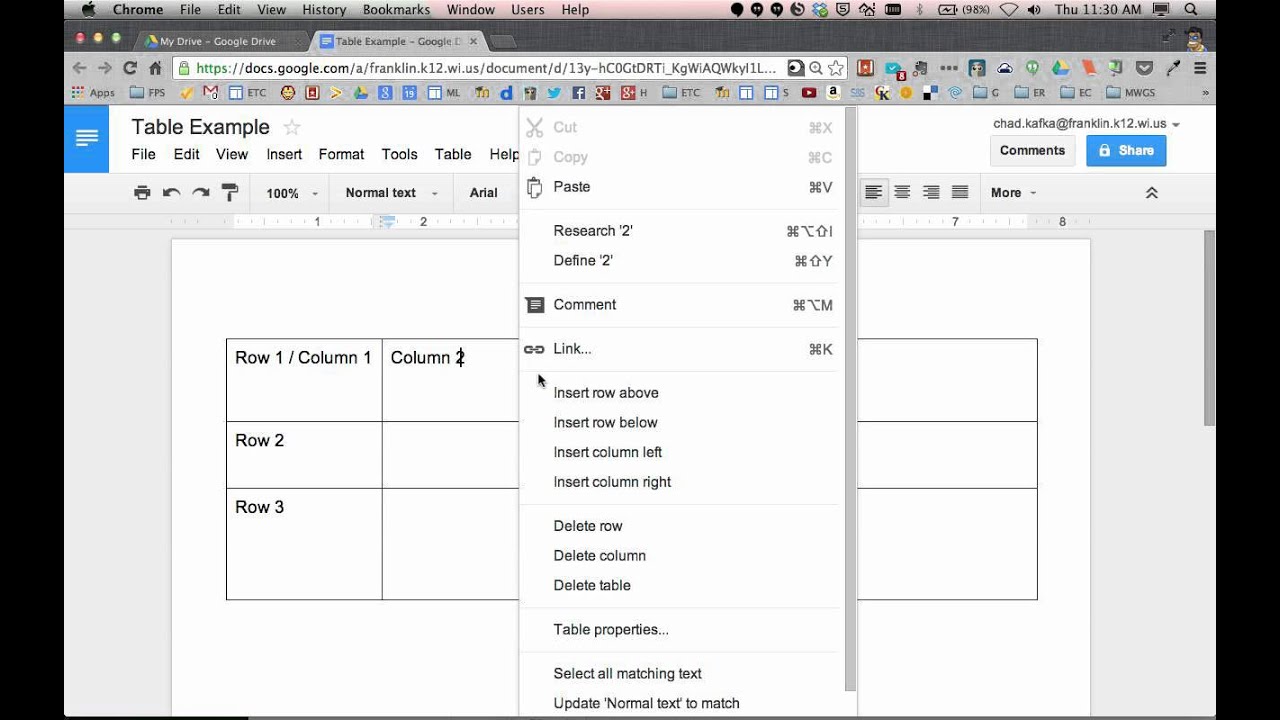
You can add and delete tables and adjust the size and style of table rows and columns If you re using Google Docs on a computer you can also Sort rows Drag and move rows and columns Pin
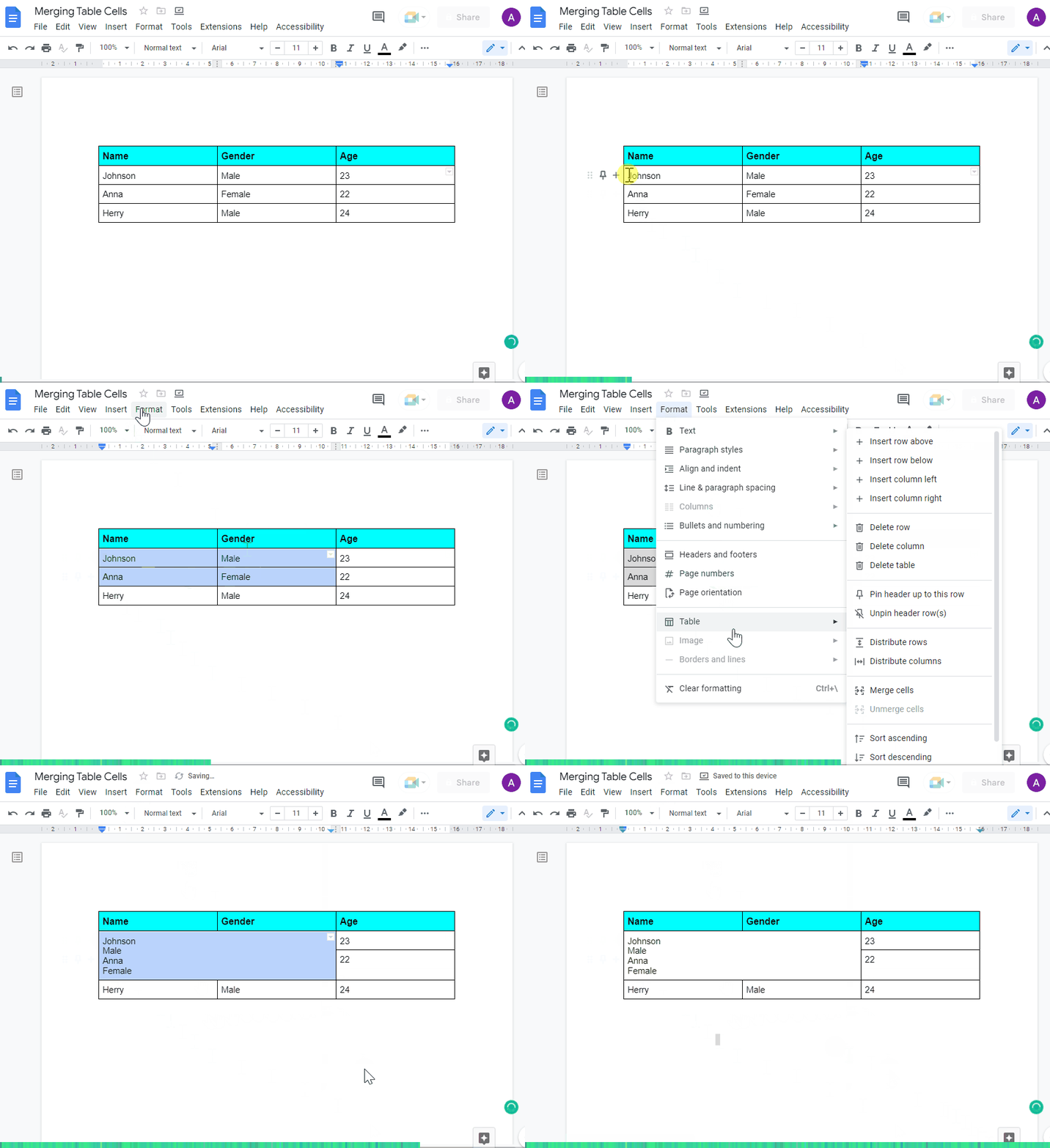
Here s how to edit the table for customized needs with a few key steps Inserting Rows and Columns in Google Docs Table Sometimes you may underestimate the columns or rows your data actually requires If that happens don t worry about creating a table all over again
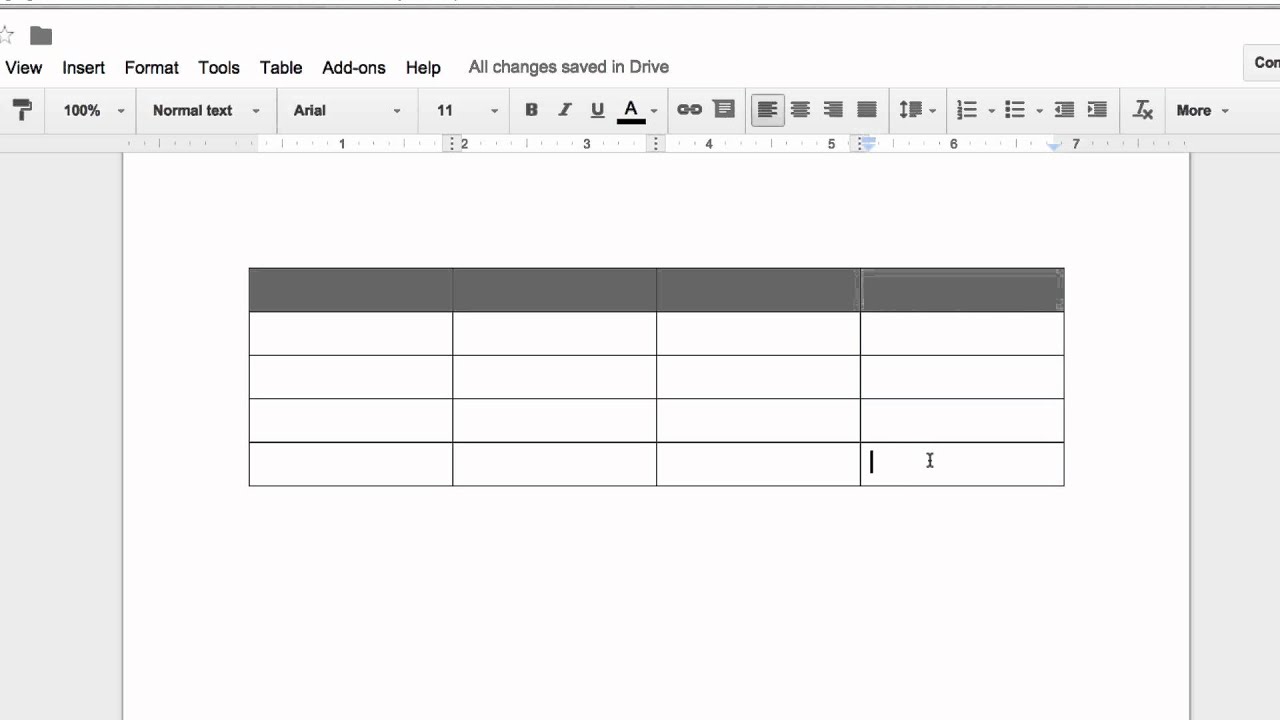
This tutorial will teach you how to create and edit a table in Google Docs Before creating your table you will need to know what data you are going to show in your document You may be writing about tee shirts by type color and price or how many oak trees there are in a neighborhood by street and how many

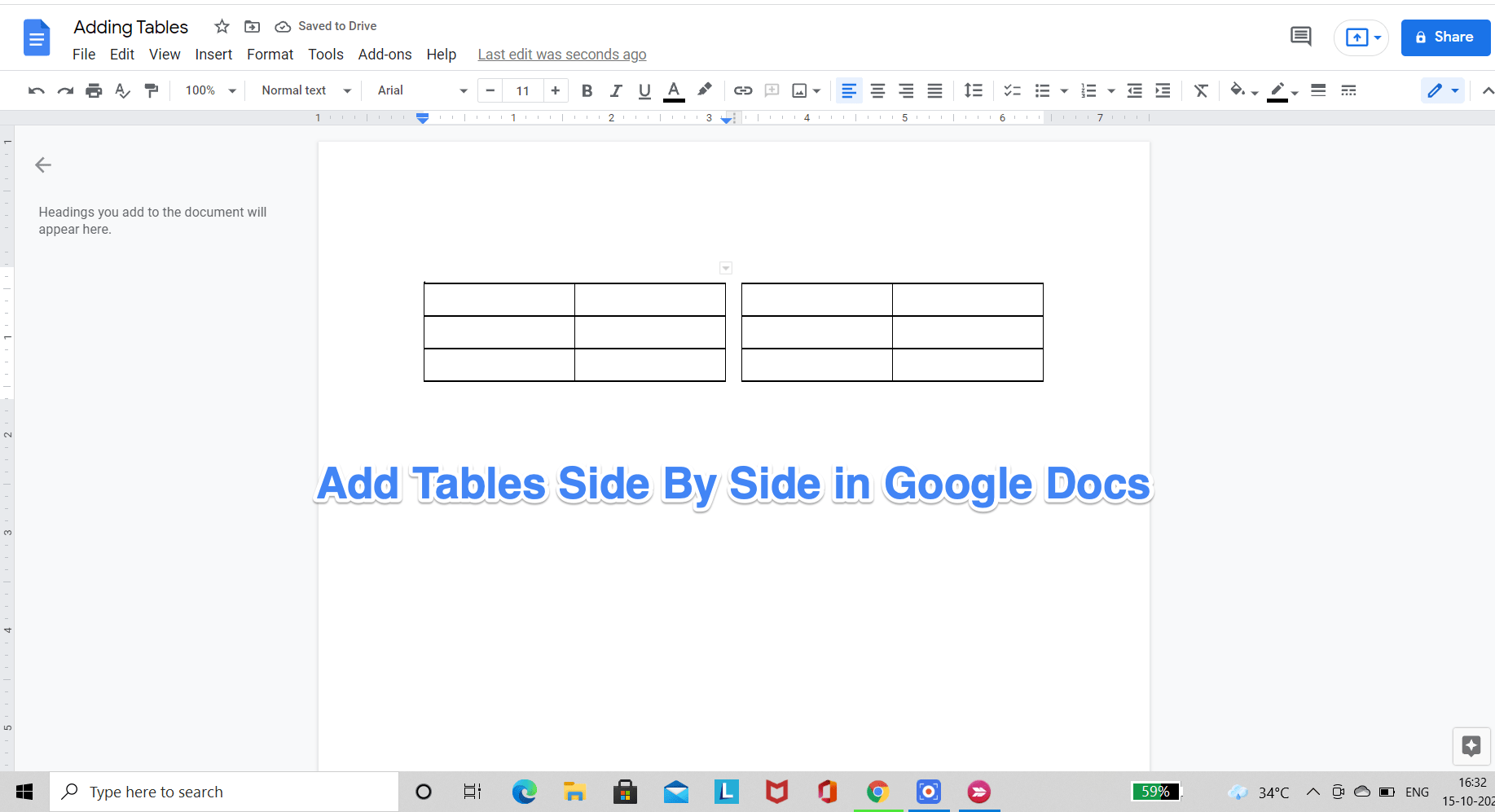
Rearrange Columns or Rows Sort a Table in Google Docs Merge Cells in a Table Split Cells in a Table Delete a Table in Google Docs Insert a Table in Google Docs You can add a table to Google Docs by simply selecting the number of rows and columns you want Place your cursor in the spot where you want the table
Help Computer Software Google Docs How to add modify or delete a table in Google Docs Updated 10 11 2021 by Computer Hope You can insert a table in a Google Docs document to display data in a tabular organized format A table is a great way to represent multiple fields of associated data YouTube Google Docs Tables How to edit arrange add a header unsplittable rows sort and much more ShakeUpLearning 32 6K subscribers Subscribed 225 13K views 2 years ago
192 7 3K views 1 year ago One Minute Tech Tip How to modify and customize tables in Google Docs Table of Contents more How to modify and customize tables in Google DocsTable of