How To Divide Cell Data In Excel How To Split Cells In Excel In 3 Easy Steps Split Cells In Multiple How to divide data into intervals in excel Eliswanee Como Dividir No Excel EducaBrilha How To Split Numbers Into Columns In Excel CLOUD HOT GIRL How To Divide Cells In Microsoft Excel 2017 YouTube Web Mar 22 2023 nbsp 0183 32 Select the cells you want to separate and click the Split Text icon on the Ablebits Data tab in the Text group On the add in s pane configure the following options Select Comma and Space as the delimiters Select the Treat consecutive delimiters as one check box Choose Split to columns
Web Select the cell range or entire column that contains the text values that you want to split On the Data tab in the Data Tools group click Text to Columns Follow the instructions in the Convert Text to Columns Wizard to specify how you Web Mar 7 2022 nbsp 0183 32 You can divide numbers in a single cell by entering a simple formula Open Excel and select the cell you d like to input the formula in Once selected enter this formula a b Replace a and b with the numbers you d like to use So if you want to divide 100 by 4 you d enter 100 4
How To Divide Cells In Microsoft Excel 2017 YouTube Split Data Into Different Columns In Microsoft Excel YouTube How To Divide Columns In Excel Top 8 Easy Quick Ways Excel Split Cells Into Multiple Columns Lasopastage Split One Cell Into Two Or More Cells Free Excel Tutorial CLOUD HOT GIRL 4 Excel Divide In Excel Formula Examples How To Use Excel Divide Pie Chart Show Percentage And Value In Spss Bar Chart With Percentages In R Shorcut To Relative Cell Reference Excel Damercomedy
How To Divide Cell Data In Excel
 How To Divide Cell Data In Excel
https://yodalearning.com/wp-content/uploads/split-cells-in-excel.png
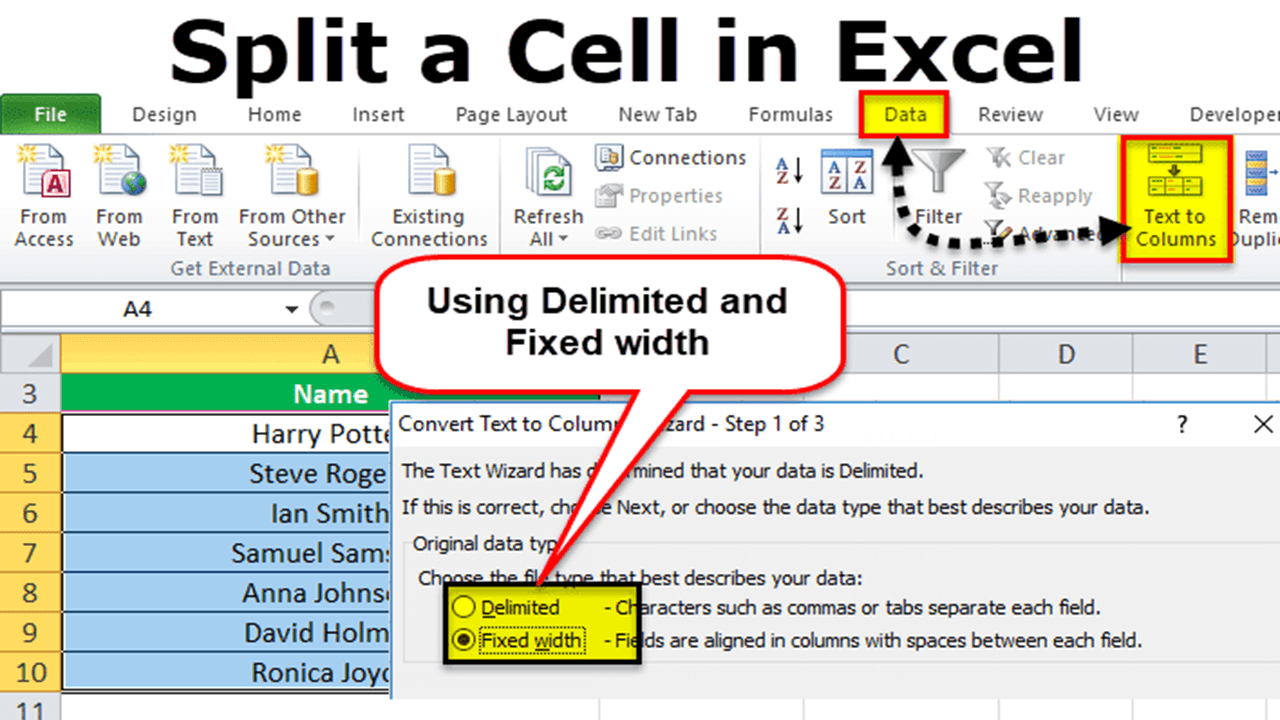
Web Aug 22 2020 nbsp 0183 32 1 Select the Data menu Then select Text to Columns in the Data Tools group on the ribbon 2 This will open a three step wizard In the first window make sure Delimited is selected and select Next 3 On the next Wizard window deselect Tab and make sure Space is selected Select Next to continue 4
Pre-crafted templates provide a time-saving service for creating a diverse series of documents and files. These pre-designed formats and designs can be utilized for numerous individual and professional tasks, including resumes, invites, flyers, newsletters, reports, discussions, and more, simplifying the material production process.
How To Divide Cell Data In Excel
Merge Multiple Cell Data In One Cell In Excel YouTube
Split Data Into Different Columns In Microsoft Excel YouTube

How To Divide Columns In Excel Top 8 Easy Quick Ways
Excel Split Cells Into Multiple Columns Lasopastage

4 Excel
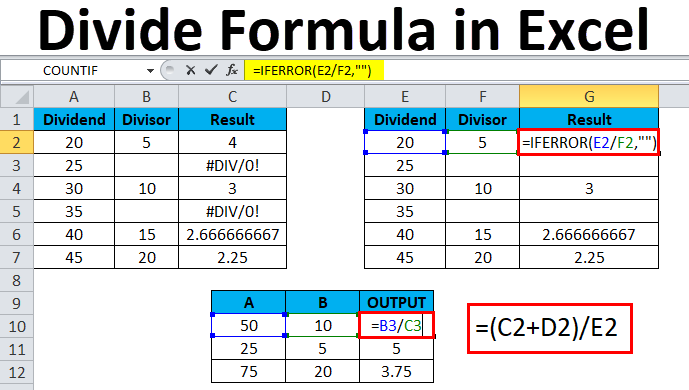
Divide In Excel Formula Examples How To Use Excel Divide

Web Dec 8 2021 nbsp 0183 32 A quick way to split the values in your cells into multiple cells is by using Excel s Flash Fill feature This automatically extracts the values from your cells and puts them into separate multiple cells To use this feature you must be running Excel 2013 or later To show you how to use this feature we ll use the following spreadsheet

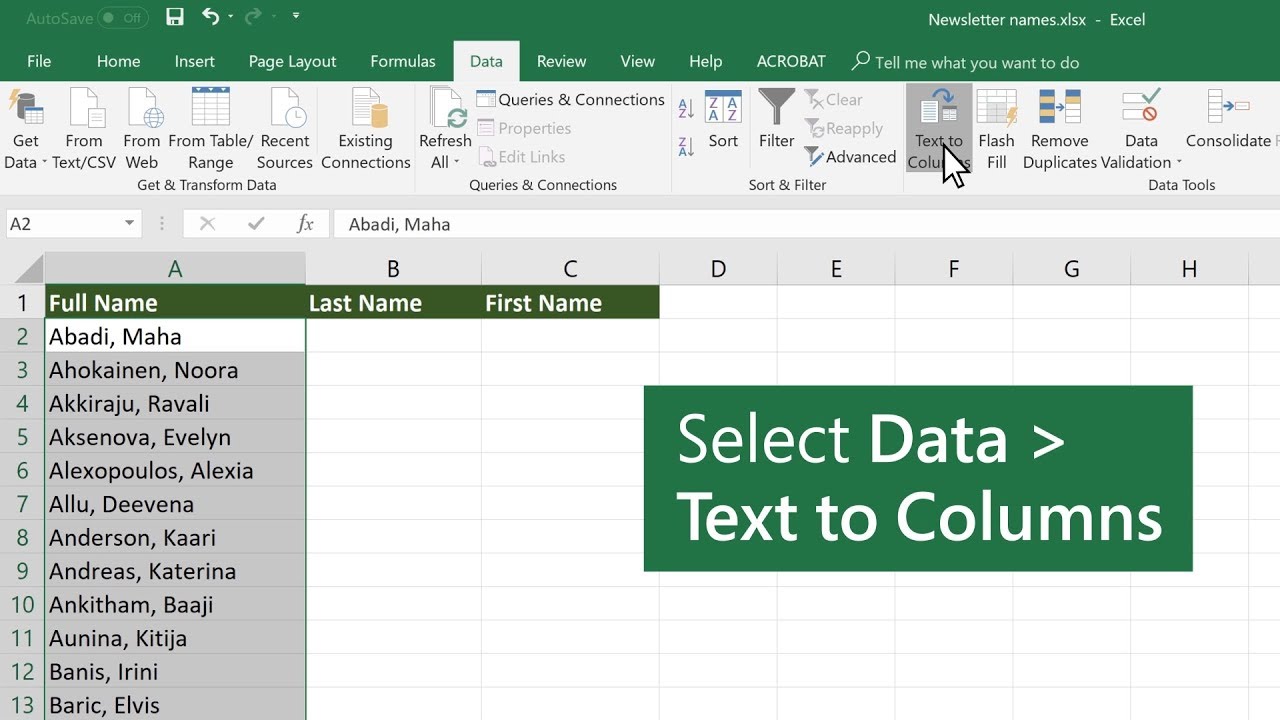
Web Feb 12 2021 nbsp 0183 32 Click the quot Data quot tab at the top of the Excel Ribbon Click the quot Text to Columns quot button in the Data Tools section In the Convert Text to Columns Wizard select quot Delimited quot and then click quot Next quot Delimited works great in our example as the names are separated by commas

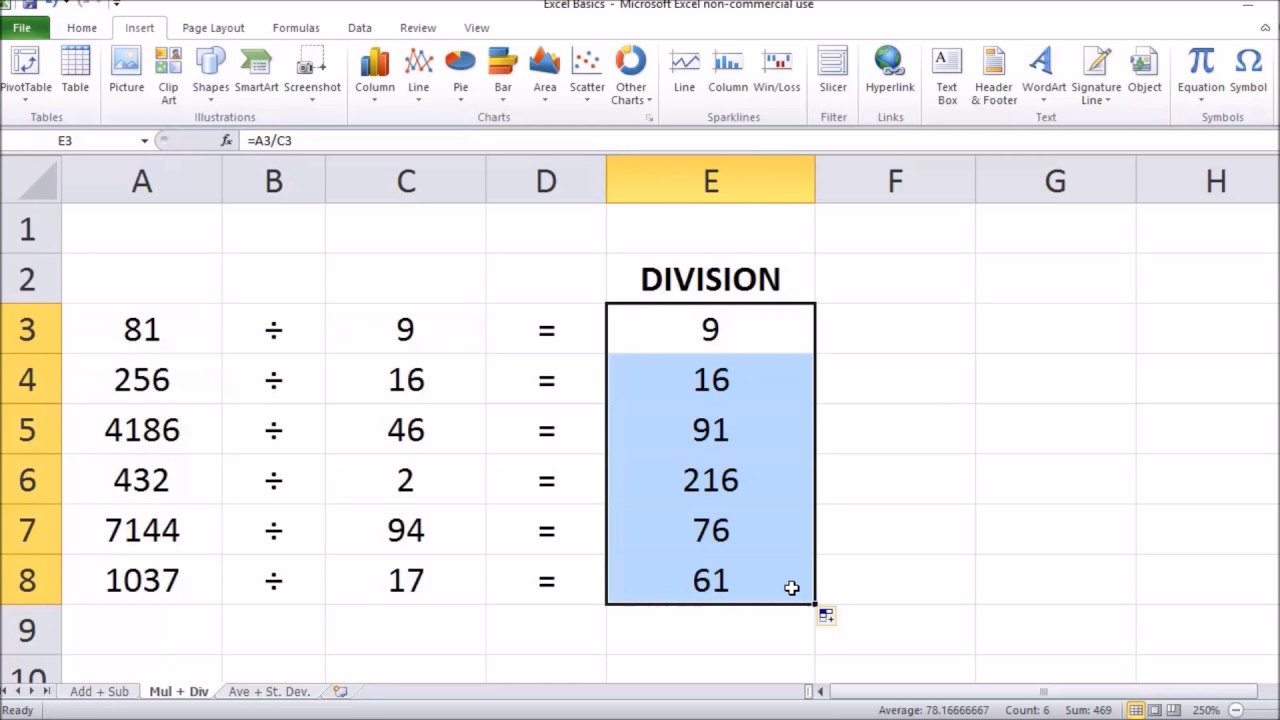
Web Divide numbers by using cell references Create a blank workbook or worksheet Select the example in the Help topic Note Do not select the row or column headers Selecting an example from Help Press CTRL C In the worksheet select cell A1 and press CTRL V To switch between viewing the results

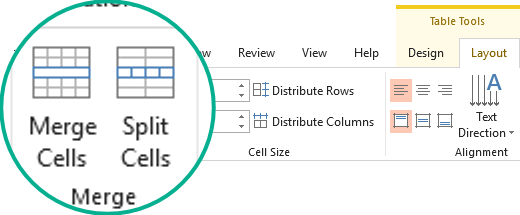
Web To split a cell in Excel add a new column change the column widths and merge cells To split the contents of a cell into multiple cells use the Text to Columns wizard flash fill or formulas Split a Cell Use the following trick to quot split quot a cell in Excel 1 For example task B starts at 13 00 and requires 2 hours to complete
Web Split data into multiple columns Select the quot Sales Rep quot column and then select Home gt Transform gt Split Column Select Choose the By Delimiter Select the default Each occurrence of the delimiter option and then select OK Power Query splits the Sales Rep names into two different columns To
[desc-11] [desc-12]
[desc-13]