How To Delete Temporary Files How To Delete Temporary Files Windows 10 Manually Www vrogue co How To Delete Temporary Files From A Computer Running Windows 8 How To Delete Temporary Files In Windows 7 with Pictures How To Delete Temporary Files In Windows Gambaran How To Find Temporary Files And Delete Them 1 How to Automatically Delete Temporary Files With Storage Sense Windows 11 includes a Storage Sense feature that automatically eradicates temporary system and app files So enabling that feature can save you manually deleting such files You can activate that feature like this
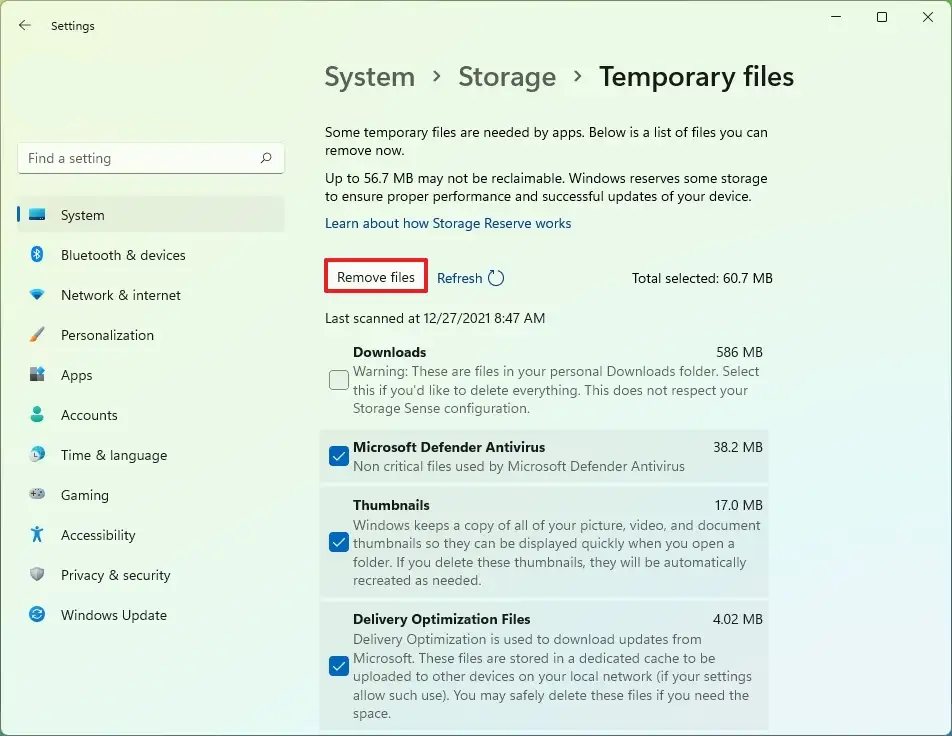
1 Open the Start menu and select Settings 2 Select System 3 Switch to the Storage side tab 4 Select Temporary files Wait for a moment until the Settings app finishes loading a list of temporary file types on your computer 5 Check the boxes next to each temporary file type that you want to remove Simple steps Press Win I to open the Settings app Go to System Storage On the right page click on the Temporary Files option Select the required checkboxes Click the Remove Files button That is it Detailed Steps 1 First search for the Settings app in the start menu and open it
How To Find Temporary Files And Delete Them Free Up Some Disk Space How To Delete Temporary Files In Windows 2023 How To Delete Temporary Files In Windows How To Delete Temporary Files In Windows 7 8 10 Using Command How To Delete Temporary Files In Windows 11 2023 Fanatique How To Delete Temporary Files Windows 7 Using Run Delete Temp Files How To Delete Temporary Files On Windows 11 Easy Method How To Delete Temp Files In Windows 10 HostKarle How To Delete Temporary Files In Windows 10 GeeksforGeeks
How To Delete Temporary Files
 How To Delete Temporary Files
https://www.itechguides.com/wp-content/uploads/2020/03/image-638.png
Method 1 Using System Settings Firstly go to Settings Windows key I System In the next page click on Storage and choose the local drive that you want to cleanup Now scroll down if you have to and click on Temporary files If you don t see Temporary files listed select Show more categories
Templates are pre-designed documents or files that can be used for numerous purposes. They can conserve time and effort by providing a ready-made format and design for developing various type of material. Templates can be used for personal or professional tasks, such as resumes, invites, leaflets, newsletters, reports, presentations, and more.
How To Delete Temporary Files
Can You Delete Zip Folder Windows 10 Onestoppor

Free Up Some Disk Space How To Delete Temporary Files In Windows 2023

How To Delete Temporary Files In Windows
How To Delete Temporary Files In Windows 7 8 10 Using Command
How To Delete Temporary Files Windows 7 Using Run Delete Temp Files
How To Delete Temporary Files On Windows 11

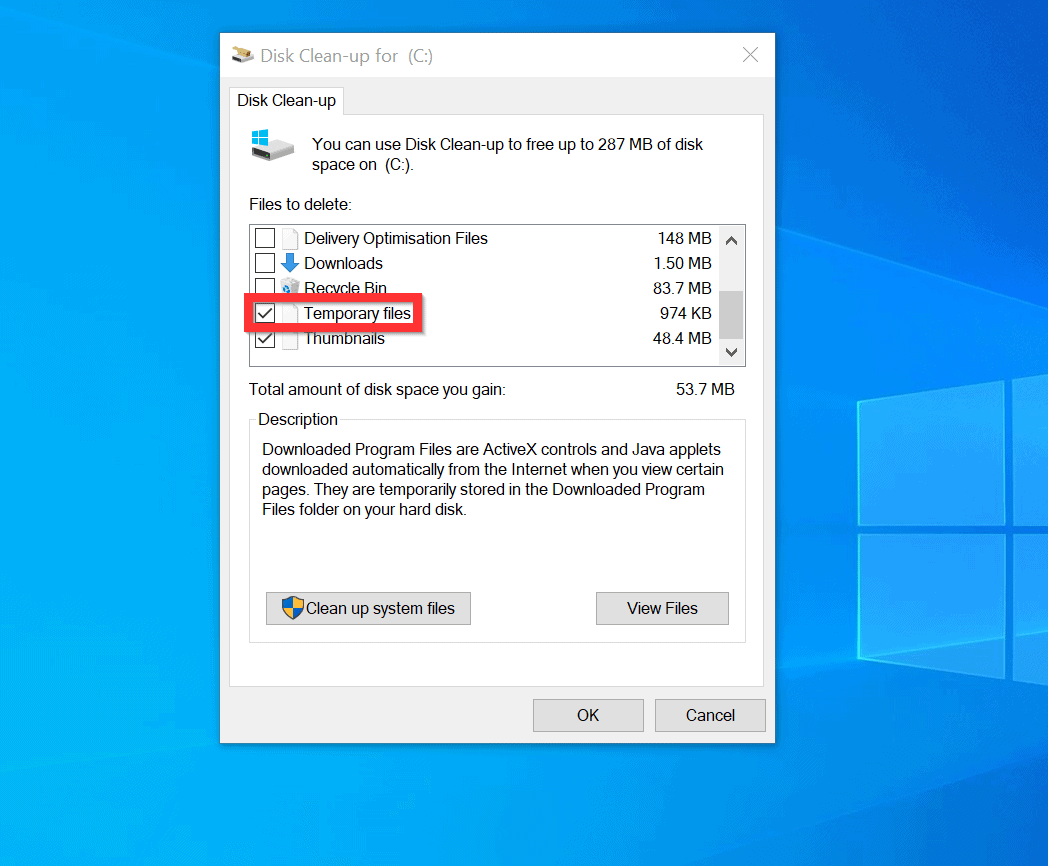
To clear temporary files on Windows 10 open the Start Menu search for Disk Cleanup and launch it Select the temporary files you d like to delete and hit OK Alternatively open the Settings app then navigate to System Storage Temporary Files and click Remove Files

Method 1 Using Disk Cleanup Download Article 1 Open Disk Cleanup Search disk cleanup in the taskbar s search box and click the first result which is the Disk Cleanup app This is the easiest method for cleaning up

Windows 11 Windows 10 To delete temporary files In the search box on the taskbar type disk cleanup and select Disk Cleanup from the list of results Select the drive you want to clean up and then select OK Under Files to delete select the file types to get rid of

To delete temporary files on Windows 11 via Settings follow these steps Press the Windows key and type Disk cleanup recommendations Navigate to the Cleanup recommendations section Under the Temporary Files option select the folders you wish to delete Finally click the Clean up button to delete the temporary files safely

You can manually delete temporary files in Windows 10 and 11 in four ways Use the Temporary Files menu in Windows settings Use Disk Cleanup Use Command Prompt to delete temporary files Delete temporary files by cleaning up your browser
[desc-11] [desc-12]
[desc-13]