How To Delete Git Repository Remote How To Delete File On Git Removing Files From Git Repository Using How To Delete A GitHub Repository Rewind How To Delete Git Repository Git Repository Delete Ch 3 Git And Github Git Commit Git Status Git Log How To Delete Git And GitHub Operating Systems 2018 Click Delete this repository You can delete any repository or fork if you re either an organization owner or have admin permissions for the repository or fork Deleting a forked repository does not delete the upstream repository
5 Answers Sorted by 12 As pointed out by BrokenBinary in his comment This can t be done You cannot delete a remote repo hosted on GitHub or elsewhere with Git commands be it in Git Bash or elsewhere period You can delete remote branches assuming you have write access to them yes but not an entire remote repository How to Remove a Git Remote There are three steps to remove a Git remote with an optional verification step to confirm the removal First open a terminal and change into the directory that holds your repository cd repos tensorflow Second list the remotes git remote v
Git And GitHub Operating Systems 2018 How To Delete Git Repository Easily In Kannada Git Tutorial In GIT Tutorial Remote Repositories Vividbreeze Dev Blog How To Delete Git Repository YouTube Github How Can I Unlink A Git Repository In Visual Studio Code How To Delete Git Repository From Git Hub YouTube How To Delete A Repository In GitHub 2022 YouTube Github PuckieStyle How To Remove Git From Project Scaler Topics
How To Delete Git Repository Remote
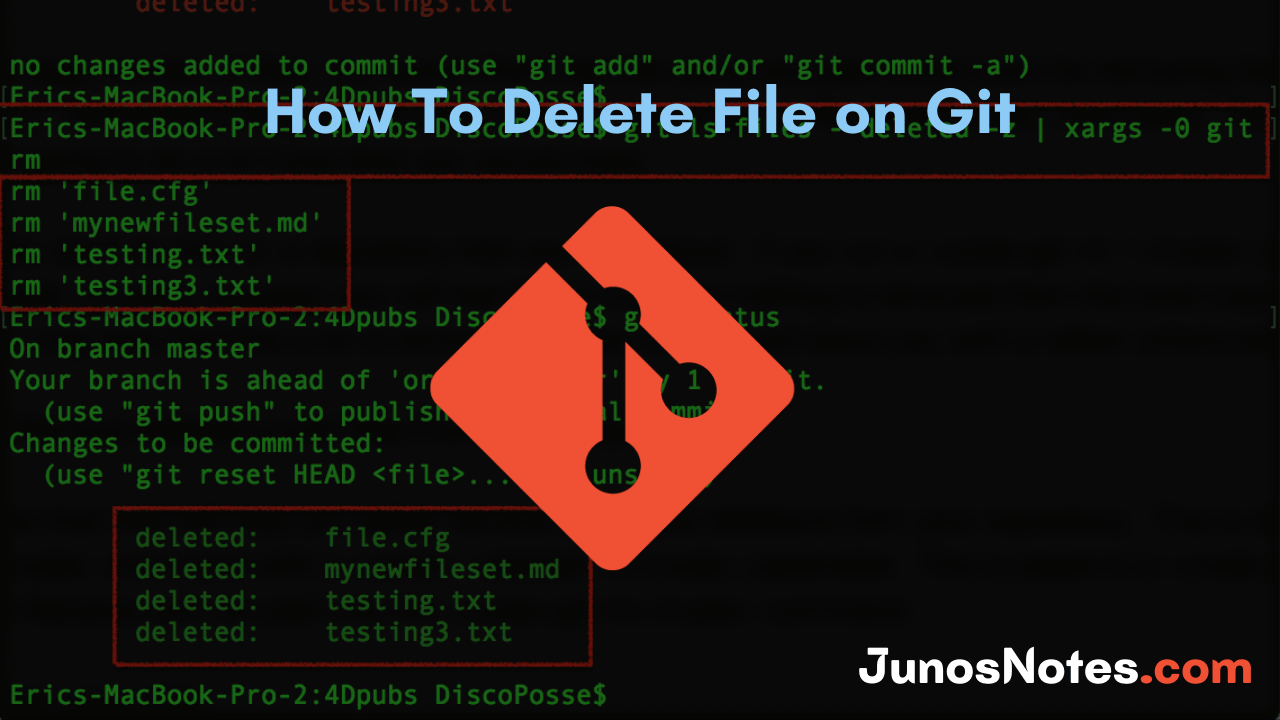 How To Delete Git Repository Remote
https://www.junosnotes.com/wp-content/uploads/2021/07/How-To-Delete-File-on-Git.png
The git remote remove command removes a remote from a local repository You can use the shorter git remote rm command too The syntax for this command is git remote rm remote url If you remove a remote accidentally you will need to add it back manually using the git remote add command
Pre-crafted templates offer a time-saving solution for producing a varied variety of documents and files. These pre-designed formats and designs can be utilized for various individual and expert tasks, consisting of resumes, invites, flyers, newsletters, reports, presentations, and more, streamlining the content development process.
How To Delete Git Repository Remote
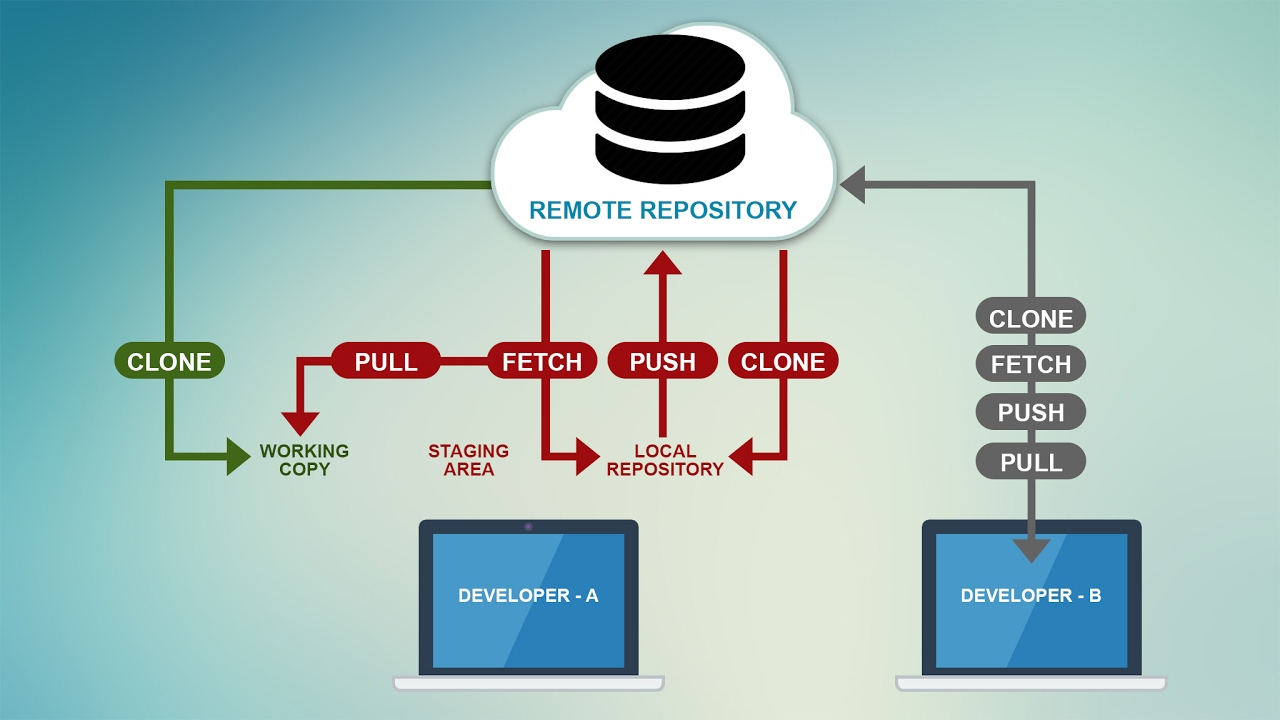
Learn How To Use Local And Remote Repositories In Git YouTube

How To Delete Git Repository Easily In Kannada Git Tutorial In
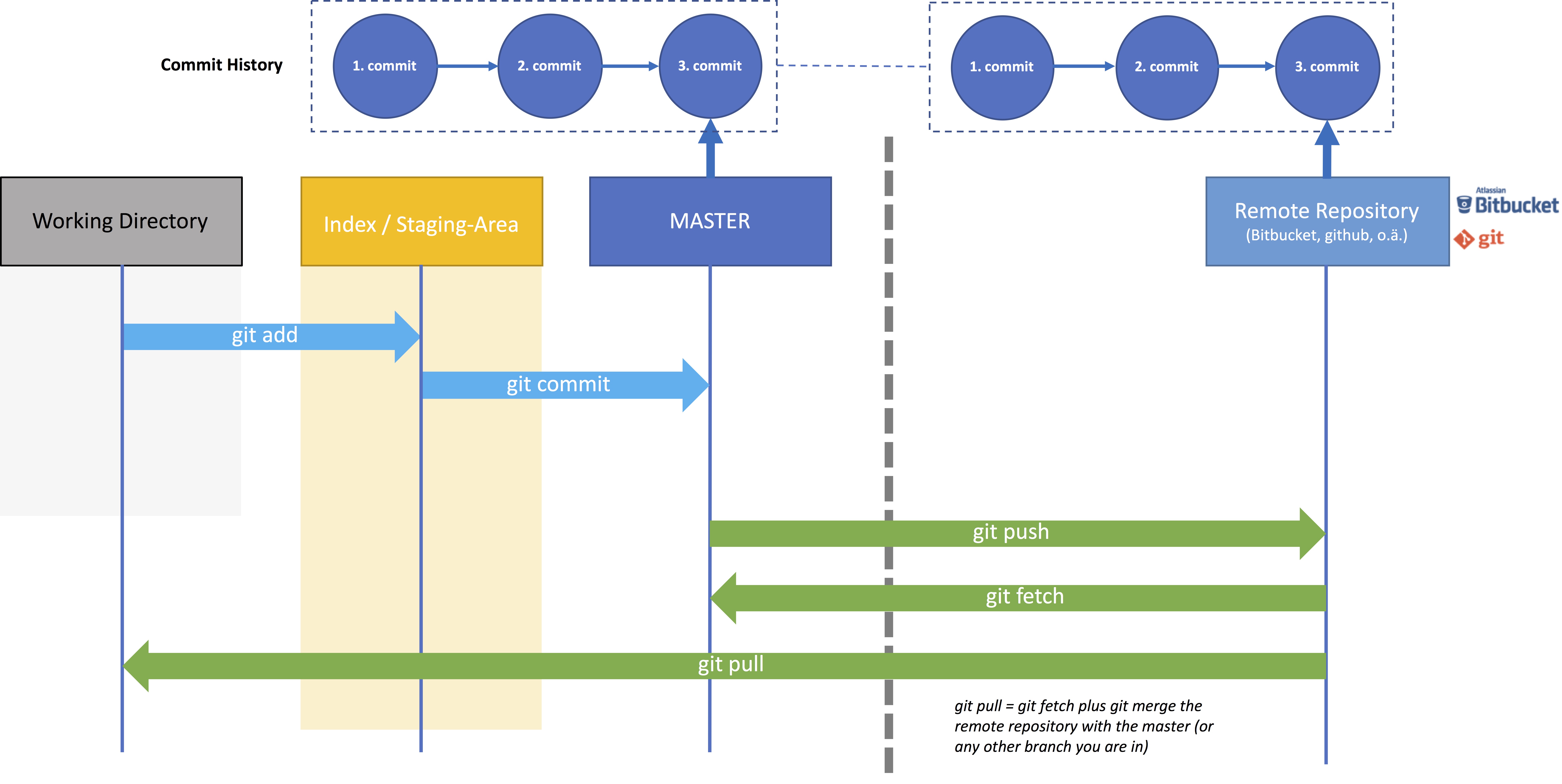
GIT Tutorial Remote Repositories Vividbreeze Dev Blog

How To Delete Git Repository YouTube

How To Delete Git Repository From Git Hub YouTube
How To Delete A Repository In GitHub 2022 YouTube
To remove a remote navigate to the directory your repository is stored at and use the git remote rm or git remote remove command followed by the remote name git remote rm remote name For example to remove remote named testing you would type git remote rm testing git remote rm removes all references to the remote repository
Delete the existing remote repository before you add the new remote For more information see Removing a remote repository below Changing a remote repository s URL The git remote set url command changes an existing remote repository URL Tip For information on the difference between HTTPS and SSH URLs see About remote repositories
16 Answers Sorted by 2731 Instead of removing and re adding you can do this git remote set url origin git new url here See this question How to change the URI URL for a remote Git repository To remove remote use this git remote remove origin Share Follow edited Jan 28 2020 at 11 06 Dmitriy 5 417 8 46 57 answered May 2 2013 at 4 40

Git remote v If you want to switch remotes like in the case of forking a Github repo and pushing updates to your own repo you ll need to delete the old remote git remote rm origin Then you can add a new remote

To remove a remote URL from your repository use the git remote rm command One argument is required for the git remote rm command a distant place name like a destination Your repository is hosted on a remote server through git remote Different server locations such as GitHub BitBucket and GitLab are used for Git remote
Delete Remote Branch Automatically Deleting Github Pull Request Branches Branches are a core part of Git workflows being used to keep unfinished code out of the master codebase However if you work with them a lot you may have a bunch of unused branch references in your branch listing that need to be deleted Why Delete Branches To completely remove a remote branch you need to use the git push origincommand with a dflag then specify the name of the remote branch So the syntax representing the command for removing a remote branch looks like this git push origin d branch name For instance to remove the test branch1branch I will run git push origin d test branch1
Follow the steps below to remove the remote origin from the local repository Open the terminal and navigate to the local repository directory Type the command git remote v to view the list of remote repositories Identify the remote origin and copy the name of the remote repository Type the command git remote remove remote name to remove