How To Delete Duplicate Files How To Remove Duplicate Files And Folders In Windows 10 2020 YouTube How To Delete Duplicate Files In Windows 10 How To Delete Duplicate Files In Your Computer Without Installing Any Excel Formula To Remove Duplicates From A Column Hopdedutch Remove Duplicate Windows 10 Installation Sydneyfas Web Apr 8 2013 nbsp 0183 32 Click for full size If your hard drive is so overloaded that you hesitate to install even a 5MB program like Duplicate Cleaner Free go with this old but still workable version of Easy
Web Jan 30 2019 nbsp 0183 32 CloneSpy Duplicate Cleaner Pro Free 15 day trial Wise Duplicate Finder Dupscout Advanced Duplicates Finder Duplicate Finder Auslogics Duplicate File Finder Fast Duplicate File Web 1 Duplicates of media files It is normally safe to delete duplicates of your personal pictures or films but as before ensure that you verify the file path and the files content before you delete anything 2 Select duplicates in a specific folder You can do this by side clicking a file from the Duplicate Finder list see screenshot
Remove Duplicate Windows 10 Installation Sydneyfas How To Delete Duplicate Documents From Computer 4 Outstanding Ways To Delete Duplicate Photos On Windows YouTube How To Delete Duplicate Photos Iphone Riskface How To Remove Duplicate Files In Microsoft OneDrive How To Delete Duplicate Records In Oracle How To Delete Duplicate Files In Android Phones Roidlive How To Delete Duplicate Files On Windows 10 Safe And Quick YouTube How To Find Duplicate JPG Files And Delete Them All At Once By Jason
How To Delete Duplicate Files
 How To Delete Duplicate Files
https://i.ytimg.com/vi/f6xh6sv2S7k/maxresdefault.jpg
Web Delete duplicate files On your Android device open Files by Google At the bottom tap Clean On the Duplicate files card tap Select files Select the files you want to delete At the bottom tap Move x file s to Trash On the confirmation dialog tap Move x
Templates are pre-designed documents or files that can be utilized for numerous functions. They can conserve effort and time by providing a ready-made format and design for producing different sort of material. Templates can be used for personal or expert projects, such as resumes, invites, flyers, newsletters, reports, presentations, and more.
How To Delete Duplicate Files
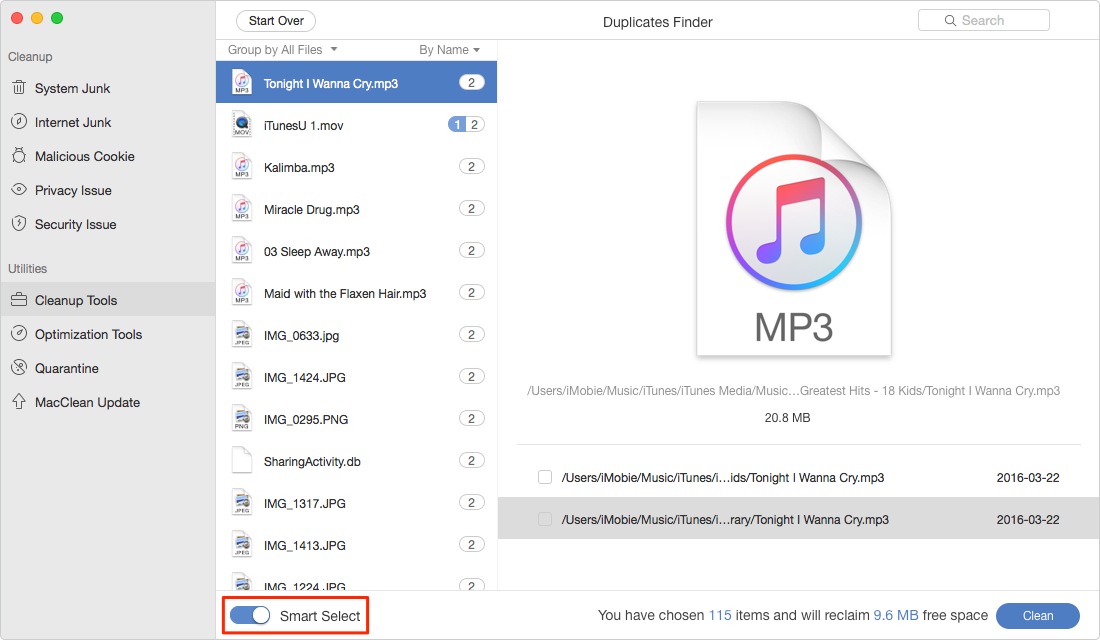
How To Delete Duplicate Files On Mac Easily IMobie Guide

How To Delete Duplicate Documents From Computer
4 Outstanding Ways To Delete Duplicate Photos On Windows YouTube
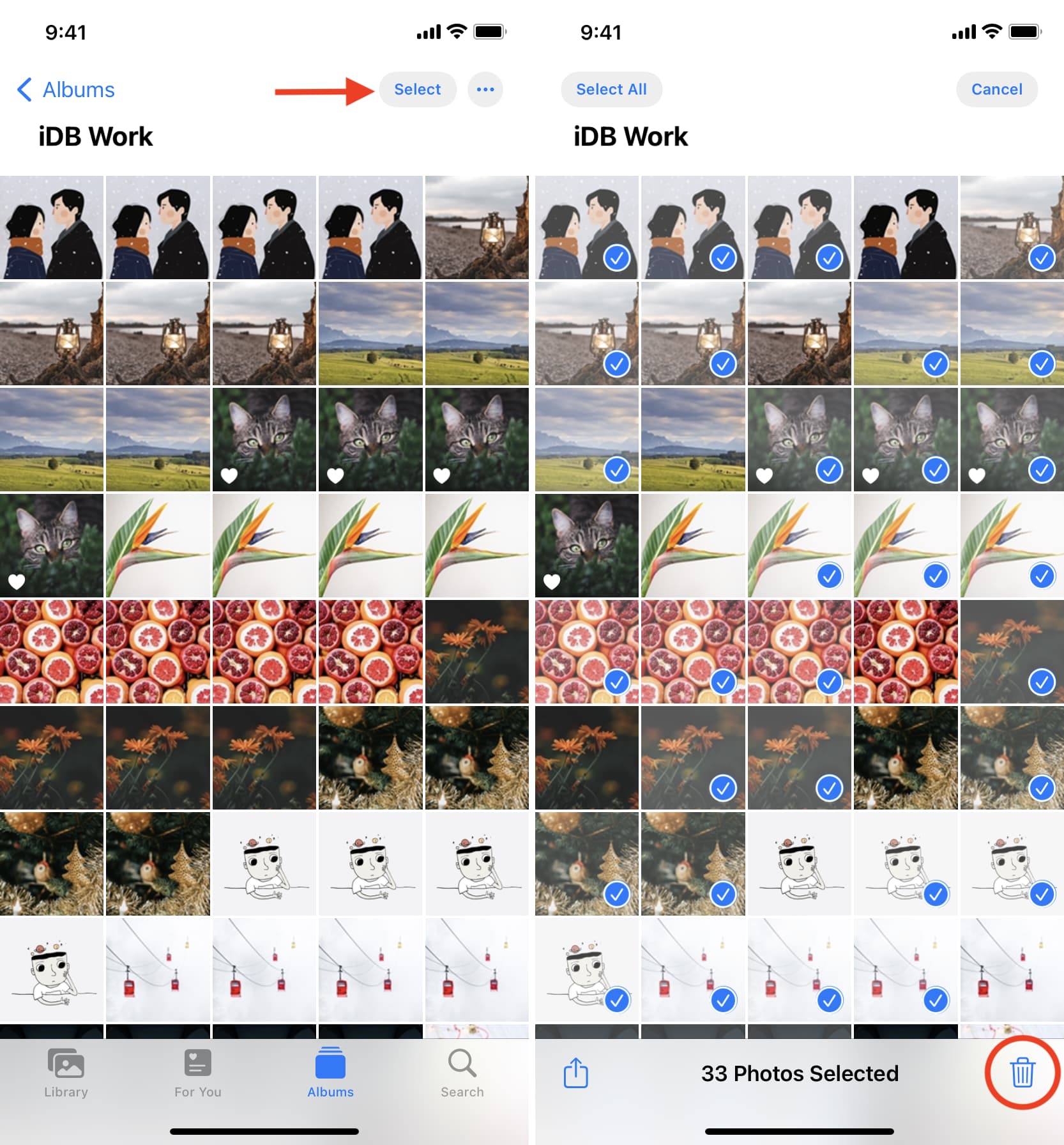
How To Delete Duplicate Photos Iphone Riskface
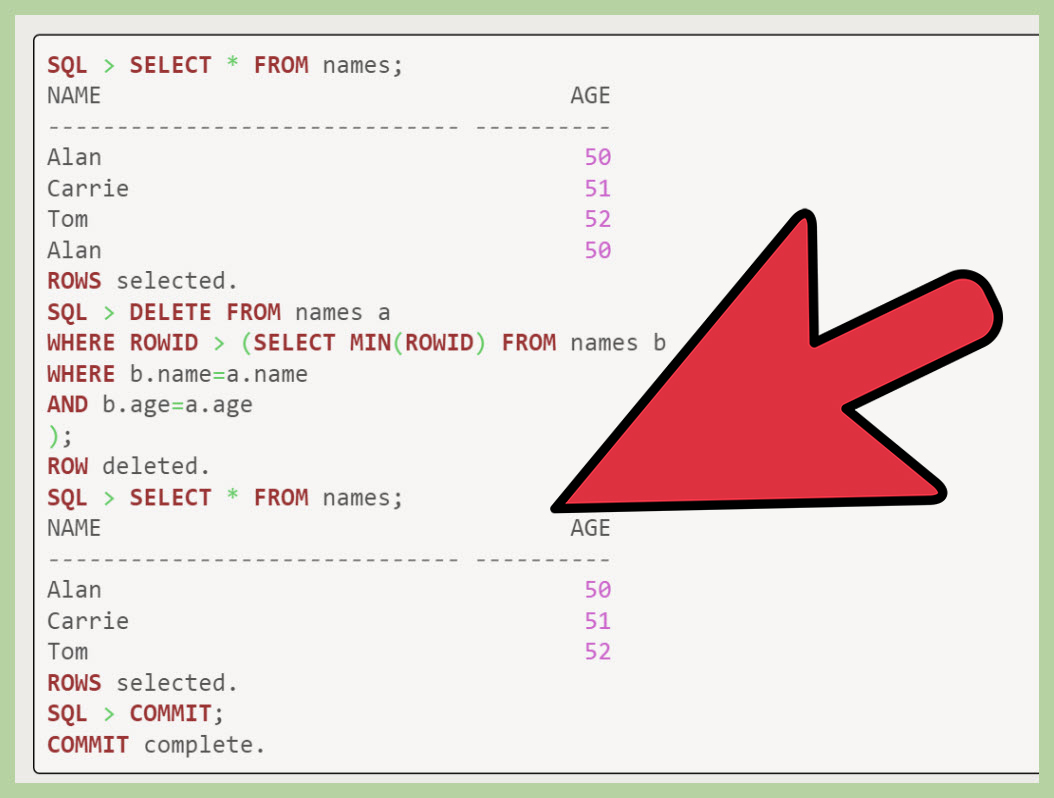
How To Delete Duplicate Records In Oracle

How To Delete Duplicate Files In Android Phones Roidlive

Web May 30 2017 nbsp 0183 32 Select the files you want to delete and click the quot Delete Selected Files quot button to send them to the Recycle Bin The Best Tool You May Already Have Installed CCleaner CCleaner is a popular tool so there s a good chance you already have it installed

Web Oct 4 2023 nbsp 0183 32 How can I delete duplicate files in Windows 10 1 Use File Explorer In the following guide we showed you how to sort and delete duplicate files using the built in 2 Erase duplicate files with CCleaner Firstly d ownload CCleaner and install it Open CCleaner Click Tools on the 3 Use

Web Oct 3 2023 nbsp 0183 32 Remove Duplicate Files using Windows PowerShell On the lower left corner right click on the Windows icon and then select Windows PowerShell Admin A pop up Enter this script set location path C in the Windows Powershell window Enter the script for the list of all duplicates and their
Web Jan 19 2018 nbsp 0183 32 Sorry to inform you that Microsoft does not provide any tool to search for duplicate files You may have to manually search for files and delete it Refer to Find a file or folder http windows microsoft en us windows find file folder 1TC windows 7 Note Steps applies to Windows 10 As well Please be informed that some of the steps

Web Jul 2 2017 nbsp 0183 32 1 Open CCleaner 2 Select Tools from the left sidebar 3 Choose Duplicate Finder 4 For most users running the scan with the default selections is fine You can however alter these
Web May 11 2023 nbsp 0183 32 Select the duplicates individually by holding the Ctrl key and clicking them individually with your mouse When you re ready to delete the files right click and click Delete the trash can icon Web Jun 16 2023 nbsp 0183 32 Method 1 Use the Windows File Explorer You can use the built in File Explorer to sort your files to help find duplicates and delete them from your computer Here s how Press the Windows logo key S keyboard combination to open the Windows search bar Type in indexing options without quotes
Web Feb 16 2023 nbsp 0183 32 Step 1 Open the File Explorer and navigate to the folder where the duplicate files are stored Step 2 Then click on the View button on the top panel and switch to details Also choose the compact mode so you can see more files Step 3 The last step is to click on the Sort button on the top of the file explorer and then choose to