How To Cut Multiple Lines In Vim How To Cut Copy And Paste In Vim Editor How To Cut Multiple Solids Using A Single Extrusion Cut In Inventor Inventor Autodesk How To Comment Multiple Lines At Once In Vim DevsDay ru Skycut Plotter Skycut Plotter India 3 Ways How To Cut Multiple Colors On Cricut Projects Craft Push Web Jul 24 2023 nbsp 0183 32 How to Cut Multiple Lines in Vim With the cursor positioned at line i am line 02 we can cut to line i am line 05 4 lines in total with the keyboard entry 4dd Cut Multiple Lines in Vim Editor How to Copy Text s in Vim Editor Firstly the cursor should be moved to a preferred position while in command mode Esc How to Copy Line in Vim
Web Jan 7 2012 nbsp 0183 32 10 Answers Go to the start of the text and press v Go to the end of the text and press d Go to the place that you want to paste and press p Share Improve this answer Follow edited Nov 24 2020 at 20 41 answered Jul 12 2016 at Web Jul 16 2013 nbsp 0183 32 1 Select the text in virtual vode 2 Execute lt gt norm 3f r M but it doesn t work correctly it splits only half of the lines because after every line is broken the next repetition of the command applies to the rest of the broken line instead on the next line
3 Ways How To Cut Multiple Colors On Cricut Projects Craft Push How To Delete Macvim Hirebinger How To Delete Multiple Lines In Vim LaptrinhX How To Comment Multiple Lines At Once In Vim DevsDay ru Vim Copy And Paste Multiple Lines Edit Multiple Lines In Vim Programmer Hat Cricut Tutorial Archives CALUYA DESIGN How To Delete All Lines In VI VIM Text Editor At Once Linux Shout How To Delete Lines In Vim Vi
How To Cut Multiple Lines In Vim
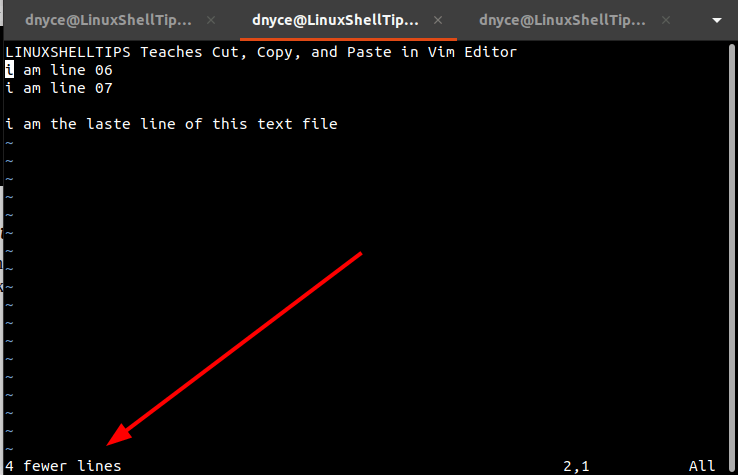 How To Cut Multiple Lines In Vim
https://www.linuxshelltips.com/wp-content/uploads/2022/06/Cut-Multiple-Lines-in-Vim-Editor.png
Web Jul 6 2017 nbsp 0183 32 Selecting all the lines you want to copy using the mouse press shiftc using the text getting copied Now pasting get at the position that you want to paste to then press ESC set paste insert and then shiftv If you want to cut paste then use dd and p to paste You can also use d4d in place of dd to cut paste 4 lines
Templates are pre-designed documents or files that can be utilized for different purposes. They can conserve effort and time by providing a ready-made format and layout for producing various kinds of content. Templates can be utilized for individual or professional projects, such as resumes, invites, flyers, newsletters, reports, discussions, and more.
How To Cut Multiple Lines In Vim

How To Delete Lines In Vim Nvim With GIF Examples Linovox
How To Delete Macvim Hirebinger
How To Delete Multiple Lines In Vim LaptrinhX
How To Comment Multiple Lines At Once In Vim DevsDay ru

Edit Multiple Lines In Vim Programmer Hat
Cricut Tutorial Archives CALUYA DESIGN

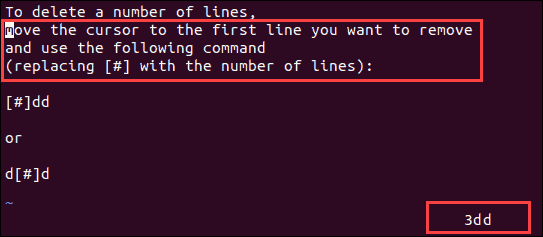
Web Apr 6 2020 nbsp 0183 32 To cut three 3 lines starting from the one where the cursor is located use 3dd To cut everything right of the cursor to the end of the line use the command d Pasting in Vim Once you have selected text in Vim no matter whether it is using the yank or the delete command you can paste it in the wanted location
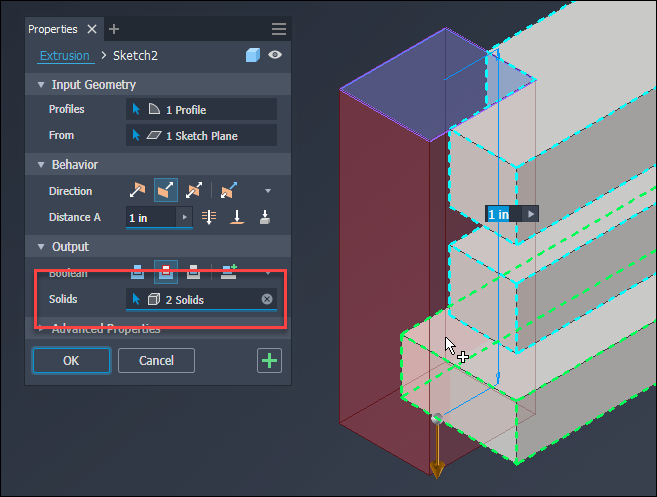
Web Oct 2 2020 nbsp 0183 32 dd Delete cut the current line including the newline character 3dd Delete cut three lines starting from the line where the cursor is positioned d Delete cut everything from the cursor to the end of the line
Web 4 Answers You could simply replace any consecutive space on the line with a newline using the command s s r g s mean one or more whitespace characters and r is a newline see help substitute and help regexp for details If you run the command on a

Web Sep 6 2020 nbsp 0183 32 1 I have the text abcd abcd abcd abcd my cursor is in the first line and I want to yank the first 2 lines Usually I would do it by pressing Shift v selecting the second line by going down with j and yanking with y How can this be achieved without using visual mode cut copy paste multiple lines Share Improve this question Follow

Web dw delete cut from the current cursor location to the start of the next word db delete cut from the current cursor location to the end of the previous word dd delete cut the whole line along with the newline character 4dd delete cut 4 lines along with the newline character
Web Nov 19 2012 nbsp 0183 32 Cut and paste Position the cursor where you want to begin cutting Press v to select characters or uppercase V to select whole lines Move the cursor to the end of what you want to cut Press d to cut or y to copy Move to where you would like to paste Press P to paste before the cursor or p to paste after Web 1 You could yank the stuff to the system clipboard by using quot y and paste it into which ever other application vim included you want
Web Came across this post from googling how to move multiple lines in vim I m using neovim Khelben s answer didn t work for me I m not sure if this is due to a move behavior change from older versions of vim or to neovim but help move in neovim now specifies that a range should be pre pended to the move command specifying the range of