How To Create Qr Code For Google Drive File How To Make A QR Code For Google Forms QRCodeChimp Create QR Codes For Online Forms Jotform How To Create QR Code For Facebook Page On All Platforms TechWiser How To Create Qr Code For Google Map Location Qr Code Google Map Ka Qr Code Learn How To Create Google Form QR Code And Generate More Leads Beaconstac The easiest way to make a QR code for a Google Docs document is to use Google Chrome Chrome has a built in tool for creating QR codes for any website including Google Docs documents To make a
1 Just Like Any Other Chrome Page You can actually generate a Google Docs QR code just like you can generate a QR code for any webpage With the Google Docs open in Chrome left click the Share icon in the URL field From the resulting dropdown menu select the Create QR Code button This generates a QR code Use this add on to create a labelled QR code for every file or folder within a Google Drive folder
Learn How To Create Google Form QR Code And Generate More Leads Beaconstac How To Make A QR Code For A Link Free QR Code Generator Online Enable Qr Code Generator In Microsoft Edge Browser Technoresult How To Create Chromium Windows 3 Ways To Create A QR Code For Google Forms On Mobile And PC TechWiser Qr Code Google Map Create Qr Code At Best Price In Chennai By Crescent Universal ID 2850322688262 Create Qr Code For Google Drive File Awesome How To Make Qr Code Pics Simply How How To Create QR Code For Microsoft Forms And Google Forms Qr Code Png Isolated Picture Png Mart Vrogue
How To Create Qr Code For Google Drive File
 How To Create Qr Code For Google Drive File
https://qrcodechimp.s3.amazonaws.com/blog/wp-content/uploads/2022/11/qrcode_for_google_form-1.jpg
Open a file directly from your google drive under user s permission Get its shareable link converted into a QR code and customize it the way you want Download a file of your
Pre-crafted templates provide a time-saving option for developing a varied series of files and files. These pre-designed formats and layouts can be made use of for different individual and expert jobs, consisting of resumes, invites, leaflets, newsletters, reports, presentations, and more, simplifying the content development process.
How To Create Qr Code For Google Drive File

How Do I Set Up A Qr Code For My Business Page Best Images Limegroup

How To Make A QR Code For A Link Free QR Code Generator Online
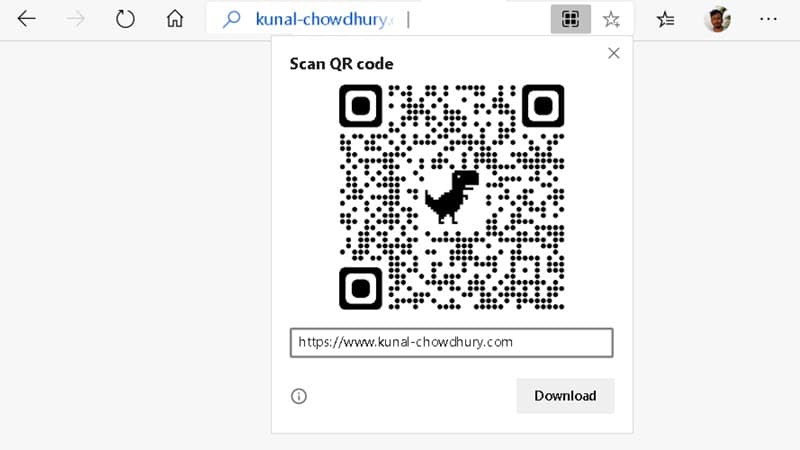
Enable Qr Code Generator In Microsoft Edge Browser Technoresult How To Create Chromium Windows
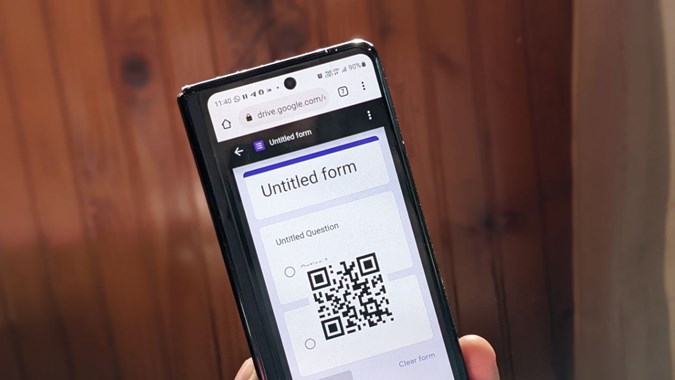
3 Ways To Create A QR Code For Google Forms On Mobile And PC TechWiser

Create Qr Code For Google Drive File

Awesome How To Make Qr Code Pics Simply How

You can share your Google Drive file or folder via QR Code easily You can share with readable or writable permission Moreover you can unlink sharing anytime After generating QR
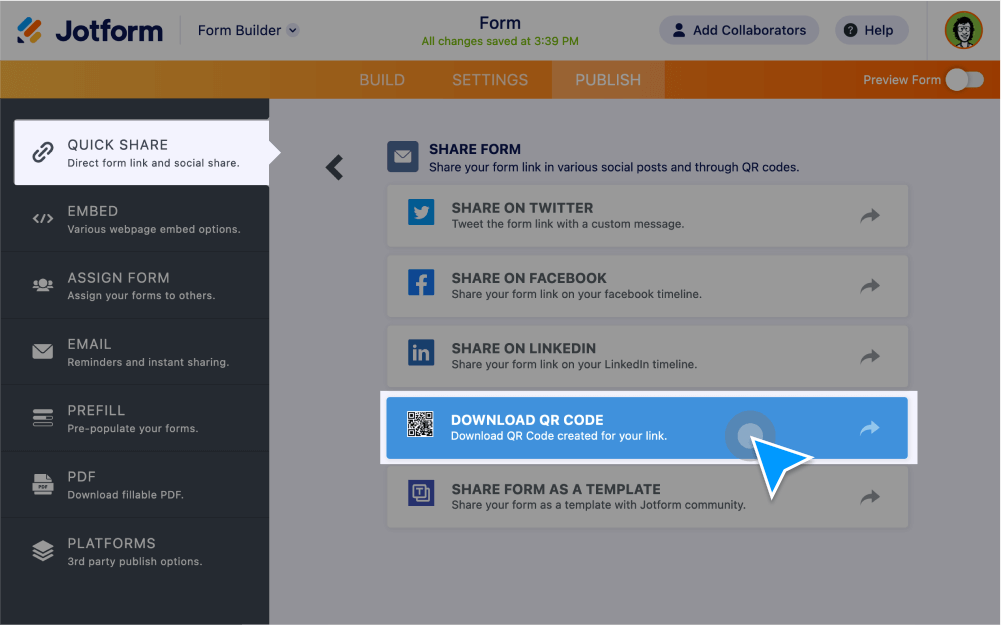
How to Create a QR Code For a Google Drive Folder or File From Your PC Launch Google Chrome or Microsoft Edge and navigate to Google Drive Open the Google Drive folder for which you want to create a QR code Now left click on the share icon given alongside the URL field in the browser Click on

Here s how you can make a custom QR code for your Google Drive folder in 7 easy steps Copy the shareable link of your Google Drive folder Go to QR TIGER and select the URL QR code solution Paste the Google Drive folder link into the empty field Select between Static QR or Dynamic QR Choose

How to Create QR Code For Google Drive Simple How to Simple 35 9K subscribers Subscribe 160 22K views 1 year ago HowtoSimple How to Create QR Code For Google Drive Simple

How to Create QR Code in Google Drive 1 Create a new Spreadsheet in Google Drive 2 In Column A enter the content that you want to embed in the QR code It can be a URL a word sentence or 3 In the respective cell in Column B paste in the following forumla
[desc-11] [desc-12]
[desc-13]