How To Combine Multiple Pdfs Into One Document Adobe Reader How To Combine Multiple PDF Files Into One With Adobe Acrobat Solve How To Combine PDFs Into One File For FREE How To Merge Two Or More How To Combine PDF Files Or Merge Multiple PDF Files Into One PDF YouTube How To Merge Multiple Records On One Page In Word Printable Templates Merge Multiple PDF Files Into A Single PDF Combine All PDFs Click the Add Files button Repeat these steps as many times as necessary to include all of the content you d like to combine into your final PDF Alternatively you can drag and drop files you want to combine directly from your desktop
This video shows you in detail how to combine PDFs into one with Adobe Acrobat Reader DC Pro How to extract pages from a PDF as a combined document or separa Steps Sign in to Acrobat Web at https acrobat adobe with your Adobe ID and password or with your social Facebook or Google account In the top navigation bar select Edit Combine Files Choose a PDF from your Recent Documents your computer or your online storage account that you want to organize then select
Merge Multiple PDF Files Into A Single PDF Combine All PDFs How To Merge Multiple PDF Files Into One PDF YouTube How To Combine PDF Files Into One PDF File Merge PDF Files Into One How To Combine PDFs Into One YouTube Tip How To Combine Multiple PDF s Into One PDF How To Combine Multiple PDFs Into One Single PDF File How To Merge PDF Files In Adobe Or Other Free Online Tools How To Merge PDF Files Into One YouTube 7 Best PDF Merge Combine Software For PC Offline Free Download
How To Combine Multiple Pdfs Into One Document Adobe Reader
 How To Combine Multiple Pdfs Into One Document Adobe Reader
https://v8r5x7v2.rocketcdn.me/wp-content/uploads/2018/07/how-combine-multiple-pdfs-adobe-acrobat-1.jpg
Using Windows Using Mac Finder Method Using Mac Preview Method Using Adobe Acrobat Video Expert Q A Combining the contents of two or more PDF files is easy even if you don t have Adobe Acrobat Many free apps are capable of merging PDF files together
Pre-crafted templates use a time-saving service for producing a diverse variety of documents and files. These pre-designed formats and layouts can be used for various individual and professional jobs, including resumes, invites, leaflets, newsletters, reports, discussions, and more, streamlining the content development process.
How To Combine Multiple Pdfs Into One Document Adobe Reader
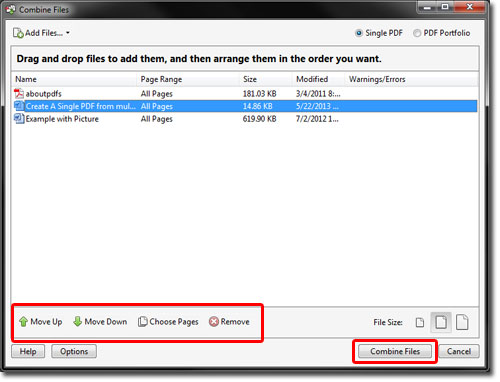
Combine Multiple Files Into One PDF Using Adobe Acrobat Pro X
How To Merge Multiple PDF Files Into One PDF YouTube
How To Combine PDF Files Into One PDF File Merge PDF Files Into One
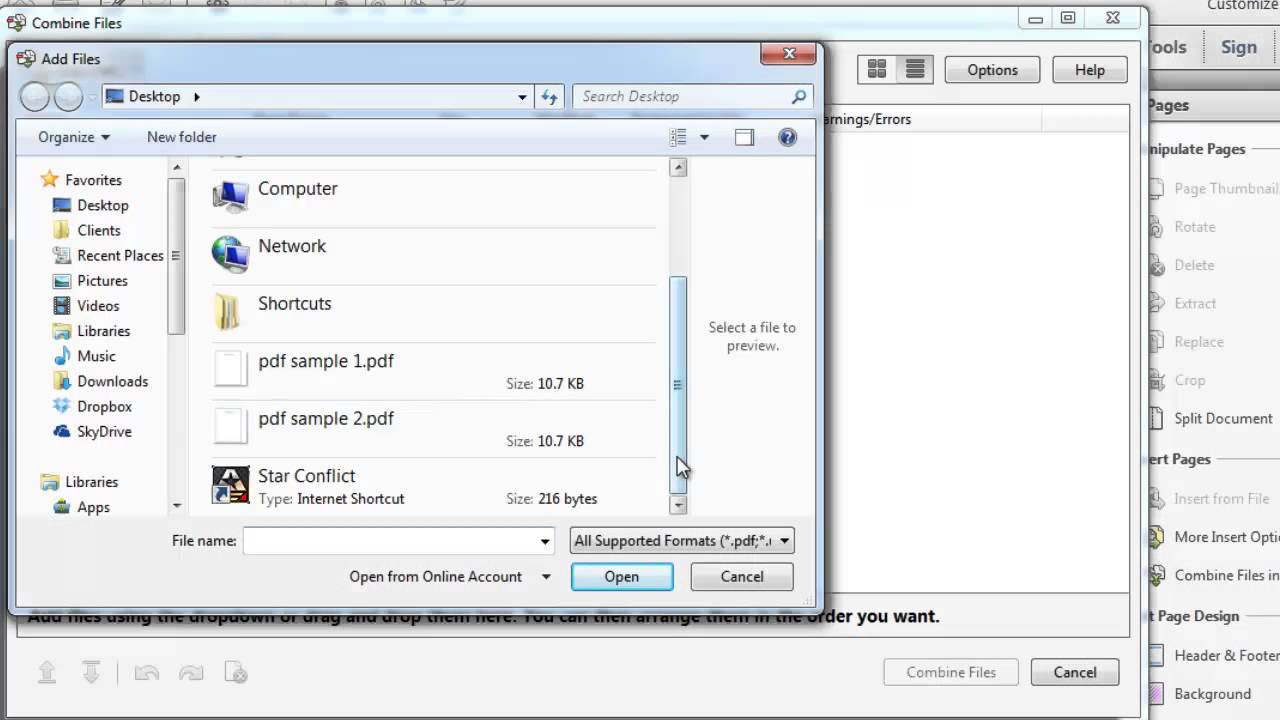
How To Combine PDFs Into One YouTube

How To Combine Multiple PDFs Into One Single PDF File
How To Merge PDF Files In Adobe Or Other Free Online Tools

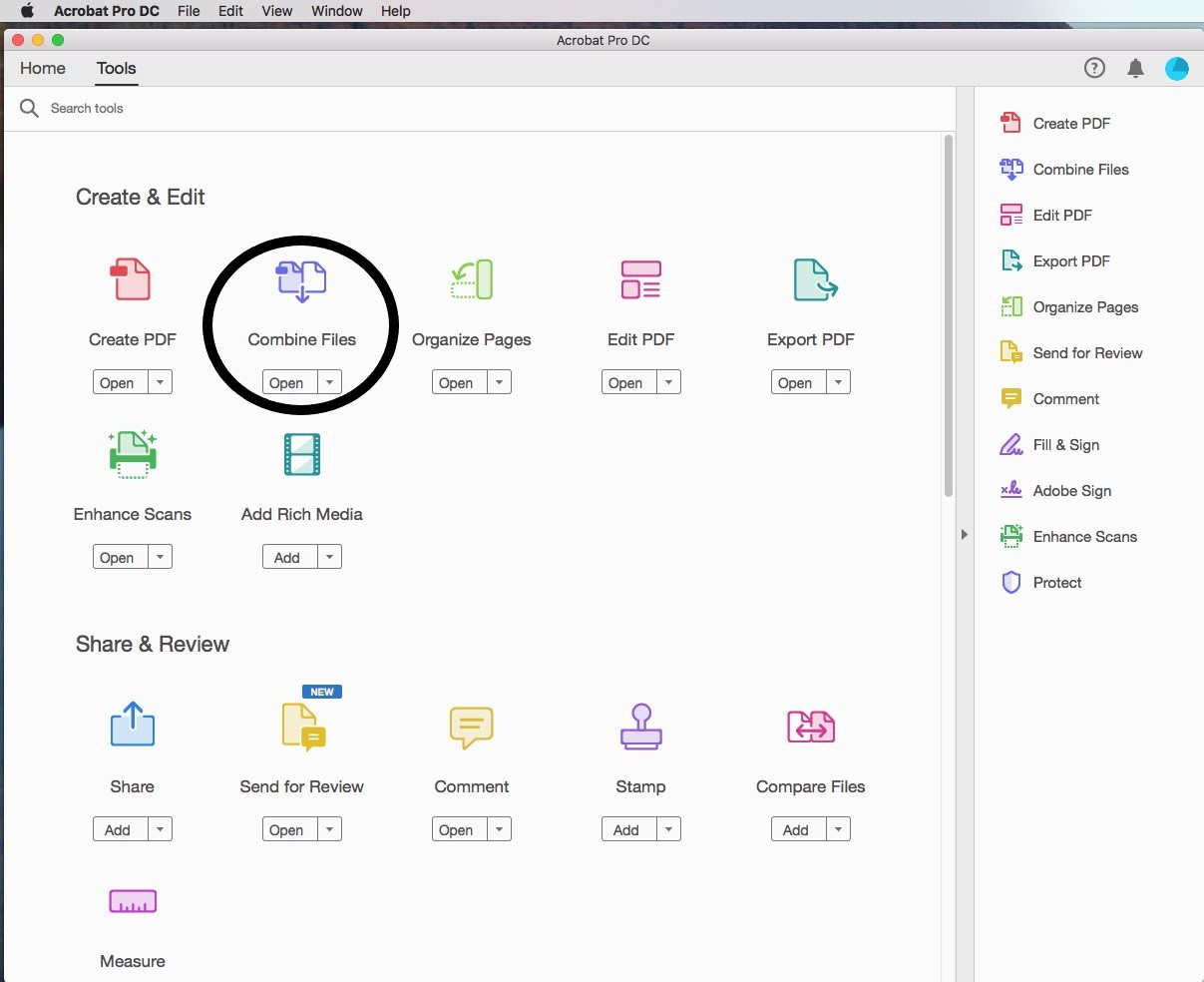
Use the Combine Files tool to merge Word Excel PowerPoint audio or video files web pages or existing PDFs Acrobat lets you preview and arrange the documents and pages before creating the file You can delete unwanted pages and move individual pages from a document anywhere among the combined pages
Try these Acrobat online tools Merge PDFs online for free Combine PDF files to share information in a single file when you try Adobe Acrobat services
Print production tools Acrobat Pro Combine two or more files into a single PDF in the office or on the go Drag and drop thumbnails to arrange pages in the right order from your computer or any web browser Watch a quick video tutorial and get started Create merged PDFs
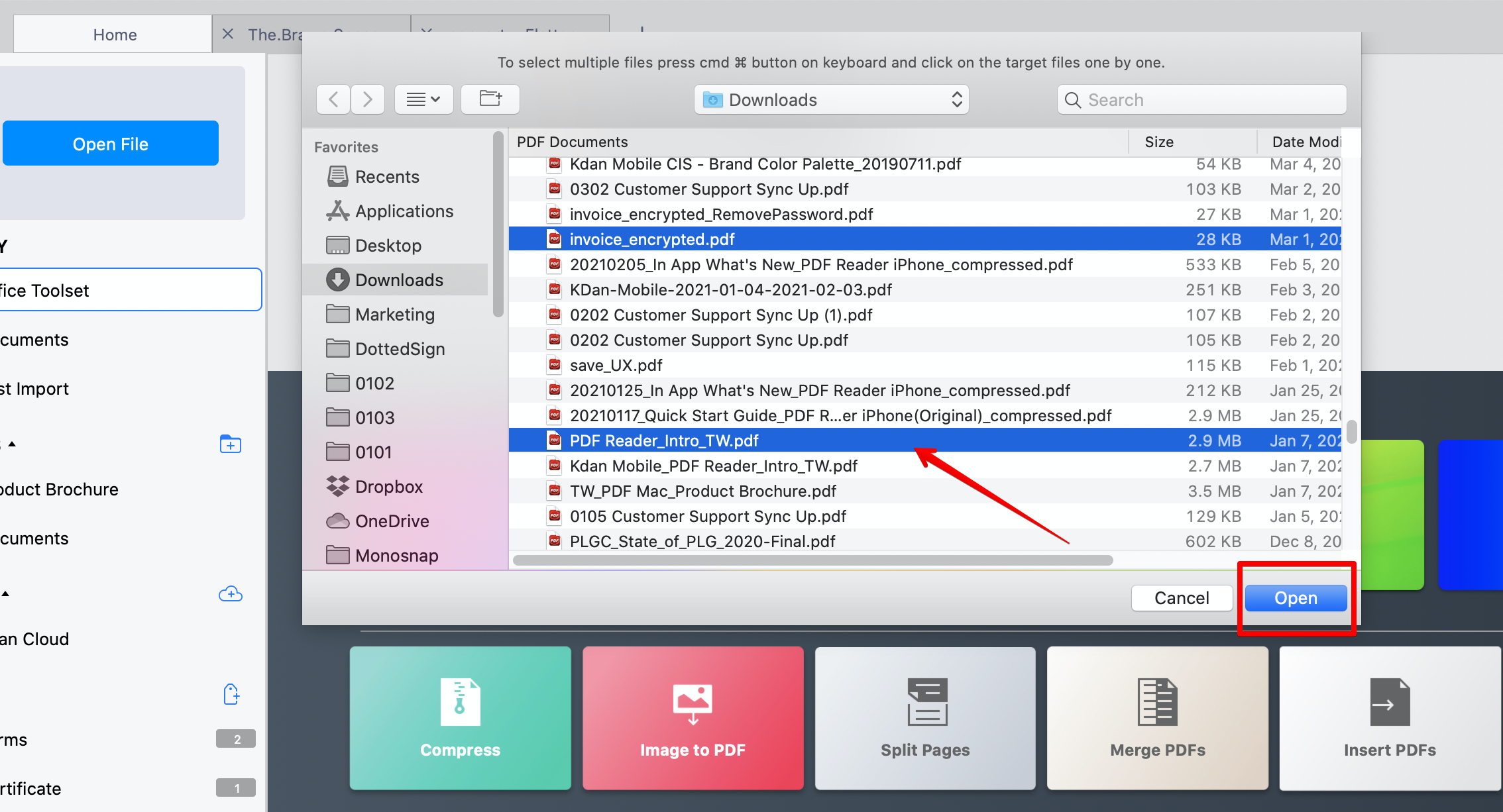
Open Acrobat to combine files Open the Tools tab and select Combine files Add files Click Add Files and select the files you want to include in your PDF You can merge PDFs or a mix of PDF documents and other files Arrange and delete content Click drag and drop to reorder files or press Delete to remove any content you don t want

Try these Acrobat online tools Merge PDFs online for free Easily combine PDF files to share information in a single file when you try Adobe Acrobat online services
Open Acrobat to combine files Open the Tools tab and select Combine files Add files Click Add Files and select the files you want to include in your PDF You can merge PDFs or a mix of PDF documents and other files Arrange and delete content Click drag and drop to reorder files or press Delete to remove any content you don t want Find out how to combine multiple PDF files into one within a few clicks online or offline with Adobe and its best alternatives Combining multiple PDF documents into one is simple if you know the right tools In this guide we ll show you how to combine files using Adobe Reader or Smallpdf
Choose File Create Combine Multiple Files into a single PDF If the file is already open then choose Combine Files from the right menu Click Add Files or Add Open Files or drag files into the Add Files window