How To Clone A Repository From Github Desktop How To Clone A Git Repository DevsDay ru Clone A Project From GitHub DevsDay ru How To Clone A Repository From GitHub In Kali Linux Systran Box How To Clone A Repository Using GitHub Desktop Chapter 4 Introduction To GitHub For Version Control Getting Set Up For Data Science At DairyNZ Note If you have a project hosted on another version control system you can automatically import your project to GitHub using the GitHub Importer tool For more information see About GitHub Importer
The repo URL Copy the URL for that repository and then go back to the GitHub Desktop client Click File Clone Repository and then in the resulting window Figure C click the URL tab and What Does Cloning a Repository Mean Cloning a repository means creating a local copy of your GitHub repository By creating a local copy you can easily add or remove files fix merge conflicts and can commit easily Working on a local copy of the repository provides more flexibility to the users
Chapter 4 Introduction To GitHub For Version Control Getting Set Up For Data Science At DairyNZ How To Clone A Github Repository Sincere Dude How To Clone A Git Repository Clone A Git Repository With Command Line Sourcetree Junos Notes How To Clone A GitHub Repository Install Windows Terminal From Github Snodoodle Clone Github Repo Step by Step Guide For 2023 AtOnce Git Fork Vs Clone What s The Difference Git Clone Create A Copy Of An Existing Git Repository How To Clone A GitHub Repository YouTube
How To Clone A Repository From Github Desktop
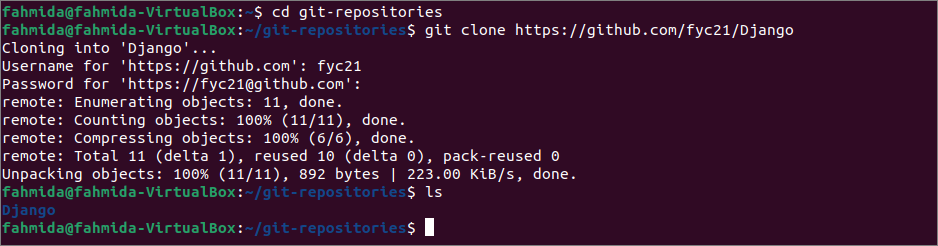 How To Clone A Repository From Github Desktop
https://linuxhint.com/wp-content/uploads/2021/05/word-image-136.png
n n About cloning a repository n webui n You can clone a repository from data variables location product location to your local computer ifversion codespaces or to a codespace endif to make it easier to fix merge conflicts add or remove files and push larger commits
Templates are pre-designed files or files that can be utilized for numerous purposes. They can save effort and time by supplying a ready-made format and layout for creating various sort of material. Templates can be used for individual or expert jobs, such as resumes, invites, leaflets, newsletters, reports, presentations, and more.
How To Clone A Repository From Github Desktop
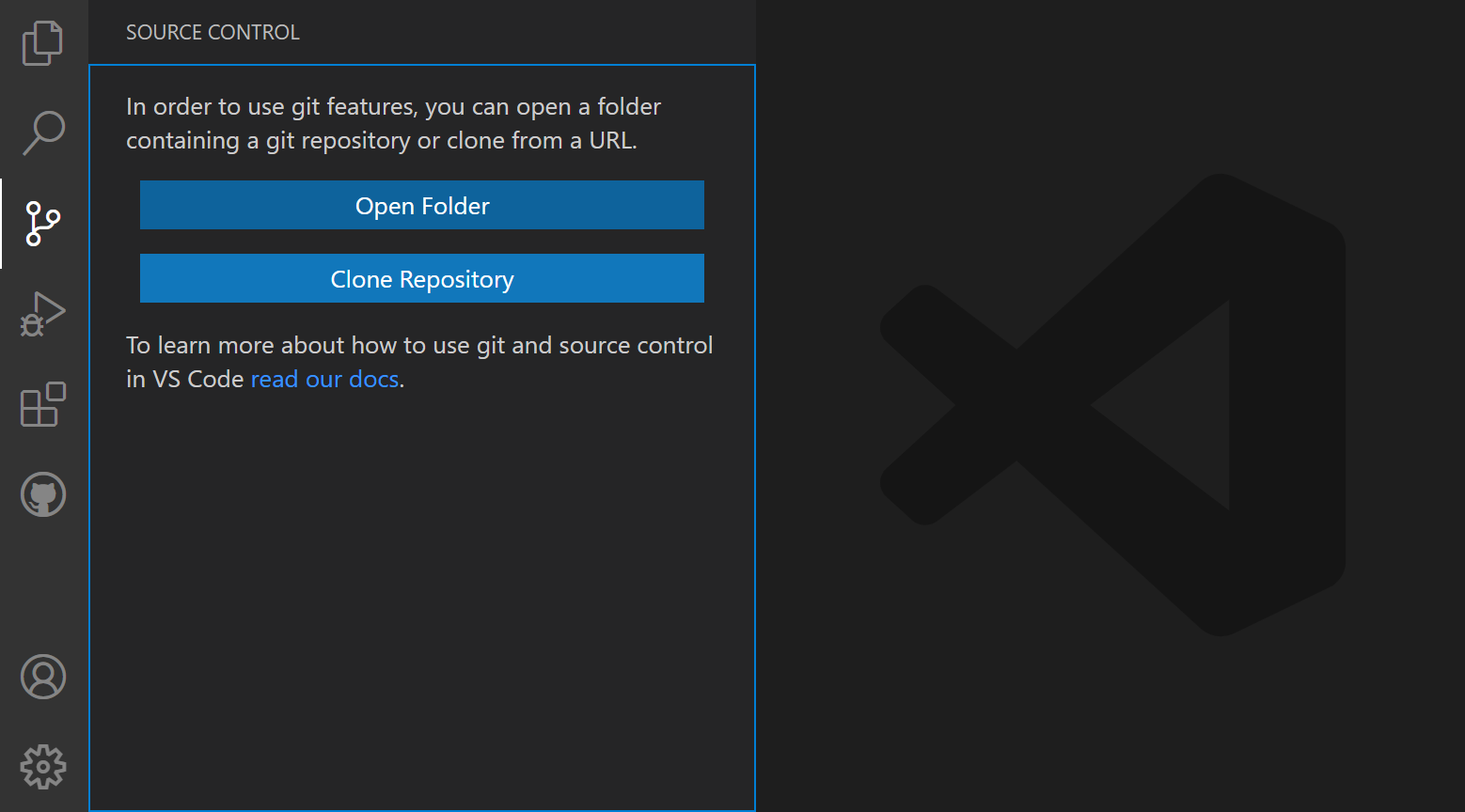
Collaborate On GitHub

How To Clone A Github Repository Sincere Dude
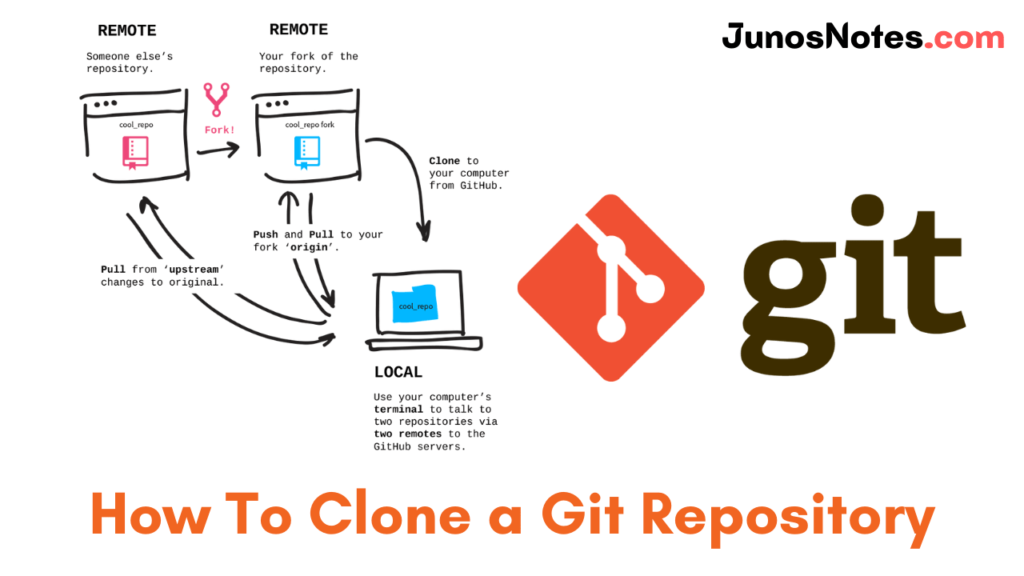
How To Clone A Git Repository Clone A Git Repository With Command Line Sourcetree Junos Notes

How To Clone A GitHub Repository
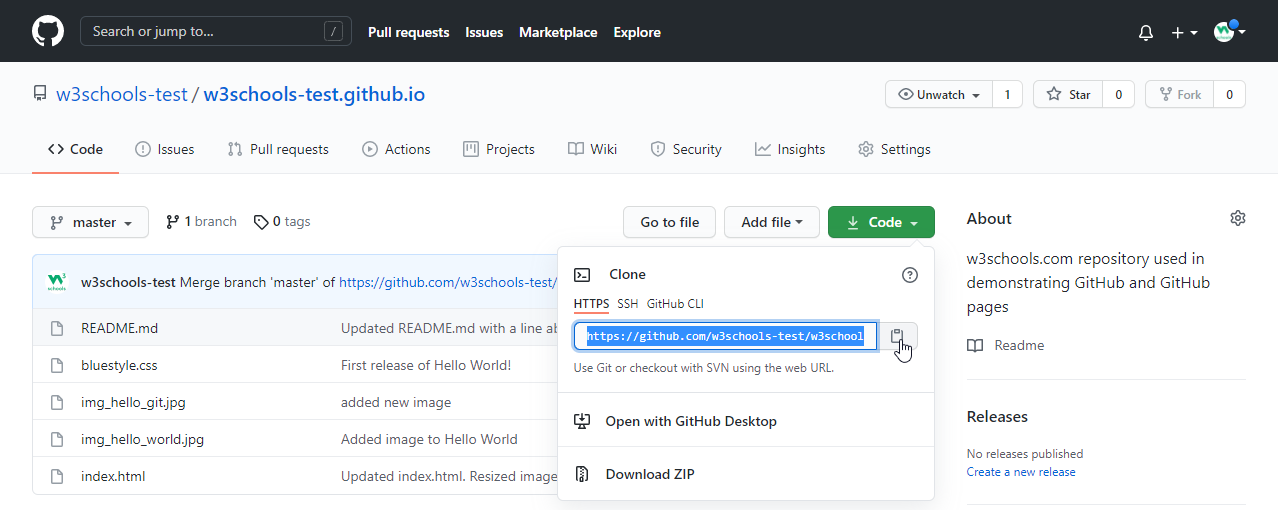
Clone Github Repo Step by Step Guide For 2023 AtOnce
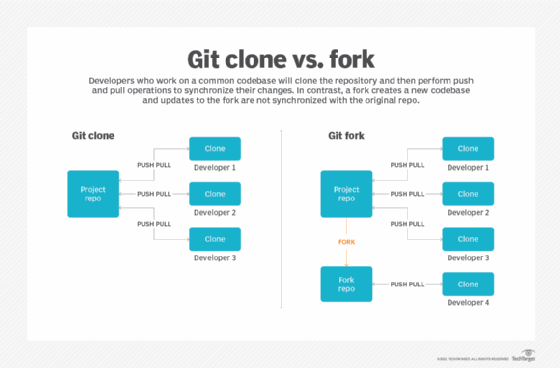
Git Fork Vs Clone What s The Difference
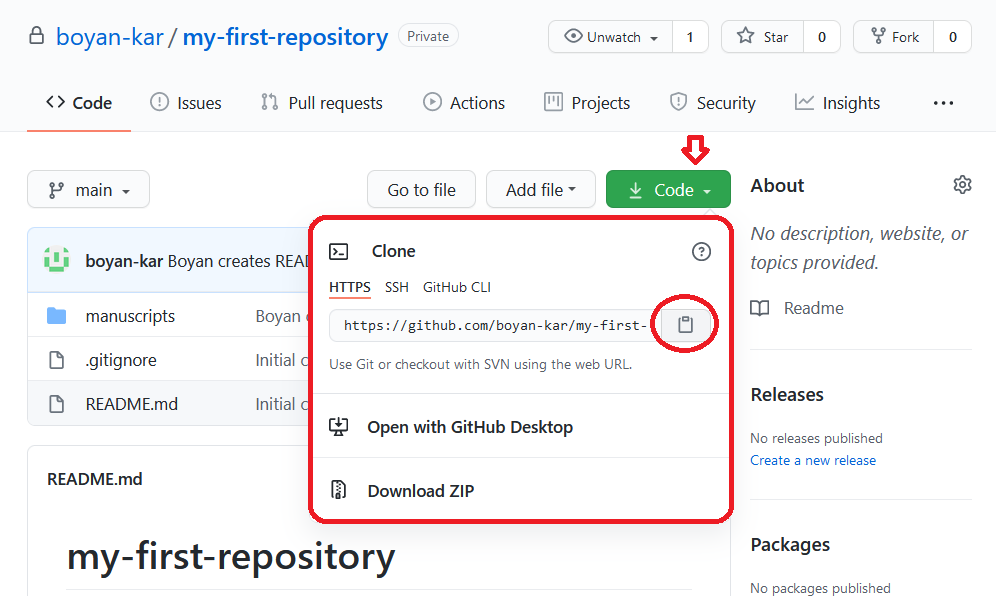
Cloning a repository On GitHub navigate to the main page of the repository Above the list of files click Code Copy the URL for the repository To clone the repository using HTTPS under HTTPS click To clone the repository using an SSH key including a certificate issued by your organization s SSH certificate authority click SSH

In GitHub Desktop if you attempt to clone a repository that you don t have write access to a fork is automatically created for you In the File menu click Clone Repository Click the tab that corresponds to the location of the repository you want to clone You can also click URL to manually enter the repository location

Add existing repositories from your local computer to GitHub Desktop or clone repositories from GitHub Adding a repository from your local computer to GitHub Desktop Adding an existing project to GitHub using GitHub Desktop Cloning and forking repositories from GitHub Desktop Cloning a repository from GitHub to GitHub Desktop
Cloning a GitHub repository creates a local copy of the remote repo This allows you to make all of your edits locally rather than directly in the source files of the origin repo Here s how to clone a GitHub repository The first thing you ll need to do is download and install Git on your computer The installation process is
Using GitHub Desktop gives you access to all your code on GitHub outside of your browser For this tutorial we are going to clone the Desktop repository onto the computer so we can modify it From the front page of the app click on the Desktop repository and a button will appear to clone the repository you selected
In the Clone with HTTPs section click to copy the clone URL for the repository Open the terminal or the command prompt and change the current working directory to the location where you want the cloned directory to be made Type git clone and then paste the URL you copied in Step 2 Press Enter Source Windows Central Image credit Source Windows Central Copy the URL Open up your chosen terminal Whether it s WSL or PowerShell the Git commands are the same In the terminal enter git
Join Sarah as she explains how you can clone a GitHub repository to your local machine using GitHub Desktop The music in my videos https www bensound co