How To Check Jdk Version In Redhat Linux How To Find The JDK Version In Redhat Linux Systran Box How To Find The JDK Version In Redhat Linux Systran Box How Do I Tell What Java Version I Have Fabalabse HOW TO CHECK JDK VERSION JAVA DEVELOPMENT KIT BY DEVYUG CODERS YouTube How To Check Installed Jdk Version In Linux Systran Box WEB 4 Answers Sorted by 118 The simplest way is update java alternatives l shows you all the Java versions you have installed java version shows you the Java version you are
WEB Mar 18 2024 nbsp 0183 32 2 Introduction to the Problem As we ve known the command java version will print the detailed Java version information So for example if we run it on WEB Jan 9 2023 nbsp 0183 32 Article How to run the correct Java version after an update January 9 2023 Java Mohammadi Iram Associate Software Engineer Table of contents When you try
How To Check Installed Jdk Version In Linux Systran Box RedHat JDK How To Check Which Version Of Java Is Installed On A Linux System Systran Box How To Check JDK Installed And SET PATH In CMD YouTube How To Check The Version Of The JDK Installed On Your Linux System Systran Box How To Check Jdk Path In Mac Terminal Ridad How Do I Know Which Java Version I Use How To Check Jdk Path In Mac Terminal Ridad Installed New Jdk On Mac But Pizzalasopa
How To Check Jdk Version In Redhat Linux
 How To Check Jdk Version In Redhat Linux
https://syscdn.systranbox.com/how_do_i_know_where_my_jdk_is_installed_linux.jpg
WEB Jan 19 2017 nbsp 0183 32 Install the JDK changing the version number if necessary with the following command yum install java 1 8 0 openjdk devel Check that javac is now in your path
Pre-crafted templates provide a time-saving solution for creating a diverse series of files and files. These pre-designed formats and layouts can be made use of for different individual and professional tasks, including resumes, invitations, leaflets, newsletters, reports, discussions, and more, streamlining the material creation procedure.
How To Check Jdk Version In Redhat Linux

How To Install JDK 11 On Windows Configuring The PATH

RedHat JDK

How To Check Which Version Of Java Is Installed On A Linux System Systran Box

How To Check JDK Installed And SET PATH In CMD YouTube
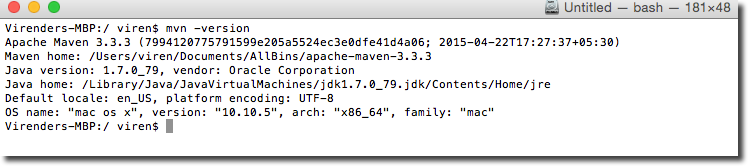
How To Check Jdk Path In Mac Terminal Ridad

How Do I Know Which Java Version I Use

WEB Apr 6 2016 nbsp 0183 32 java version 2 gt amp 1 grep quot OpenJDK Runtime quot wc l returns 0 if using Oracle JDK 1 if using OpenJDK Bash condition if java version 2 gt amp 1 grep quot OpenJDK

WEB May 26 2016 nbsp 0183 32 Click the JDK DOWNLOAD button will go to this page which shows the latest version number and its correct filename You can also download the docs which
WEB Aug 12 2020 nbsp 0183 32 Method 1 Check the Java Version On Linux To check the Java version on Linux Ubuntu Debian CentOS 1 Open a terminal window 2 Run the following command java version 3 The output should

WEB This command displays a list of installed JDK versions and their paths You can then select the JDK version you want to use by typing the number next to it and pressing Enter In

WEB Chapter 1 OpenJDK 8 overview OpenJDK Open Java Development Kit is a free and open source implementation of the Java Platform Standard Edition Java SE The Red
WEB Dec 10 2018 nbsp 0183 32 Through this article you ll learn how to install and run simple Java applications on RHEL 8 how to switch between two parallel installed major JDK WEB Apr 1 2019 nbsp 0183 32 Option 1 Use hostnamectl The hostnamectl command is usually used to track the way your system appears on a network However it also includes information
WEB Jun 22 2016 nbsp 0183 32 1 Just an PS on MacOS Java is usually installed at System Library Java JavaVirtualMachines 1 6 0 jdk Contents Home where the