How To Check Difference Between Two Binary Files In Linux How To Decrypt Binary File In Linux Systran Box The Xxd Utility Analyzing And Modifying Binary Files Systran Box Linux Binary Directory Descriptions Info Linux How To Edit Binary Files On Linux Baeldung On Linux How To Compare Binary Files In Linux Systran Box 1 7 Binary Files and Forcing Text Comparisons If diff thinks that either of the two files it is comparing is binary a non text file it normally treats that pair of files much as if the summary output format had been selected see Summarizing Which Files Differ and reports only that the binary files are different This is because line by line comparisons are usually not meaningful for
To exemplify the problem of this article we first need two binary files to start with Then we ll compare these two binary files We can generate them by running the echo command with two options The flag n prevents the output of the trailing newline Moreover the e flag uses the hexadecimal values xHH for the data we want in the files I need a function to compare 2 binary files here the requirements 2 files not 3 or 4 files can t be assumed to exist avoid running checksum CRC MD5 SHA until one must if running multiple Unix Linux Stack Exchange is a question and answer site for users of Linux FreeBSD and other Un x like operating systems Compare two zip
How To Compare Binary Files In Linux Systran Box How To Edit Binary Files On Linux Command Line How To Find Binary Files In Linux Systran Box Trivy Can Now Scan Unpackaged Binary Files How To Split Binary Files In Linux How To Execute Binary Files In Linux Linux Execution Binary How To Edit Binary Files On Linux Command Line What Is The Difference Between Binary And Text Files Full Information How To Edit Binary Files On Linux Command Line
How To Check Difference Between Two Binary Files In Linux
 How To Check Difference Between Two Binary Files In Linux
https://syscdn.systranbox.com/1661367282059.png
Apt get on the other hand is a package manager commonly used in Debian based Linux distributions like Debian itself Ubuntu and their derivatives apt get stands for Advanced Package Tool and is known for its ease of use and powerful dependency resolution It works with DEB packages which are specific to Debian based systems
Templates are pre-designed files or files that can be utilized for different purposes. They can conserve time and effort by providing a ready-made format and design for developing different type of content. Templates can be utilized for individual or professional projects, such as resumes, invites, flyers, newsletters, reports, presentations, and more.
How To Check Difference Between Two Binary Files In Linux

Mono Overview Unity
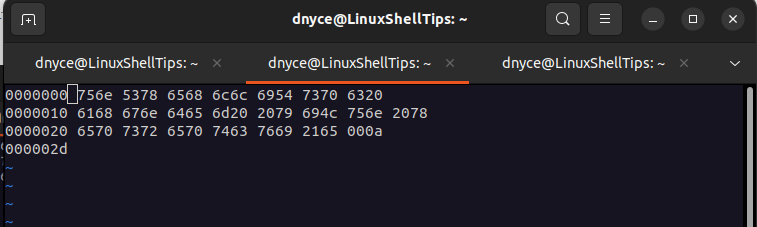
How To Edit Binary Files On Linux Command Line

How To Find Binary Files In Linux Systran Box

Trivy Can Now Scan Unpackaged Binary Files

How To Execute Binary Files In Linux Linux Execution Binary
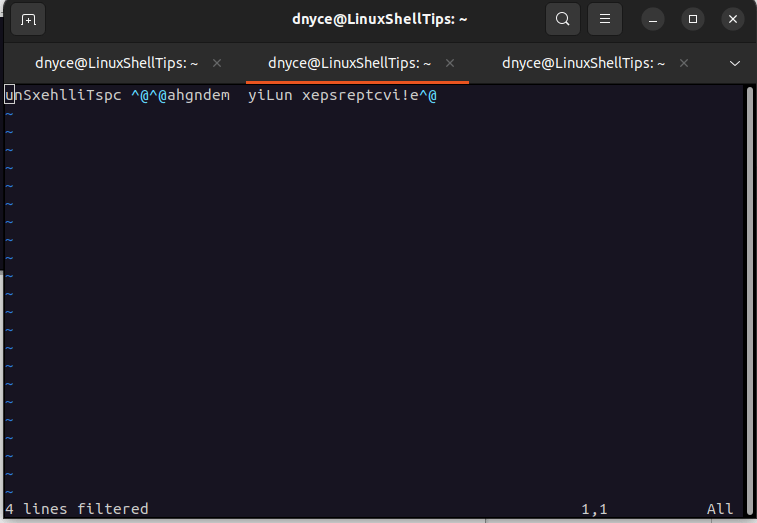
How To Edit Binary Files On Linux Command Line

How do I compare binary files in Linux Ask Question Asked 13 years 8 months ago Modified 4 months ago Viewed 821k times 463 I need to compare two binary files and get the output in the form fileoffset hex file1 byte hex file2 byte hex for every different byte So if file1 bin is 00 90 00 11 in binary form and file2 bin is 00 91 00 10

What is the easiest way using a graphical tool or command line on Ubuntu Linux to know if two binary files are the same or not except for the time stamps I do not need to actually extract the difference I just need to know whether they are the same or not file binary compare Share Improve this question Follow edited May 30 2017 at 8 21

5 Answers cmp is designed to find differences in binary files You might also try checksumming sum and compare the hashes One of the most common ways of determining if two files are identical assuming their sizes match is using a program to create a hash essentially a fingerprint of a file The most common ones are md5sum and sha1sum

The diff command was designed to find differences between source code files and to produce an output that could be read and acted upon by other programs such as the patch command In this tutorial we re going to look at the most useful human friendly ways to use diff How To Use the diff Command Let s dive right in and analyze two files

To navigate between panes use a key combination of Ctrl W W The cursor will switch between the files once you press the keys Jump to changes Instead of scrolling down line by line and scanning for the changes you can jump to the change with a specific key combination To move to the previous change use c
Options Linux system offers two different ways to view the diff command output i e context mode and unified mode 1 c context To view differences in context mode use the c option Lets try to understand this with example we have two files file1 txt and file2 txt If your rpm package has changelog you can run the command rpm changelog q mypackage and it will display the changelog of the currently installed mypackage alvits Dec 15 2015 at 0 31 If you just want to get the list of files in the package with dates you can run rpm qlv mypackage alvits Dec 15 2015 at 0 34
The next way you can use diff is my favorite as you can see differences side by side Just use the y flag like this diff y file1 file2 Compare files side by side The last example I am going to discuss is unified output This output is often used as input to the patch command