How To Change Pdf Default Mac How To Set Pdf Default Mac Edgeulsd Top 50 Background Colour Online For Websites And Social Media How To Change Pdf To Word Document On Mac Lotteryper Decrease Pdf File Size Lance Milk How To Change Default PDF Viewer On Windows And Mac EaseUS How do you change the default PDF viewer on Mac Whether you need to change Preview to another PDF viewer or vice versa here is the ultimate guide to help you out with the article Part 1 How to Change the Default PDF Viewer on Mac Part 2 How to Set PDFelement as the Default Mac PDF Viewer
MacHow2 Last Updated April 26 2023 Although you can use Preview in macOS to open PDFs for free you can t edit PDFs on a Mac with it Here we show you how to make Adobe Acrobat the default app to open PDFs on a Mac Step 1 Open Finder and navigate to any PDF file You do not need to open the Finder if a PDF file is on the Desktop Step 2 Perform a right click on the PDF file and then click the Get info option Step 3 In the resulting file info dialog expand the Open with drop down by clicking on the same
How To Change Default PDF Viewer On Windows And Mac EaseUS How To Change Pdf To Jpg On Macbook Pro Neloposters How To Change Default PDF Reader Washington State DES Windows 8 1 How To Set Default Program To Open Pdf Teddymind How To Change Pdf To Landscape Millionairedax Travis Roberts YouTube Convert Pdf To Editable Word Paid Lasopahack How To Change Pdf Page Size Arabianasve How To Reset Network Settings In HUAWEI P40 Pro Erase Networks List YouTube
How To Change Pdf Default Mac
 How To Change Pdf Default Mac
https://www.lifewire.com/thmb/v2fQAWDaEBN1PWQ07Lxy6KAYX6Q=/1080x1080/smart/filters:no_upscale()/001-prevent-adobe-from-opening-pdfs-in-ie-153338-dd3b1c823717455f93a16eec182c536a.jpg
In this film we show the workflow for changing the default PDF viewer on macOS version 12 1The workflow is as follow Run the get info command on a PDF docu
Templates are pre-designed documents or files that can be utilized for numerous functions. They can conserve time and effort by providing a ready-made format and layout for developing different type of material. Templates can be used for personal or expert projects, such as resumes, invites, leaflets, newsletters, reports, presentations, and more.
How To Change Pdf Default Mac
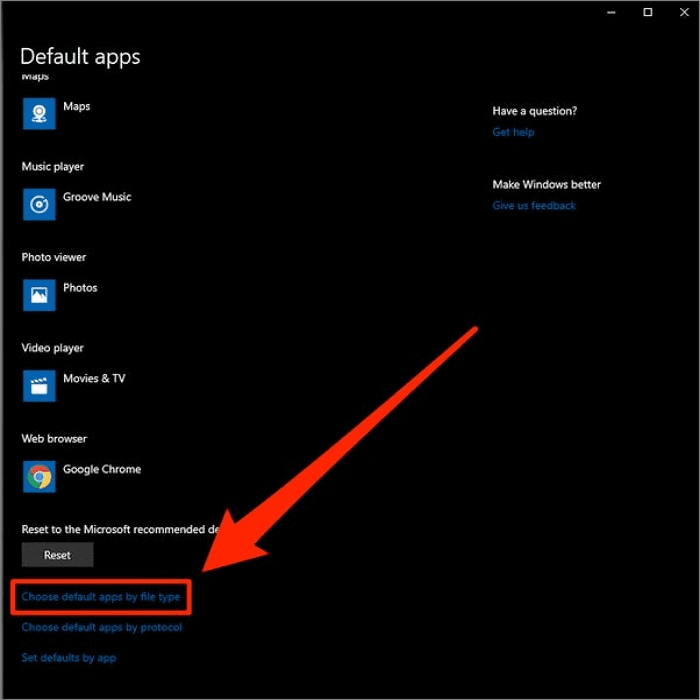
How To Change Default PDF Viewer On Windows And Mac EaseUS
How To Change Pdf To Jpg On Macbook Pro Neloposters
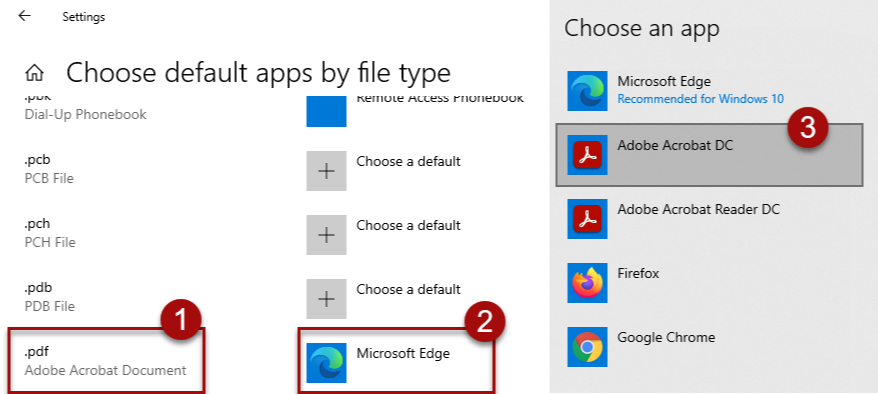
How To Change Default PDF Reader Washington State DES
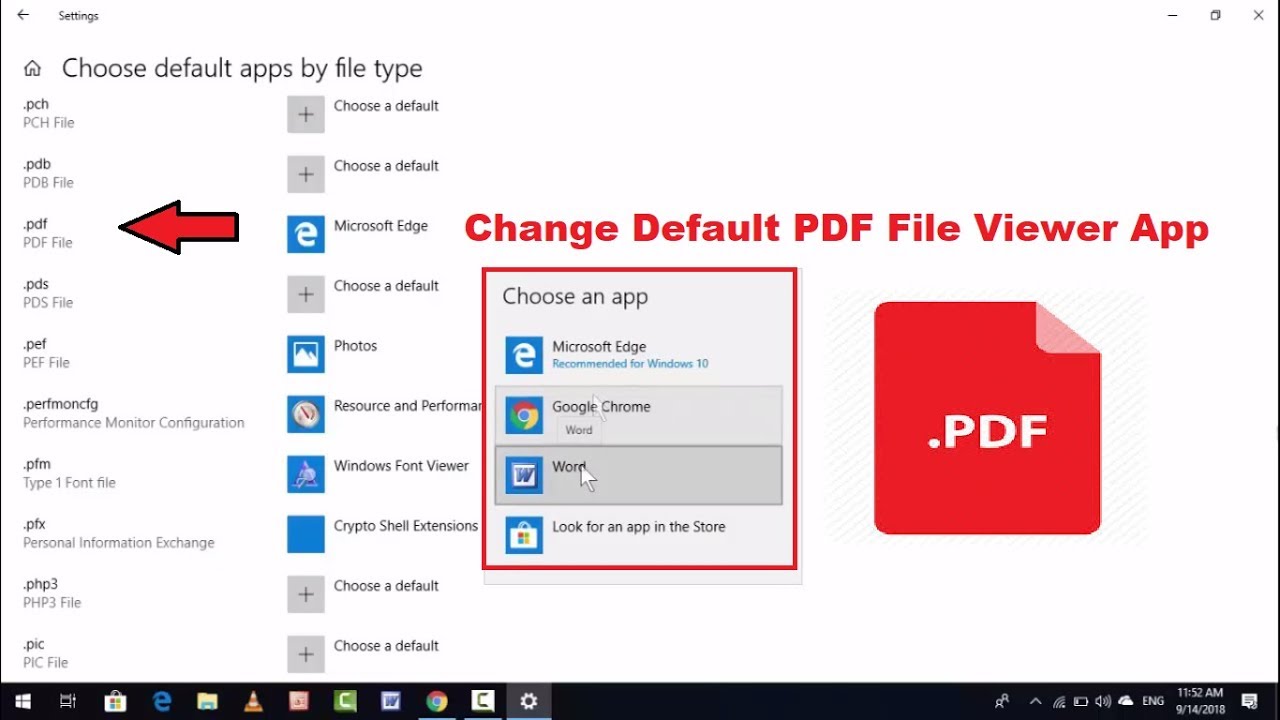
Windows 8 1 How To Set Default Program To Open Pdf Teddymind

Travis Roberts YouTube
Convert Pdf To Editable Word Paid Lasopahack

Click the Change button Select Adobe Acrobat DC or Reader from the list as your default Click OK to save and apply changes Change from Preview to the Acrobat PDF viewer Right click on the thumbnail of any PDF file On the menu click Get Info Navigate to the Open With section and select Adobe Acrobat DC or Reader from the dropdown list
Step 1 Lookup a PDF file on your Mac and right click or tap it with two fingers Step 2 Hover the cursor on Open With and observe the dialogue box that appears The first option in the listing will have default written behind the app This signifies that the app is currently the default PDF viewer on your Mac

Right click on a PDF file then choose Get Info Then go to Open with The defaulted PDF viewer on my mac is Adobe Reader you can click the drop down menu to shift to Preview or another installed PDF viewer on your Mac Then click on the Change All Continue to make Preview the default viewer on Mac or change to your selected one

On the menu click Get Info Navigate to the Open With section and select Adobe Acrobat DC or Reader from the drop down list Tap Change All to apply this change to all future PDF documents Tap Continue to finish Did you know you can also open PDFs on your iPhone
1 Select any PDF file on your Mac 2 Right click or Control Click the document This will reveal a menu 3 Select Get Info This will a new window You can also open this info window by selecting the document and clicking the Command I keys 4 Find the Open With section If the section is closed click on the arrow next to it to expand 5
To change the default PDF viewer on your Mac follow these steps Find a PDF file Navigate to any PDF file on your Mac Get Info Right click or control click on the file and select Get Info from the contextual menu Change the Open With setting In the Info window look for the Open With dropdown menu 1 Find a PDF file 2 Right tap Control key click on the PDF In the menu select Get Info 3 When the Get Info window appears expand the Open with section right above Preview 4 Select where it currently says Preview as the default application 5 Select the desired application 6
Right Click or Control click to open the menu a new menu will open next to the file name 2 Choose Get Info from the menu a new window will open with information on that PDF file 3 From the Open with section in the new window that opens select Drawboard PDF that file will now open in Drawboard PDF Click the Change All button in the