How To Change Java Path In Windows 11 How To Set Java Variable Path In Windows 10 Compiling Java Program Vrogue How To Set Java Path In Windows 10 How To Set Environment Variable How To Set Java Path On Windows 10 Otosection How To Change Java Path From Android Studio An Exception Occurred How To Set Java Environment Variable In Windows 11 Bios Pics WEB May 21 2024 nbsp 0183 32 Setting the Java path in Windows 11 is a straightforward process that ensures your Java applications run smoothly By following the steps outlined in this guide you can easily configure your environment variables
WEB Jun 6 2024 nbsp 0183 32 Tips for Setting JAVA HOME in Windows 11 Double check the Path Ensure you have the correct installation path to avoid errors Reboot if Necessary Sometimes a system reboot helps to apply the changes Use Command Prompt Verify the setup by typing echo JAVA HOME in Command Prompt WEB In this video we are going to learn How to Setup Environment Variables for Java on Windows 11 If you have installed Java JDK on Windows 11 and the Java environment variable is not set
How To Set Java Environment Variable In Windows 11 Bios Pics How To Set Java Path In Windows 10 hindi YouTube Change Java Path Badlion Hilfe How To Set Java Home Path In Windows The Coding Bus How To Set Java Home In Windows Command Prompt Printable Templates Install Java Jdk On Windows 10 Set Java Home Path Windows 10 Pro Www Install Java Jdk On Windows 10 Set Java Home Path Windows 10 Pro Www How To Set Java Path In Windows 10 Install Java Jdk On Windows 10 Set Java Home Path Windows 10 Pro Www
How To Change Java Path In Windows 11
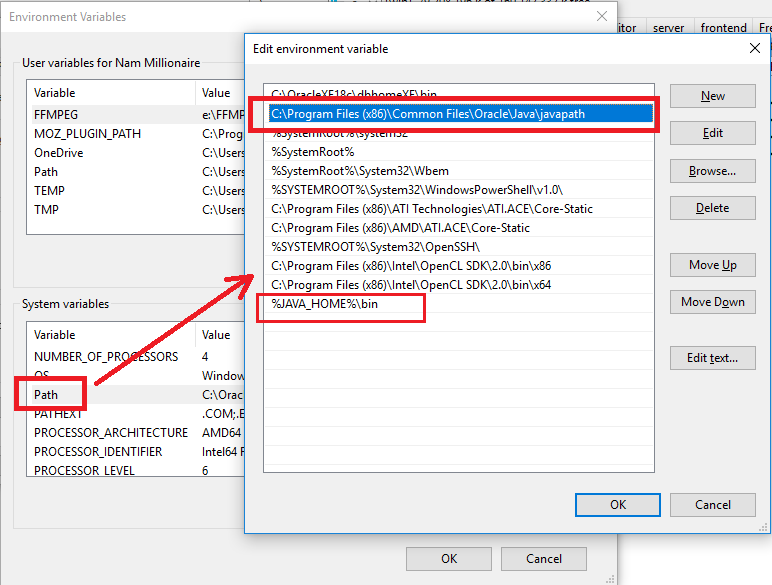 How To Change Java Path In Windows 11
https://mail.codejava.net/images/articles/ides/eclipse/change-jre/java_path_environment_variable_setting.png
WEB Jan 14 2024 nbsp 0183 32 How to Setup Environment Variables for Java in Windows 11 By just downloading and installing Java SE Development Kit on your system Java files will not work You have to specify the Java installation path on the environment variable So the system can execute Java code on your Windows 11 system
Pre-crafted templates offer a time-saving solution for producing a varied range of files and files. These pre-designed formats and layouts can be made use of for numerous individual and professional tasks, including resumes, invites, flyers, newsletters, reports, presentations, and more, improving the material creation procedure.
How To Change Java Path In Windows 11

How To Check Java Path In Windows Using Cmd My Bios
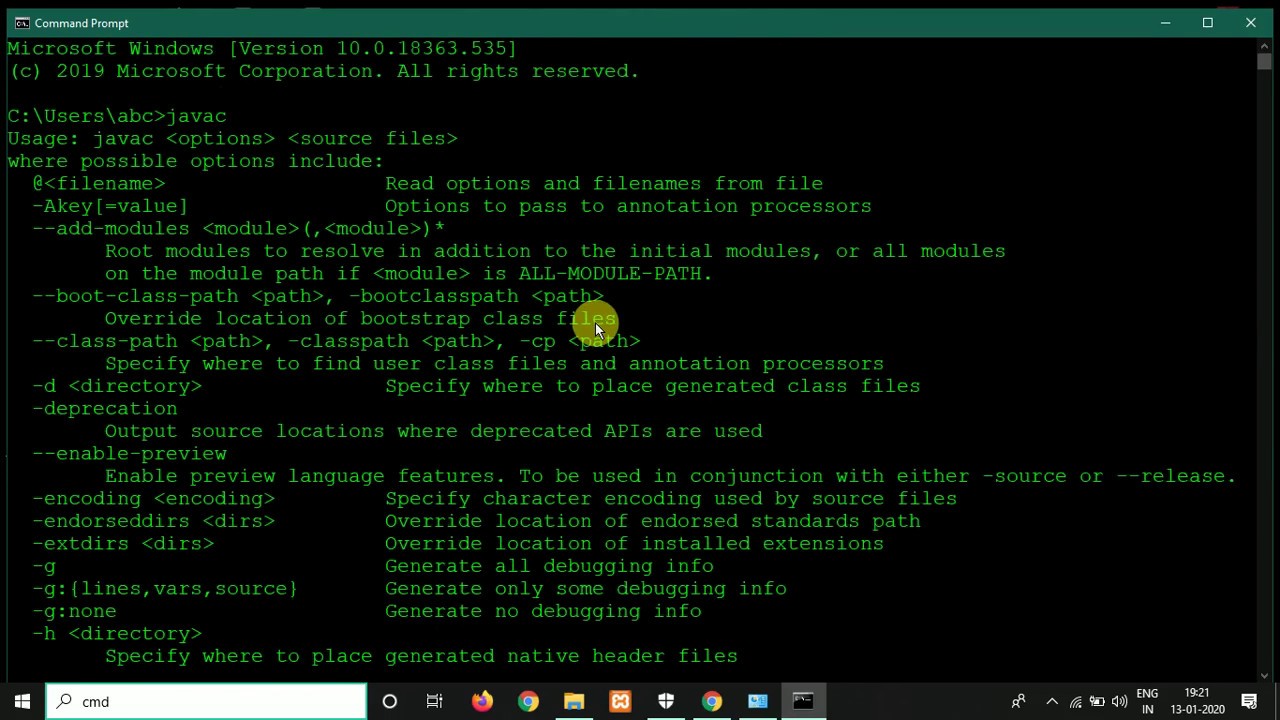
How To Set Java Path In Windows 10 hindi YouTube
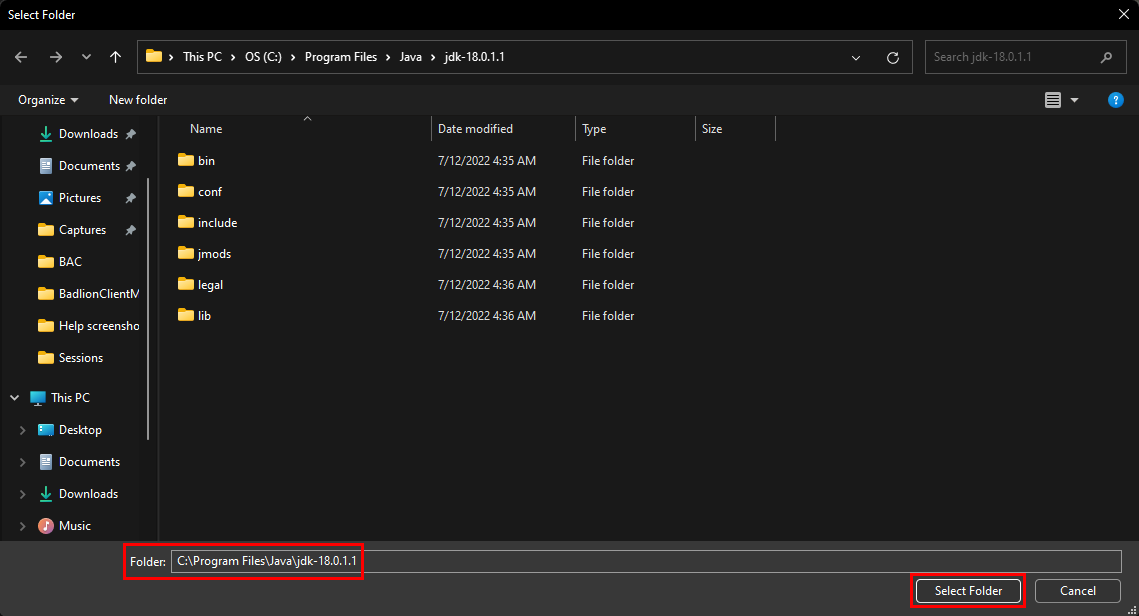
Change Java Path Badlion Hilfe

How To Set Java Home Path In Windows The Coding Bus
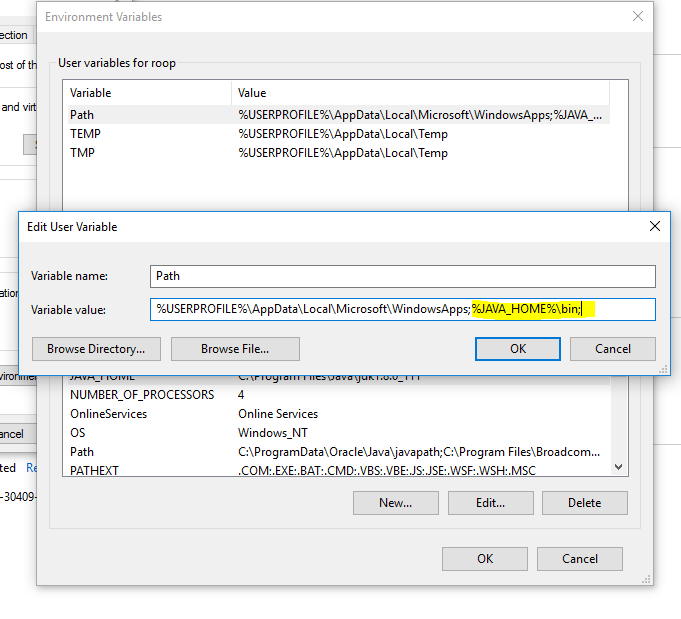
Install Java Jdk On Windows 10 Set Java Home Path Windows 10 Pro Www
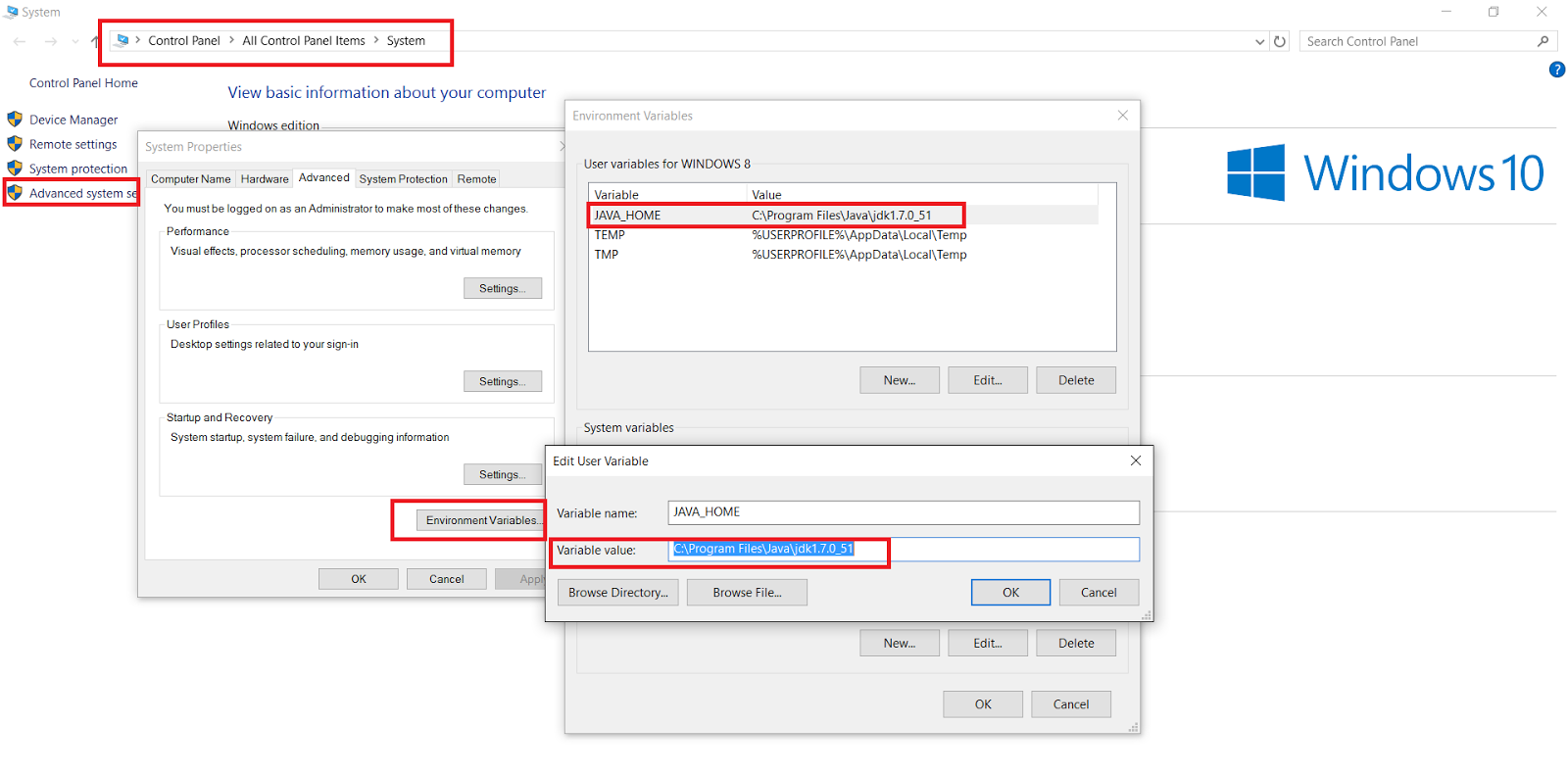
Install Java Jdk On Windows 10 Set Java Home Path Windows 10 Pro Www

WEB Feb 7 2024 nbsp 0183 32 A simple step by step guide on how to set or add Java PATH on system environment variable in Windows 11 10

WEB Jun 3 2024 nbsp 0183 32 Learn how to set the Java Path on Windows 11 with this step by step guide Ensure your Java environment is correctly configured for optimal performance

WEB Nov 4 2009 nbsp 0183 32 The JDK installation instructions explain exactly how to set the PATH for different versions of Windows Normally you should not set the CLASSPATH environment variable If you leave it unset Java will look in the current directory to find classes

WEB Nov 29 2023 nbsp 0183 32 If you have a brand new PC or laptop running Windows 11 and want to install Java on it a key step in this process is to set the Java path Otherwise you ll keep seeing a quot command not

WEB Sep 22 2023 nbsp 0183 32 You can set up the JAVA HOME environment variable using the below syntax JAVA HOME path to jdk installation For instance if Java is installed in the directory C Program Files Java jdk 20 then you would set the JAVA HOME environment variable as follows JAVA HOME C Program Files Java jdk 20
WEB May 17 2024 nbsp 0183 32 Learn how to set the Java path in both Windows and Linux operating systems with our step by step guide Ensure your Java installation is correctly configured for seamless development and execution of Java applications on your preferred platform WEB Feb 18 2024 nbsp 0183 32 Follow these steps to Install Java and Set the PATH on Windows 11 1 Download Java Visit the official Java website at www oracle Click on the Java Download button
WEB Sep 26 2018 nbsp 0183 32 Add registry keys indicating the installed version and path Add the JRE to the system PATH Register an uninstaller with Windows As of Java 11 the Oracle s free version of Java Oracle OpenJDK doesn t seem to include an installer It is just a zip file containing the binaries