How To Change Default Browser On Mac Rotes Datum Denken Abr stung Chrome Default Browser Mac Risiko Historisch Verr ckt Werden How To Change Default Browser On Mac In MacOS Ventura Appsntips How To Change The Default Web Browser On Mac How To Change Default Browser On Mac Easily Tech Baked Change The Default Web Browser In Mac OS X Open System Preferences You can open it right from the Launchpad or go to the Apple menu and select System Preferences Select the General section Here you will find the Default web browser option where
Follow TheWindowsClub Learn how to change the default browser on macOS You can set Microsoft Edge as the default browser on Mac using this step by step tutorial From the Settings menu click on the three dash icon at the top left to open a new menu and choose Apps then select Default Apps 4 Select Chrome In the Set defaults for applications search
Change The Default Web Browser In Mac OS X How To Change The Default Web Browser On Mac How To Change Default Browser On Mac In MacOS Ventura Appsntips How To Change Default Browser On Mac In MacOS Ventura Appsntips How To Change The Default Browser On MacOS Ventura Browser To Use How To Change Default Browser Macbook Pro Mserlenglish 41 How To Make Google As My Default Browser Today Hutomo Mac Os Ventura Public Beta Download 8 Ways To Change Default Browser In Windows 10 And Mac PC 2022 Technowizah
How To Change Default Browser On Mac
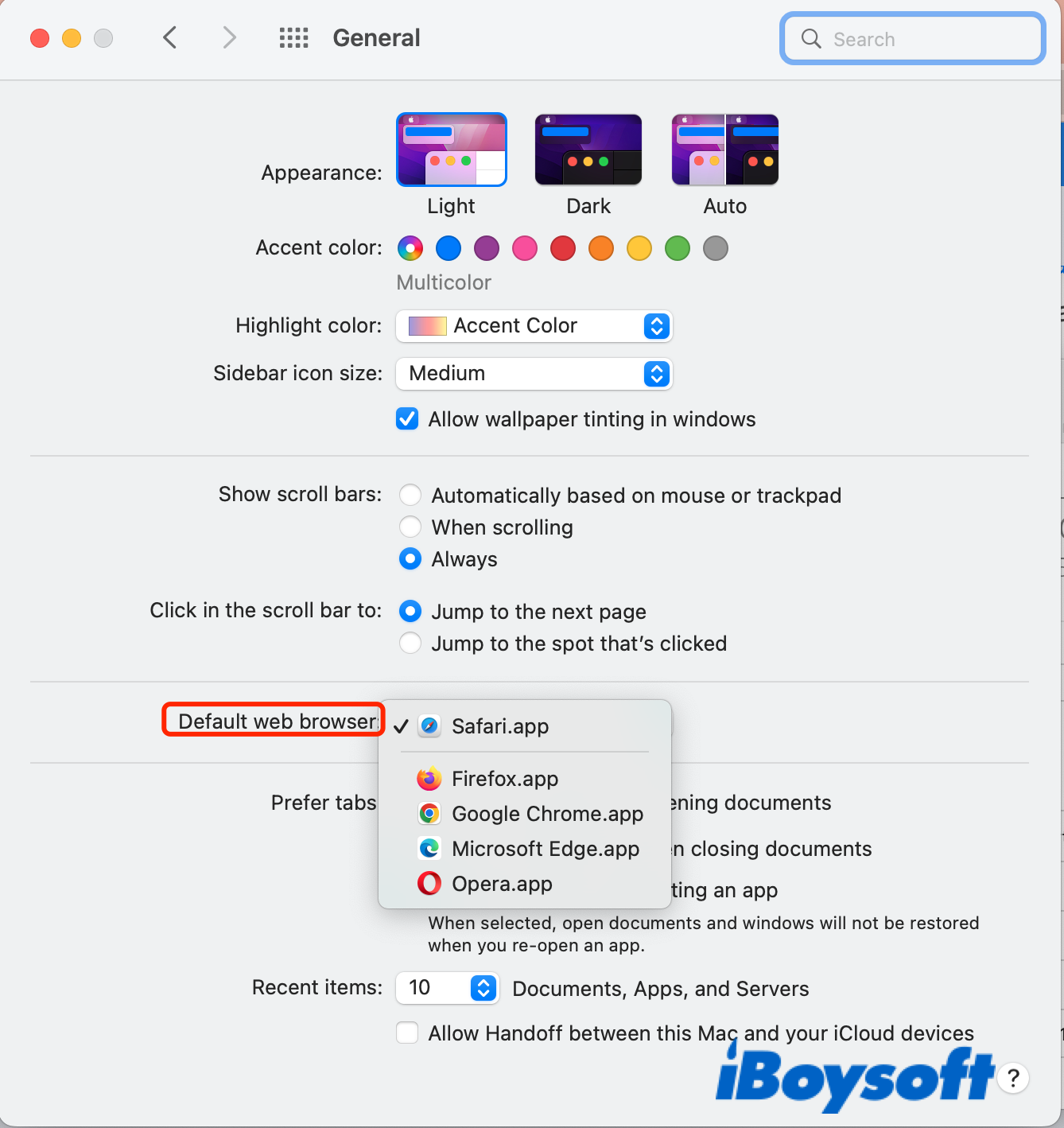 How To Change Default Browser On Mac
https://iboysoft.com/images/en-news/change-default-browser-mac/default-web-browser-mac.png
So follow these steps Launch Safari from the Dock its icon is a blue compass with a red needle Visit the Google Chrome page in your browser and click Download Chrome Wait for Google Chrome to download on your Mac If the download doesn t start click Download Chrome in the upper right corner Click Accept and Install
Pre-crafted templates offer a time-saving option for creating a diverse variety of documents and files. These pre-designed formats and layouts can be made use of for different individual and professional projects, including resumes, invites, leaflets, newsletters, reports, presentations, and more, enhancing the content production process.
How To Change Default Browser On Mac

How To Change Default Browser On Mac Free PC Tech
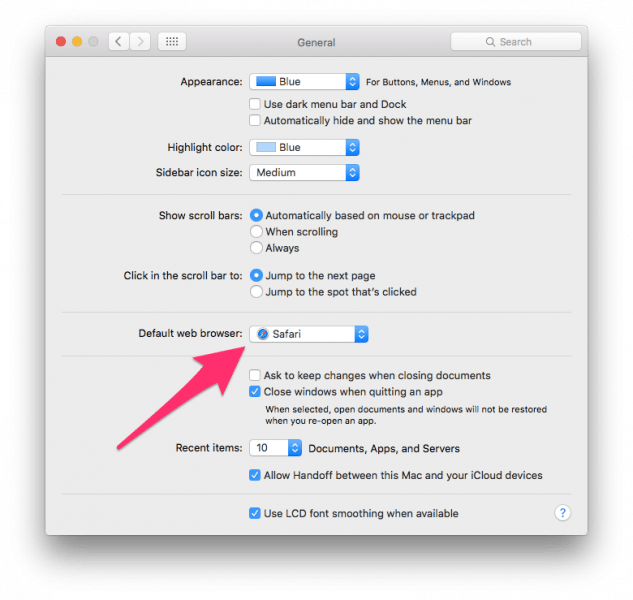
How To Change The Default Web Browser On Mac

How To Change Default Browser On Mac In MacOS Ventura Appsntips
How To Change Default Browser On Mac In MacOS Ventura Appsntips
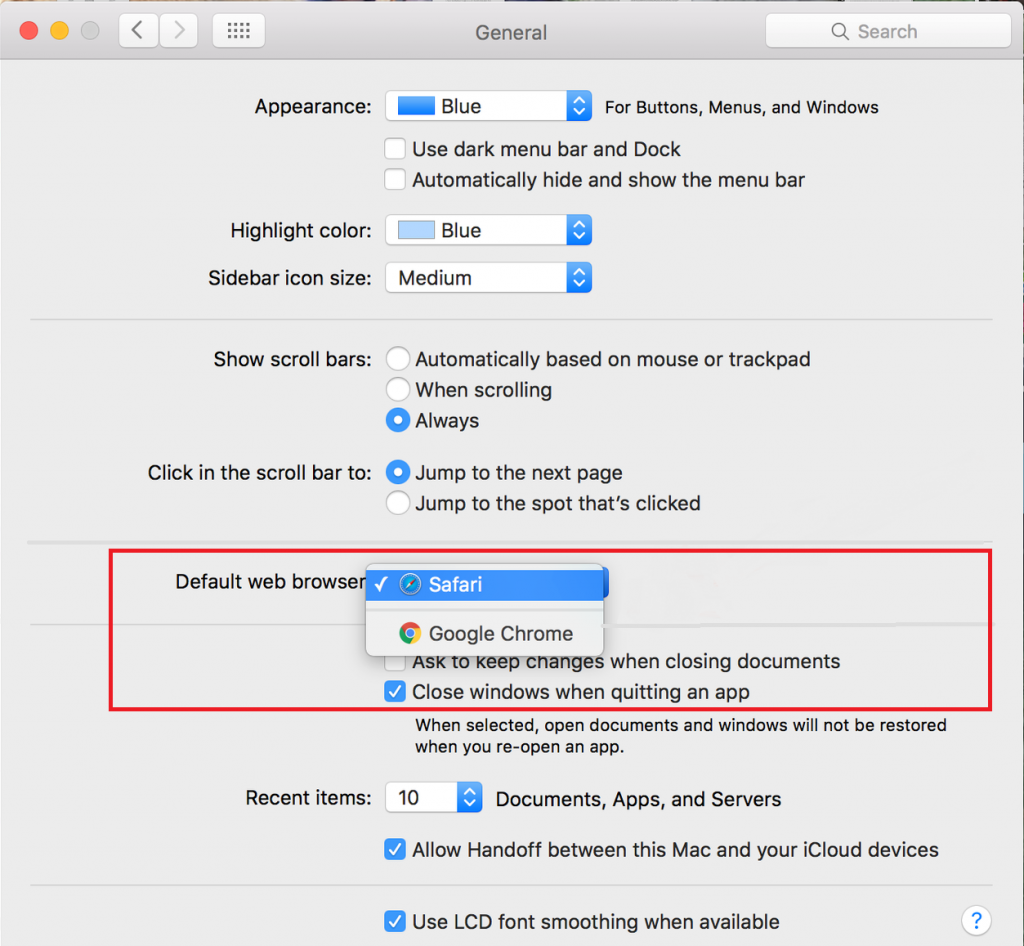
How To Change Default Browser Macbook Pro Mserlenglish

41 How To Make Google As My Default Browser Today Hutomo
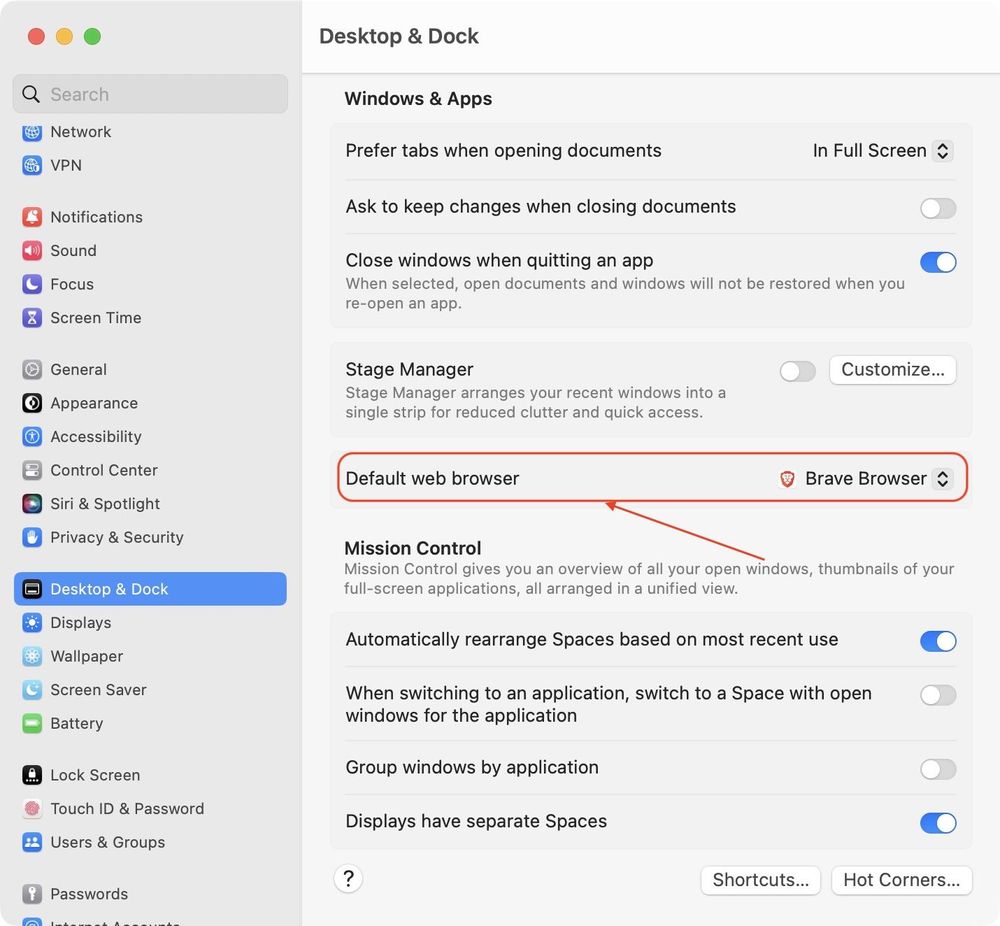
Change Default Browser on macOS Ventura and Later Launch System Settings from your Mac s Dock from the Applications folder or from the Apple menu bar System Select Desktop Dock in the sidebar Scroll down to Default web browser and click the dropdown menu next to it to select your

Make Safari your default web browser on Mac On your Mac choose Apple menu System Settings then click Desktop Dock in the sidebar You may need to scroll down Click the pop up menu next to Default web browser on the right then choose Safari

Via Bloomberg the latest development is that Apple considered replacing Google search as the default search engine in Safari when customers used Private Browsing mode Google would have remained

Here s everything Double Tap can do and how you can get it working on your watch before the software update is released Double Tap is a new gesture based feature for the latest Apple Watch

An unknown browser hijacker running in the background can take over Safari and change the search engine to Yahoo Step 1 Click the Applications menu on the dock and click the Activity Monitor
[desc-11] [desc-12]
[desc-13]