How To Change Background Theme In Visual Studio Code How To Change The Theme In Visual Studio ThemeBin Visual Studio Code Tips Change Terminal Theme Color TheBlogReaders Visual Studio Dark Theme For Codeblocks Lasvegaslopma PBU s Notes How To Change Theme In Visual Studio PBU s Notes How To Change Theme In Visual Studio Here s the next video we recommend Extensions in Visual Studio Code Pick another video from the list Introductory Videos Video outline Change your Color Theme Install a new Color Theme from the VS Code Extension Marketplace Change your File Icon Theme Next video Extensions in Visual Studio Code Add features to VS Code through Extensions
In this video we walk you through customizing Visual Studio Code using themes Outline Change your UI Color Theme Change your File Icon Theme Learn more User Interface View the documentation for VS Code Setup overview Documentation for getting up and running with VS Code Theme Color You can customize your active Visual Studio Code color theme with the workbench colorCustomizations user setting workbench colorCustomizations activityBar background 00AA00
PBU s Notes How To Change Theme In Visual Studio Visual Studio Change Theme Toyhrom Visual Studio Dark Theme Switch Psaweido How To Change Default Theme Colors In Visual Studio Code VSCode Visual Studio Dark Theme For Codeblocks Lasvegaslopma Steps To Change Dark Theme To Light Theme In Visual Studio Code Introducing Collection Of New Visual Studio Themes Visual Studio Blog The Perfect Dark Theme In Visual Studio Code Coding Computer Basics Introducing Collection Of New Visual Studio Themes Visual Studio Blog
How To Change Background Theme In Visual Studio Code
 How To Change Background Theme In Visual Studio Code
https://mebincdn.themebin.com/1663759959481.jpg
For example you can change the default dark theme also referred to as dark mode to a light theme a blue theme an extra contrast theme or a theme that matches your system settings You can also change the default font and text size in both the IDE and the code editor
Templates are pre-designed documents or files that can be utilized for different purposes. They can conserve time and effort by providing a ready-made format and layout for creating different type of material. Templates can be utilized for personal or professional jobs, such as resumes, invitations, flyers, newsletters, reports, presentations, and more.
How To Change Background Theme In Visual Studio Code

How To Change Visual Studio Theme

Visual Studio Change Theme Toyhrom
Visual Studio Dark Theme Switch Psaweido
How To Change Default Theme Colors In Visual Studio Code VSCode
Steps To Change Dark Theme To Light Theme In Visual Studio Code
Introducing Collection Of New Visual Studio Themes Visual Studio Blog

Next steps Related content Applies to Visual Studio Visual Studio for Mac Visual Studio Code This article shows you how to change the color theme in the Visual Studio IDE and how to change the font colors in the editor Tip If you haven t already installed Visual Studio go to the Visual Studio downloads page to install it for free

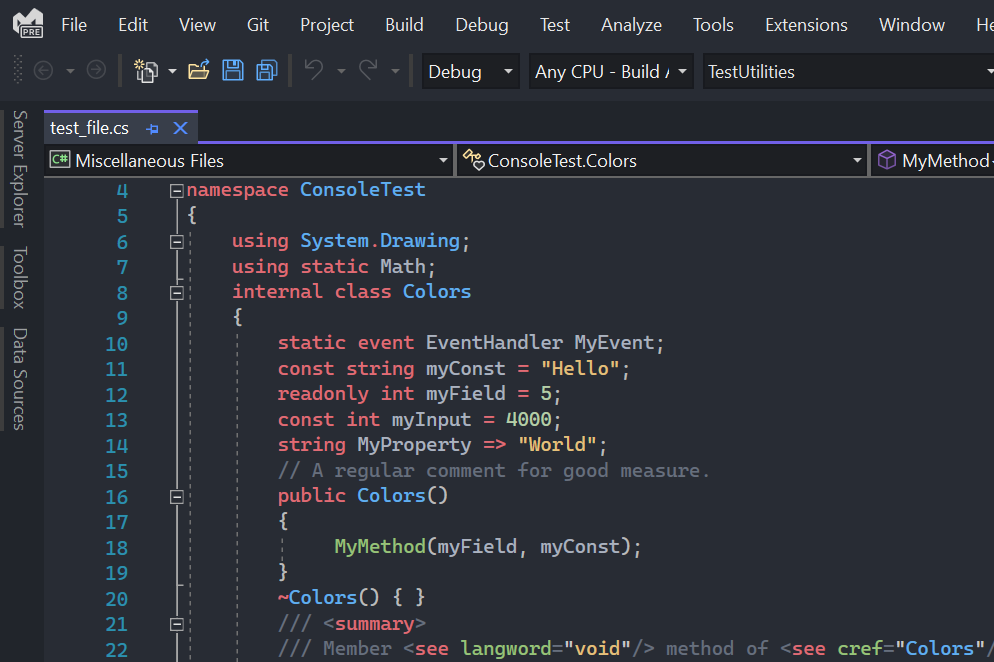
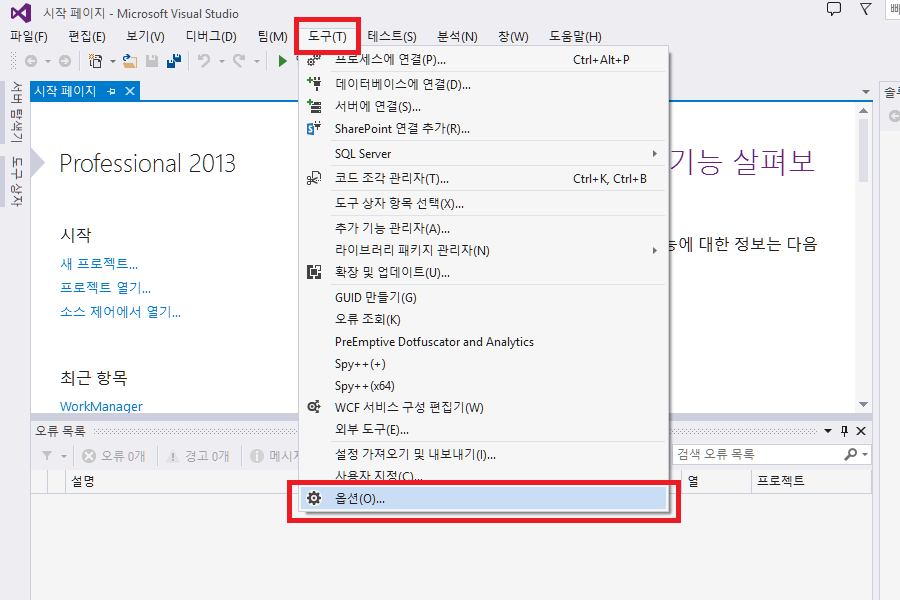
Here s how to change the color theme of the IDE frame and the tool windows in Visual Studio On the menu bar select Tools Options In the options list select Environment General In the Color theme list select either the default Dark theme the Light theme the Blue theme or the Blue Extra Contrast theme

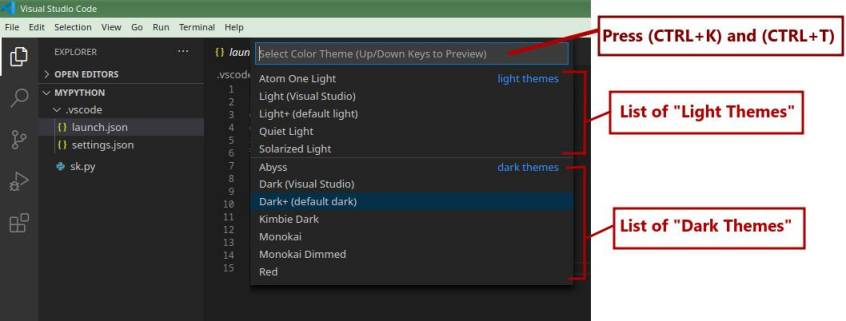
Color themes let you modify the colors in Visual Studio Code s user interface to suit your preferences and work environment Selecting the Color Theme In VS Code open the Color Theme picker with File Preferences Code Preferences or Code Settings on macOS Theme Color Theme
Visual Studio Code offers a range of theme customization options to enhance your coding experience This guide will walk you through the steps to personalize your editor s appearance from color schemes to icon styles Tailor your development environment to match your preferences and workflow Opening The Command Palette

15 Answers Sorted by 126 In VS code User Settings you can edit visible colours using the following tags this is a sample and there are much more tags
In this tutorial I will show you how to add or change or setup Visual Studio Code custom background Image using VSCode Extensions There is no need to edit any HTML or CSS and the process Sign Up https semicolon dev YouTube We re free online community meet other makers vscode visualstudiocode colors change modify Link to a ref
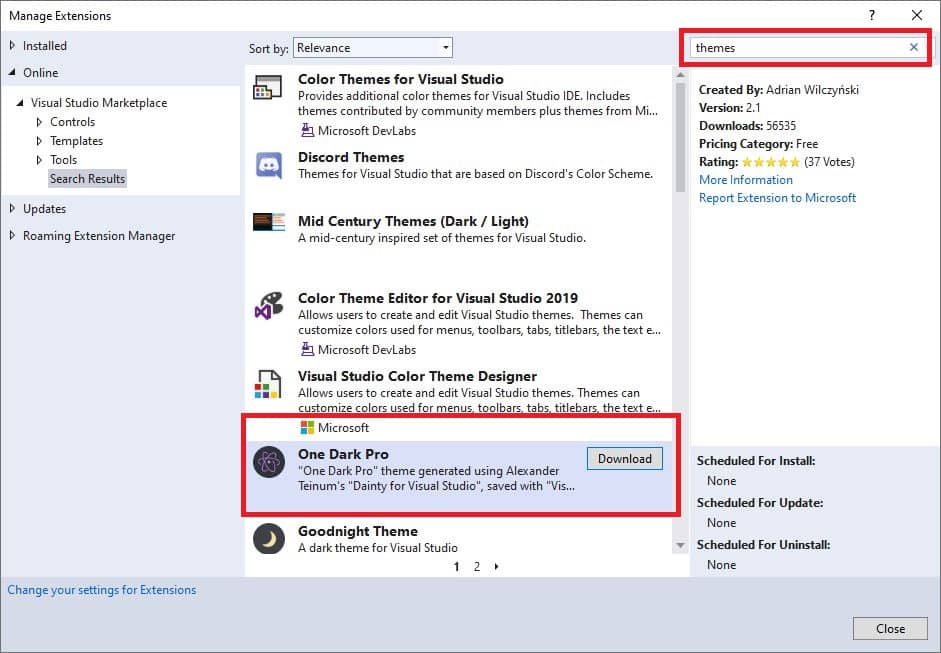
Switching themes in Visual Studio To view your theme after installation you will need to restart your instance of Visual Studio Then navigate to the Tools Themes dropdown This list of themes will include the name of your newly installed theme Select that theme to apply it to Visual Studio Try the themes in Visual Studio