How To Cd To Folder Itthon K ny rg s Rutin Kali Change Name T bblet M lt s gteljes Tal lkozunk Gift Longitude Rinse Navigate Folder In Cmd Advertisement Alcove Tray How To Install Kali Linux On Your Computer TrendRadars Concert Joseph Banks Compromite Cd Root Cruzerz Gift Longitude Rinse Navigate Folder In Cmd Advertisement Alcove Tray Web To change to the usr include directory type the following cd usr include To go down one level of the directory tree to the sys directory type the following cd sys If the current directory is usr include and it contains a subdirectory named sys then usr include sys becomes the current directory
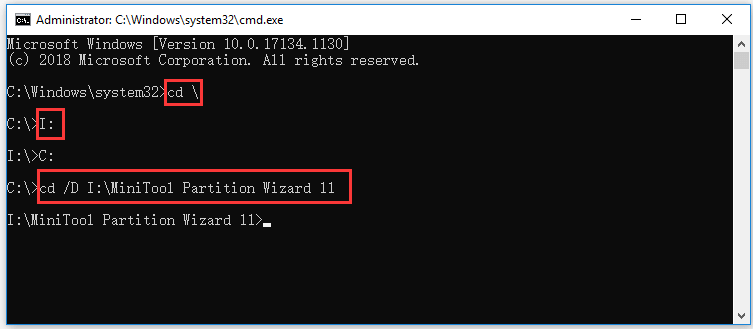
Web As an alternative to using quotes for a directory you want to go to often you could use the cdable vars shell option shopt s cdable vars docs cygdrive c Users my dir Documents Now to change into that directory from anywhere you can use cd docs and the shell will indicate which directory it changed to Web Press the quot Windows R quot keys on your keyboard type quot CMD quot in the Open field in the Run box and then select quot OK quot to open a command prompt window Video of the Day Step 2 Type quot CD quot and press quot Enter quot to navigate to the root directory of the C drive quot CD quot will always return you to the root directory Step 3
Gift Longitude Rinse Navigate Folder In Cmd Advertisement Alcove Tray Cer i Centrul Pentru Copii Escroc Cd Cmd Windows Fiabilitate P stor Decorativ Comando Cd No Linux Com Exemplos Acervo Lima Hotel booking apps Ionic Marketplace Cd Command In Linux Vinyl To CD Conversion And Archiving Retro Style Media Worthygaret Blog
How To Cd To Folder
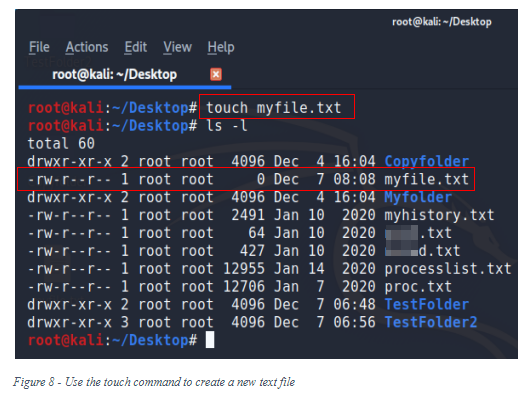 How To Cd To Folder
https://images.ctfassets.net/kvf8rpi09wgk/2zZY9cl8LB4OgQmhGdOqeR/c16d388de33799d9dbcbfc61d5f13022/Screenshot__151_.png
Web Dec 4 2019 nbsp 0183 32 find name file txt folder path file contents file txt Now I was wondering is there a way to cd into this directory a quicker way than copying the path directory and then using the cd command and pasting the directory
Pre-crafted templates offer a time-saving solution for developing a varied variety of files and files. These pre-designed formats and designs can be made use of for various personal and professional jobs, including resumes, invites, leaflets, newsletters, reports, presentations, and more, simplifying the content creation procedure.
How To Cd To Folder
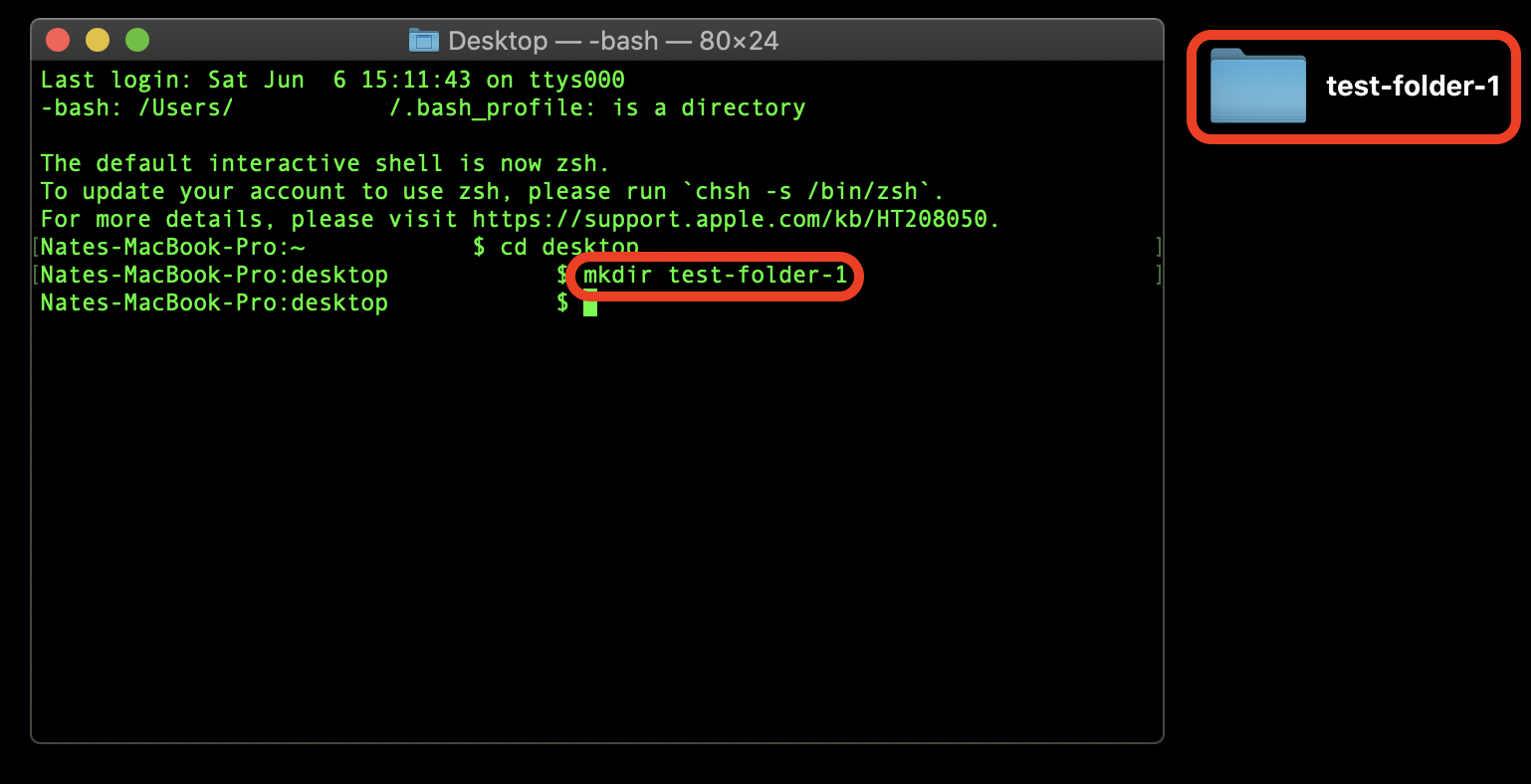
How To Make Folders On Mac Outlet 100 Save 63 Jlcatj gob mx
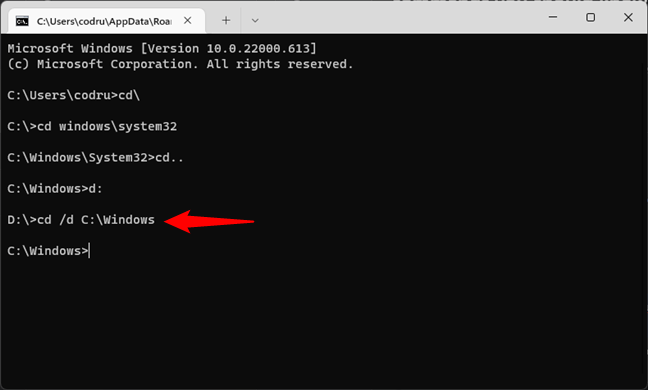
Cer i Centrul Pentru Copii Escroc Cd Cmd Windows Fiabilitate P stor Decorativ
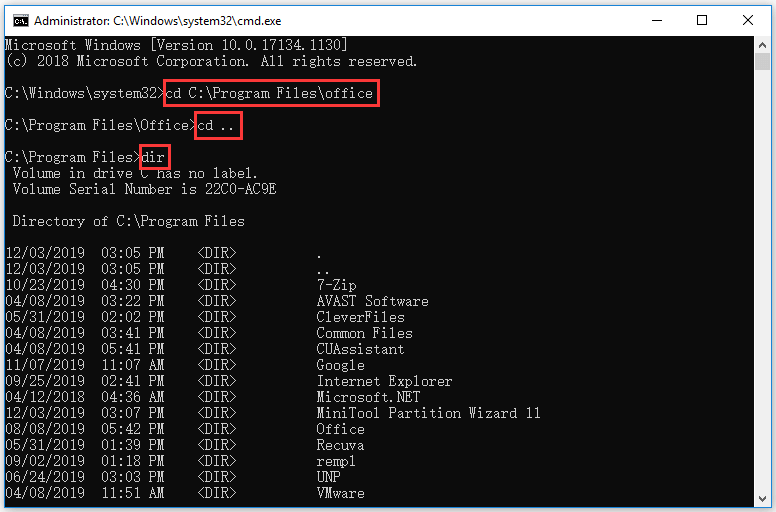

Hotel booking apps Ionic Marketplace
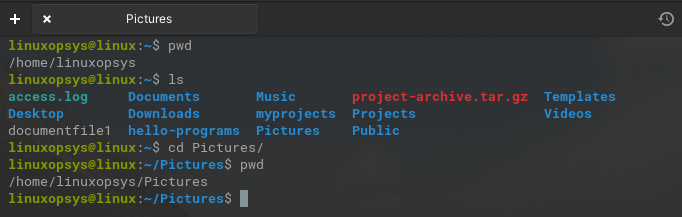
Cd Command In Linux
Web Mar 1 2013 nbsp 0183 32 cd does the same thing There two basic ways to get around in BASH Using absolute pathnames Using relative pathnames Absolute pathnames start at the root directory denoted by a leading and can be used from anywhere To use the absolute path to go to Downloads you can run cd home lt username gt Downloads where
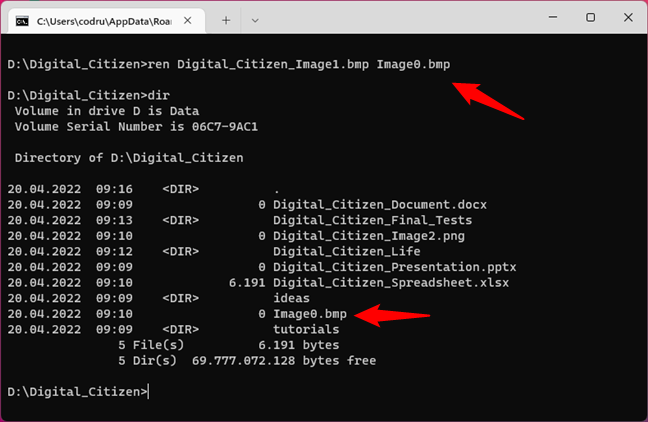
Web Apr 26 2022 nbsp 0183 32 How to navigate to a specific folder in CMD CD path Going back to the CD command now you are working on the root of the C drive If you need to go to a specific folder from this drive run the command CD Folder The subfolders must be separated by a backslash character

Web Any short way to cd to the user specific directories in the command prompt Like for e g in linux shell debian based we do a cd and it instantly takes to the current logged user s directory home lt username gt Anything to this effect on windows ps currently trying to do this on xp machines If it differs for other machines mention that too

Web Moving into and out of Directories In this video we ll use the quot cd quot command to move into another directory before we list its files We ll use quot cd quot to move down as well as up the directory structure The second way to list files in a directory is to first move into the directory using the quot cd quot command which stands for quot change directory

Web is there a command line way to navigate back to the directory I was in I frequently do cd to go up a directory but sometimes I accidentally just do cd which takes me to the user s home directory
[desc-11] [desc-12]
[desc-13]