How To Become Sudo User In Linux How To Find All Sudo Users In Linux OSTechNix Sudo Howto Howto Techno Configure Sudo Without Password On Ubuntu 20 04 Focal Fossa Linux How To Use The Sudo Command In Kali Linux Systran Box How To Use Sudo And The Sudoers File Hostinger Sudo is your badge It s your golden ticket your security clearance and your permission to do as you please Metaphor aside sudo is your elevated privilege Sudo stands for superuser do and is the master key to your high privilege admin tasks Have you ever tried to edit a config file only to receive Permission Denied
Visudo Scroll down to the end of the file and add the following line etc sudoers username ALL ALL NOPASSWD ALL Save a file and quit the editor Do not forget to change username with the username you want to grant access to Another typical example is to allow the user to run only specific commands via sudo Steps to Add Sudo User on Ubuntu Step 1 Create New User 1 Log into the system with a root user or an account with sudo privileges 2 Open a terminal window and add a new user with the command adduser newuser The adduser command creates a new user plus a group and home directory for that user
How To Use Sudo And The Sudoers File Hostinger How To Become Root In Kali Linux Systran Box How To Give Sudo Permission To Users On Ubuntu Linux Beginner s Tip How To Use The Sudo Command In Linux Master Hi technology Create New User In EC2 Ubuntu Create Sudo User How To Become Root How To Create A Sudo User In Debian ByteXD How To Add User To Sudo Group In Centos YouTube Adding Users To Sudoers In Linux A Step by Step Tutorial Adding New User On Ubuntu 20 04 And 20 10 Its Linux FOSS
How To Become Sudo User In Linux
 How To Become Sudo User In Linux
https://ostechnix.com/wp-content/uploads/2017/09/Find-All-Sudo-Users-1.png
Open Command Line and enter sudo useradd username To set up a new user in Linux you will need to use the sudo command In Linux and other Unix like operating systems sudo stands for
Templates are pre-designed files or files that can be utilized for different functions. They can save time and effort by supplying a ready-made format and layout for producing various sort of content. Templates can be utilized for individual or professional tasks, such as resumes, invitations, leaflets, newsletters, reports, discussions, and more.
How To Become Sudo User In Linux

How To Create A Sudo User On Ubuntu Linuxize

How To Become Root In Kali Linux Systran Box
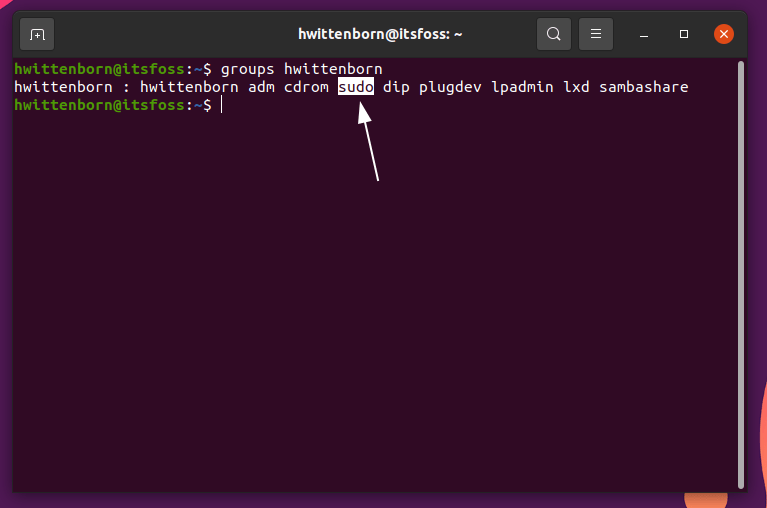
How To Give Sudo Permission To Users On Ubuntu Linux Beginner s Tip
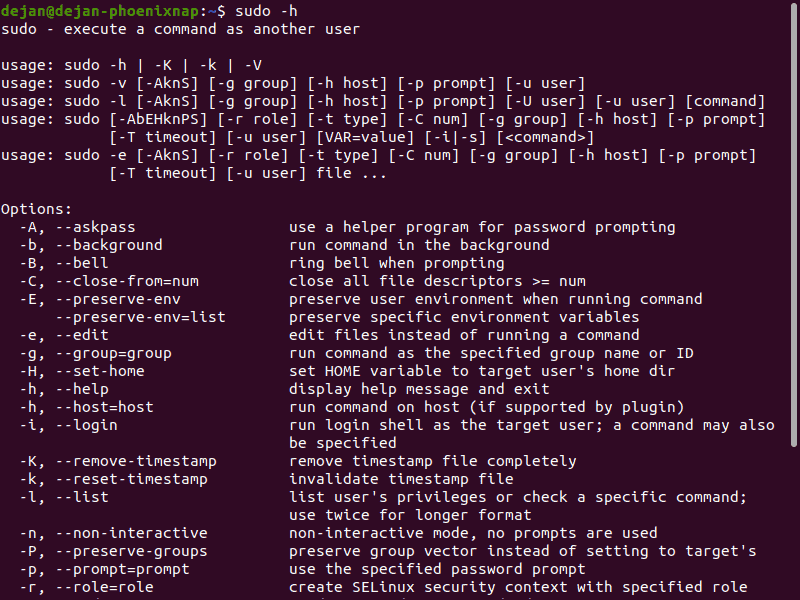
How To Use The Sudo Command In Linux Master Hi technology

How To Create A Sudo User In Debian ByteXD

How To Add User To Sudo Group In Centos YouTube

How to Give Sudo Privileges to a User in Linux Last updated June 15 2023 Written by baeldung Administration sudo usermod 1 Overview In this tutorial we ll learn how to give full sudo privileges to a local user in Linux We ll also learn how to give limited sudo access to a user so it can only run a specific set of commands with sudo

How to Use the sudo Command in Linux Sudo stands for and is used to access restricted files and operations By default Linux restricts access to certain parts of the system preventing sensitive files from being compromised command temporarily elevates privileges allowing users to complete sensitive tasks without logging in as the root user

1 Log in to your server Log in to your system as the root user ssh root server ip address 2 Create a new user account Create a new user account using the adduser command Don t forget to replace username with the user name that you want to create adduser username You will be prompted to set and confirm the new user password

10 Answers Sorted by 866 How about using the su command whoami user1 su user2 Password whoami user2 exit logout If you want to log in as root there s no need to specify username whoami user1 su Password whoami root exit logout
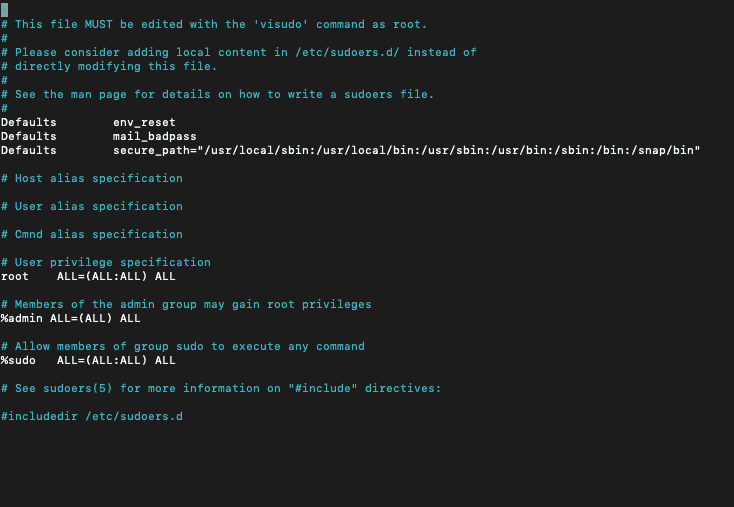
To use sudo simply prefix the command with sudo sudo command Where command is the command for which you want to use sudo Sudo will read the etc sudoers file and check whether the invoking user is granted with sudo assess The first time you use sudo in a session you will be prompted to enter the user password and the command will be
Step 1 Create a new user if it doesn t exist already Please check the users present on your Linux system If the user that you want to grant sudo access doesn t exist the first step would be to create that user Keep in mind that the user will be a regular user when you create it You add it to the sudoer list in the next step Step 2 Create a new user Once logged in create a new regular user using the adduser command Here jumpcloud is our new user adduser jumpcloud The command does a couple of things First It creates a new user and primary group called jumpcloud and then adds the user to the group
To make sure the new user has sudo privileges 1 Switch to the user account you just created by running the following command and replacing username with the name of your user su username 2 Run any command that requires superuser access For example sudo whoami should tell you that you are the root