How To Automatically Update Pivot Table Range How To Update Pivot Table Range 5 Suitable Methods ExcelDemy How To Auto Update Pivot Table Using Vba In Microsoft Excel Riset 8 Images How To Update Pivot Table Range Excel 2017 And Description How Do You Automatically Update Data Source In A Pivot Table Field How To Update Pivot Table Range Automatically With Dynamic Methods WEB Aug 28 2018 nbsp 0183 32 100 comments Bottom Line Learn how to use a simple macro to refresh pivot tables automatically whenever changes are made to the source data I also share a non macro solution to update the pivot tables when the file is opened Includes video tutorial and Excel file download Skill Level Intermediate
WEB You can refresh the data for PivotTables imported from Power Query such as a database SQL Server Oracle Access and so on Analysis Services cube a data feed and many other sources You can also refresh data from an Excel table which automatically includes all changes to its external data source WEB A Using Excel s automatic refresh feature Excel offers a built in feature that allows you to automatically refresh your pivot tables at set intervals This ensures that your data is always current without requiring manual intervention B External data connections for automatic updates
How To Update Pivot Table Range Automatically With Dynamic Methods How To Make Pivot Tables In Google Sheets Automatically Update How To Update Pivot Table Range Vba Awesome Home How To Update Pivot Table Range Vba Awesome Home Automatically Update Pivot Tables Just In One Click Without Use Source How To Update Pivot Table Range Excel 2017 Bruin Blog How To Update Pivot Table Range Excel 2017 Bruin Blog 8 Images How To Update Pivot Table Range Excel 2017 And Description 8 Images How To Update Pivot Table Range Excel 2017 And Description
How To Automatically Update Pivot Table Range
 How To Automatically Update Pivot Table Range
https://www.exceldemy.com/wp-content/uploads/2022/01/Updating-Pivot-Table-Range-by-Clicking-the-Refresh-Button1-768x669.png
WEB Sep 10 2018 nbsp 0183 32 3 3K 394K views 5 years ago Pivot Tables Sign up for our Excel webinar times added weekly https www excelcampus blueprint In this video I explain how to refresh pivot tables
Pre-crafted templates offer a time-saving solution for creating a diverse range of documents and files. These pre-designed formats and designs can be made use of for various individual and professional jobs, consisting of resumes, invites, leaflets, newsletters, reports, discussions, and more, simplifying the material production procedure.
How To Automatically Update Pivot Table Range
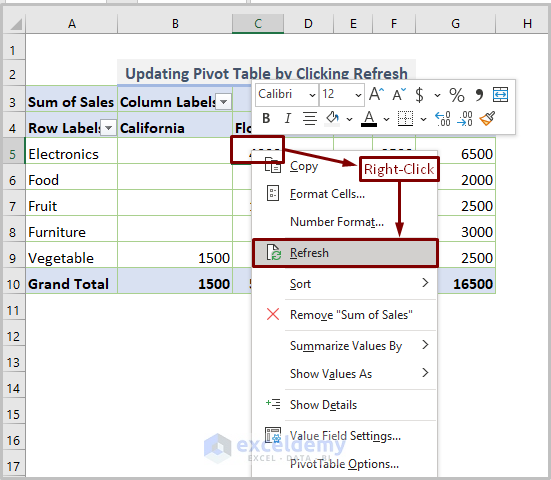
How To Update Pivot Table Range 5 Suitable Methods ExcelDemy
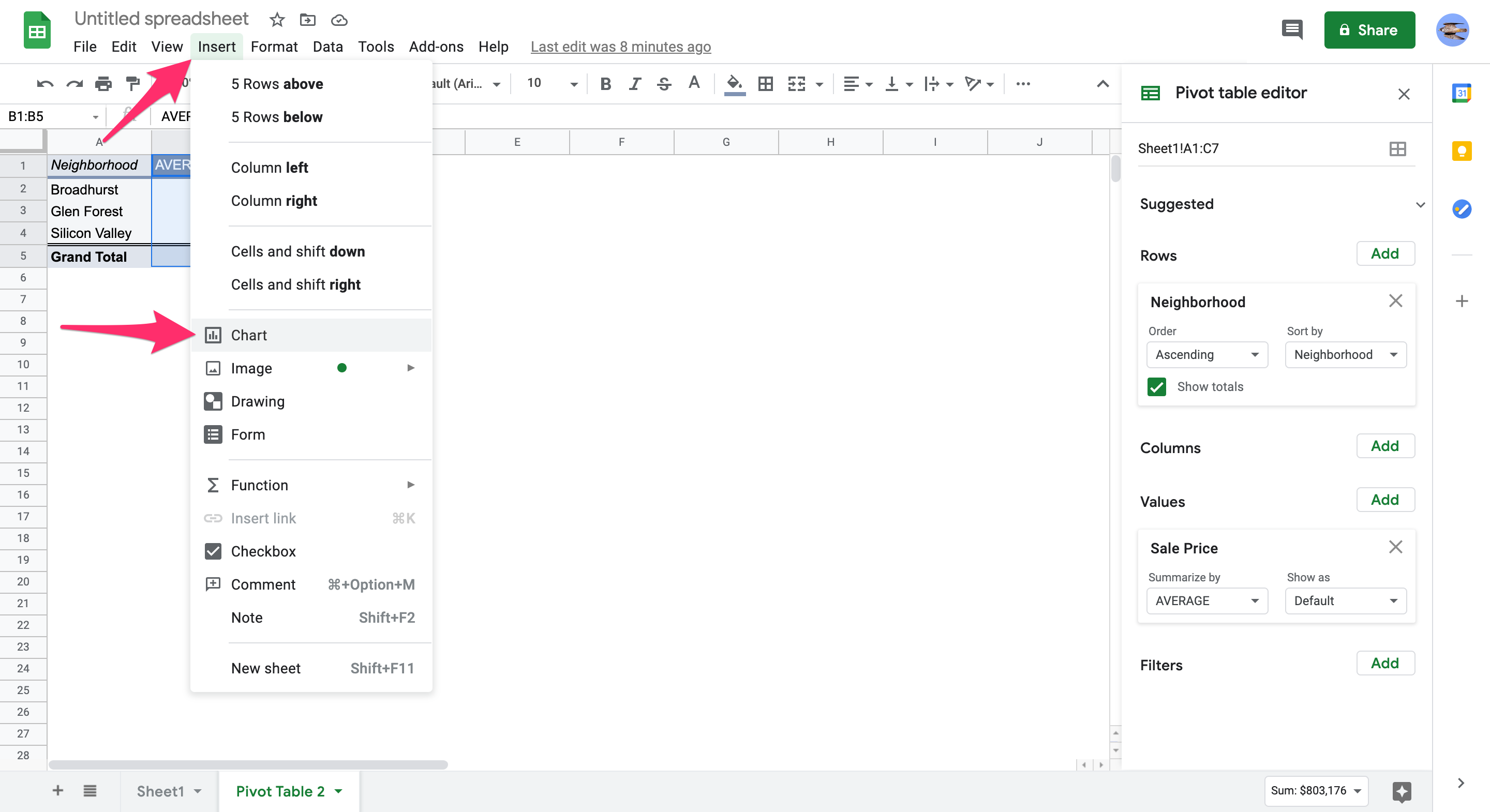
How To Make Pivot Tables In Google Sheets Automatically Update

How To Update Pivot Table Range Vba Awesome Home

How To Update Pivot Table Range Vba Awesome Home
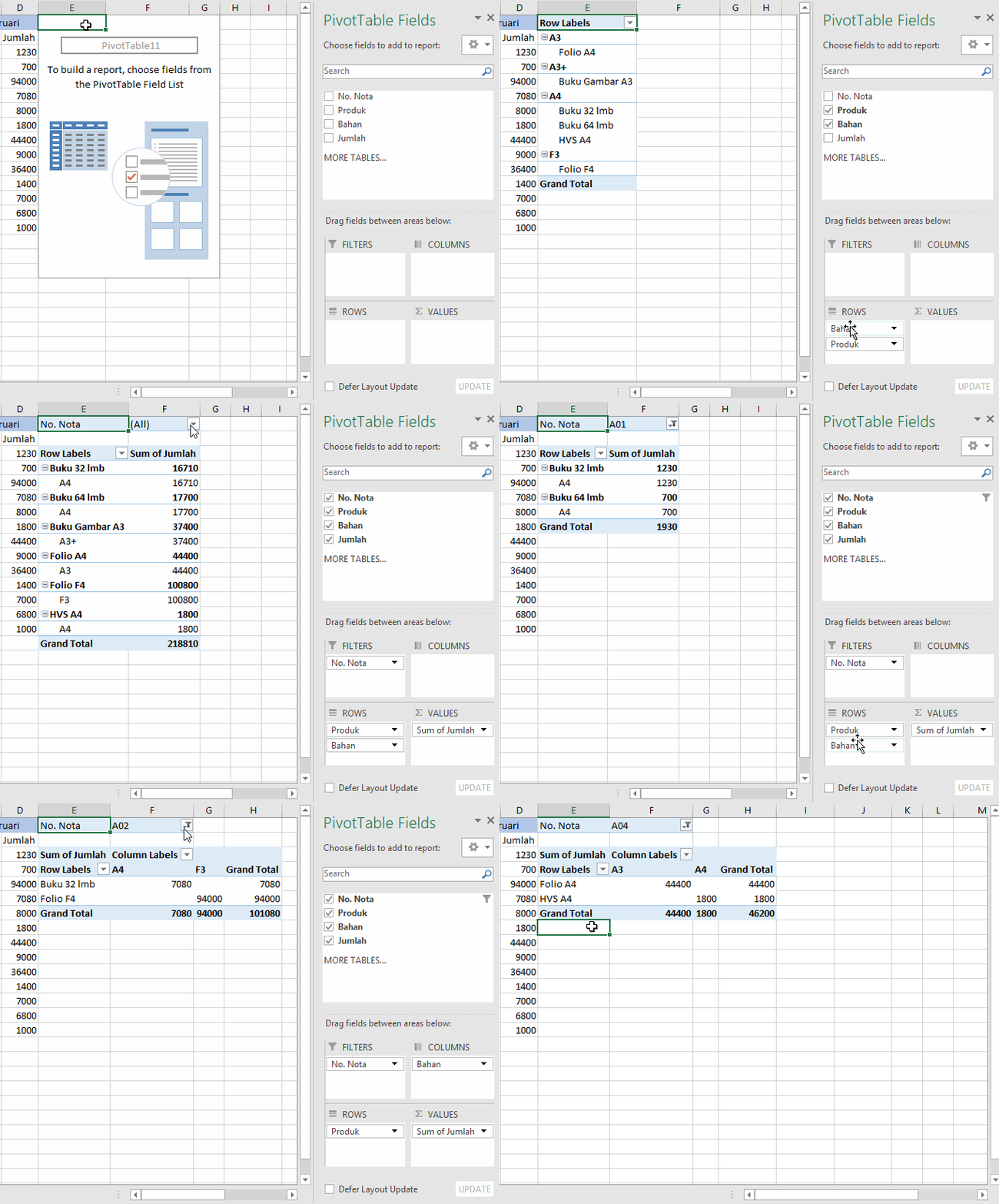
How To Update Pivot Table Range Excel 2017 Bruin Blog

How To Update Pivot Table Range Excel 2017 Bruin Blog

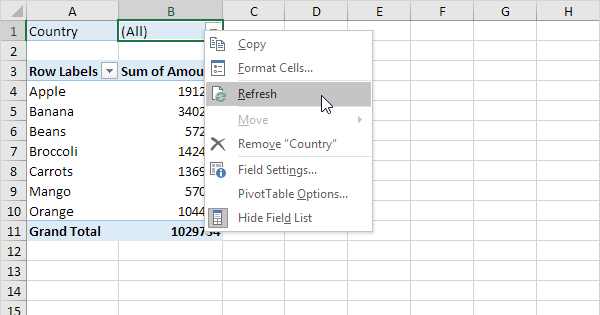
WEB Apr 27 2024 nbsp 0183 32 Select a cell within the Pivot Table and then right click on the mouse or press ALT F5 then select Refresh from the menu of available options The Pivot Table will update automatically Read more How to Refresh All Pivot Tables in Excel
WEB May 9 2024 nbsp 0183 32 Step 1 Creating an Excel Pivot Table with a Source Data Range Click on the Insert tab Click on the PivotTable command from the PivotTables group Select the From Table Range option from the list Select the table range with the header Choose the New Worksheet option Click OK

WEB Apr 15 2024 nbsp 0183 32 Right click any cell of the pivot table to open the context menu Choose PivotTable Options from the context menu From the PivotTable Options window go to the Data tab and check the Refresh data when opening the file option Hit OK to close the window Read More How to Update Pivot Table Range
WEB After you create a PivotTable you can change the range of its source data For example you can expand the source data to include more rows of data However if the source data has been changed substantially such as having more or fewer columns consider creating a new PivotTable

WEB Dec 6 2023 nbsp 0183 32 In Excel you can automatically update the pivot table range by converting your data range into an Excel Table ListObject When you use a Table as the source data for a pivot table the table automatically expands or contracts as new data is added or existing data is removed
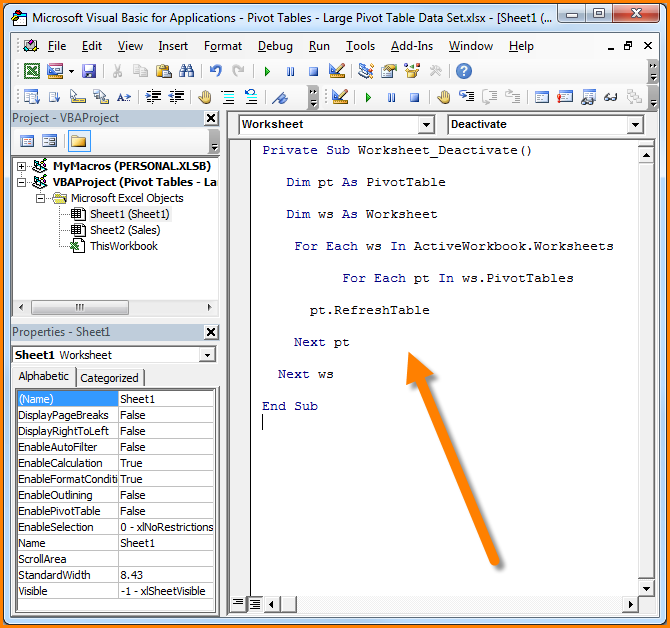
WEB Step 1 Select the pivot table Click on any cell within the pivot table to select it Step 2 Update the source data Make changes to the source data in the original data set or table Step 3 Manually refresh the pivot table Click on the quot Refresh quot button in the PivotTable Analyze tab or right click on the pivot table and select quot Refresh quot B WEB Nov 19 2022 nbsp 0183 32 You can use an Excel macro to automatically refresh a pivot table when the pivot table s worksheet is activated Add the following macro to the pivot table sheet s code module See the instructions for copying VBA code to your own files
WEB Jan 26 2023 nbsp 0183 32 13 5K subscribers Subscribed 113 7 5K views 1 year ago Microsoft Excel How to How to automatically update a pivot table with new data when for example new rows or columns are added