How To Activate Network Interface In Ubuntu Ubuntu 20 04 Une Interface MacOS Fait Son Apparition D tails GinjFo How To Activate Network Interface In CentOS 8 Running In A VirtualBox Configuring The Network Interface In Ubuntu 18 04 Instruction 00 virtualbox network interface nat Just Another Sharing Site Ubuntu Devs Propose Stateless Persistent Network Interface Names For 1 Overview There are multiple ways to configure the network in modern Linux systems The most popular are using Network Manager and Systemd However sometimes we need to do it manually using the etc network interfaces configuration file In this tutorial we ll see how to configure the network using the configuration file
August 24 2021 In this tutorial we ll go through how to activate and deactivate network interfaces within Ubuntu using several techniques All instructions were run on Ubuntu 20 04 LTS the most recent Ubuntu release Complete Story You can configure a network interface from the command line You can configure your network client hosts with the command line by using commands to change your current settings or by editing a number of system files This has several advantages over network managers in the GUI
Ubuntu Devs Propose Stateless Persistent Network Interface Names For Networking Howto Howto Techno Networking Ubuntu Server 16 04 01 No Internet Connection Ask Ubuntu All About Debian etc network interfaces File 00 network interface setting Just Another Sharing Site Ubuntu 20 04 Connect To Wifi From Command Line LinuxConfig How To Activate Sim Prepaid Postpaid Number Kube The Five Strategies For Migrating Applications To The Cloud DataNext
How To Activate Network Interface In Ubuntu
 How To Activate Network Interface In Ubuntu
https://www.ginjfo.com/wp-content/uploads/2020/04/ubuntu-20-04-macos.jpg
How to configure the network interface in Ubuntu 20 04 Browse the etc netplan directory Activate current settings If the system is not using netplan get a list of available interfaces Configure the second and subsequent interface in the same way by applying the settings If the server does not change the IP address restart it
Pre-crafted templates use a time-saving solution for creating a diverse variety of files and files. These pre-designed formats and layouts can be used for numerous individual and expert tasks, consisting of resumes, invitations, flyers, newsletters, reports, presentations, and more, simplifying the content production process.
How To Activate Network Interface In Ubuntu
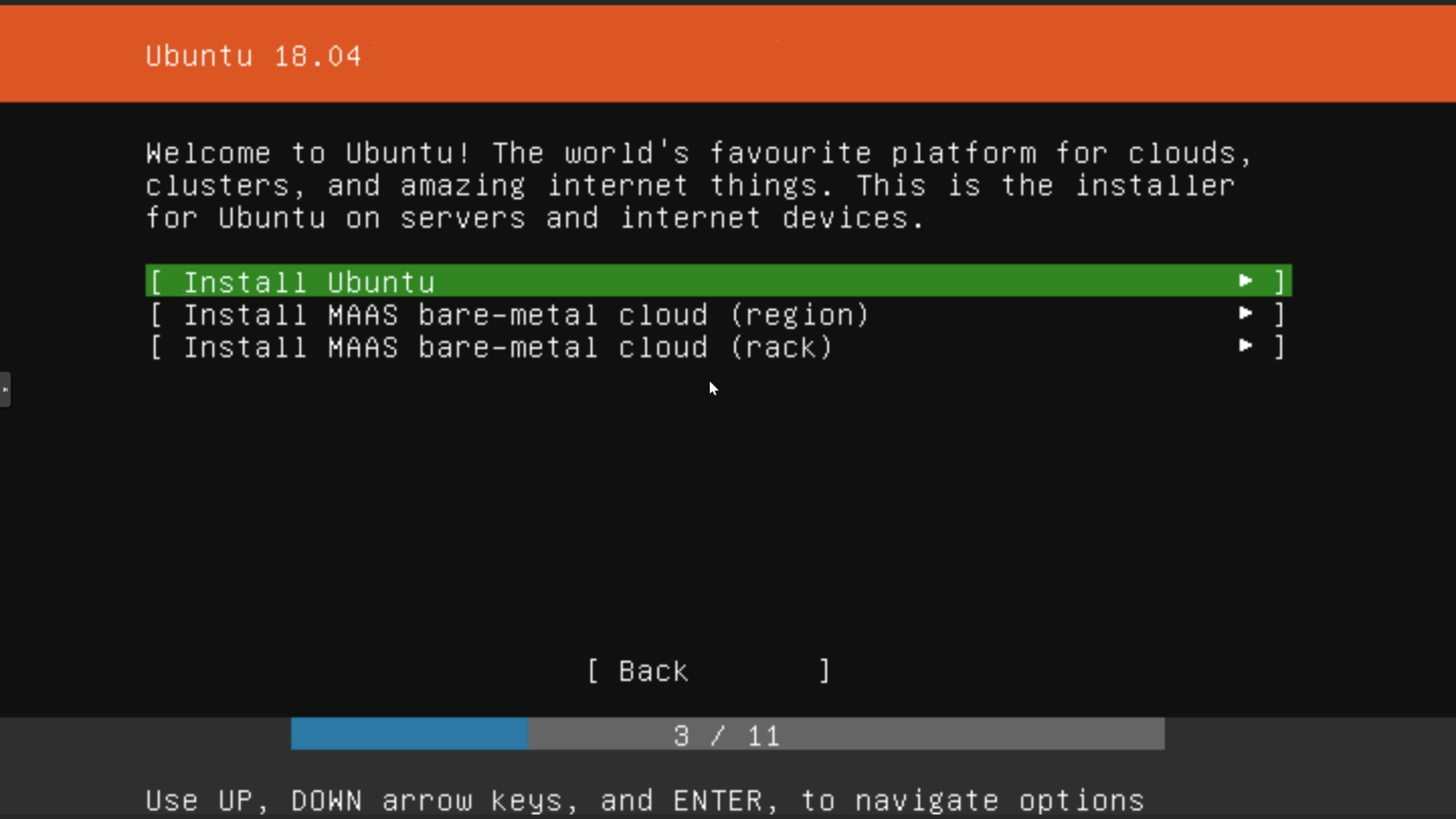
Ubuntu Server 18 04 LTS Setup ShaneTriplett

Networking Howto Howto Techno

Networking Ubuntu Server 16 04 01 No Internet Connection Ask Ubuntu
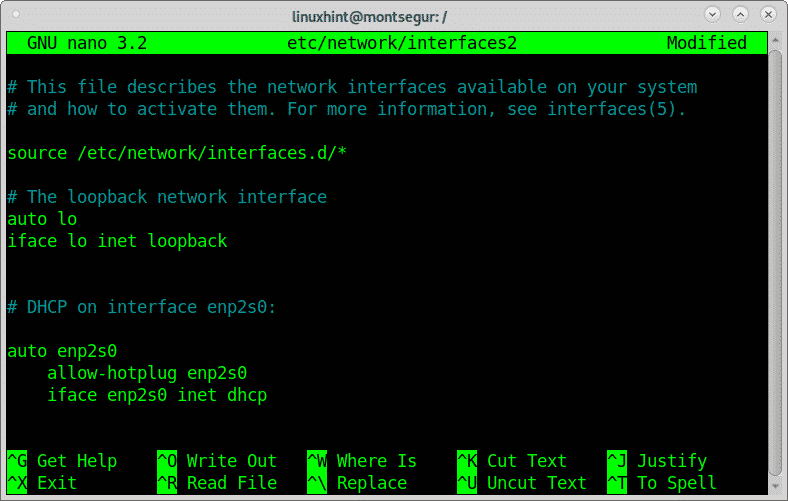
All About Debian etc network interfaces File

Ubuntu 20 04 Connect To Wifi From Command Line LinuxConfig

How To Activate Sim Prepaid Postpaid Number

1 Bring UP Down Network Interface using ifconfig command ifconfig runs at boot time to set up network interfaces and provides a lot of information about the NIC In this example let us see how to bring up and down the interface using ifconfig command Common Syntax for ifconfig ifconfig NIC NAME Down Up

1 Have you tried sudo ifconfig eth0 up eth0 is the name of your ethernet connection your want to activate and may be something different on your system You can also use the same command to activate wifi If you run ifconfig a you get a list of all interfaces and their status user1608347 Jun 29 2022 at 21 26

In this tutorial we ll explain how to set up the network interface in Ubuntu 18 04 Although the familiar configuration file etc network interfaces exists configuration via ifupdown has been replaced with netplan ifupdown has been replaced

4 Answers Sorted by 39 Since ifconfig has been deprecated for many years now you should probably use the ip command To list the interfaces ip link or with the ip addresses ip a To take one down if eth0 sudo ip link set if down Share Improve this answer Follow

The net tools package is no longer installed by default in Ubuntu Server 22 04 although it is still available if you choose to manually install it Step 7 When executed without any options the ifconfig command shows information about your interfaces similar to what we saw with ip addr show earlier in this tutorial
1 Answer Sorted by 0 I tried this and succeeded sudo ifconfig enp3s0 up where enp3s0 is the logical name for your Ethernet Share Improve this answer Follow edited May 1 2021 at 7 15 Method 1 Network configuration on the command line In Ubuntu you can set your IP address through terminal commands First type netstat I to find the interface name Then type the below command sudo ifconfig eth0 192 168 72 6 netmask 255 255 255 Then to add a default gateway add the below command sudo route add default gw 192 168 72 1 eth0
Overview In this tutorial you will learn how to configure networking in Ubuntu 20 04 with Netplan You will learn how to set static IP addresses DHCP addresses as well as how to configure DNS and Wifi Introduced back in 18 04 April 2018 networking was redone using a new system called Netplan a YAML based Continue reading How to Configure Networking in Ubuntu 20 04 with NetPlan