How Do You Transpose Multiple Rows In Excel Transpose Columns And Rows In Excel ValuSource Support How To Transpose Excel Columns To Rows Using Paste Special Images And 3 Ways To Transpose Data Horizontally In Excel How From Rows Columns The Excel TRANSPOSE Function YouTube Excel Columns To Rows 3 Easy Ways To Transpose Your Data Udemy Blog Web Feb 14 2016 nbsp 0183 32 In Excel how can I transpose multiple rows into a single column Ask Question Asked 7 years 8 months ago Modified 3 years 5 months ago Viewed 18k times 1 I have rows of data all of equal length e g A1 A5 B1 B5 C1 C5 etc I want to put these into a single column e g D1 D5 D6 D10 D11 D15 etc There are no headers or row identifiers
Web Mar 16 2023 nbsp 0183 32 The function takes just one argument TRANSPOSE array Where array is the range of cells to transpose The array is transformed in this way the first row of the original array becomes the first column of the new array the second row becomes the second column and so on Important note Web You can convert the table to a range first by using the Convert to Range button on the Table tab or you can use the TRANSPOSE function to rotate the rows and columns If you want to rotate your data frequently to view it from different angles consider creating a PivotTable so you can quickly pivot your data by dragging fields from the Rows
Excel Columns To Rows 3 Easy Ways To Transpose Your Data Udemy Blog Transpose Data From Rows To Columns In Microsoft Excel Microsoft How To Fix Excel Transpose Function Not Working Issue How To Transpose In Excel Columns And Rows 500 Rockets Marketing How To Move Over A Row In Excel Quora TRANSPOSE Function In Excel How It Works YouTube How To Insert Multiple Rows From A Datagridview To Sql Server In C Riset View Transpose A Formula In Excel Image Formulas How To Transpose Columns And Rows In Microsoft Excel
How Do You Transpose Multiple Rows In Excel
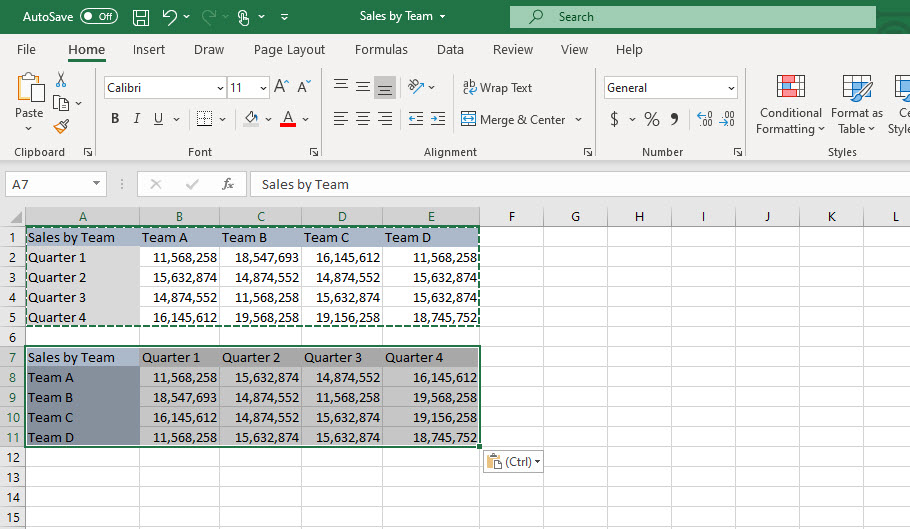 How Do You Transpose Multiple Rows In Excel
https://support.valusource.com/wp-content/uploads/2020/10/Excel-3.jpg
Web Mar 25 2023 nbsp 0183 32 Toggle Method 1 Using Paste Options Method 2 Keyboard Shortcut Method 3 Using TRANSPOSE Function Paste Option vs TRANSPOSE Function Add Transpose Option to Quick Access Toolbar Method 1 Using Paste Options
Pre-crafted templates provide a time-saving service for developing a varied range of files and files. These pre-designed formats and layouts can be made use of for numerous individual and expert projects, consisting of resumes, invitations, flyers, newsletters, reports, discussions, and more, streamlining the content production procedure.
How Do You Transpose Multiple Rows In Excel
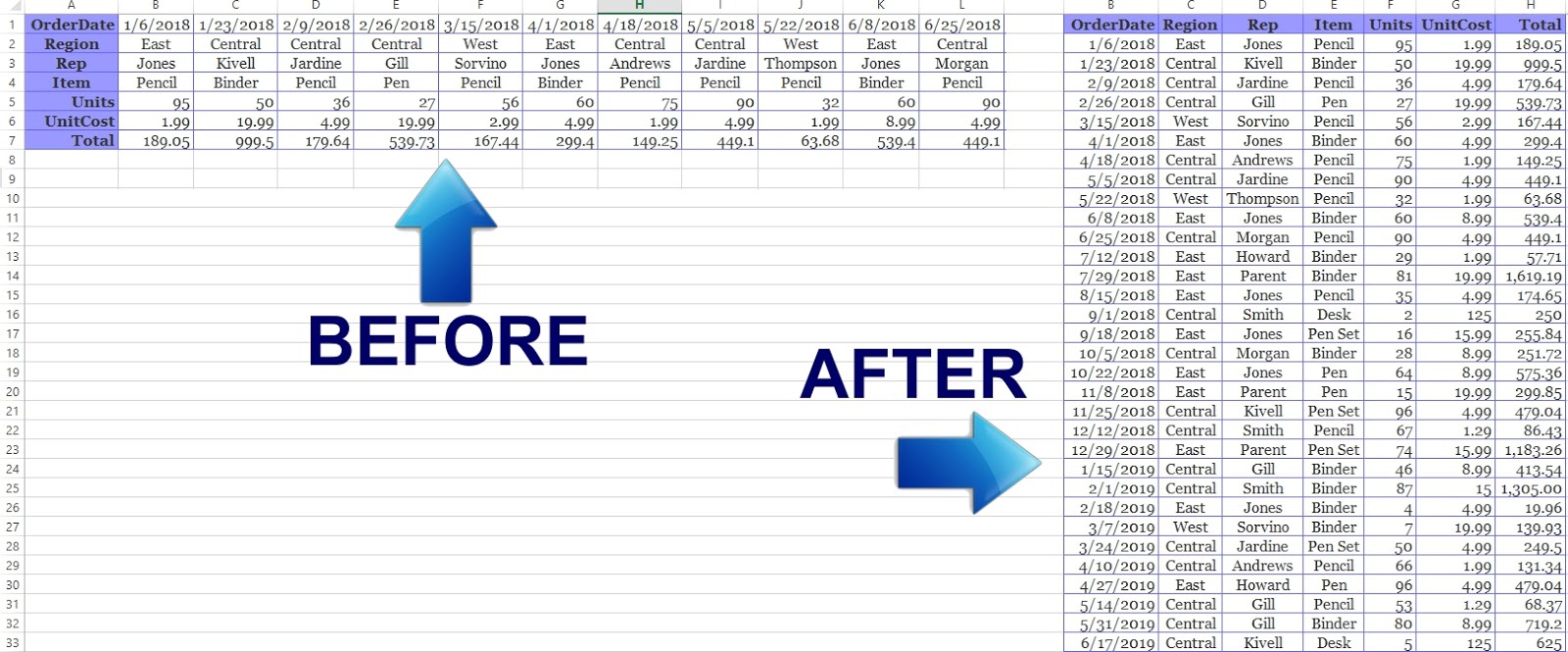
Transpose Excel Tables With A Single Click Looking For Custom Excel

Transpose Data From Rows To Columns In Microsoft Excel Microsoft
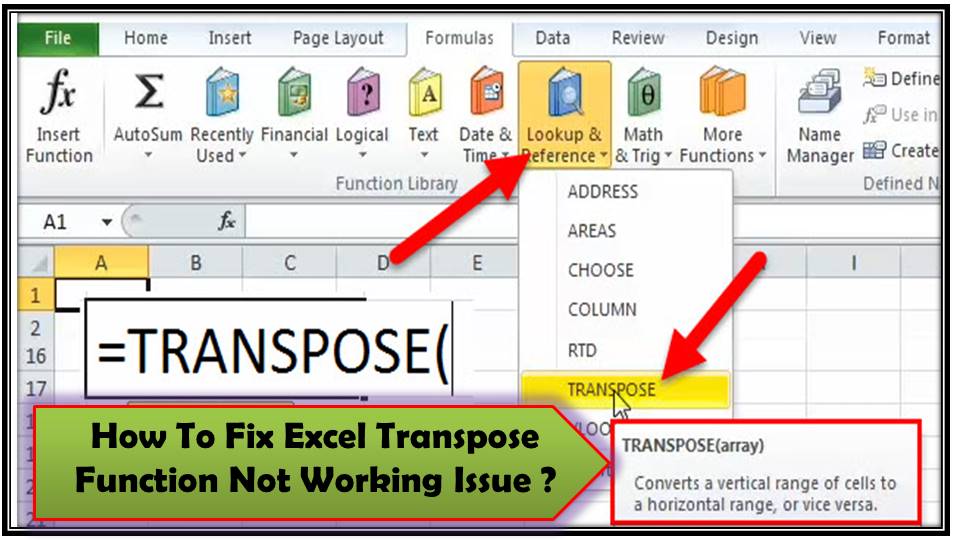
How To Fix Excel Transpose Function Not Working Issue
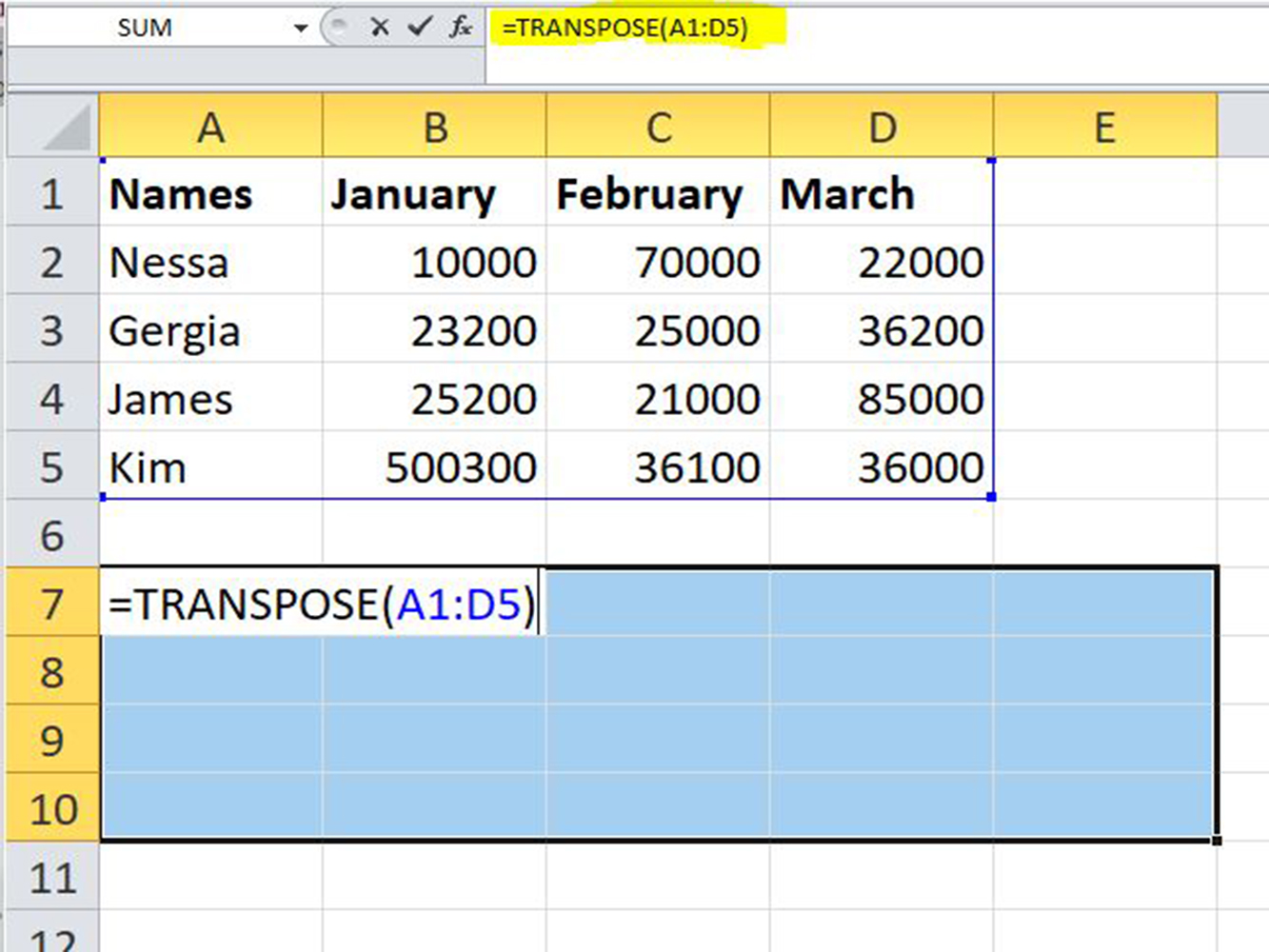
How To Transpose In Excel Columns And Rows 500 Rockets Marketing
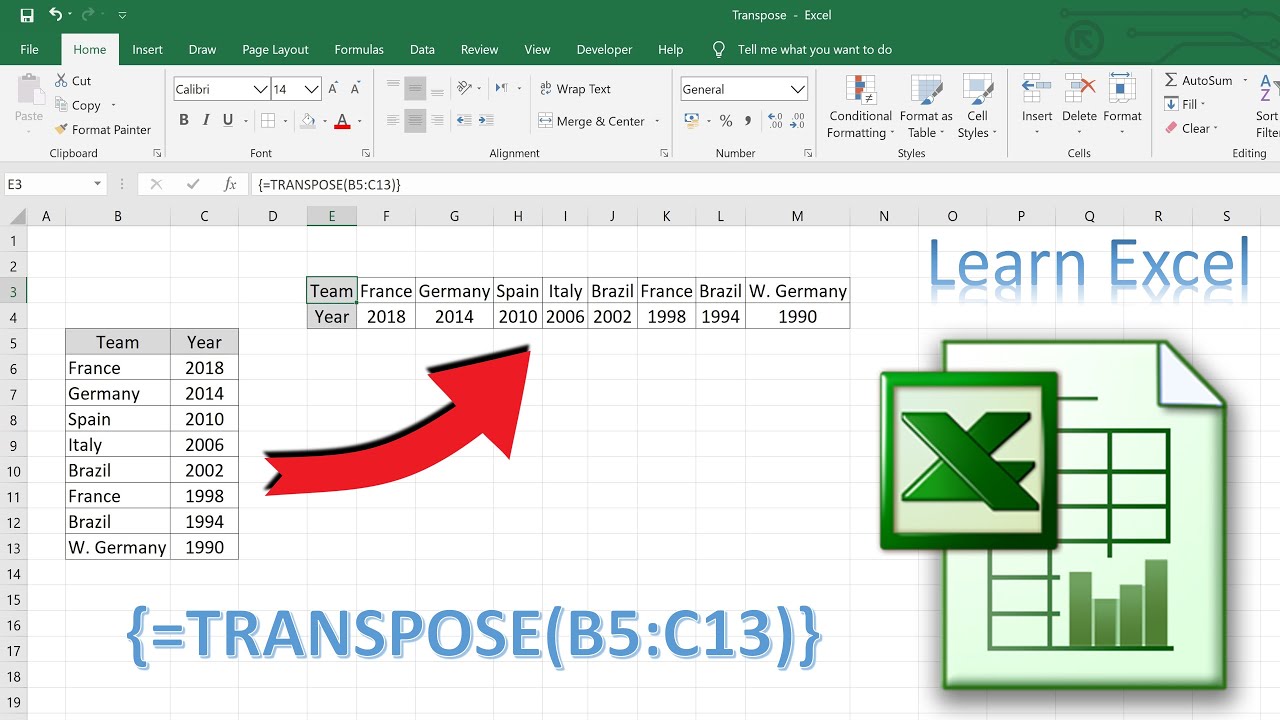
TRANSPOSE Function In Excel How It Works YouTube

How To Insert Multiple Rows From A Datagridview To Sql Server In C Riset
Web Oct 4 2023 nbsp 0183 32 The most common way to transpose columns to multiple rows is to use the TRANSPOSE Function We are going to transpose all the columns of our dataset to multiple rows Let s see the discussion below Steps Type the following formula in cell B12 TRANSPOSE B4 D10

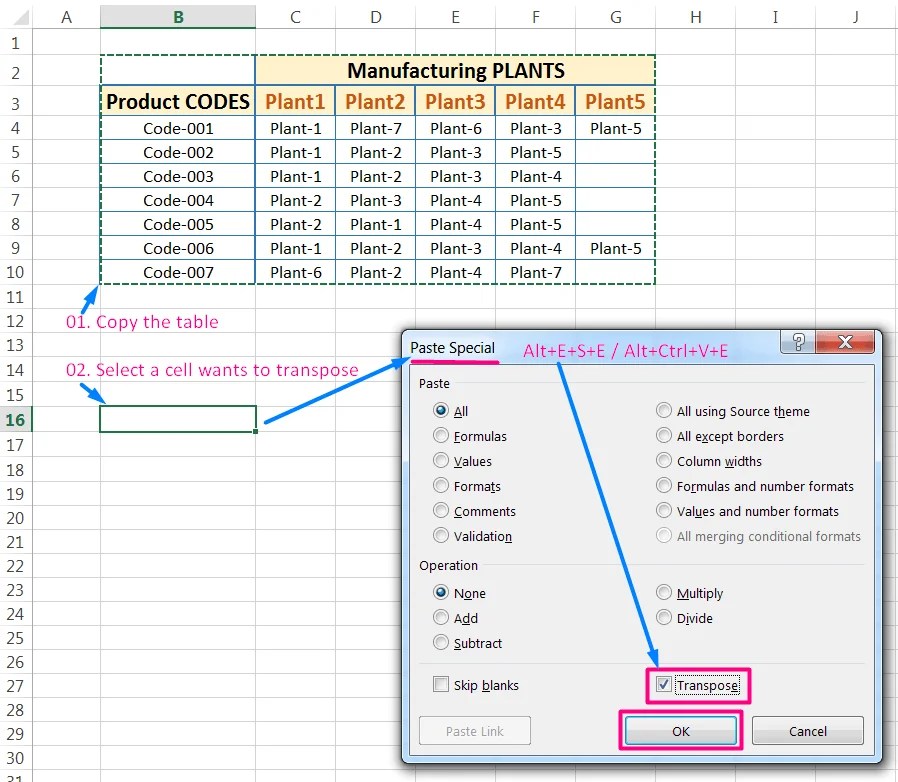
Web Feb 6 2021 nbsp 0183 32 Highlight the area you want to transpose and then press Ctrl C on the keyboard to copy the data Right click the empty cell where you d like to display your results Under quot Paste Options quot click quot Paste Special quot Check the box next to quot Transpose quot and then press the quot OK quot button Transpose Data with the Transpose Formula
Web The TRANSPOSE function must be entered as an array formula in a range that has the same number of rows and columns respectively as the source range has columns and rows Use TRANSPOSE to shift the vertical and horizontal orientation of an array or range on a worksheet

Web Sep 8 2021 nbsp 0183 32 There you go 3 easy ways to transpose your data in Microsoft Excel Since the introduction of dynamic arrays my favourite method is using the TRANSPOSE function It s quick easy and will automatically update when you change your source data

Web Select the data set A1 E5 Copy it Control C or right click and select copy Now you can paste the transposed data in a new location In this example I want to copy in G1 K5 so right click on cell G1 and select paste special In the Paste Special dialog box click on the Paste Link button
Web How to transpose long list of groups of rows into columns with code formula 0 Take values from multiple cells and combine them into a different single value not simply combining the values Web Dec 17 2022 nbsp 0183 32 If you have the latest version of Excel use the UNIQUE FILTER and TRANSPOSE functions Adapt the following to suit you data To obtain the unique equipment list UNIQUE A1 A10 How do I transpose data in columns to rows 0 Excel group multiple columns and transpose 0
Web Sep 15 2023 nbsp 0183 32 Follow these steps to use transpose function using Paste Special option Step 1 Copy data you want to transpose Step 2 Right click on a new cell and go to the paste option choose Paste Special Step 3 Choose Transpose from the Paste special menu Paste Special Menu Step 5 Rows will be transposed to columns