How Do You Make A Google Drive Folder How To Make Documents Read only In Google Drive To Make A Google Create A Shared Class Folder On Google Drive Toolbox Digital Media Make Google Drive Folder Public Gaibl How To Download Multiple Photos From Google Drive Crossjes How To Create Folders In Google Drive YouTube From your Google Drive homepage double click to open a folder 2 Click the plus sign icon in the top left of the screen and click Google Docs to create a new document
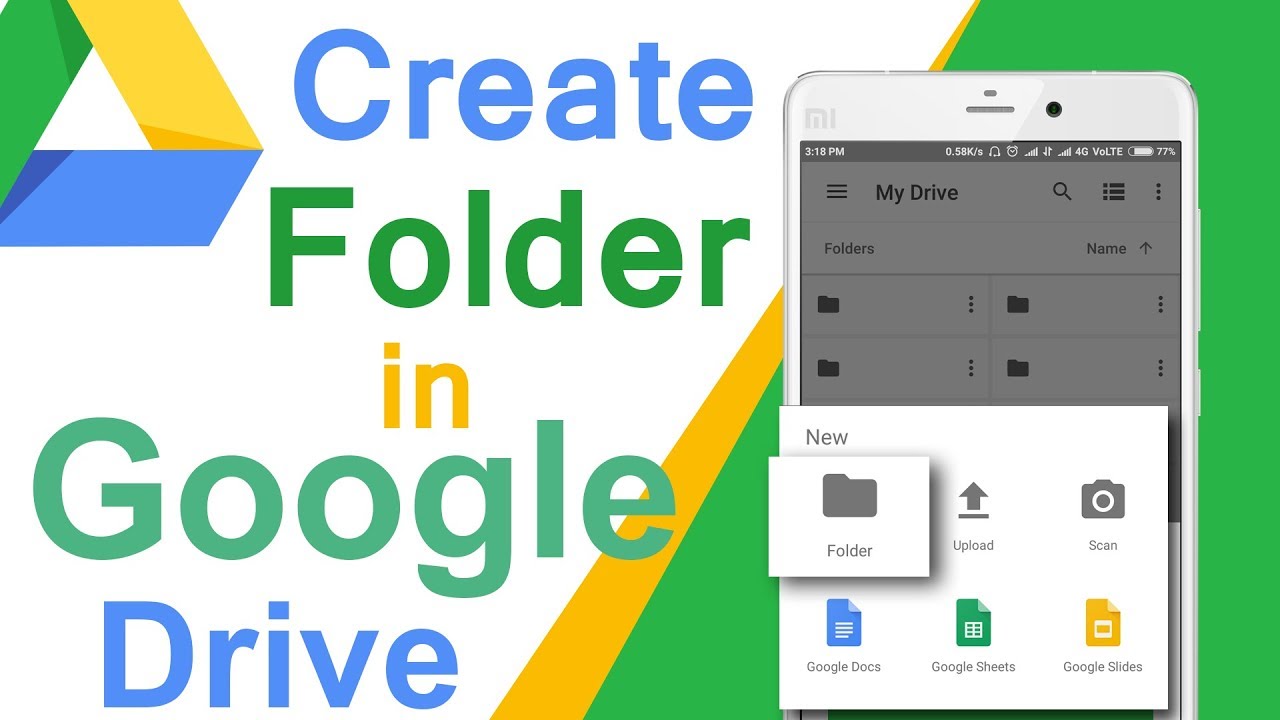
Access Google Drive with a Google account for personal use or Google Workspace account for business use Once you re in Google Drive click on the New button at the top left You can also create a new folder by clicking on the drop down menu to the right of where it says
How To Create Folders In Google Drive YouTube How To Make A Google Drive Folder Public Cara Buat Folder Di Google Drive How To Make Google Docs Private Cotton Sweves How To Create A Google Drive Folder Productsras Adding A Google Drive Folder To A Dashboard No Code Required Jestor How To Make A Google Drive Folder Public How To Make A Google Drive Folder Public Google Drive For Android How To Create Folder YouTube
How Do You Make A Google Drive Folder
 How Do You Make A Google Drive Folder
https://i.pinimg.com/736x/8f/b9/43/8fb94317772f5b3a2d7bd3c9b56272f9.jpg
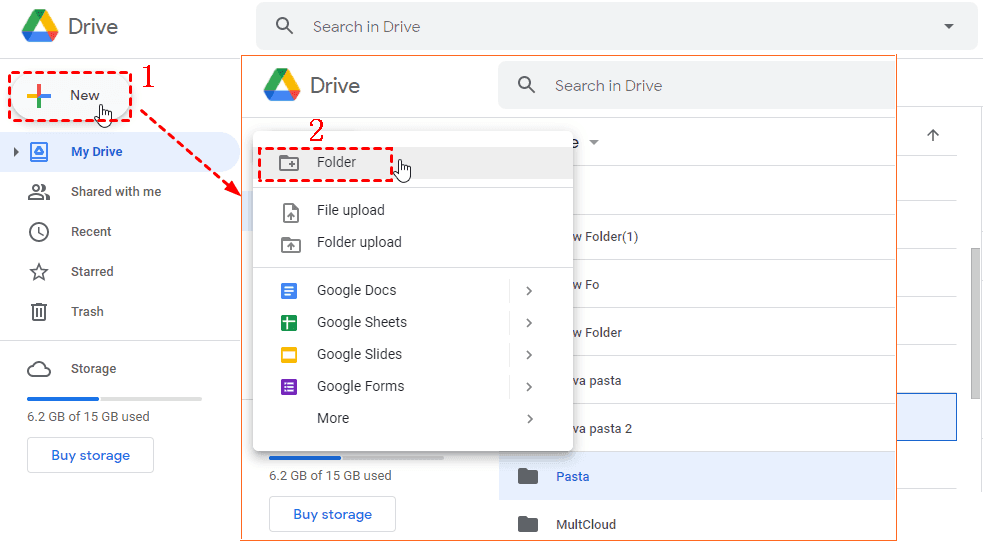
From your Drive homepage click the New button in the top left and then click Folder Enter a name for the folder and click Create From here drag the files you want to add directly into the new folder
Templates are pre-designed documents or files that can be used for various functions. They can save time and effort by providing a ready-made format and layout for developing various sort of material. Templates can be utilized for individual or professional jobs, such as resumes, invites, flyers, newsletters, reports, discussions, and more.
How Do You Make A Google Drive Folder
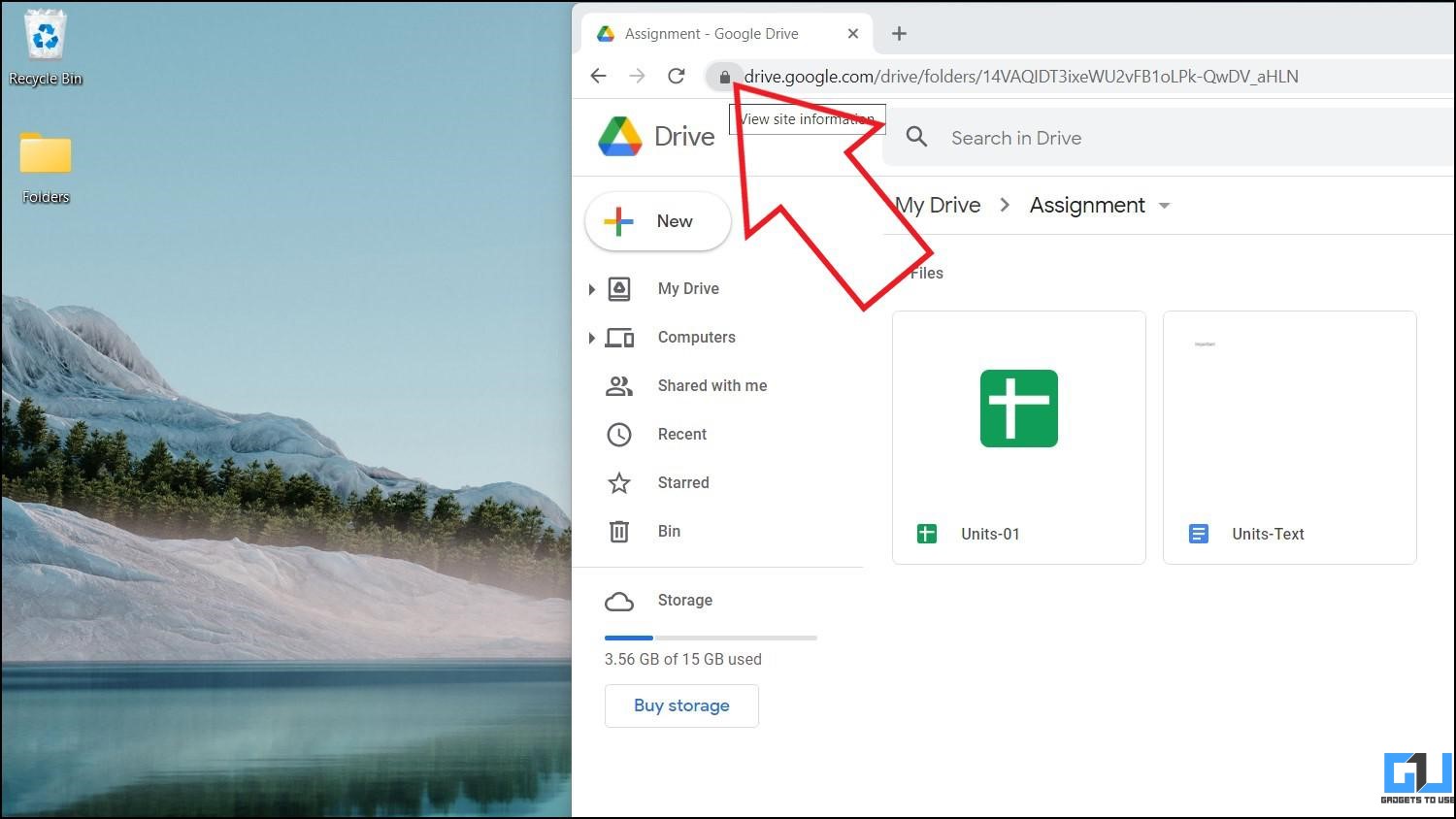
3 Ways To Create A Desktop Shortcut For Google Drive Files Folders On
How To Make A Google Drive Folder Public
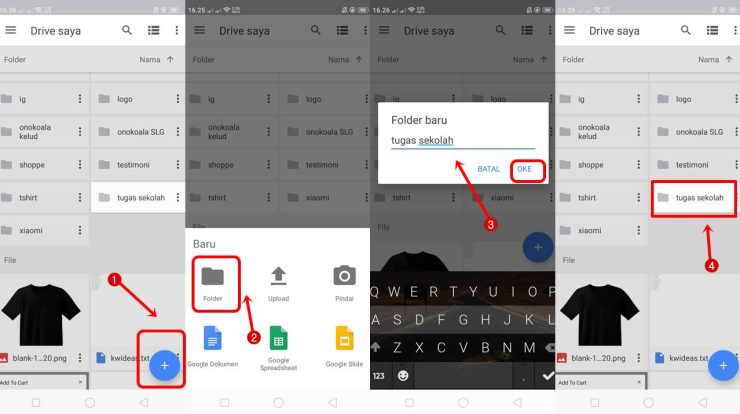
Cara Buat Folder Di Google Drive
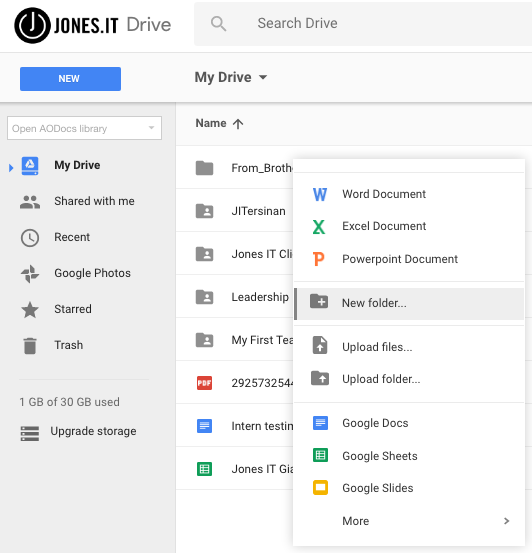
How To Make Google Docs Private Cotton Sweves
Adding A Google Drive Folder To A Dashboard No Code Required Jestor

How To Make A Google Drive Folder Public

1 Go to https drive google in a web browser You can use any web browser such as Chrome or Safari to access your Google Drive If you don t see the

How to create a new Google Drive folder There s only a couple of clicks necessary to make a new folder in Google Drive With
Step 1 Go to the main home page of your Google Drive account Click the New button and select Folder Image used with permission by copyright holder Step 2
Step 1 Go to drive google On your computer go to drive google You ll find My Drive which has Files and folders you upload or sync Google Docs Sheets
To create a new folder in Google Docs on a Windows Mac Linux or Chromebook computer launch a web browser on your computer and open the Google Docs site On the Docs site select the
Step 1 Open a new document or open an existing one within Google Docs Step 2 Next to the document s title setting a small folder button will appear that s titled Click Share Share multiple files On a computer go to drive google On your keyboard hold Shiftand select two or more files At the top right click Share Learn how
On your computer go to drive google On the left click Shared drives At the top left click New Enter a name for the shared drive Click Create Who you can add to a shared