How Do You Divide In Google Sheets How To Divide In Google Sheets Spreadsheet Daddy How To Make Formulas In Google Sheets How To Add Subtract Multiply How Do You Divide In Google Docs How To Divide In Google Sheets YouTube Dividing In Google Spreadsheets Web In Google Sheets you have two primary methods to perform division the first is by using the divide operator and the second is by using the function DIVIDE You need to have two values dividend and divisor Use the Divide Operator in Google Sheets You can use the below steps to divide Enter a in a cell
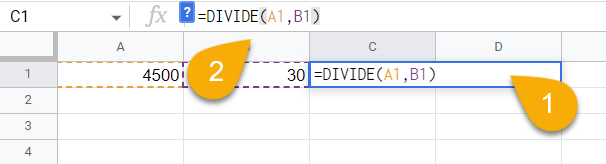
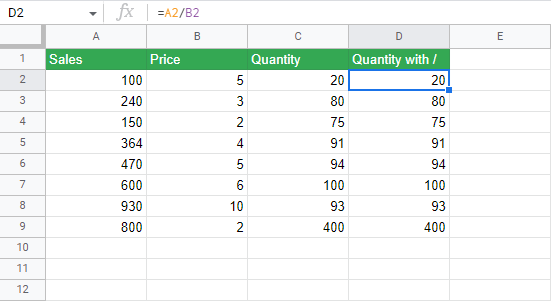
Web Here s how to do basic division in Google Sheets Step 1 Select a cell to enter the formula in Next type the equals sign to begin typing a formula Step 2 Enter the number you want to divide or the dividend followed by a forward slash and then the number you want to divide by or the divisor Hit enter to finish the formula Web DIVIDE 4 2 DIVIDE A2 B2 Syntax DIVIDE dividend divisor dividend The number to be divided divisor The number to divide by divisor cannot equal 0 Notes DIVIDE is equivalent to QUOTIENT See Also SUM Returns the sum of a series of numbers and or cells PRODUCT Returns the result of multiplying a series of numbers together
Dividing In Google Spreadsheets How To Divide In Google Sheets And Excel Docs Tutorial How To Divide In Google Sheets Numbers Cells Or Columns Sum Multiply Subtract Divide Numbers In Google Sheets Formulas How To Divide In Google Sheets The Easy Way How To Divide In Google Sheets Spreadsheet Daddy 5 Ways To Divide In Google Sheets Ok Sheets How To Divide In Google Sheets Sheets For Marketers How To Divide In Google Sheets Divide Numbers Columns Rows
How Do You Divide In Google Sheets
 How Do You Divide In Google Sheets
https://spreadsheetdaddy.com/wp-content/uploads/2022/09/How-to-Divide-Values-in-Google-Sheets.png
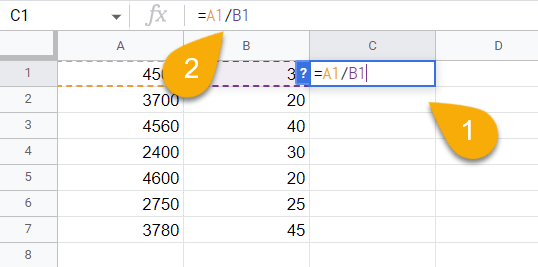
Web Nov 29 2022 nbsp 0183 32 If you need to divide all the values in a column by one number you can do so by following the steps below Choose a blank cell where you want the result Navigate to the Formula bar and enter the formula A1 B 1 where A1 is the dividend and B 1 is the divisor Press Enter If you wish to divide the entire column drag the cell with the
Templates are pre-designed files or files that can be used for different purposes. They can conserve effort and time by supplying a ready-made format and design for developing different sort of content. Templates can be utilized for individual or expert tasks, such as resumes, invites, flyers, newsletters, reports, presentations, and more.
How Do You Divide In Google Sheets

Dividing In Google Spreadsheets
How To Divide In Google Sheets And Excel Docs Tutorial

How To Divide In Google Sheets Numbers Cells Or Columns
Sum Multiply Subtract Divide Numbers In Google Sheets Formulas
How To Divide In Google Sheets Spreadsheet Daddy
5 Ways To Divide In Google Sheets Ok Sheets

Web Nov 6 2019 nbsp 0183 32 Fire up your browser head to Google Sheets and open a spreadsheet Click on an empty cell and type DIVIDE lt dividend gt lt divisor gt into the cell or the formula entry field replacing lt dividend gt and lt divisor gt with the two numbers you want to divide Note The dividend is the number to be divided and the divisor is the number to
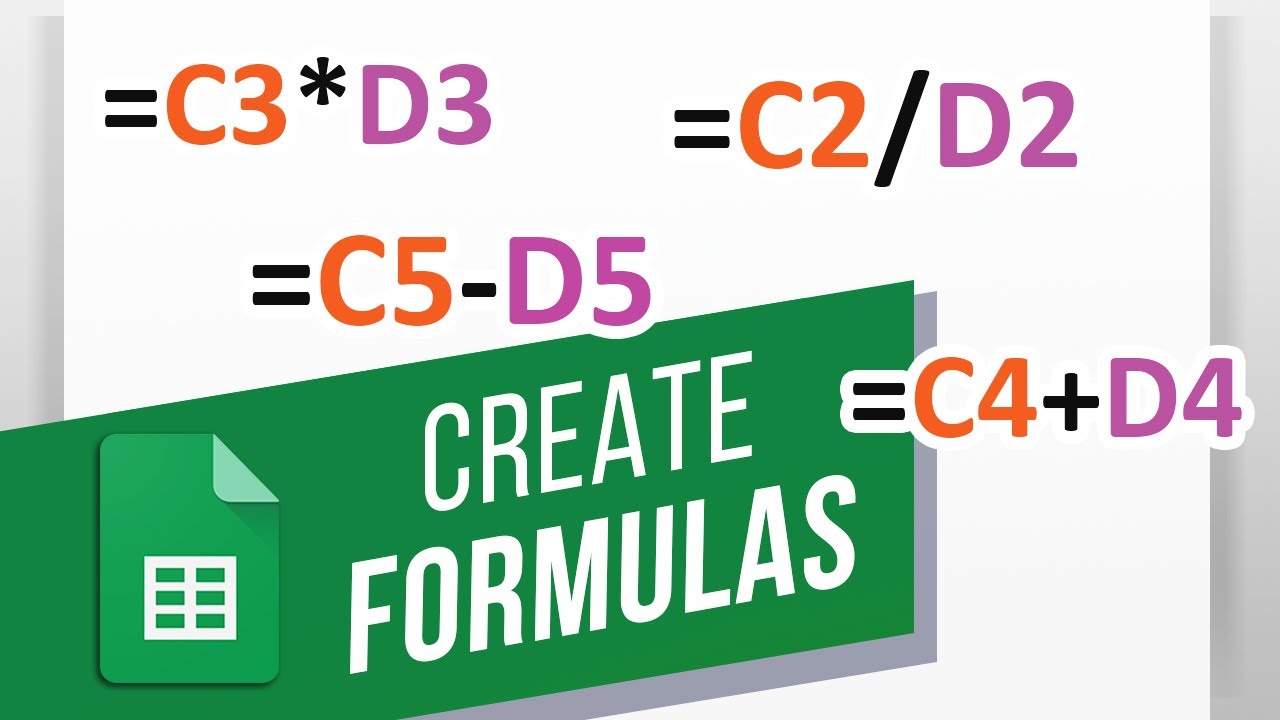
Web Oct 25 2023 nbsp 0183 32 In this tutorial I will show you a couple of ways to divide in Google Sheets Just like with multiplying you can easily divide numbers in Google Sheets using an inbuilt Google Sheets division formula or using the divide operator as we will see with examples So let s get started

Web Mar 15 2023 nbsp 0183 32 There are three main ways to divide in Google Sheets the division symbol the DIVIDE function and the QUOTIENT function In the following sections you have step by step instructions on using all three methods to divide values or cell references to those values Divide in Google Sheets with the Division Symbol
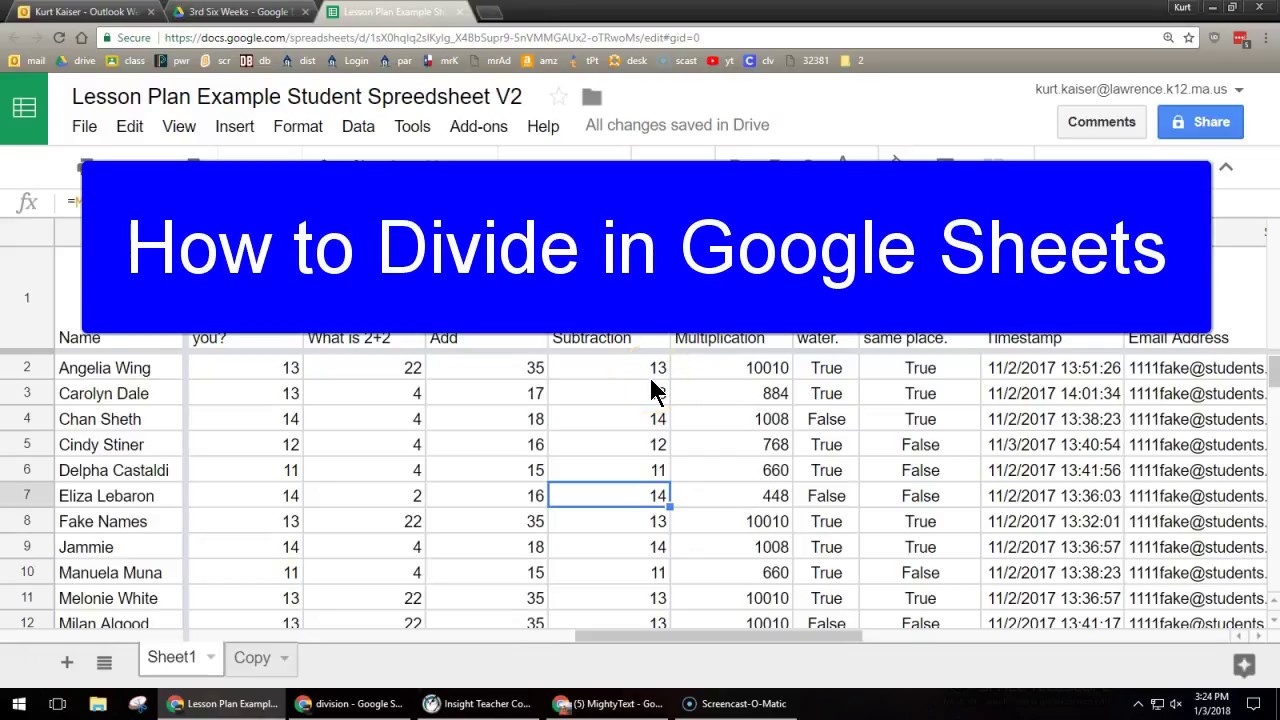
Web Oct 28 2023 nbsp 0183 32 To divide in Google Sheets follow these steps Select the cell where you want to create a division formula then type an equals sign Type the number or the cell reference that contains the number that you want to

Web The divide operator or the slash symbol is used to divide two specified numbers In google sheets you can use this on individual numbers or by putting the operator between two cell references containing numbers 1 Identify the Dividend Number you Want to Divide in Google Sheets
Web Sep 20 2023 nbsp 0183 32 This guide is your one stop resource for mastering division in Google Sheets covering everything from basic division between two cells to more advanced techniques like dividing without remainders No more confusion just straightforward actionable steps In this guide you ll learn how to Divide two single ce Web Jun 30 2023 nbsp 0183 32 This can be a comma space or any other character Click on the Split button to divide the values in the selected range into separate cells To perform division using a fixed value enter the value in cell B1 In an empty column enter the formula A1 B1 and press Enter
Web Dec 20 2022 nbsp 0183 32 How to Divide Cells in Google Sheets Step by Step Guide Open your Google Sheets document or create a new one Select the cells that you want to divide You can select a single cell a range of cells or a whole column or row by clicking and dragging your mouse over the desired cells Right click on the selected cells and select