How Do You Create A Pdf From Iphone How Do You Create Thumb Stopping Social Media Content PSB Academy How To Scan Sign And Send A PDF From Your IPhone Or IPad No Printer How To Transfer PDF File From Computer To IPhone iPod iPad YouTube How To Make A Pdf From Notes App Apple Community Capire Fugace Ricciolo How To Make Pdf File In Iphone Federale From your iPhone select a photo from your Photos app Once open hit the Share button at the bottom of the screen Scroll down and select Print This will bring up the Print option page While
On iPhone the process is this Share first Look for the share icon a box with arrow pointing upwards then scroll down and tap Print Preview your file Click on the preview to maximise the image Download your PDF Tap the Share icon at the bottom of the screen choose where you want to save the PDF To create a PDF file on an iPhone or iPad send it to the Print menu via Share This will turn the document into a PDF Alternatively you can send the file to the Files app or Google
Capire Fugace Ricciolo How To Make Pdf File In Iphone Federale Photo To Pdf Iphone November 2022 Tomaswhitehouse How To Create PDFs From Text And Image Files Askit Solutii Si Convert A Word Documents To PDF For Free YouTube How To Create Telegram Channel How To Print To PDF On IPhone With 3D Touch How Do You Create A Thumbnail On Youtube How To Save Google Form Responses As PDF With Google Apps Script Prime Civilisation Confiture Convertisseur Wordpad En Word Joggeur
How Do You Create A Pdf From Iphone
 How Do You Create A Pdf From Iphone
https://www.psb-academy.edu.sg/wordpress/wp-content/uploads/2021/12/thumstopping-content.jpg
Navigate to Files on your iPhone Find the file that you want to save as a PDF and long press on it Tap Share Scroll down and tap Print Tap the share icon at the top of the screen Tap Save to Files Tap Save Now when you open files you will see your photo or document in its original format as well as a PDF copy
Templates are pre-designed documents or files that can be utilized for various functions. They can save time and effort by offering a ready-made format and layout for developing various kinds of content. Templates can be used for personal or expert tasks, such as resumes, invites, leaflets, newsletters, reports, presentations, and more.
How Do You Create A Pdf From Iphone

How To Print To PDF On IPhone IPad And Mac 9to5Mac

Photo To Pdf Iphone November 2022 Tomaswhitehouse
How To Create PDFs From Text And Image Files Askit Solutii Si
Convert A Word Documents To PDF For Free YouTube
How To Print To PDF On IPhone With 3D Touch

How Do You Create A Thumbnail On Youtube
Place your document in view of the camera If your device is in Auto mode your document will automatically scan If you need to manually capture a scan tap the Shutter button or press one of the Volume buttons Then drag the corners to adjust the scan to fit the page then tap Keep Scan Tap Save or add additional scans to the document

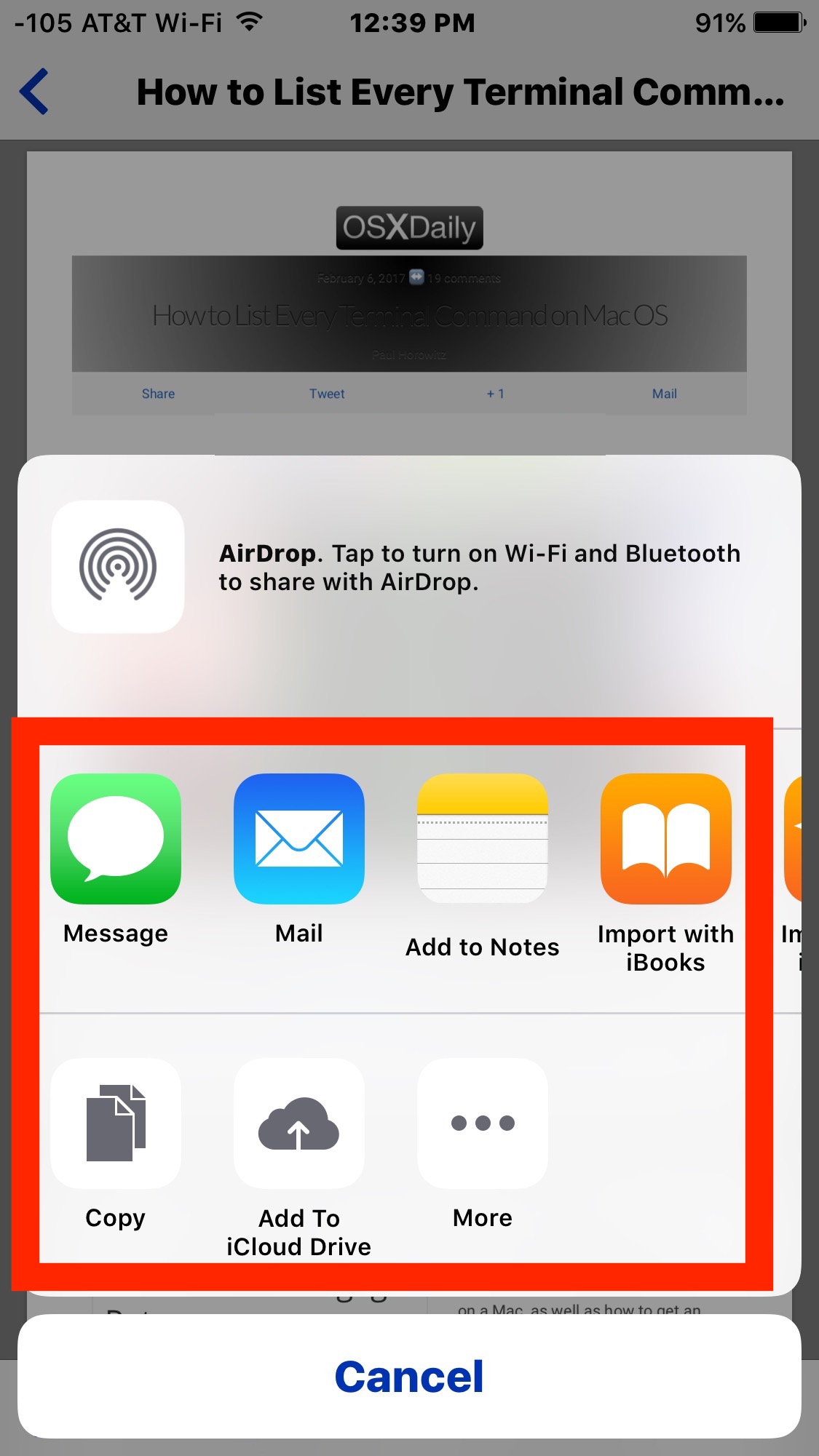
Here s how to create a PDF on iPhone View the document image or web page that you want to make a PDF Tap on the Share button Scroll down and select Print Pinch and zoom on the preview

Open up what you would like to print an email or email attachment a website in Safari a file in the Files app a photo etc Tap the Share button to open the share sheet then scroll down and
It s easy to create PDFs on iPhone iPad and Mac On the Mac you ve always been able to create a PDF just by printing a document then picking the Save as PDF option from the drop down

Mobile How to Print a PDF From Your iPhone in a Few Quick Taps You can easily make or print a PDF file in iOS from apps like Safari Google Chrome Gmail and Outlook Lisa Eadicicco March
Whether your original document is printed in image format or in text format you can convert them and instantly create a PDF on your iPhone You can make PDF files and share them with or without installing any additional apps Let us find out some of the best ways to create PDF files on your iPhone How to Make a PDF from iPhone Notes How to create PDF files on your iPhone or iPad In this tutorial I show you how to print files to PDF using your iPhone With this tutorial you can create
Open the app that you want to print from To find the print option tap the app s Share button or Share button or the Actions button Scroll down and tap the Print button or Print If you can t find the print option check the app s User Guide or Help section Not all apps support AirPrint Tap No Printer Selected and choose an AirPrint