How Do I Reset My Default Pdf Viewer Greek Calligraphy Fonts Hopdepromotions History Of Plant Breeding Hopdepromotions Setting Default Pdf Viewer Mac Analyticslasopa How To Make Preview Default Pdf Viewer Kurtevo Que Es Metafisica Cristiana Armmertq Web Jun 27 2022 nbsp 0183 32 Press the Window key I on your keyboard to open Settings Select Apps from the left pane Click on Default apps from the right pane In the search box type pdf and you will see the
Web Nov 25 2023 nbsp 0183 32 Step 1 Press the Windows I keyboard shortcut to open Settings Step 2 Select Apps from the left sidebar and choose Default apps from the right pane Step 3 Type PDF in the top search bar Web Jan 27 2020 nbsp 0183 32 To change the default PDF viewer in Windows 10 you ll need to head to the Control Panel which is where most system wide settings are stored The default PDF viewer in Windows 10 is
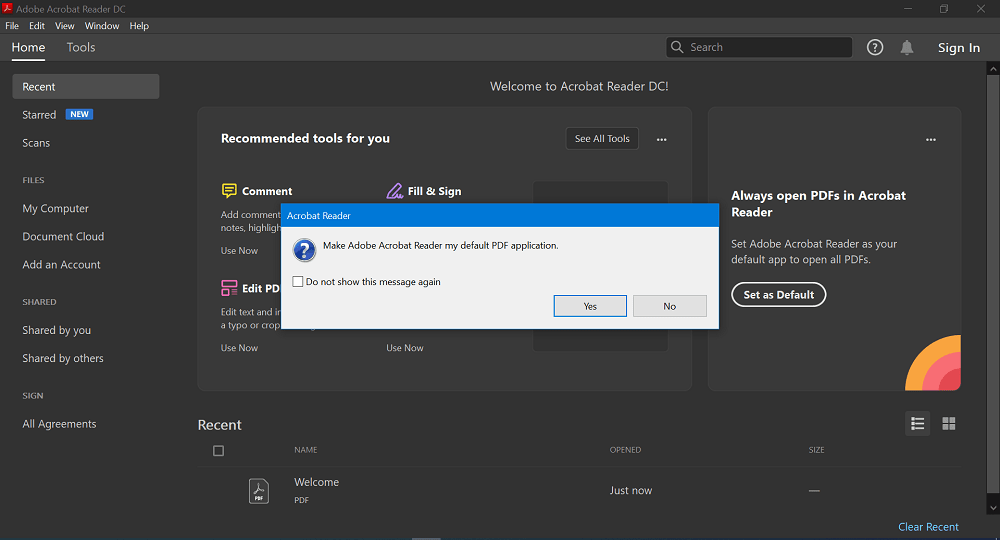
Que Es Metafisica Cristiana Armmertq How To Stop Keychain Pop Ups On Mac DeviceTests Outlook PDF Preview Handler Error Unix Server Solutions How Do I Set Lumin As My Default PDF Viewer On A Windows Device Bluebeam Pdf Review Software How To Set Adobe Acrobat As Default Pdf Viewer Tskop How To Send Download Data To Gmail YouTube Pax S300 Pin Pad Review Top Features Ratings How To Disable The Prompt Make Adobe Acrobat My Default PDF Application
How Do I Reset My Default Pdf Viewer
 How Do I Reset My Default Pdf Viewer
http://hopdepromotions.weebly.com/uploads/1/3/3/2/133293955/140471249_orig.jpg
Web 1 Go to Settings gt Apps gt select Default Apps in the left pane In the right pane scroll down and click on Choose Default Apps by File Type link 2 On the next screen scroll down to pdf file type in the left pane In the right pane click on Microsoft Edge and select Adobe Acrobat as the default PDF Reader on your computer
Pre-crafted templates provide a time-saving option for producing a varied series of documents and files. These pre-designed formats and designs can be made use of for numerous individual and expert projects, including resumes, invites, flyers, newsletters, reports, presentations, and more, simplifying the content production process.
How Do I Reset My Default Pdf Viewer

Prevent Windows From Changing Default PDF App
How To Stop Keychain Pop Ups On Mac DeviceTests
Outlook PDF Preview Handler Error Unix Server Solutions
How Do I Set Lumin As My Default PDF Viewer On A Windows Device
How To Set Adobe Acrobat As Default Pdf Viewer Tskop

How To Send Download Data To Gmail YouTube

Web How to change default PDF viewer in Windows 10 from Microsoft Edge to Adobe You can easily change your default PDF viewer from Windows 10 to Microsoft Edge by following these instructions Go to Settings Select Apps Choose Default apps Select the Choose default app by file type option

Web Nov 20 2023 nbsp 0183 32 Set Acrobat Reader or Acrobat your default PDF program on Windows 10 Last updated on Nov 20 2023 Also applies to Acrobat Reader Microsoft Edge is the default program for opening PDF files on Windows 10 In four easy steps you can set Acrobat or Acrobat Reader your default PDF program

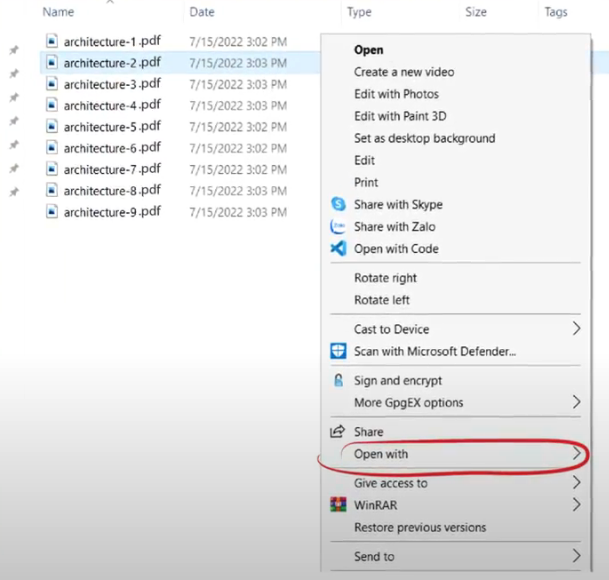
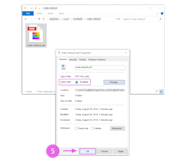
Web Dec 17 2020 nbsp 0183 32 Step 1 Right Click Your PDF File To get started first right click on your PDF file and select quot Properties quot Step 2 Change Your Default PDF Viewer Next you ll see a pop up window where you ll be prompted to select the software or application you want to use Check the box to quot Always use this app quot and select quot OK quot
Web Apr 9 2022 nbsp 0183 32 Your default app is now changed to your selected app There you go folks hopefully using this guide you can change the default PDF viewer app on your Windows 11 system Change the default PDF viewer on your Windows 11 PC either from the Settings app or from the File Explorer context menu

Web 1 Right click a PDF In your PC find a PDF file and right click it then select Properties 2 Click Change in Properties Dialogue Box In the pop up box click the Change button 3 Set Adobe Reader as default You ll be asked how to open PDF files from now on choose Adobe Reader or Adobe Reader DC as the default application
Web Apr 23 2023 nbsp 0183 32 Go to Windows Settings gt Apps gt Default Apps Under the quot Choose default apps quot section locate the entry for Microsoft Edge and click on it Select quot Choose defaults for this program quot and then uncheck the box next to quot PDF quot 3 If the above steps do not work you can try resetting your default apps to the Windows default Web Apr 30 2024 nbsp 0183 32 Method 1 Set default PDF reader using File Explorer Step 1 Right Click Your PDF Right click on a PDF file Click on quot Open with quot gt quot Choose another app quot Step 2 Change Default Viewer A pop up window will prompt you to choose your preferred software Tick the quot Always use this app quot check box and click quot OK quot
Web Dec 28 2022 nbsp 0183 32 To disable Microsoft Edge as the default PDF reader on Windows 10 use these steps Open Settings Click on Apps Click on Default apps Click the quot Choose default app by file type quot option Quick