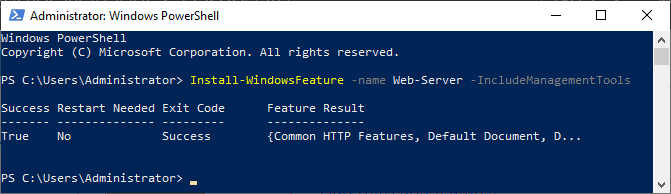
How Do I Install Iis On Windows Server 2019 Using Powershell Installing IIS On Windows Server How To Remotely Manage IIS On Windows Server Core CoadyTech How To Install Iis On Windows Vista Home Black Apron C mo Instalar IIS En Windows 8 Linuxteaching How To Enable Remote Desktop In Windows Server 2019 RootUsers Web Use the Install WindowsFeature cmdlet to install the IIS role listed as Web Server in Windows Features The IncludeAllSubFeature and IncludeManagementTools directives install the subfeatures for the role as well as the management tools needed to manage IIS Install WindowsFeature name quot Web Server quot IncludeAllSubFeature
Web This is technical training video showing how to Install IIS Web Server on Windows 2019 using PowerShell It is shown how to safely remove old IIS server settings before the Web Feb 19 2021 nbsp 0183 32 Install IIS using PowerShell To install the Web Server role you should use the Install WindowsFeature cmdlet with the following syntax The IncludeManagementTools parameter installs the management tools needed to manage IIS
How To Enable Remote Desktop In Windows Server 2019 RootUsers Install Iis On Windows 10 Bovenmen Shop How To Install IIS On Windows Server 2012 R2 Configuring IIS On Windows Server 2016 How To Install IIS On Windows 8 Windows 10 TecAdmin Install SSL Certificate On Windows Server 2019 Using IIS Globo Tech How To Install IIS On Windows 10 Using Powershell H2S Media Install SSL Certificate On Windows Server 2019 Using IIS Globo Tech How To Install IIS On Windows Server 2008 R2 Atlantic Net
How Do I Install Iis On Windows Server 2019 Using Powershell
 How Do I Install Iis On Windows Server 2019 Using Powershell
https://prod.docs.oit.proofpoint.com/resources/screenshots/image4970.png
Web To install IIS click on Manage and choose the Add Roles and Features option This launches the Add Roles and Features wizard Click Next on the welcome screen and choose role based or feature based installation for the installation type and click Next Make sure that My Server is selected and click Next I m prompted to choose the roles
Templates are pre-designed documents or files that can be used for different functions. They can conserve effort and time by offering a ready-made format and layout for creating various type of content. Templates can be utilized for individual or professional tasks, such as resumes, invitations, flyers, newsletters, reports, presentations, and more.
How Do I Install Iis On Windows Server 2019 Using Powershell
How To Install Iis In Windows Server 2019 Murphy Calat1937
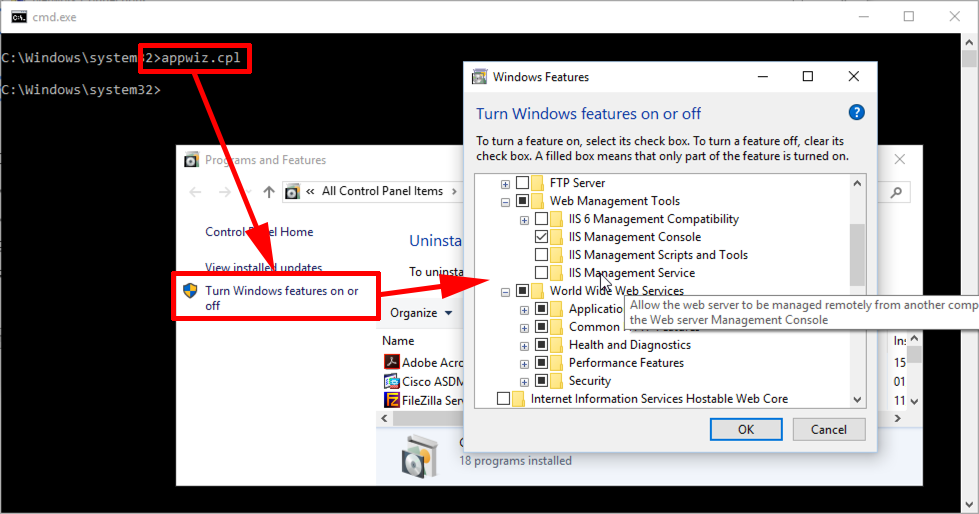
Install Iis On Windows 10 Bovenmen Shop
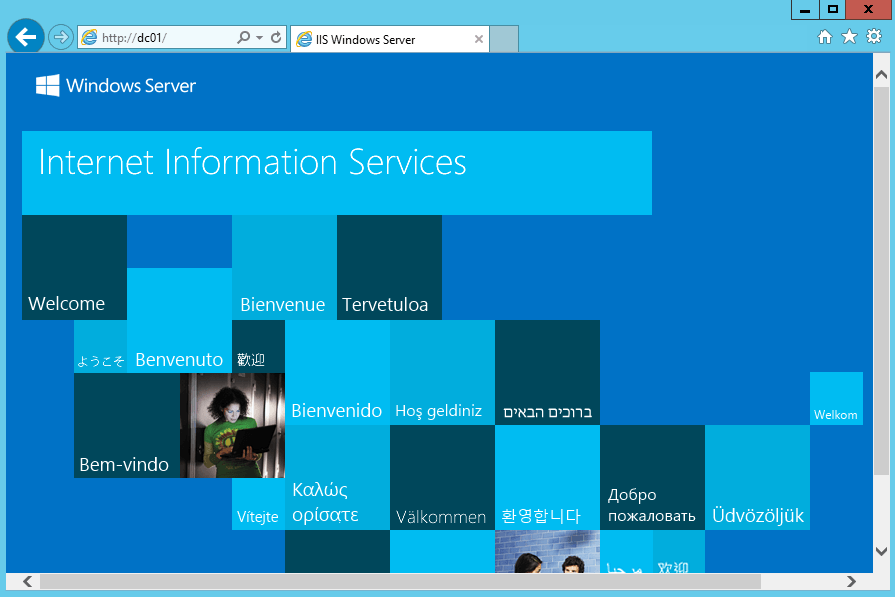
How To Install IIS On Windows Server 2012 R2
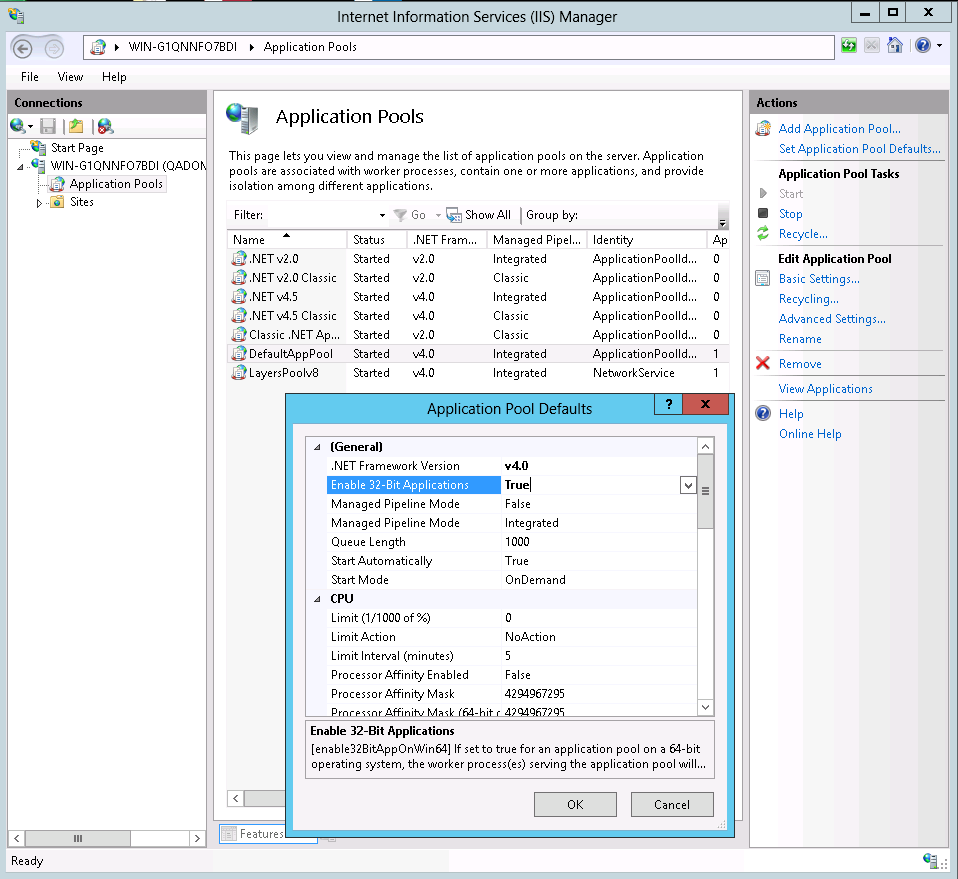
Configuring IIS On Windows Server 2016

Install SSL Certificate On Windows Server 2019 Using IIS Globo Tech
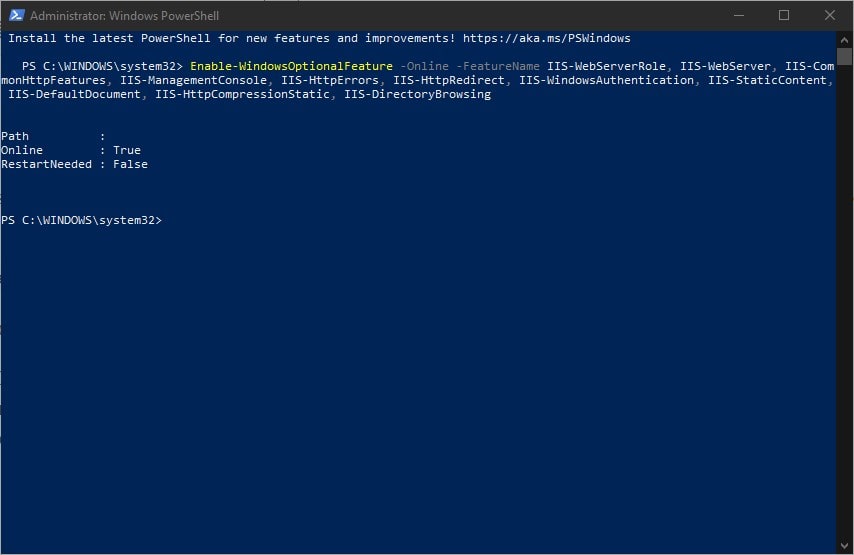
How To Install IIS On Windows 10 Using Powershell H2S Media
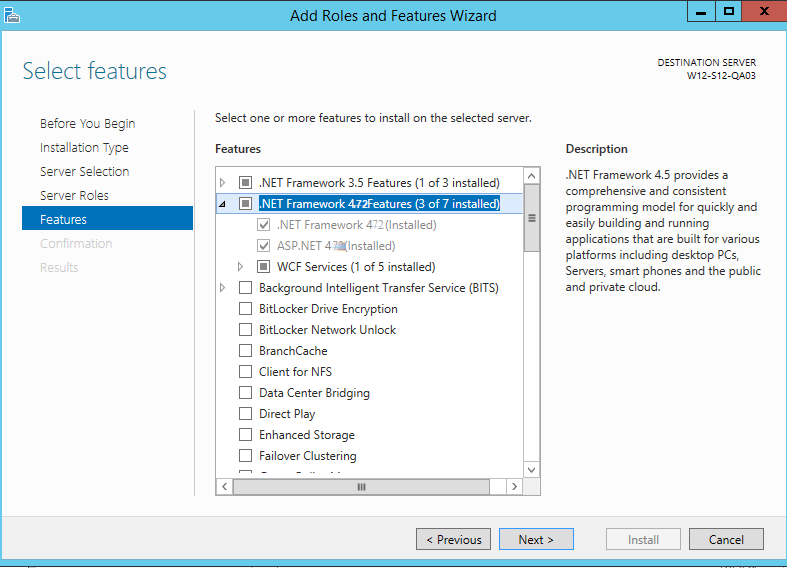
Web Sep 15 2022 nbsp 0183 32 In this tutorial we will learn How to install IIS via Powershell in Windows Server 2012R2 2016 2019 2022 Prerequisites install IIS via Powershell in Windows A server with Microsoft Windows Server operating system installed on it

Web Dec 19 2018 nbsp 0183 32 Install IIS With PowerShell If you don t have the GUI installed or just want to use the PowerShell command line interface CLI instead follow these steps This method is a lot faster than going through all of the GUI options Open PowerShell with administrative privileges and run the Install WindowsFeature cmdlet as shown below
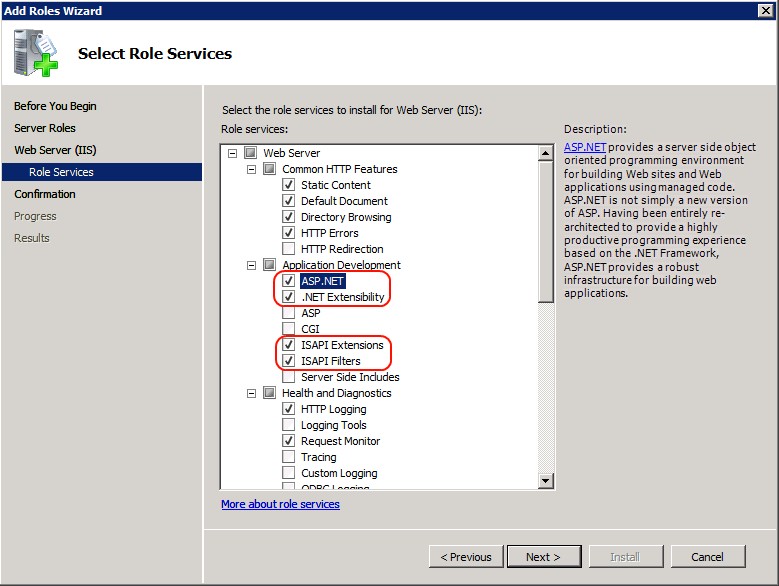
Web Mar 3 2021 nbsp 0183 32 Install IIS with PowerShell You can automate the IIS role and features installation by using the Powershell cmdlet Please run the commands below You can optionally also install additional features by using the Add Roles and Features wizard Install WindowsFeature name Web Server IncludeManagementTools Install

Web Oct 16 2019 nbsp 0183 32 The new release of Windows Server 2019 from Microsoft comes with IIS version 10 This guide shows how it is installed and how various activities such as the creation of websites Virtual directories and others are tackled We shall begin by installing IIS Step 1 Start Server Manager
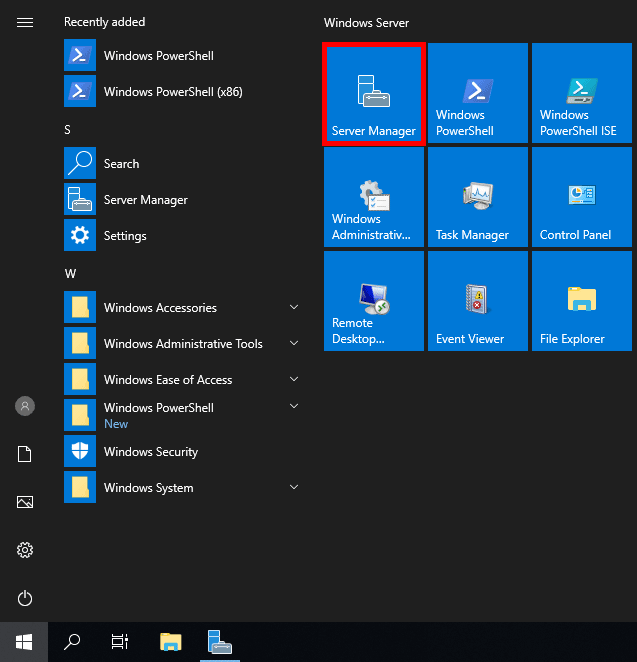
Web Dec 23 2021 nbsp 0183 32 Enable IIS Web Server With PowerShell Use the Windows PowerShell command line interface CLI instead follow these steps Open the PowerShell with admin rights and then run the Install WindowsFeature cmdlet as shown below
Web In the search type PowerShell and then click Windows PowerShell In Windows PowerShell type the following command Install WindowsFeature name Web Server IncludeManagementTools Press ENTER The Internet Information Services IIS Manager will be installed Did this article help you Yes No Content Installing IIS Using Web Select the appropriate server The local server is selected by default Click Next From the Select server roles window check the box next to Web Server IIS Click on the Add Features button to install the required features as well Make sure Web server role is selected Click on Next
Web Dec 17 2018 nbsp 0183 32 powershell install iis windows server 2019 Posted by Jarrod on December 17 2018 Leave a comment 0 Go to comments Windows Server 2019 Install IIS PowerShell How To Install IIS In Windows Server 2019