How Do I Fix Systemctl Not Found How To Fix Systemctl Command Not Found Error On Linux TechYorker How To Fix SystemCTL Command Not Found Issue 2 Ways To Fix Systemctl Command Not Found Error On Linux How To Fix Systemctl Command Not Found Error In Linux Solved How Do I Fix My Systemctl Status Tomcat 9to5Answer 1 Maybe old versions of Oracle Linux as well as RedHat don t use systemd Try running this service status all Edgar Magallon Dec 19 2022 at 17 18 It worked Looks like it printed a lot of information Mainland Dec 19 2022 at 17 59 Add a comment You must log in to answer this question Browse other questions tagged linux systemd
In This Article show Insights into systemctl and systems Since we have figured out that the error is caused with reference to the systemctl command then it would be a good move to study the functionality of the command to understand the basics and then fix the error Systemctl command not found How to solve this 16 04 server mongodb linux headers Share Improve this question edited Dec 21 2017 at 8 09 Liso 15 3k 3 50 80 asked Dec 21 2017 at 8 02 Vignesh Ramamoorthy 751 1 5 3 Try this on terminal dpkg query S bin systemctl Liso Dec 21 2017 at 8 11
Solved How Do I Fix My Systemctl Status Tomcat 9to5Answer How Do I Fix Windows Update Ask Leo Top 5 Ways To Fix SystemCTL Command Not Found Error In Linux How To Fix Systemctl Command Not Found Error On Linux TechYorker How To Fix SystemCTL Command Not Found Issue How To Fix SystemCTL Command Not Found Issue 4 Managing Services With Systemd Linux Cookbook 2nd Edition Book How To Fix Systemctl Command Not Found Error In Linux Holhol24 How Do I Fix This R Worldbox
How Do I Fix Systemctl Not Found
 How Do I Fix Systemctl Not Found
https://techyorker.com/wp-content/uploads/2022/04/Systemctl-Command-Not-Found.jpg
Updated on July 25 2023 An easy fix to solve the issue using the systemctl command and the introduction of some effective alternatives to it systemctl as a vital tool in this part of the Linux ecosystem it s quite common to run into a systemctl command not found error when trying to execute the systemctl command
Pre-crafted templates provide a time-saving solution for developing a diverse series of documents and files. These pre-designed formats and designs can be made use of for different individual and professional tasks, consisting of resumes, invites, flyers, newsletters, reports, presentations, and more, improving the content creation process.
How Do I Fix Systemctl Not Found
systemctl Enable Displays Failed To Enable Unit And Returns 1 But

How Do I Fix Windows Update Ask Leo

Top 5 Ways To Fix SystemCTL Command Not Found Error In Linux

How To Fix Systemctl Command Not Found Error On Linux TechYorker

How To Fix SystemCTL Command Not Found Issue
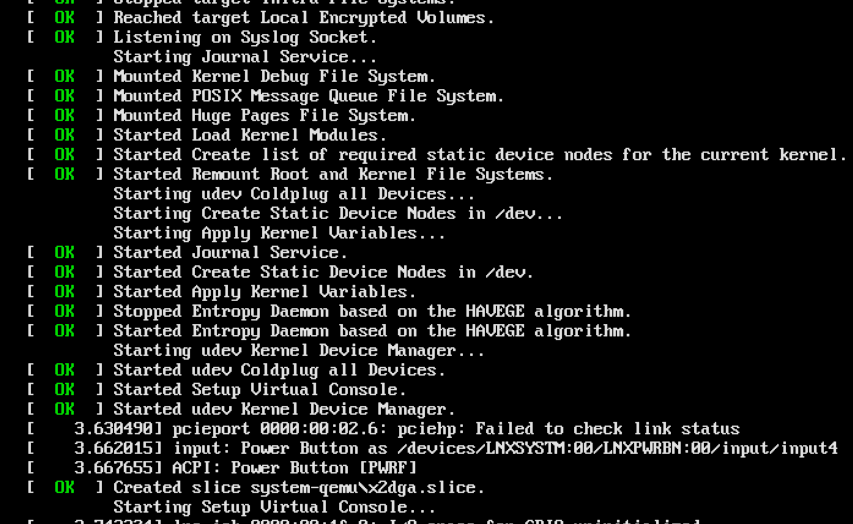
4 Managing Services With Systemd Linux Cookbook 2nd Edition Book

How you can fix systemctl command not found in Linux distributions In order to fix this error you have two choices Install systemd and replace your current init system with systemd Since systemctl command not found error comes because you don t have systemd installed on your system
Here are some of the primary ones The systemd package is the underlying software responsible for the systemctl command If this package is missing from your computer you won t be able to use the systemctl command If the systemd package is corrupted or damaged it may cause the systemctl command not found error

One of the most common reasons for this error is that the systemctl command is not installed on your machine This can happen if you are using a version of Linux that does not include the systemd suite of tools or if you have manually removed the systemctl command from your system

1 Press CTRL ALT T keys together to open Terminal then type the following command to start a service sudo service elasticsearch start The service will take a few seconds to start 2 Type the following command to confirm the status of the service sudo service elasticsearch status Note that some services have their own commands to test

Start Used to start a service stop Used to stop a service restart Used to restart a service enable Used to enable a service to start on boot disable Used to disable a service from starting on boot status Used to check the status of a service Reasons for systemctl command not found Error
22 You OS does not use systemd or systemctl but still uses init d or service commands Eg sudo service servicename stop start restart Or etc init d service stop start restart Note that even on newer systems which use systemd you can generally use the sudo service XYZ restart syntax and it will still work Share Here are primary reasons includes The systemctl package is not correctly installed The system isn t running a systemd based init system on Linux The PATH environment variable is not properly set Fix Systemctl Command Not Found Error on Linux
Add a comment 1 I had this problem running WSL 2 the solution was the command sudo dockerd Open other terminal and try it docker ps a if after that you still have a problem with permission run the command sudo usermod aG docker your user