How Do I Create A Task Tracker In Microsoft Teams Project Task Tracker Excel Template Set Up Your Excel Task Tracker In UNDER 20 MINUTES YouTube Why You Need One Of These 3 Task Trackers Monday Blog Team Task Tracker Template Monday Daily Task Tracker Template TUTORE ORG Master Of Documents Create Kanban boards using content rich tasks with features including files checklists and labels Collaborate in Planner and Microsoft Teams and check visual status charts all in the Microsoft cloud
View all your tasks from Microsoft To Do and Microsoft Planner with Tasks in Microsoft Teams Plus create tasks from Teams messages and publish tasks from corporate to frontline workers Use Microsoft Planner to track a process like following patients from scheduling to follow up Create a task Create a task at the beginning of your workflow Select to create a task
Daily Task Tracker Template TUTORE ORG Master Of Documents Microsoft Microsoft Teams Tasks Excel Task Tracker Dashboard Template Project Management Templates 2021 Guide To Task Management Monday Blog Free Excel Project Management Tracking Template Task Management Spreadsheet Excel Db excel Excel Task Tracker Template Downloads 6 Samples Task Management Quick Tip How To Create A Team In Microsoft Teams ITPro Today IT Task Excel Free Task Tracker
How Do I Create A Task Tracker In Microsoft Teams
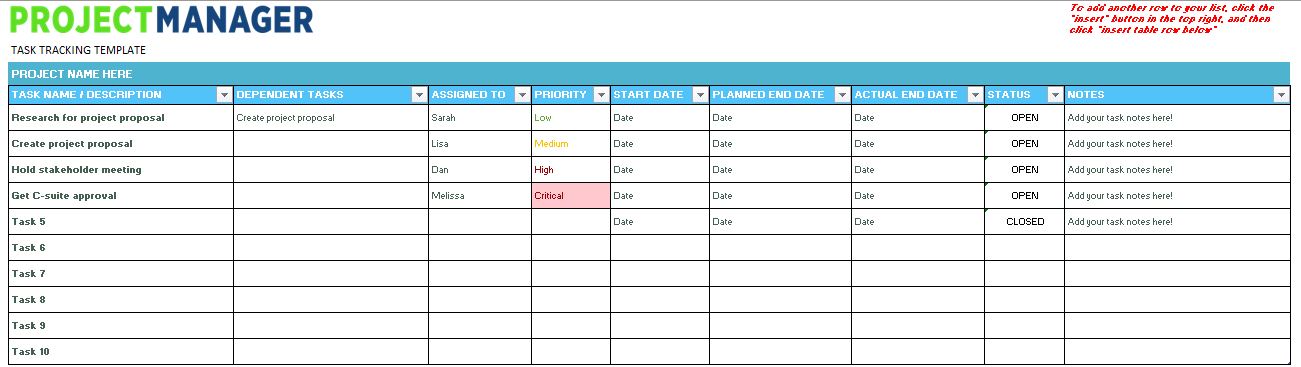 How Do I Create A Task Tracker In Microsoft Teams
https://www.projectmanager.com/wp-content/uploads/2019/10/Task-Tracking-Template.jpg
The Tasks app brings a cohesive task management experience to Microsoft Teams integrating individual tasks powered by Microsoft To Do and team tasks powered by Planner in one place Users can access Tasks as an app on the left side of Teams and as a tab in a channel within individual teams
Templates are pre-designed documents or files that can be used for various purposes. They can save time and effort by offering a ready-made format and layout for producing different kinds of content. Templates can be used for personal or expert projects, such as resumes, invites, flyers, newsletters, reports, presentations, and more.
How Do I Create A Task Tracker In Microsoft Teams
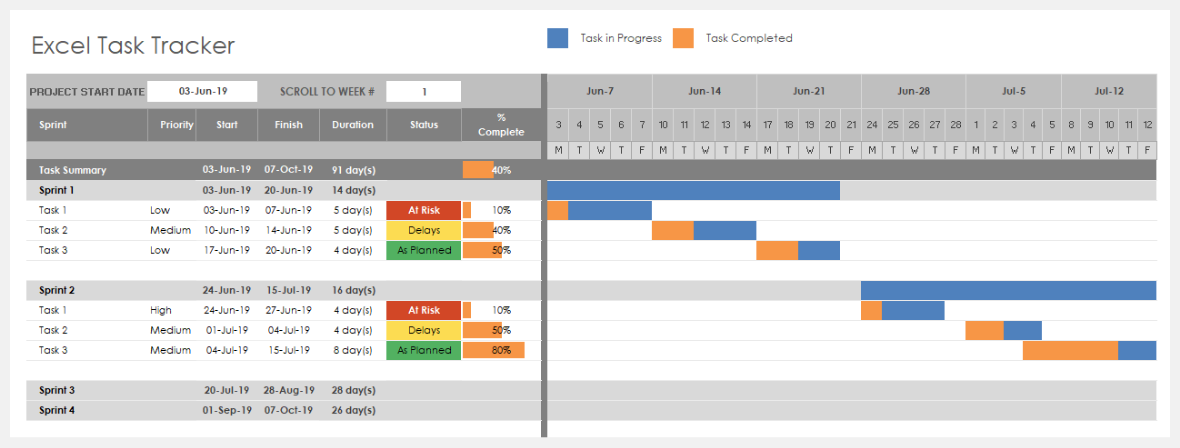
Team Task Management Excel Template TUTORE ORG Master Of Documents
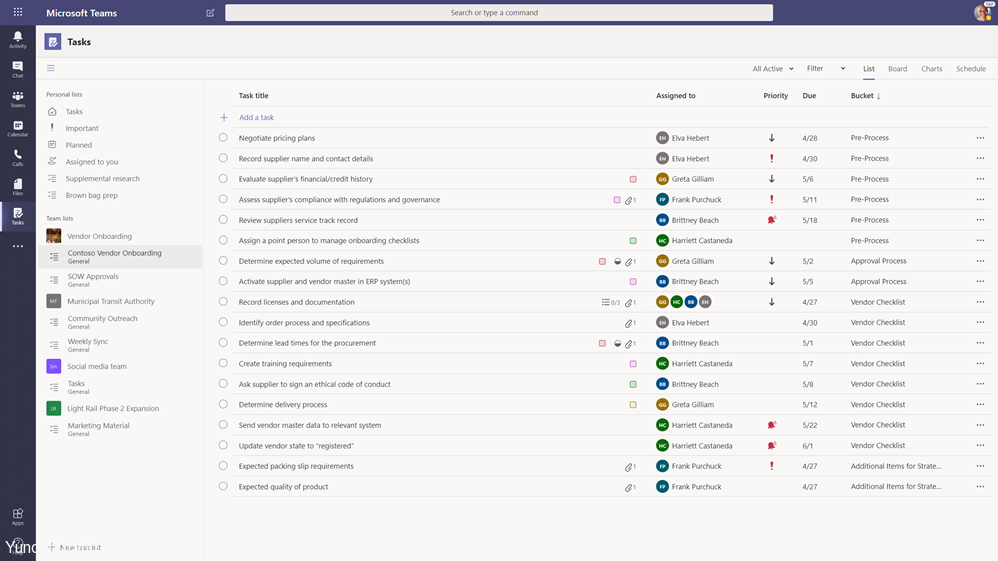
Microsoft Microsoft Teams Tasks
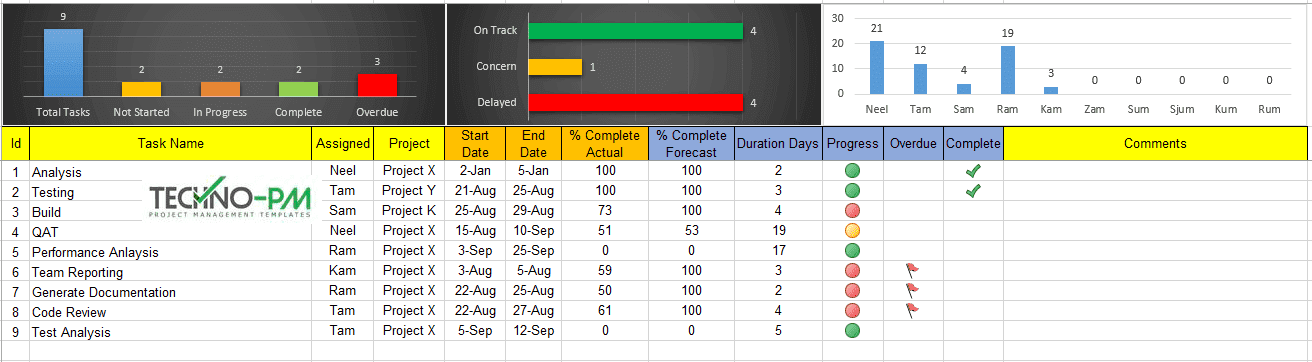
Excel Task Tracker Dashboard Template Project Management Templates
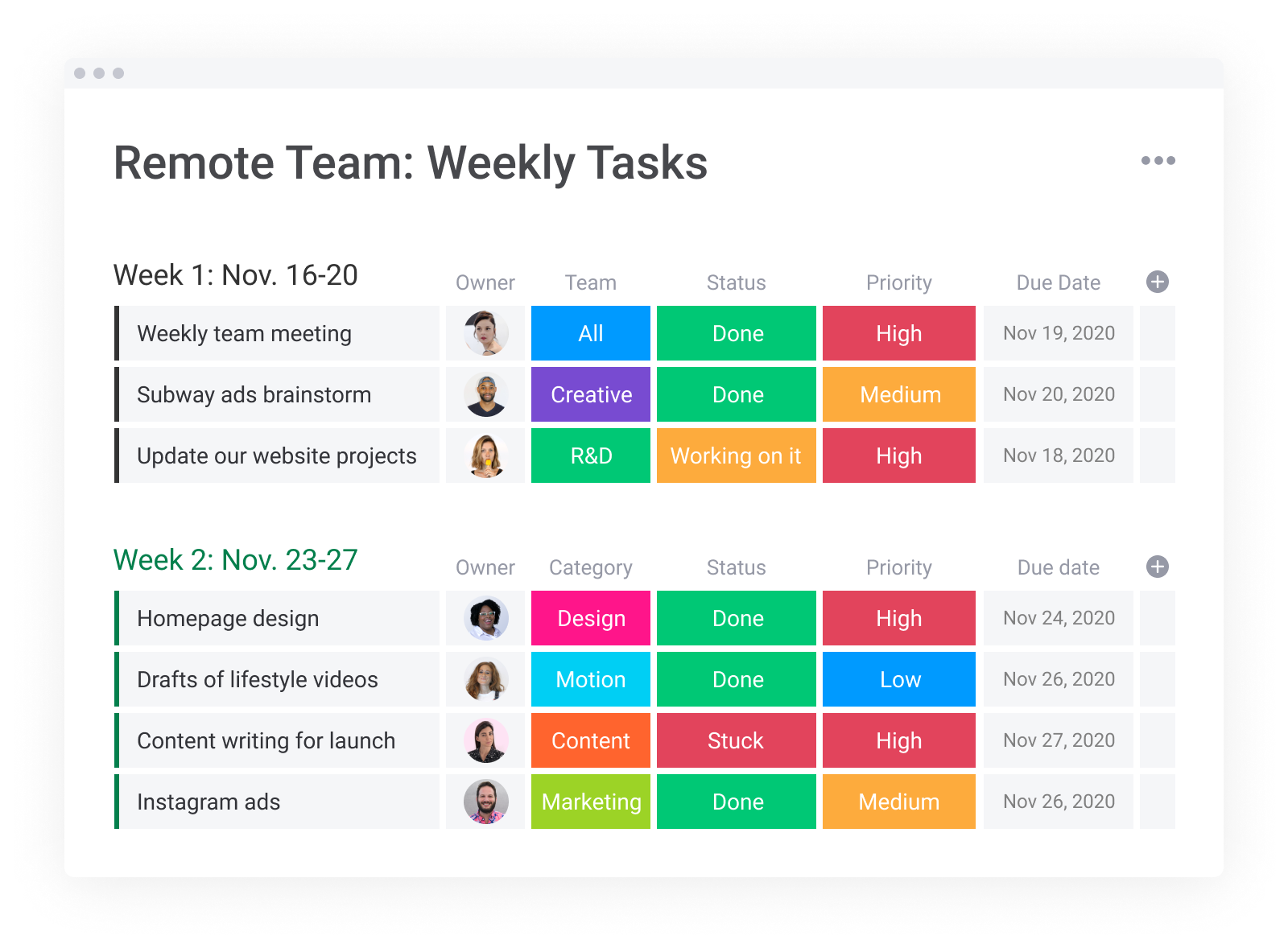
2021 Guide To Task Management Monday Blog
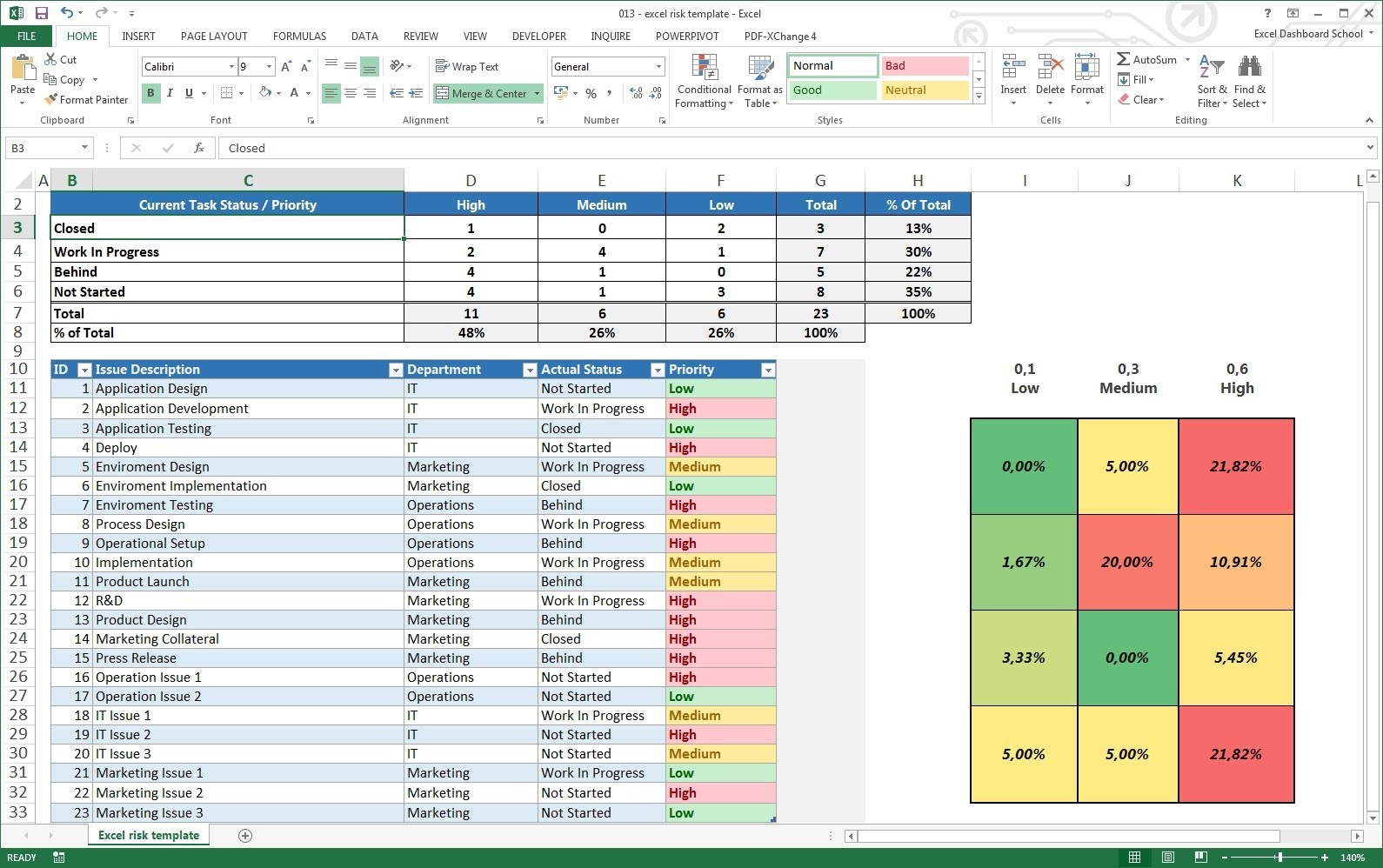
Task Management Spreadsheet Excel Db excel

Excel Task Tracker Template Downloads 6 Samples Task Management
Track your tasks in My tasks The My tasks section of Tasks shows you tasks that you ve created or that have been assigned to you everything in this list is yours to accomplish It reflects most of what you see in To Do app Tasks A list of tasks that you ve added either in Outlook or in To Do
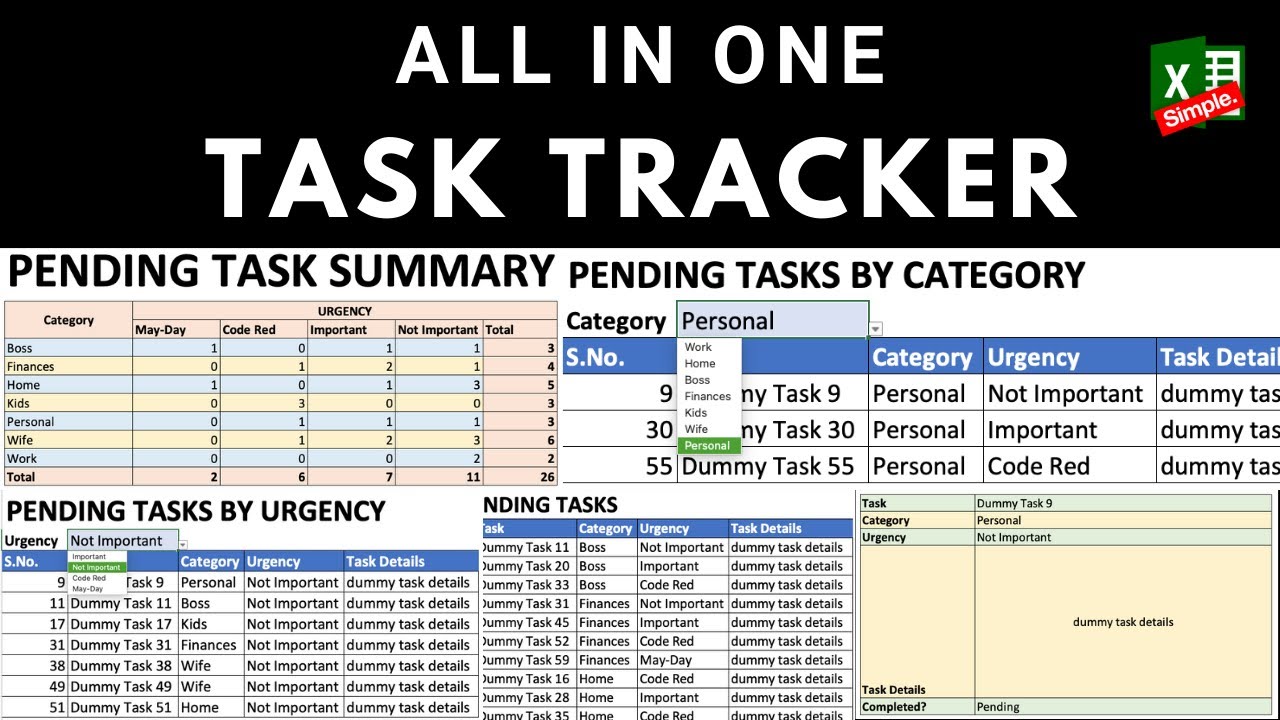
Find out how to Add a Planner tab to a team channel Work on your plan in Teams Open your Teams created plan in Planner or Teams Remove a Planner tab or delete a plan Get Planner assignment notifications in Teams See Planner help for details on how to use all the features of Planner

Tasks Microsoft Teams Planner Teams Tasks Tasks
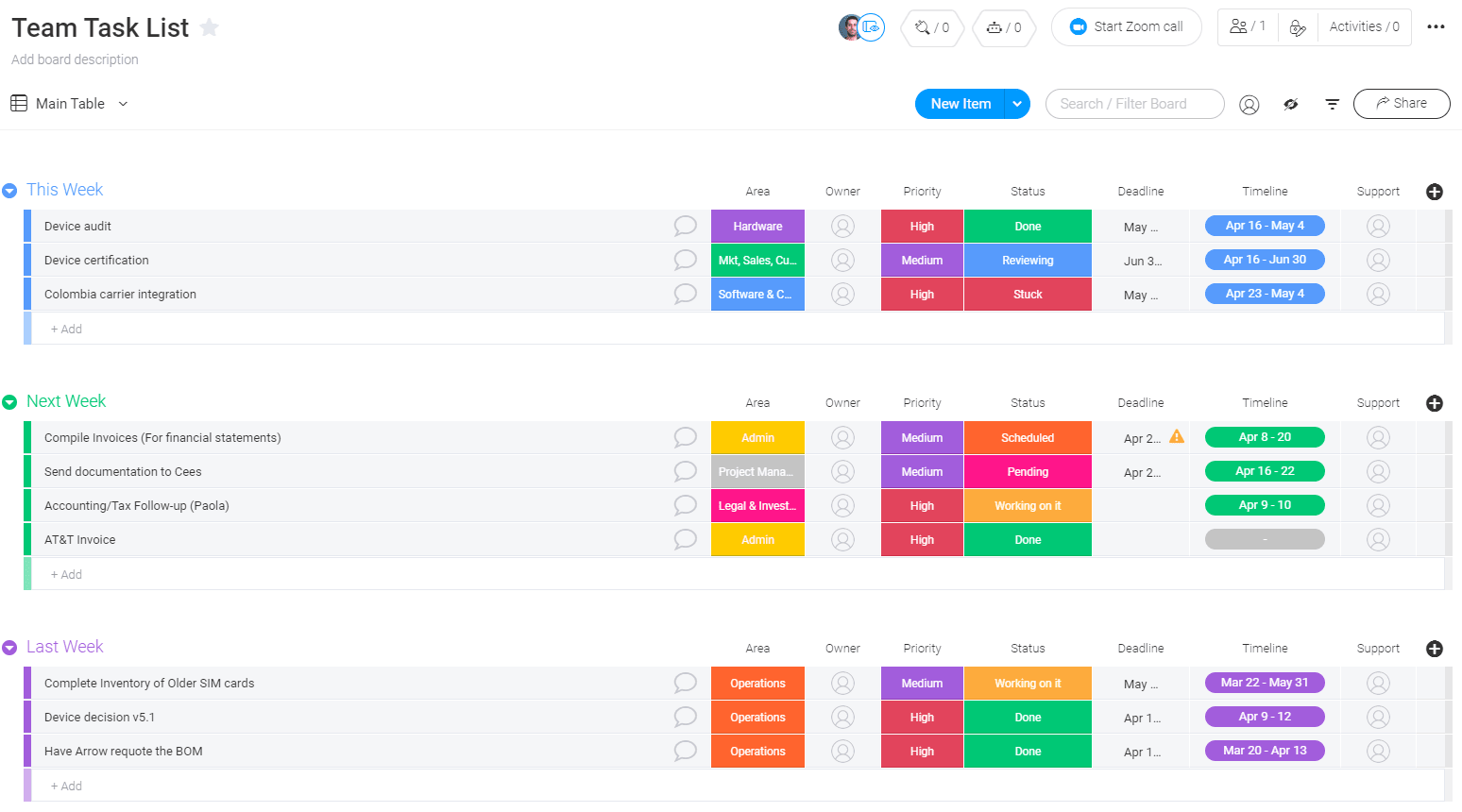
Converting a Teams message into a task on desktop or web is super easy hover over the message select the ellipses from the pop out menu More actions Create task A task created this way opens a pop out window directly in Teams for editing its details

Tasks by Planner and To Do in Microsoft Teams makes it much easier to manage any project by adding a tracking board in specific channels assigning tasks and helping everyone stay on top of their work What will I learn How to create a team task list to your Teams channel How to set up a task board to track work How to create and assign tasks
A simple visual way to organize teamwork Get Planner for iOS To add a new plan to your team select the channel to which you want to add the plan Click the plus sign to the right of the tabs In the Add a Tab window click the Planner tile In the Planner window select the radio button next to Create A New Plan and then type a name for your Plan
Microsoft offers several cloud based productivity information tracking and task management software solutions Collaborate and view visual status charts in Planner and Microsoft Teams compile and track information in Lists tackle small or large projects and initiatives in Project and more