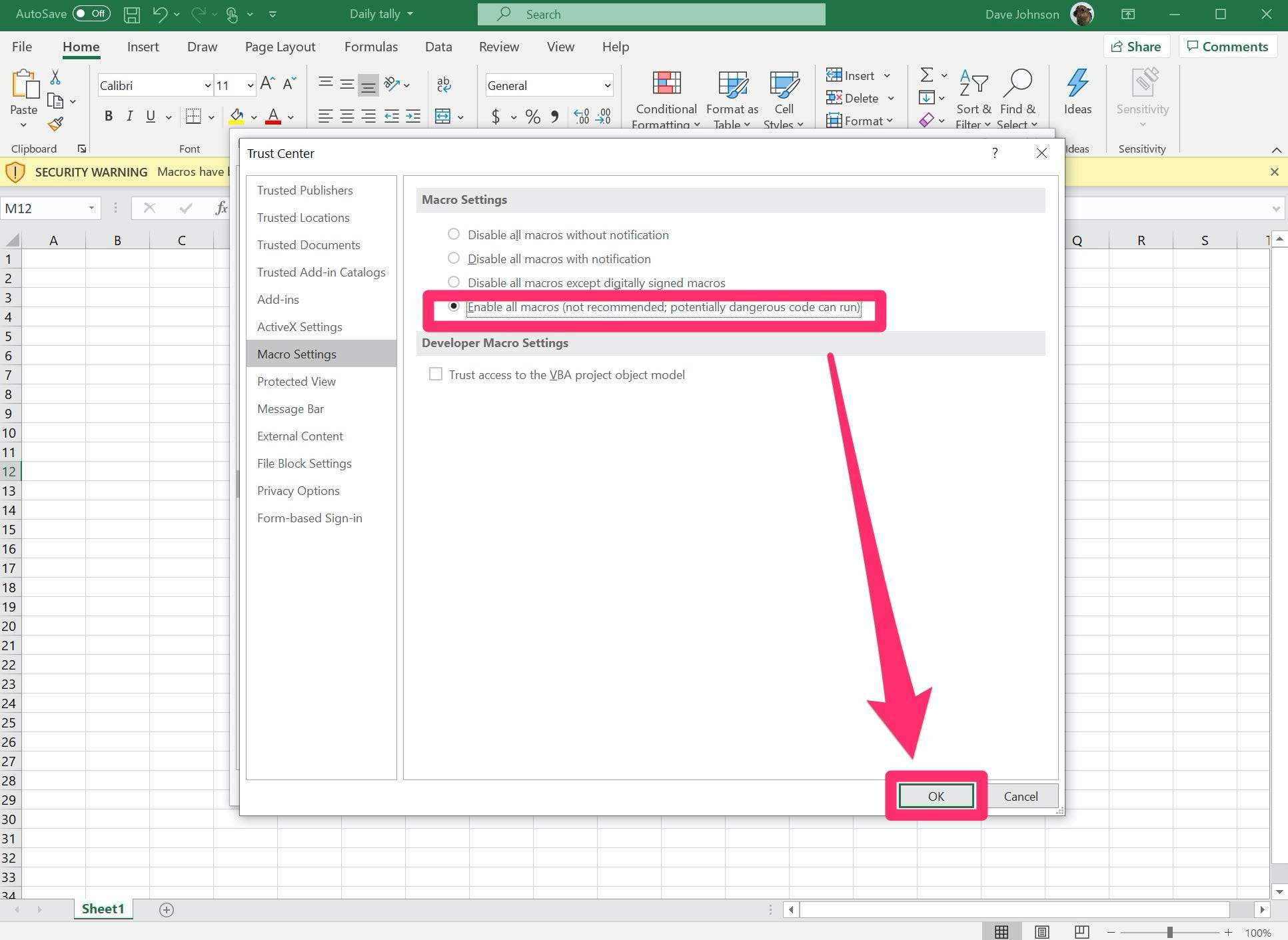
How Do I Create A Sort Macro In Excel How To Create Sort Button In Excel VBA YouTube How Do I Make Multiple Drop down Menus In HTML Web Design Marketing TECH BUZZ How To Enable Macro In Excel How To Enable Macros In Excel And Automate Your Work On A Spreadsheet How To Write A Macro In Excel To Take Off Percentage Pharmatide Web In the Code group on the Developer tab click Record Macro Optionally enter a name for the macro in the Macro name box enter a shortcut key in the Shortcut key box and a description in the Description box and then click OK to start recording
Web Oct 17 2023 nbsp 0183 32 Use a Macro to Sort Data The following code runs when one of the hidden rectangles is clicked You can change the TopRow iCol and strCol variables to match the layout of your table In this screen shot I m clicking the invisible rectangle in the Employee column heading so sort the list by employee name Web I think you can accomplish that just using multi column sort order Select both columns select sort choose A as the first and B as the second That takes you from the first table to the last If you need a macro just record a macro that does that
How To Write A Macro In Excel To Take Off Percentage Pharmatide How To Enable Macro In Excel 2013 Dasasset Macronutrients Calculator Excel Bruin Blog How To Record A Macro In Excel 2010 Tutorials Tree Learn Photoshop How Do I Create A New Folder For My Photos Poralta How To Run An Excel Macro A Quick Guide Unlock Your Excel Potential How To Sort Multiple Columns In Excel 2007 Using The Sort Button Excel Create A Custom List For Sorting In Excel By Chris Menard YouTube How To Enable Macros In Excel And Automate Your Work On A Spreadsheet
How Do I Create A Sort Macro In Excel
 How Do I Create A Sort Macro In Excel
https://i.ytimg.com/vi/lKQrGr2GMPo/maxresdefault.jpg
Web Select a cell in the column you want to sort On the Data tab in the Sort amp Filter group do one of the following To quick sort in ascending order click Sort A to Z To quick sort in descending order click Sort Z to A Notes Potential Issues
Pre-crafted templates use a time-saving solution for creating a diverse series of documents and files. These pre-designed formats and layouts can be utilized for numerous personal and professional projects, including resumes, invitations, flyers, newsletters, reports, discussions, and more, simplifying the material development process.
How Do I Create A Sort Macro In Excel
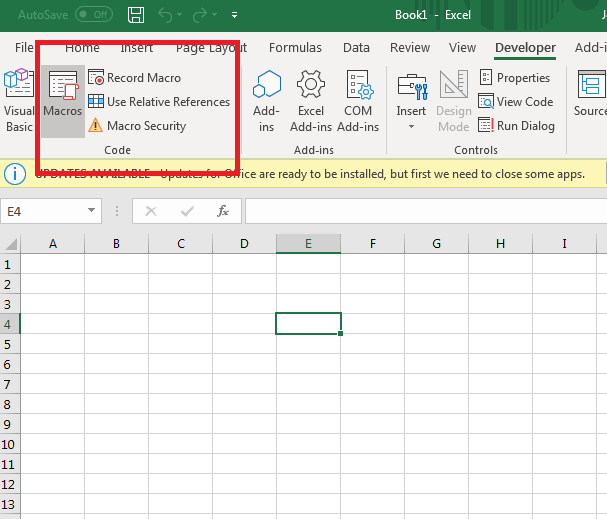
How To Enable Macro In Excel Sheet Njkop
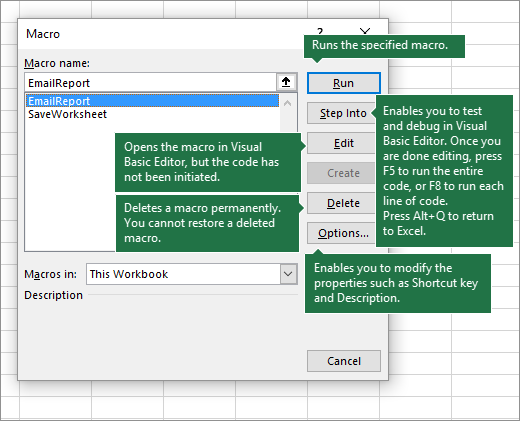
How To Enable Macro In Excel 2013 Dasasset

Macronutrients Calculator Excel Bruin Blog
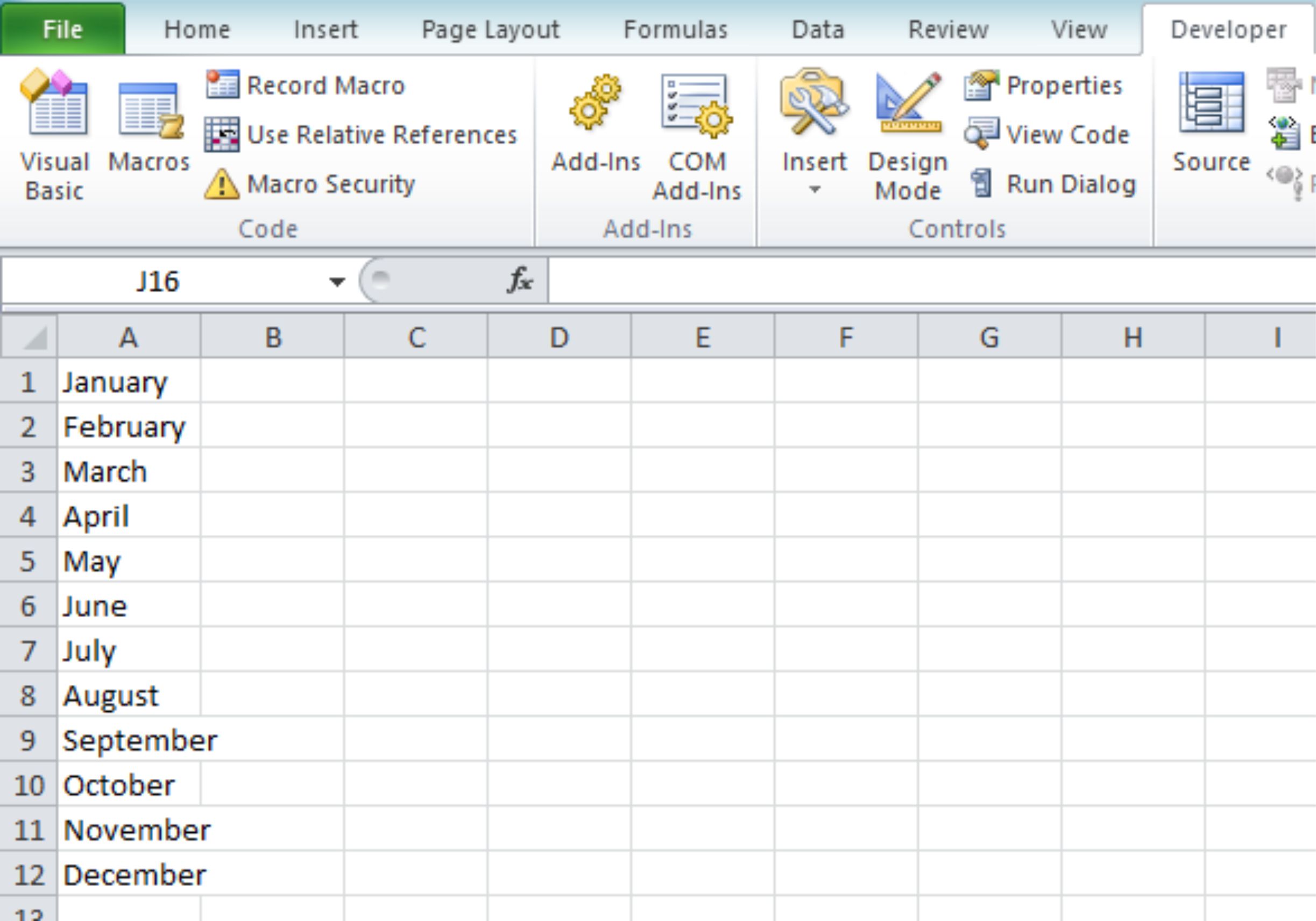
How To Record A Macro In Excel 2010 Tutorials Tree Learn Photoshop
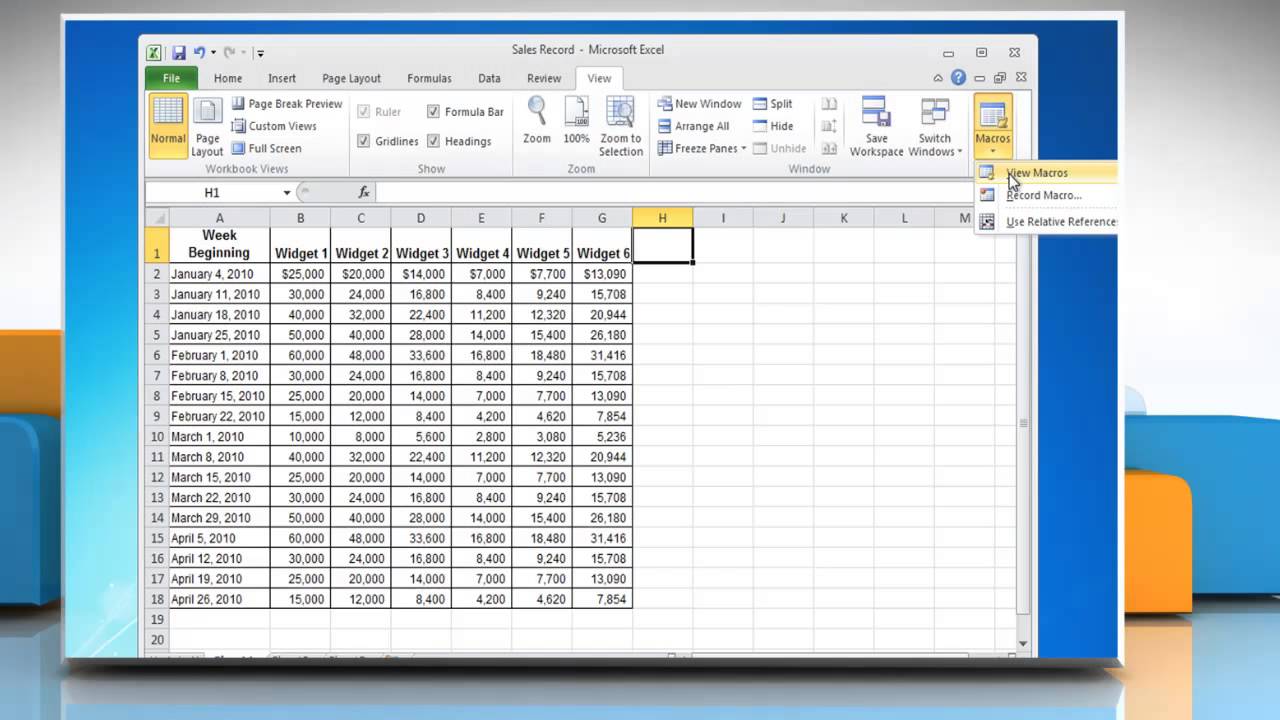
How To Run An Excel Macro A Quick Guide Unlock Your Excel Potential
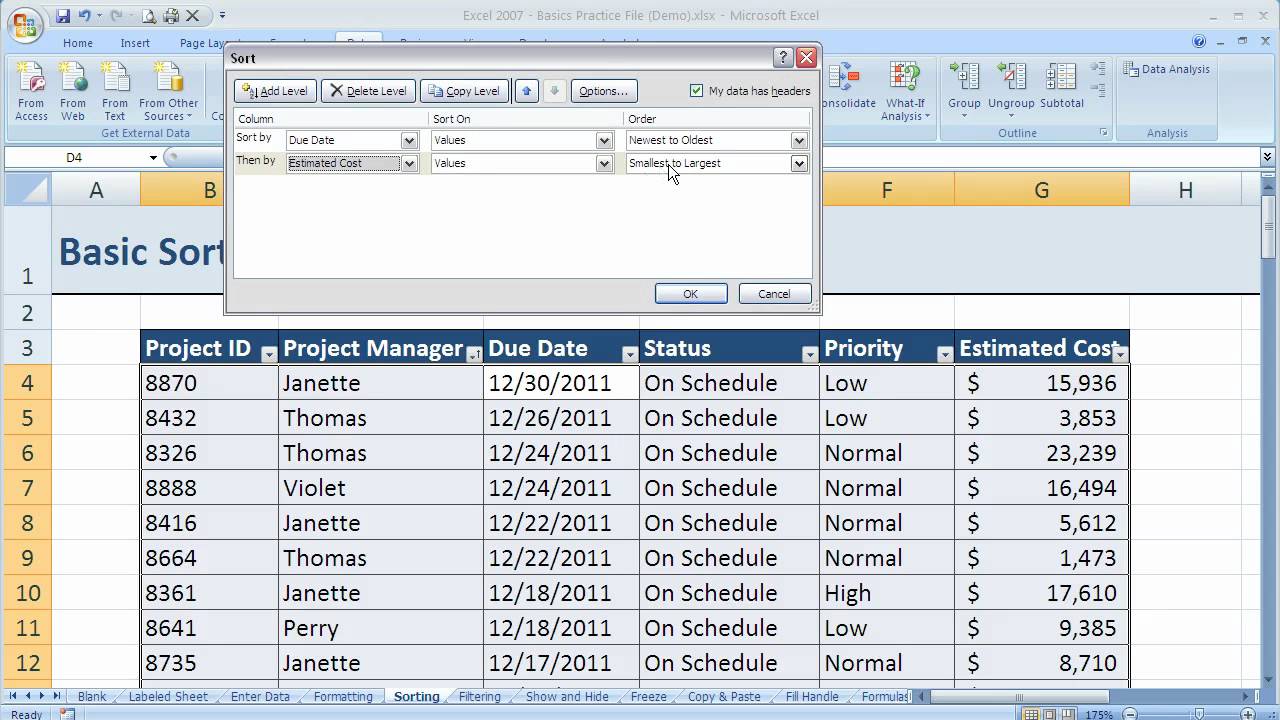
How To Sort Multiple Columns In Excel 2007 Using The Sort Button Excel

Web Aug 11 2022 nbsp 0183 32 Sample Data to Demonstrate Excel Sorting with VBA Recording a Macro for a VBA Sort VBA Code to do a Single Level Sort VBA Code to do a Multi Level Sort Sorting by Cell Color Sorting by Font Color Using Other Parameters in VBA Sorting Extending the Sorting Function Using VBA

Web Apr 21 2022 nbsp 0183 32 Specify xLSortLabels to sort by the labels targeted by the experession Range in the Row Colum Labels areas of the PivotTable s range or xLSortValues when Key1 additionally targets a cell in the Values or Sub Grand Totals areas using R1C1 notation Order2 Optional XlSortOrder
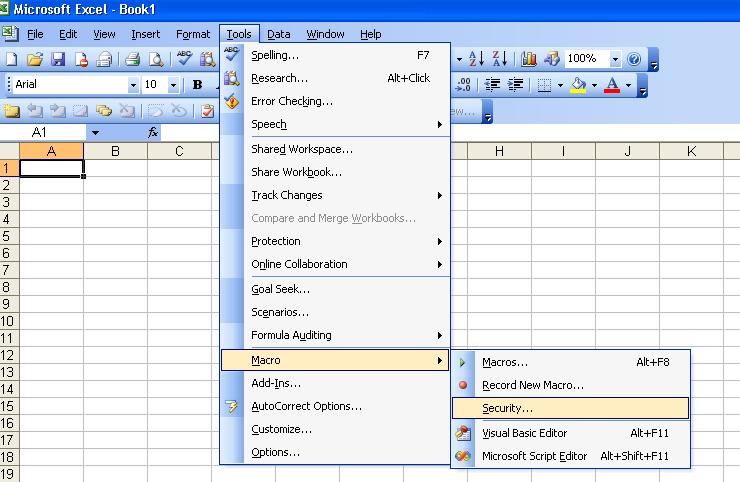
Web Dec 14 2021 nbsp 0183 32 1 Sorting One Column Using Excel Macros Use this simple code to sort a data column within an Excel spreadsheet If you downloaded the dummy dataset you can try sorting column E Units Sold Open a new Excel file and save it with an Excel Macro Enabled Workbook xlsm workbook type
Web Apr 7 2010 nbsp 0183 32 A new macro is automatically given a name such as Macro1 I renamed mine to Sorting Go figure Next initiate the sort operation using the Sort command from the Data bar selecting the Atomic Number column from the columns combo box in the Sort dialog Hit OK and the sorting is done

Web Feb 5 2022 nbsp 0183 32 Press Alt F11 on the keyboard This will switch you into the Visual Basic Editor Note If you don t see the Developer Ribbon you ll need to enable it Select the VBA Project where you wish to store the macro and then in the Ribbon select Insert gt Module Click in the module and type the following code to sort tabs ascendingly
Web 2 days ago nbsp 0183 32 You can create a VBA macro to sort your data and assign it to a button in the sheet You can then style your button in any way as well as add custom text to the button This is a great option when others will be using the workbook as it helps to make the sorting very intuitive for the user Web 1 Click on the View tab in the Excel ribbon 2 Next click on the Macros button on the right side of the View ribbon 3 This will open the Macros drop down Click Record Macro 4 Enter a name for your macro something like Hide Columns Excel macros can be stored in the Personal Macro Workbook
Web Go to Developer gt Visual Basic to launch the Visual Basic Editor VBE which is where your macros are stored You can find your Personal Macro workbook in the Project Explorer pane on the left hand side If you don t see it go to View gt Project Explorer