How Do I Create A Folder In Outlook Folder How To Create Folders In Outlook Knowdemia 5 Ways To Fix Outlook If It s Not Moving Emails To Folder How To Create Folders In Microsoft Outlook How To Create Folder In Outlook App Design Talk How To Create Folders To Organize Your Outlook Inbox WEB How to create folders in Outlook 1 Open Outlook and log in if needed 2 On the left menu click on Mail Calendars Contacts or wherever you want to add the new folder 3
WEB Jan 19 2018 nbsp 0183 32 To create a folder in MS Outlook click Folder tab from the Ribbon Then click the New Folder icon The Create New Folder dialog box displays Use the Create New Folder dialog box to add folders and keep your emails organized Type the name of your new folder in the Name field WEB How to create email folders in Outlook Creating a new email folder is easy To create a new folder in Outlook Right click your inbox and select New Folder Enter the name of
How To Create Folders To Organize Your Outlook Inbox How To Create Multiple Folders At Once In Excel Sheetaki How To Create Folder And Subfolders At Once YouTube Step by Step Guide How To Create A Folder In Outlook Create Archive Folder In Outlook Step by Step Guide For Efficient Windows 11 How To Create Custom App Or Folders Shortc Vrogue co How To Create Folders In Outlook Knowdemia How To Add Shared Folder In Outlook App Templates Printable Free How To Open A Shared Folder In Outlook
How Do I Create A Folder In Outlook Folder
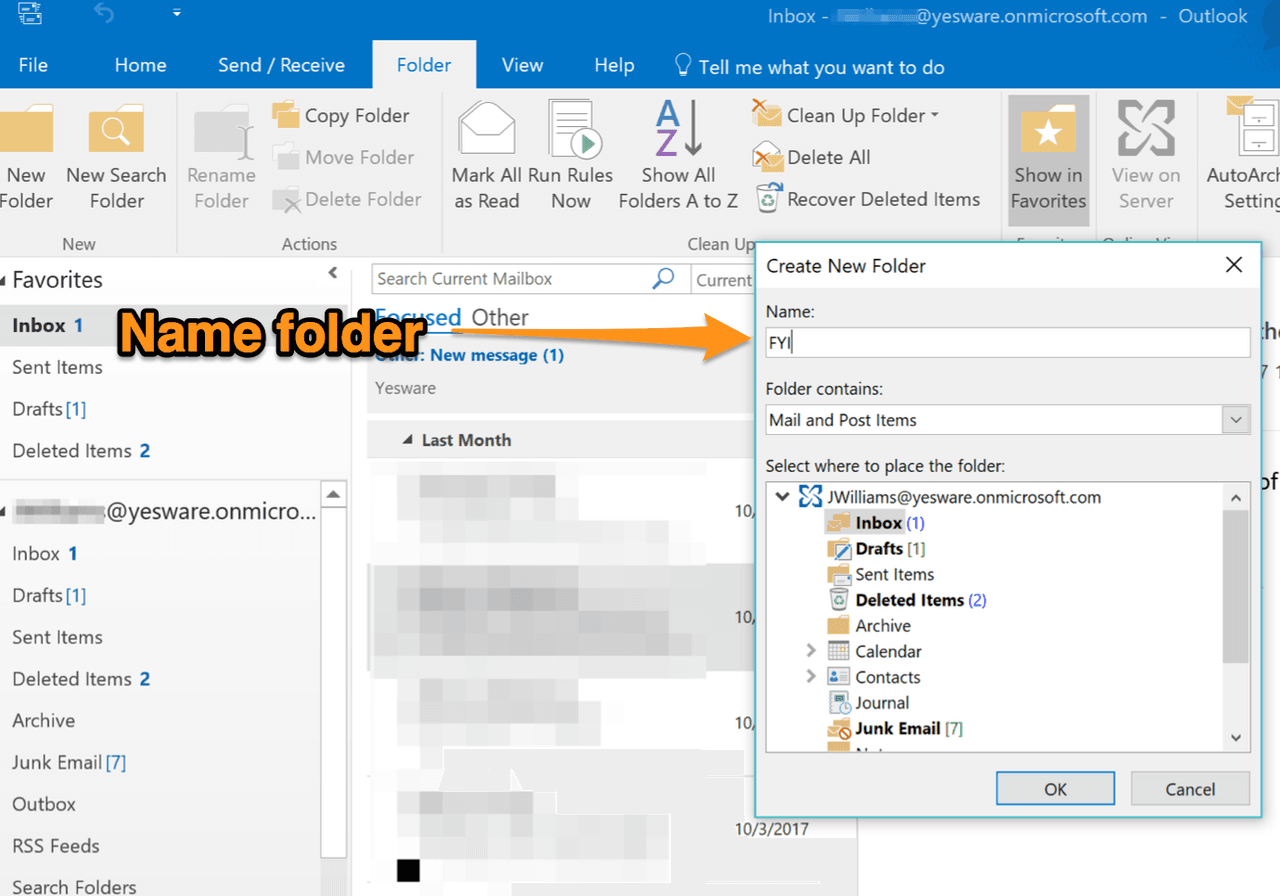 How Do I Create A Folder In Outlook Folder
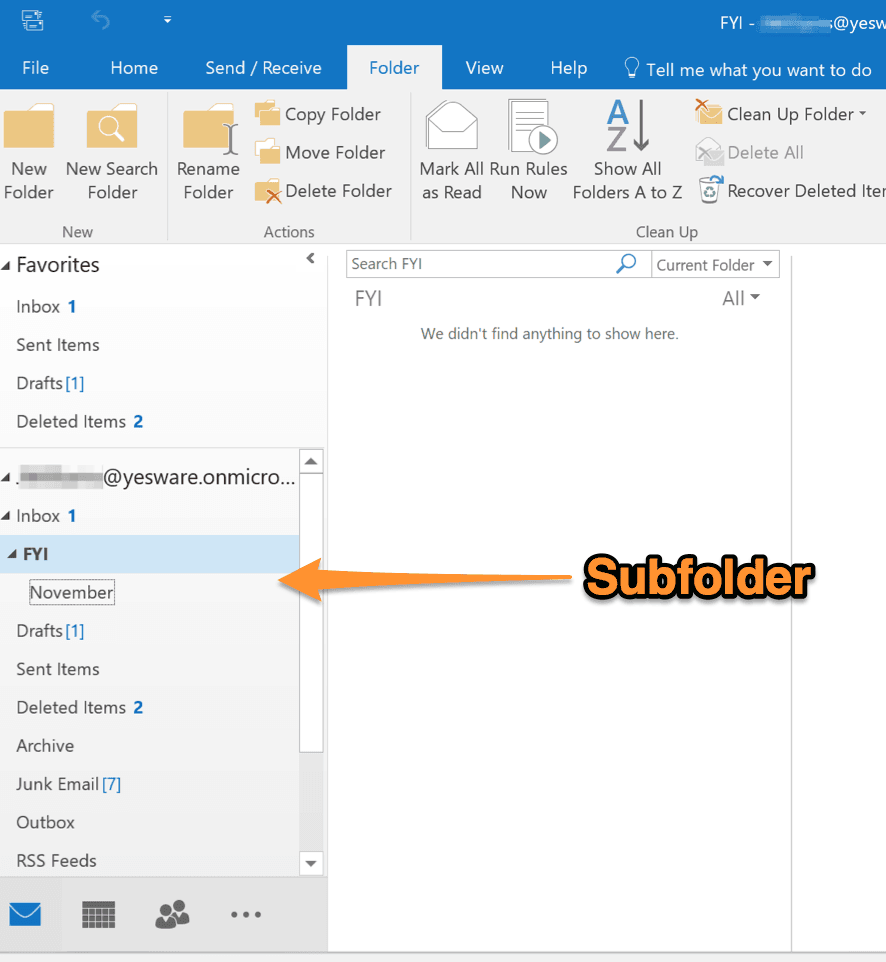
https://www.yesware.com/blog/_next/image/?url=https:%2F%2Fwww.yesware.com%2Fwp-content%2Fuploads%2F2019%2F05%2FScreen-Shot-2017-12-06-at-1.00.00-PM.png&w=1280&q=75
WEB To create a new folder as a subfolder of an existing Outlook folder Right click on the folder under which you want to create the new subfolder Be careful to choose items from the Folders list and not the Favorites list
Pre-crafted templates use a time-saving option for producing a diverse series of documents and files. These pre-designed formats and designs can be used for different individual and expert jobs, consisting of resumes, invitations, flyers, newsletters, reports, discussions, and more, streamlining the content development process.
How Do I Create A Folder In Outlook Folder
How Do I Create A New Folder In Outlook Bldas
How To Create Multiple Folders At Once In Excel Sheetaki
How To Create Folder And Subfolders At Once YouTube

Step by Step Guide How To Create A Folder In Outlook

Windows 11 How To Create Custom App Or Folders Shortc Vrogue co
How To Create Folders In Outlook Knowdemia

WEB To make a new folder in Outlook on your desktop first open the Outlook app on your computer In Outlook s pane on the left select where you want to make a new folder Your options are Mail Calendar Contacts and
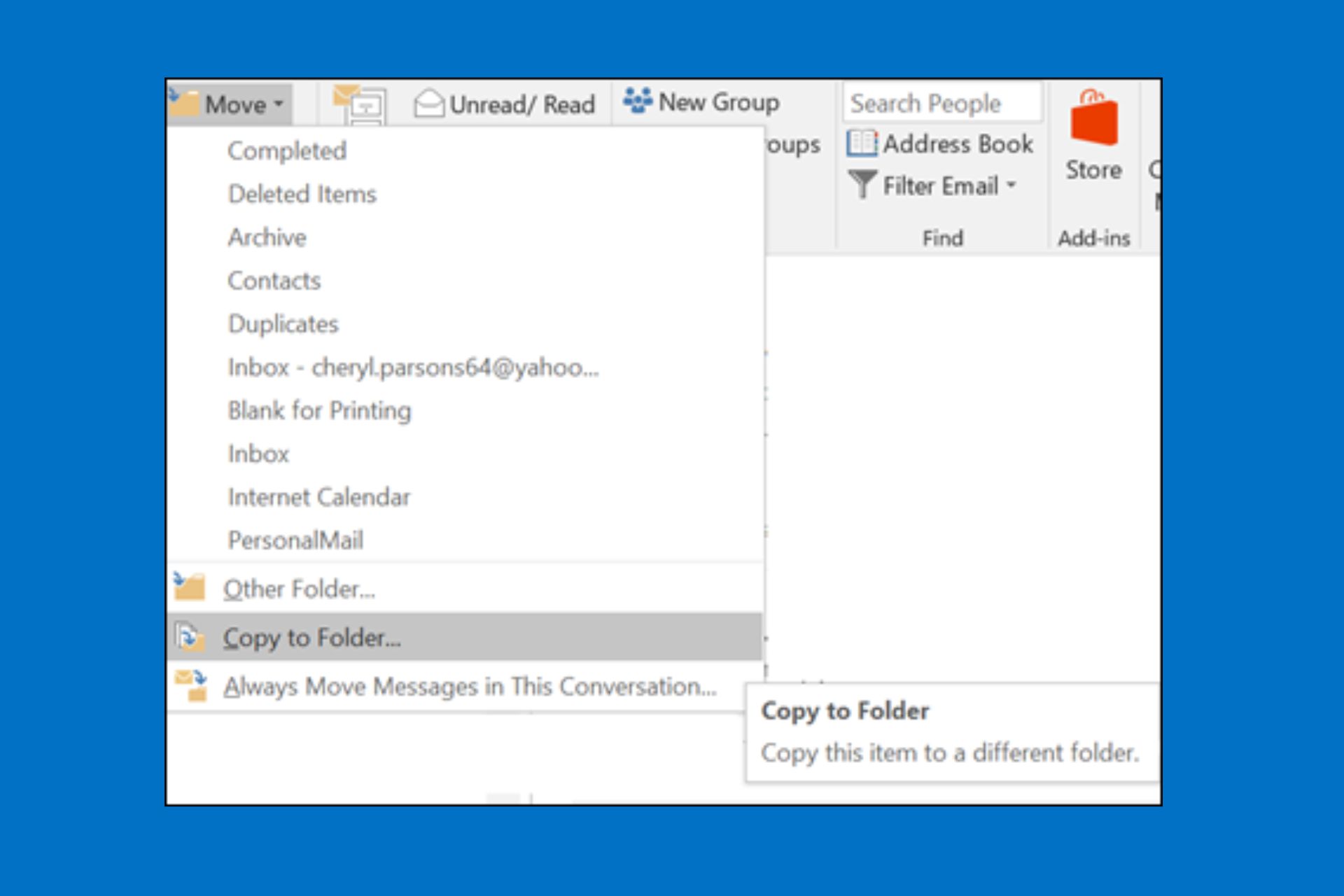
WEB Create folders to organize emails move messages and add folders to your Favorites folder for easy access Right click folders to see more options on how to organize
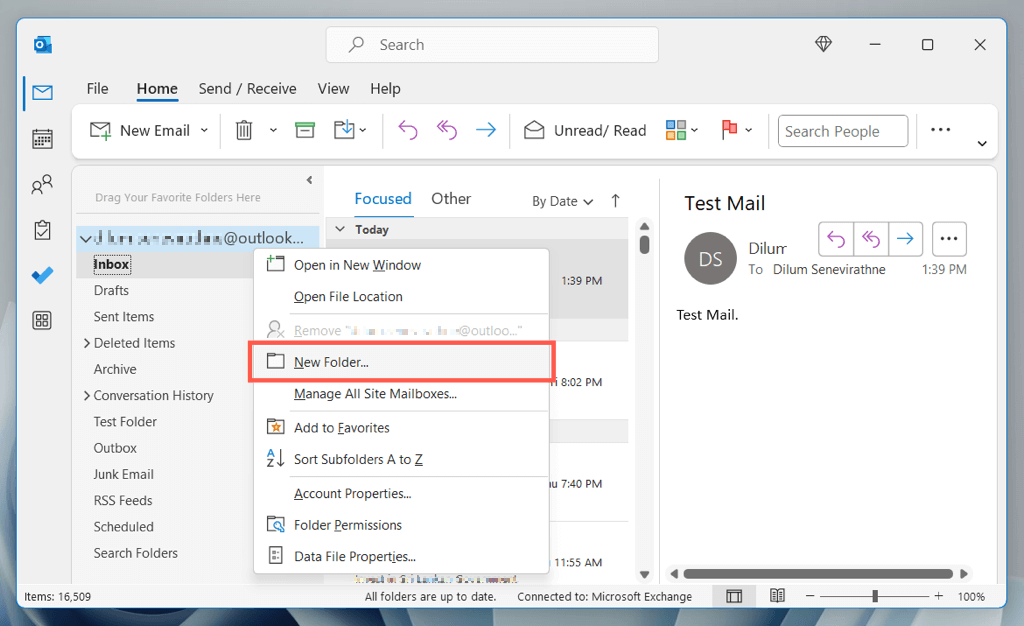
WEB Custom folders and subfolders in Microsoft Outlook allow you to categorize emails declutter your inbox and prioritize important messages This tutorial will guide you through the process of creating and

WEB To help keep your emails organized you can create subfolders or personal folders by using the New Folder tool Click Folder gt New Folder Tip You can also right click any folder in the Folder Pane and click New

WEB To create a folder in Outlook follow these simple steps Open Microsoft Outlook and go to the folder pane located on the left side of the screen Identify the parent folder under
WEB Jul 18 2024 nbsp 0183 32 Navigating subfolders is just as easy Right click on your chosen parent folder like Projects or Clients Select Create new subfolder name it and hit Enter This trick is a lifesaver for detailed email management think events meetings or client correspondence WEB Microsoft Outlook allows you to create folders in order to organize your email environment Create folders using Outlook s built in Create New Folder dialog
WEB Create a new folder call it ART so it moves to the top of your folders list and can be seen then quickly Then select something expendable a message from the subfolder which