How Add Code To Github How To Install GitHub Copilot On VSCode GeeksforGeeks How To Create A Github Repository From Vs Code Printable Forms Free How To Upload Files folders projects On Github Upload Project Folder How To Push An Existing Project To GitHub Tutorial How To Setup Github Repository In Visual Studio Code Printable Forms Oct 21 2020 nbsp 0183 32 how 5 4 I don t know how you did it How you did it is none of my business This
If you are using the redesigned Drive for desktop visit this article to learn more about key improvements How 1 How are your parents 2 How is the weather today
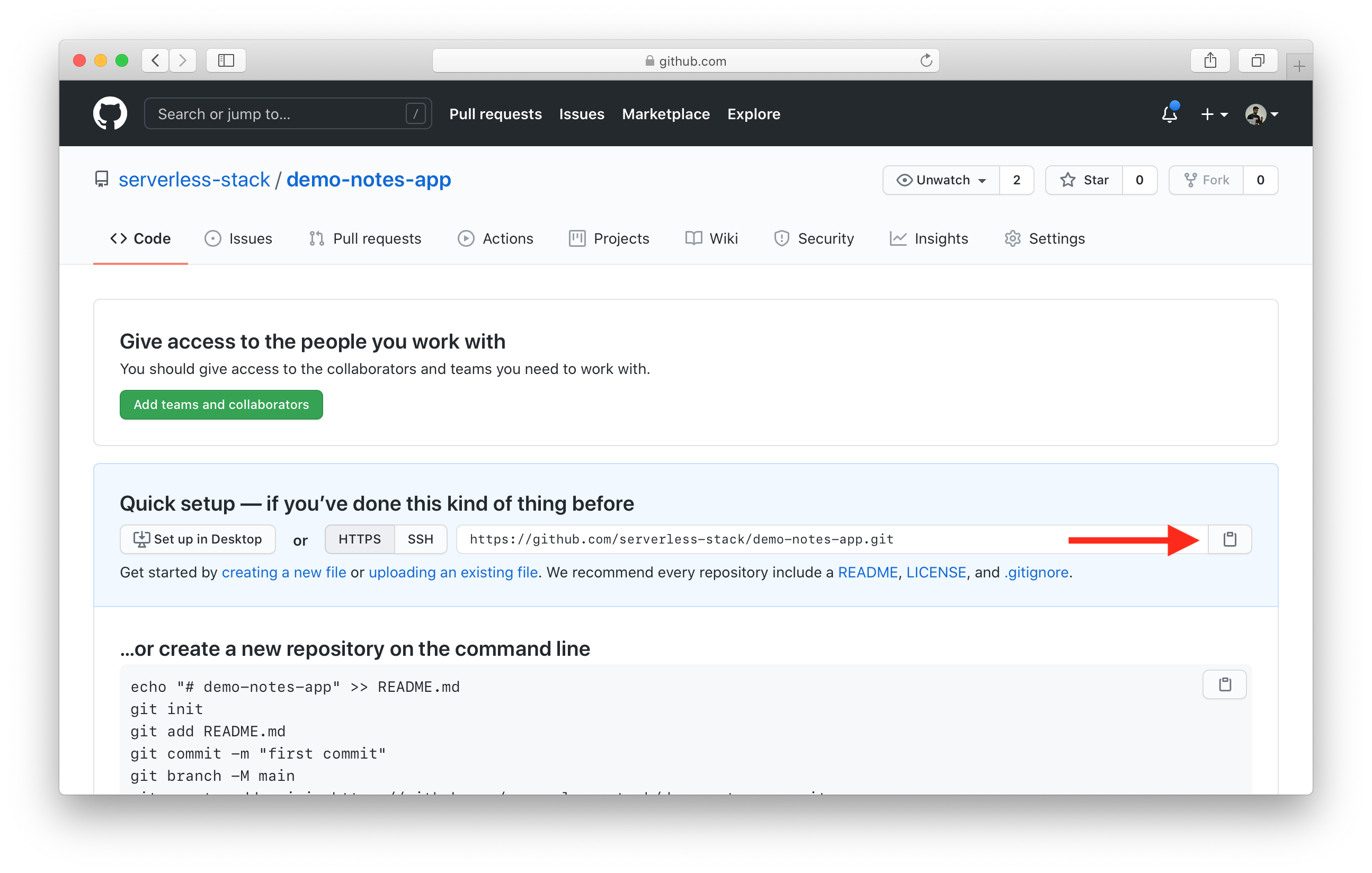
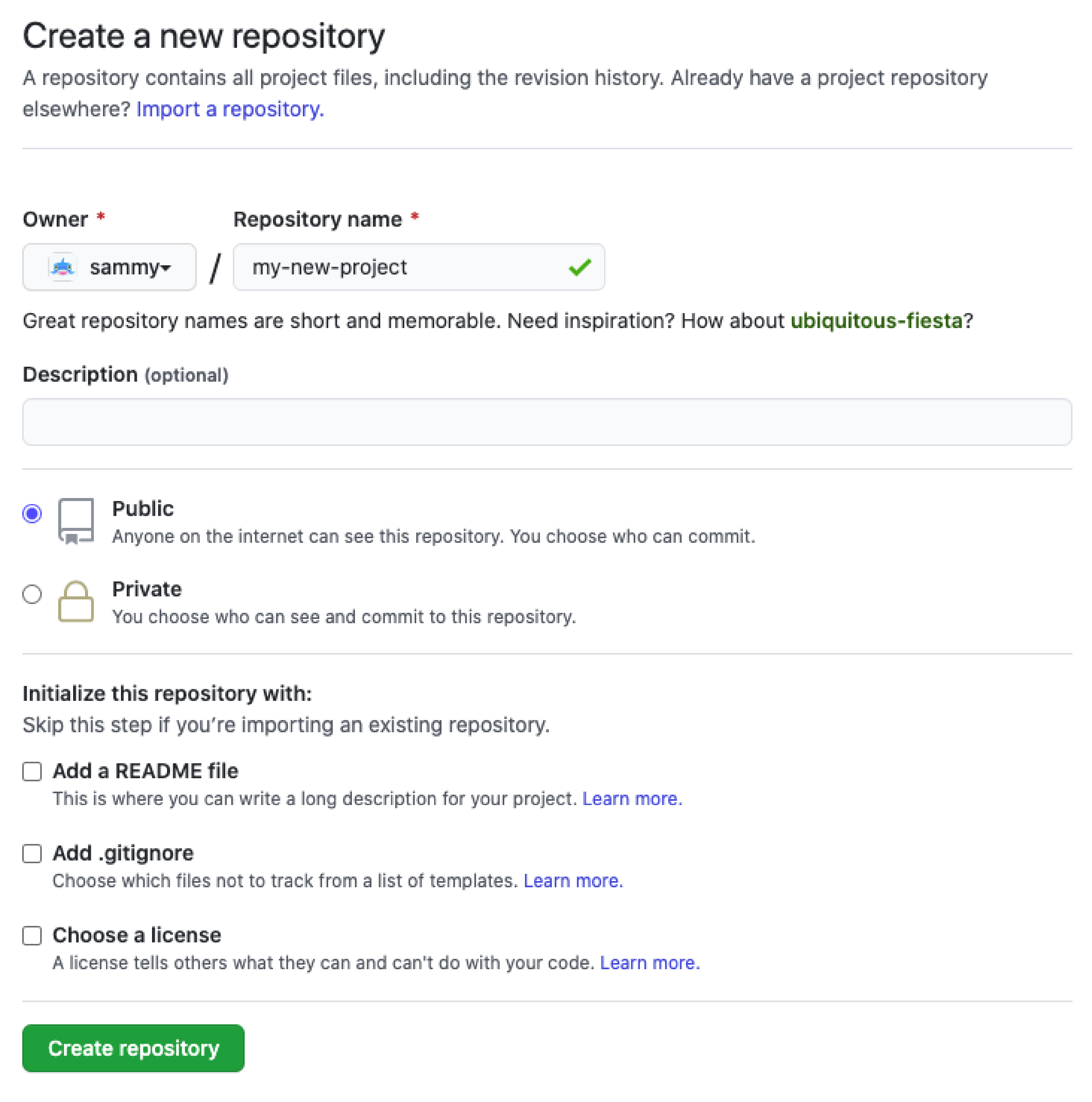
How To Setup Github Repository In Visual Studio Code Printable Forms React App Git Best Strategy To Deploy Static Site To S3 On Github Push Stack GitHub Add New Repository Vs Code Github Git Branching Merging And Github Rebase Git Remote Code Along Learn co Open Github Repo In Visual Studio Code Online Dirtysno How To Push Local Git Repository To Github Youtube Www vrogue co
How Add Code To Github
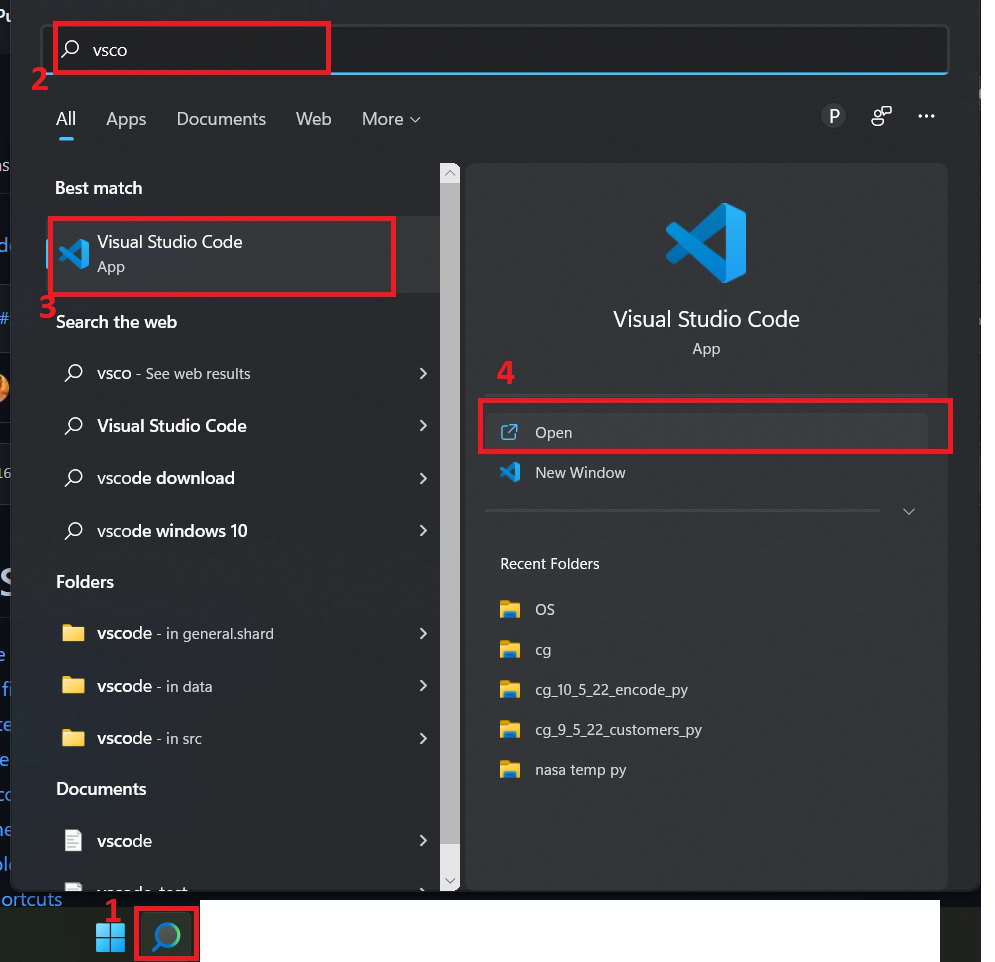 How Add Code To Github
https://media.geeksforgeeks.org/wp-content/uploads/20220518214458/Untitled.jpg
Official Google Account Help Center where you can find tips and tutorials on using Google Account and other answers to frequently asked questions
Templates are pre-designed files or files that can be used for numerous functions. They can conserve time and effort by providing a ready-made format and layout for producing different kinds of content. Templates can be utilized for individual or professional tasks, such as resumes, invitations, leaflets, newsletters, reports, presentations, and more.
How Add Code To Github
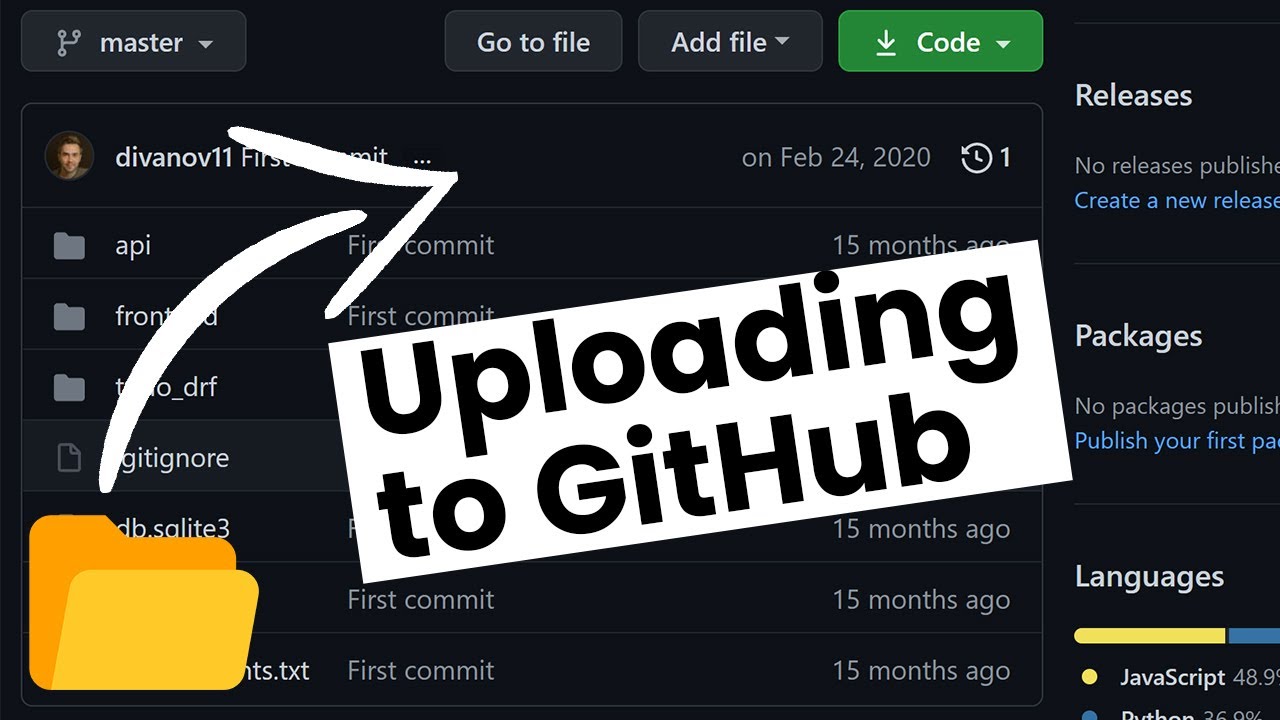
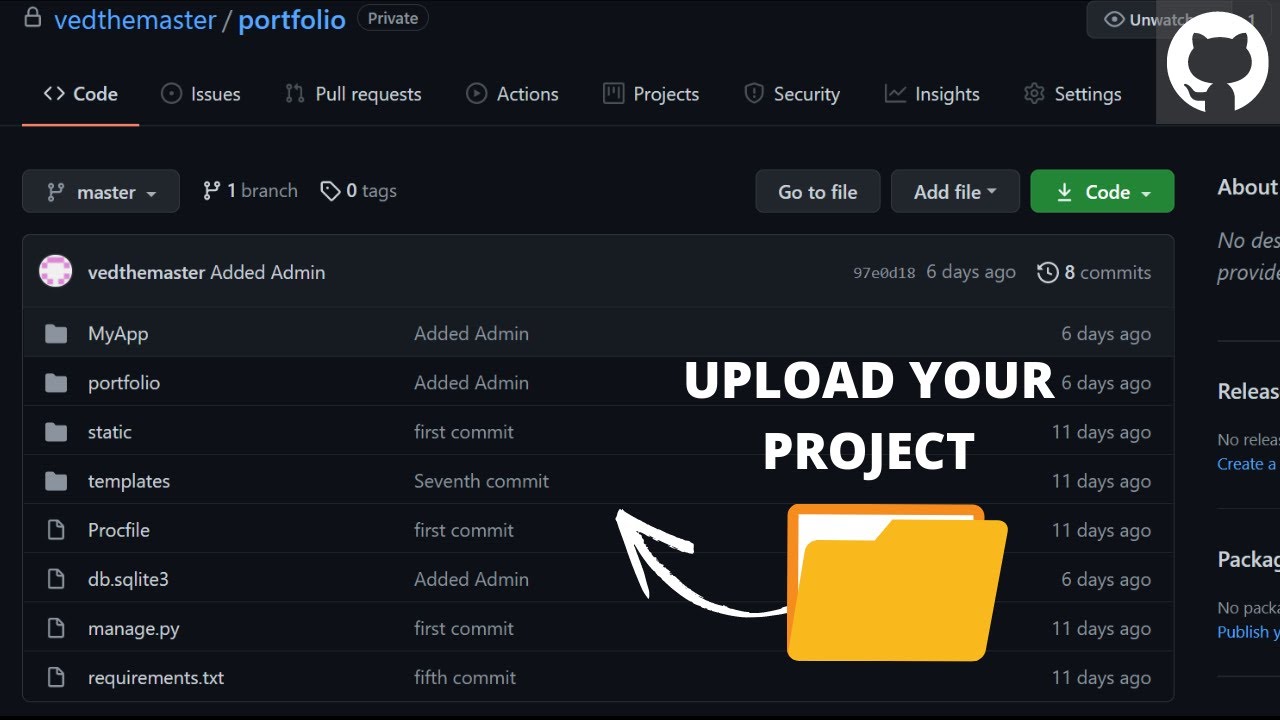
Uploading Files To GitHub Quick Start Guide YouTube

React App

Git Best Strategy To Deploy Static Site To S3 On Github Push Stack
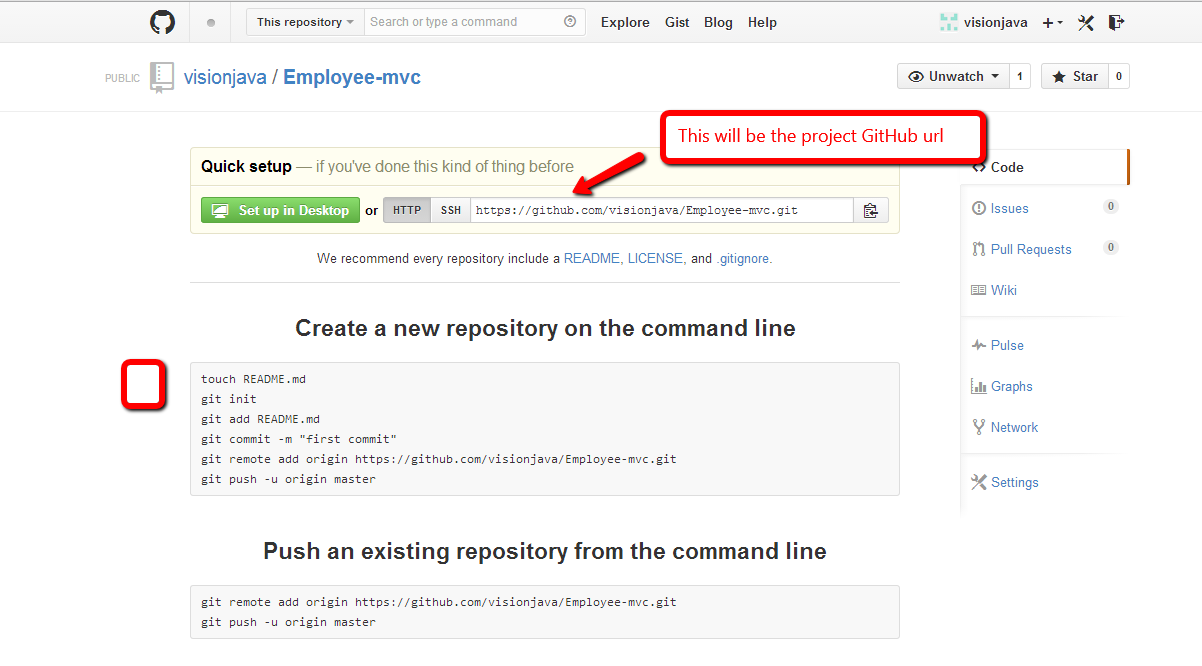
GitHub Add New Repository

Git Branching Merging And Github Rebase
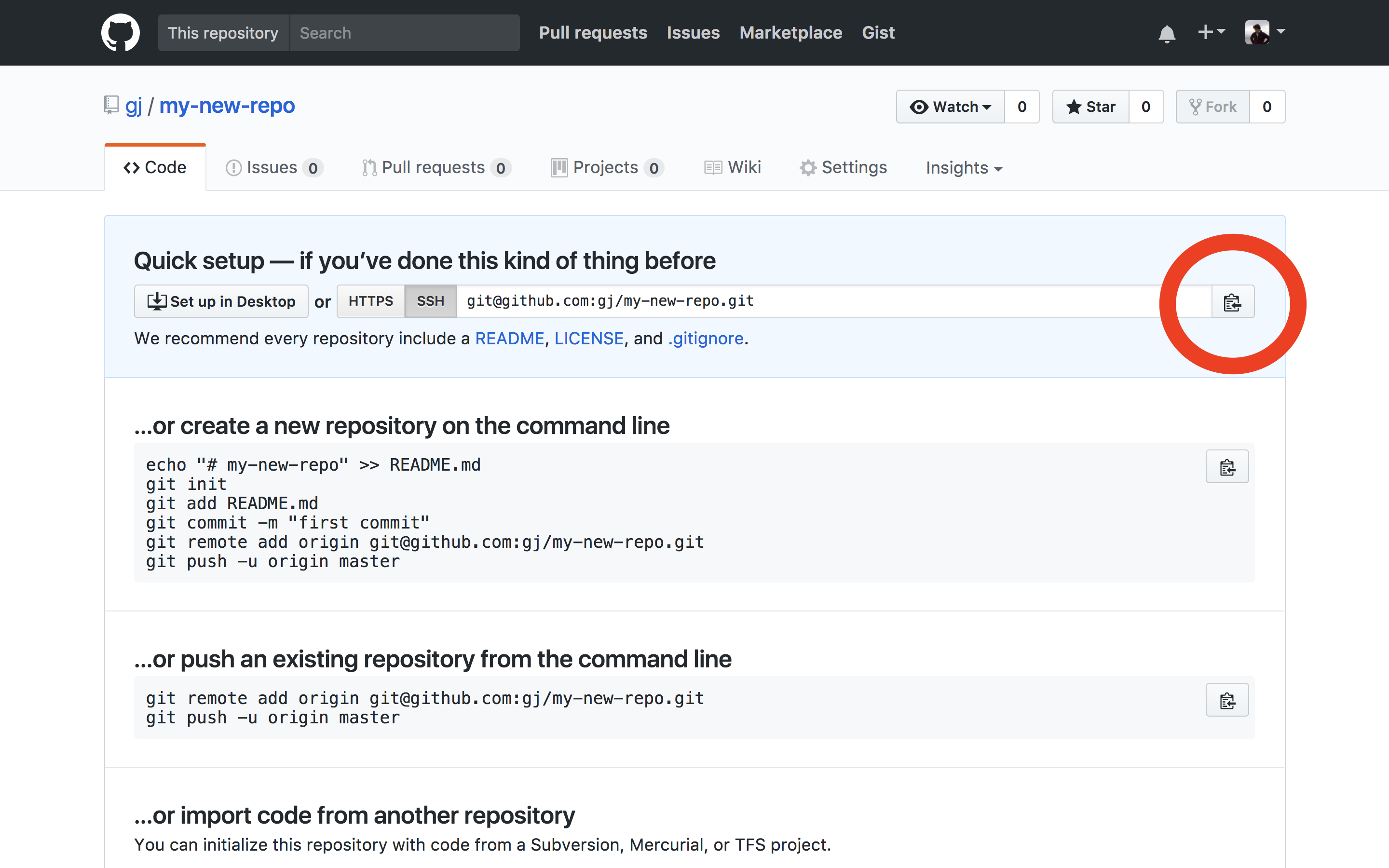
Git Remote Code Along Learn co

Create an account Tip To use Gmail for your business a Google Workspace account might be better for you than a personal Google Account With Google Workspace you get increased
How to install Chrome Important Before you download you can check if Chrome supports your operating system and other system requirements
To find your username follow these steps You need to know A phone number or the recovery email address for the account The full name on your account Follow the instructions to
how

Learn how to change more cookie settings in Chrome For example you can delete cookies for a specific site In other browsers If you use Safari Firefox or another browser check its support
[desc-11] [desc-12]
[desc-13]