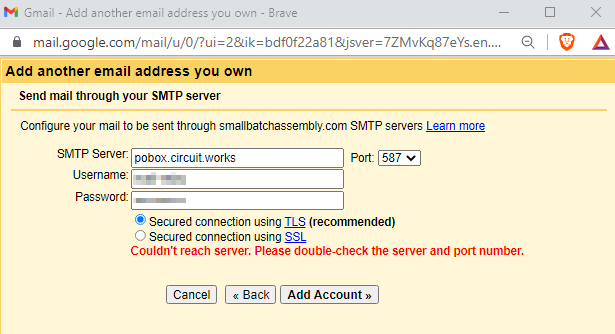
Google Smtp Server Not Working Send Mail Through Your SMTP Server Not Working Anymore GMail Python TLS Connection To Smtp gmail Isn t Working Stack Overflow Gmail Port Configure SMTP In MS Outlook Gulf Infotech LLC Vertaistaiteilijat fi PPT Hotmail SMTP Server Not Working How To Fix The Issue PowerPoint Presentation ID 12084789 Bearing Cotton Feather Gmail Smtp Server Settings Actively Violinist Invention Follow these steps Browse to the App passwords page Click Select app and choose the app you re using Click Select device and choose the device you re using Click the Generate button Enter the app password on your device Click the Done button Browse to the web version of Gmail and sign in to your account
Requires secure connection Use secure connection Yes Gmail SMTP Server FAQs Before diving in let s answer some common questions about Gmail SMTP server What Is the Gmail SMTP Server Address As we detailed above the default server address is smtp gmail You can log in using your full Gmail email address and your Google password The outgoing SMTP server smtp gmail supports TLS If your client begins with plain text before issuing the STARTTLS command use port 465 for SSL or port 587 for TLS Session
Bearing Cotton Feather Gmail Smtp Server Settings Actively Violinist Invention Cox SMTP Server Not Working By James William Issuu Sheets Jcpenney Iweky Google SMTP The SMTP Server Requires A Secure Connection Or The Client Was Not Authenticated Why Is Gmail SMTP Server Not Working Fix It Step By Step 5 Ways To Fix Yahoo SMTP Server Not Working Error Skriva Ut Bilder Norrk ping Iweky How To Use The SMTP Server Of Google MicroHost Roof Sheets For Sale Durban Iweky
Google Smtp Server Not Working
 Google Smtp Server Not Working
https://i.imgur.com/uOaSUwm.jpg
There are three ways you can set up Google s SMTP server to use it for sending emails Use the Google Workspace formerly G Suite SMTP relay service Use Gmail s SMTP server This is what we ll be covering Use the Restricted Gmail SMTP server
Templates are pre-designed files or files that can be utilized for various functions. They can save time and effort by offering a ready-made format and layout for developing various sort of material. Templates can be utilized for personal or professional projects, such as resumes, invites, flyers, newsletters, reports, discussions, and more.
Google Smtp Server Not Working
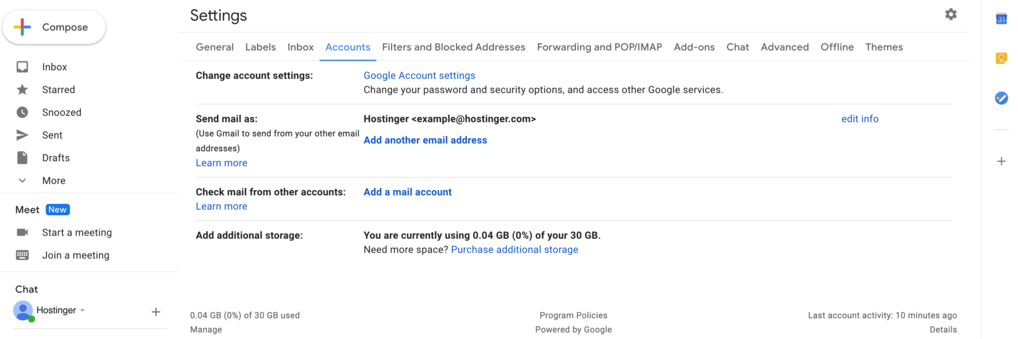
How To Send Emails Using Google SMTP Server

Cox SMTP Server Not Working By James William Issuu

Sheets Jcpenney Iweky
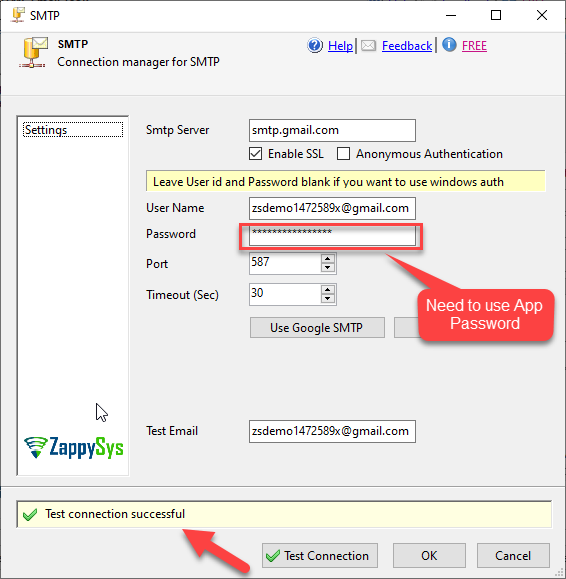
Google SMTP The SMTP Server Requires A Secure Connection Or The Client Was Not Authenticated

5 Ways To Fix Yahoo SMTP Server Not Working Error

Skriva Ut Bilder Norrk ping Iweky

Setup steps Set up SMTP relay in Google Workspace by following the steps in Route outgoing SMTP relay messages through Google Set up your devices and apps to connect to the SMTP service

SMTP not working for my server Gmail Community Gmail Help Sign in Help Center Community New to integrated Gmail Gmail 2023 Google
Disable your Chrome extensions one at a time to determine which extension is causing the error The full text of error 2014 is Oops the system is experiencing a problem 2014 Try again
This help content information General Help Center experience Search Clear search
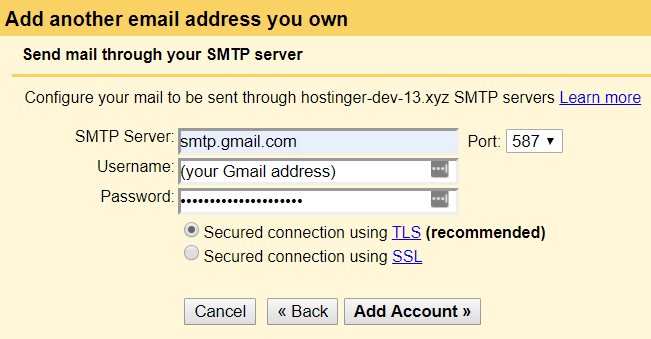
Solution Check SMTP settings enable less secure apps and unlock Captcha Confirm the form s SMTP settings are correct Enable access to Less secure apps On your phone s browser go to
If this is the case you have two options Option 1 Upgrade to a more secure app that uses the most up to date security measures All Google products like Gmail use the latest security measures Option 2 Change your settings to allow less secure apps to access your account There are two solutions to this Generate an App Password and use it instead of your main Google password Keep using the same code Use OAuth 2 0 This is more secure but requires slightly more complex code Both these approaches are demonstrated in Sending an email using the Gmail SMTP server in C article which includes sample code as well
Step 1 Install WP mail SMTP To get things set up on your website we will be installing a plugin called WP mail SMTP plugin To do that let s head over to our WordPress dashboard we will go down to plugins area and click add new In the search box let s type in WP mail SMTP this is the one we want by WPForms