Gitlab Delete Repository Content How To Delete Gitlab Project How To Delete A Git Repository YouTube Gitlab Create And Delete Repository YouTube GitLab Delete Repository Tutorials All In One Xgqfrms How To Delete A Repository In Github YouTube The Powerplatform alm with github template From Garrytrinder Coder Social Web Apr 29 2015 nbsp 0183 32 Go to var opt gitlab git data repositories lt username gt and remove the git repo for this project After you visit the repo again you ll see that it says No repository and you ll be able to push whatever you want
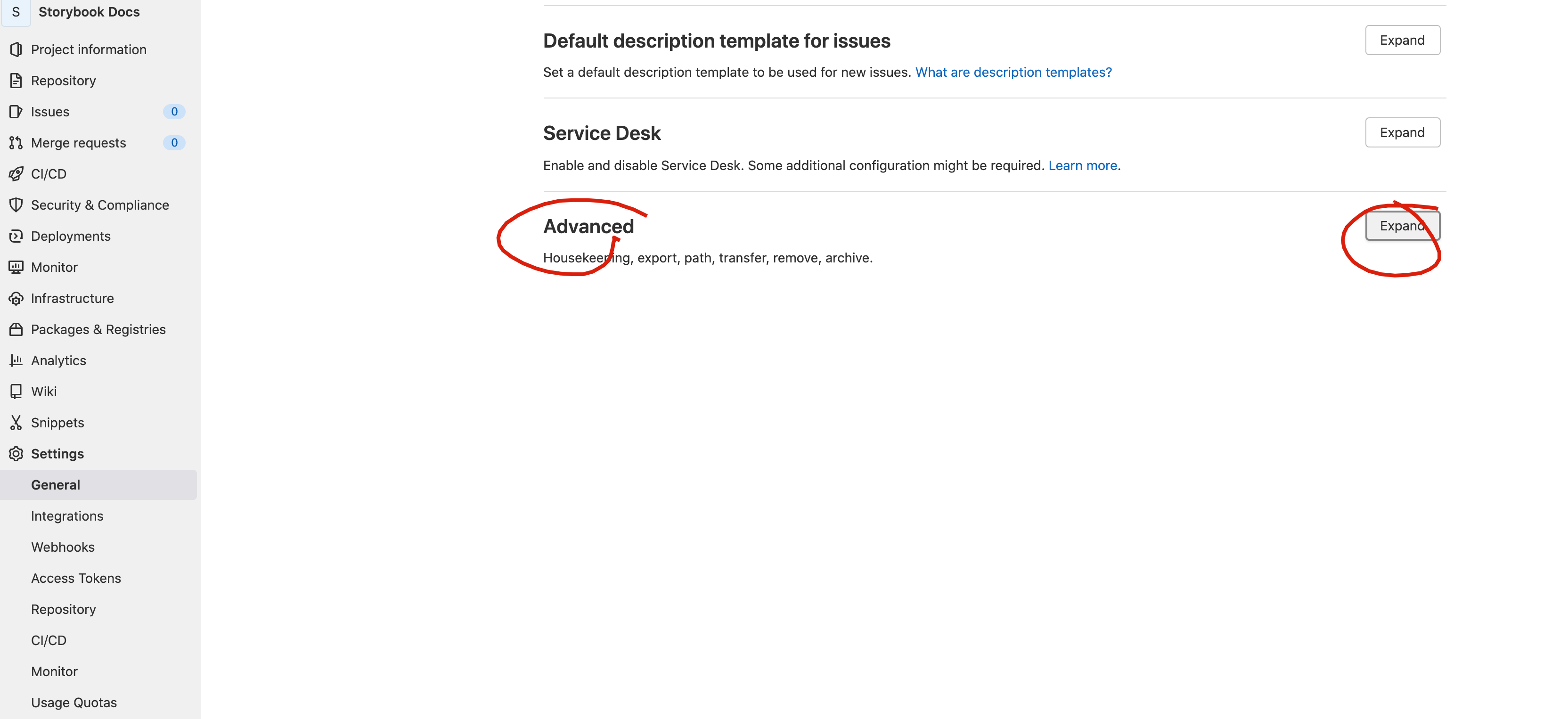
Web Oct 1 2020 nbsp 0183 32 Reset Gitlab Project to Repository Content I had some unwanted files in a repo which is going open source soon I removed the files using git filter branch I noticed the project size in Gitlab growing with every such removal Some research suggested that Gitlab has another backup layer where the data is still in the project which can be Web My proposal is to add an option on Settings gt General gt Advanced for cleaning the repository delete the git and re create it clean That s can be a good option if you need to reset repository without losing issues for example
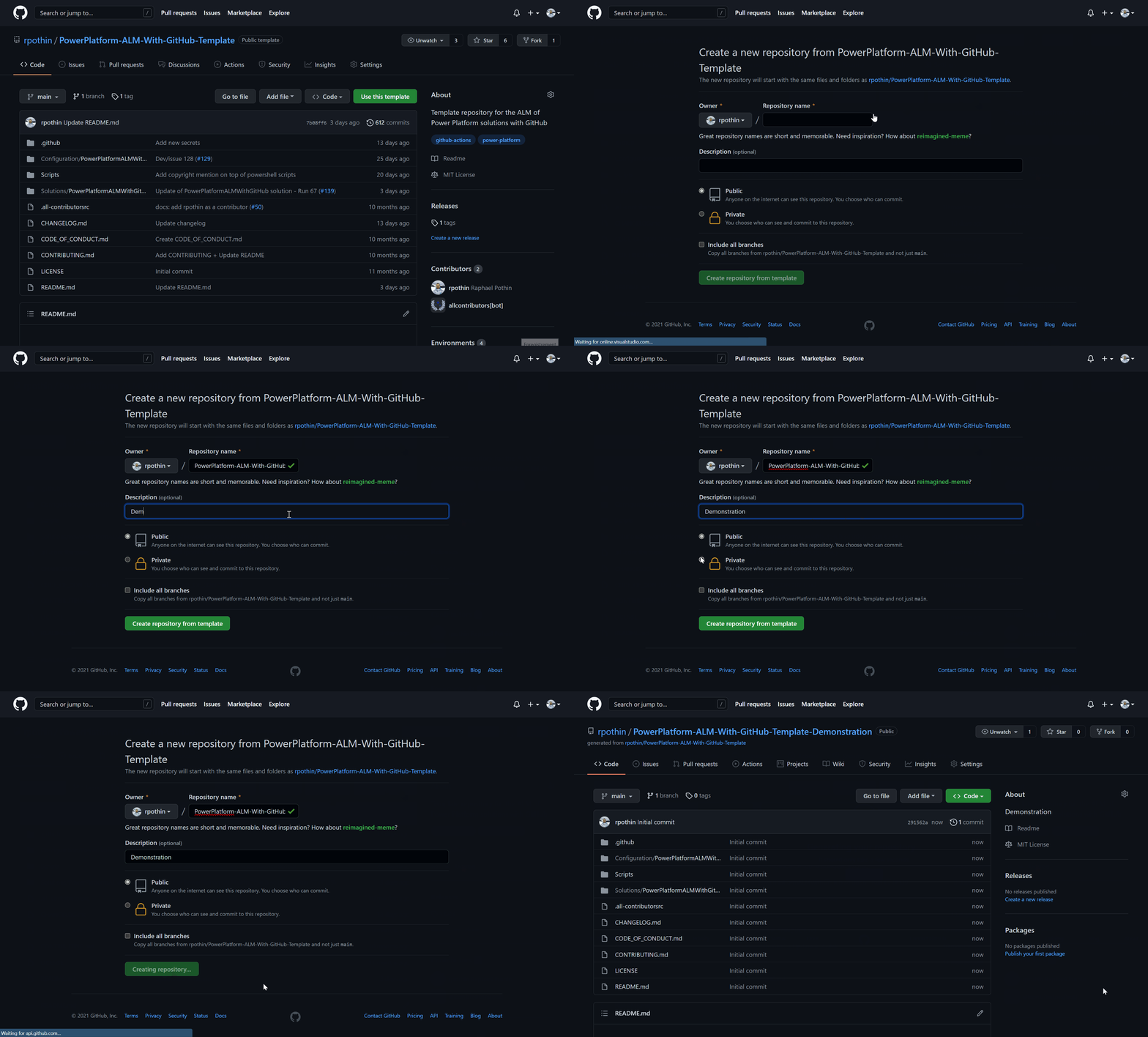
The Powerplatform alm with github template From Garrytrinder Coder Social GitLab Delete Repository What Is GitLab Delete Repository GitLab Delete Repository Tutorials All In One Xgqfrms GitLab Part 2 Delete Repository Remove Project Permanently YouTube How To Use GitLab Configuring Your GitLab Repository Liferay Learn How To Delete File On Git Removing Files From Git Repository Using How To Delete A Repository In GitHub Fixed Command add apt repository Not Found In Ubuntu TechPiezo
Gitlab Delete Repository Content
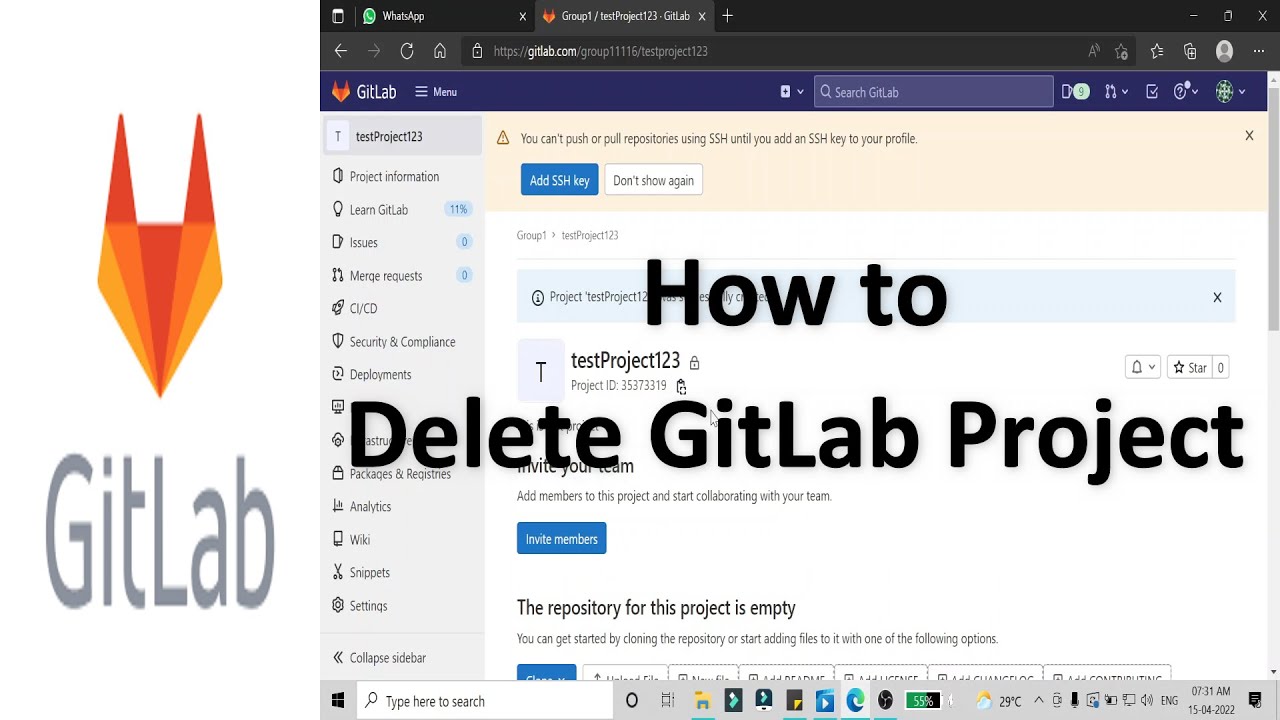 Gitlab Delete Repository Content
https://i.ytimg.com/vi/66156nzAa8g/maxresdefault.jpg
Web Aug 13 2021 nbsp 0183 32 On one hand my answer to your question is No there is no way as far as I know Delete the repository of a project could mean delete the whole project On the other hand deleting removing a repository from a project is like that you only wanted one or more features of a GitLab project like snim2 mentioned
Pre-crafted templates use a time-saving solution for developing a diverse series of documents and files. These pre-designed formats and layouts can be utilized for different personal and professional projects, consisting of resumes, invitations, leaflets, newsletters, reports, presentations, and more, enhancing the content creation procedure.
Gitlab Delete Repository Content
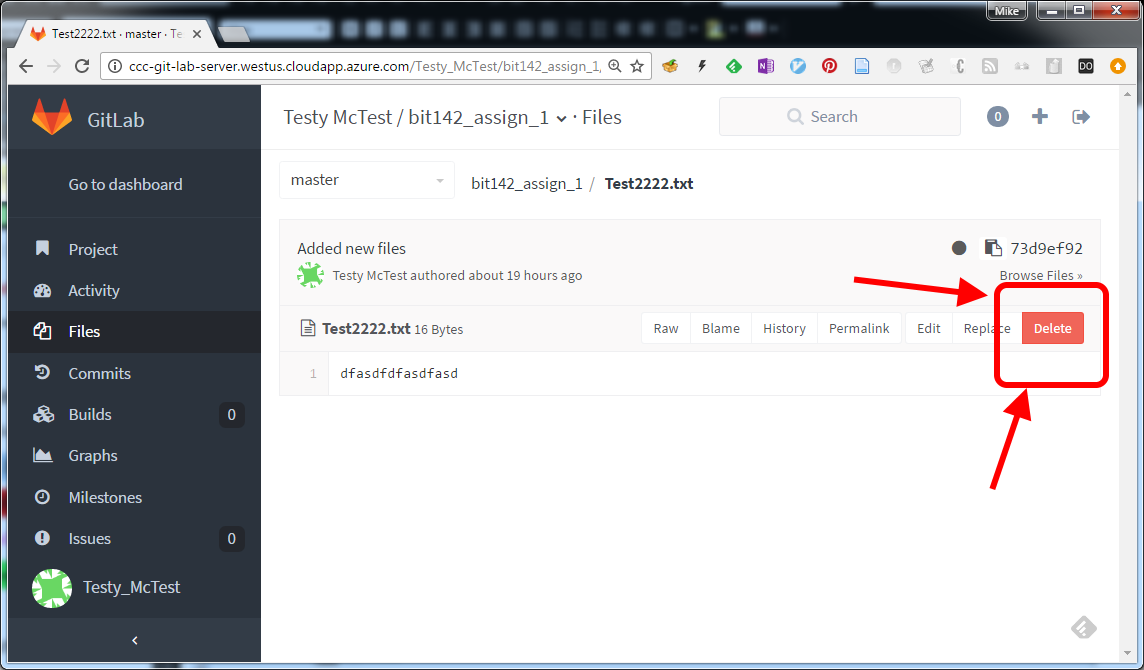
How To Use GitLab
GitLab Delete Repository What Is GitLab Delete Repository
GitLab Delete Repository Tutorials All In One Xgqfrms

GitLab Part 2 Delete Repository Remove Project Permanently YouTube

Configuring Your GitLab Repository Liferay Learn
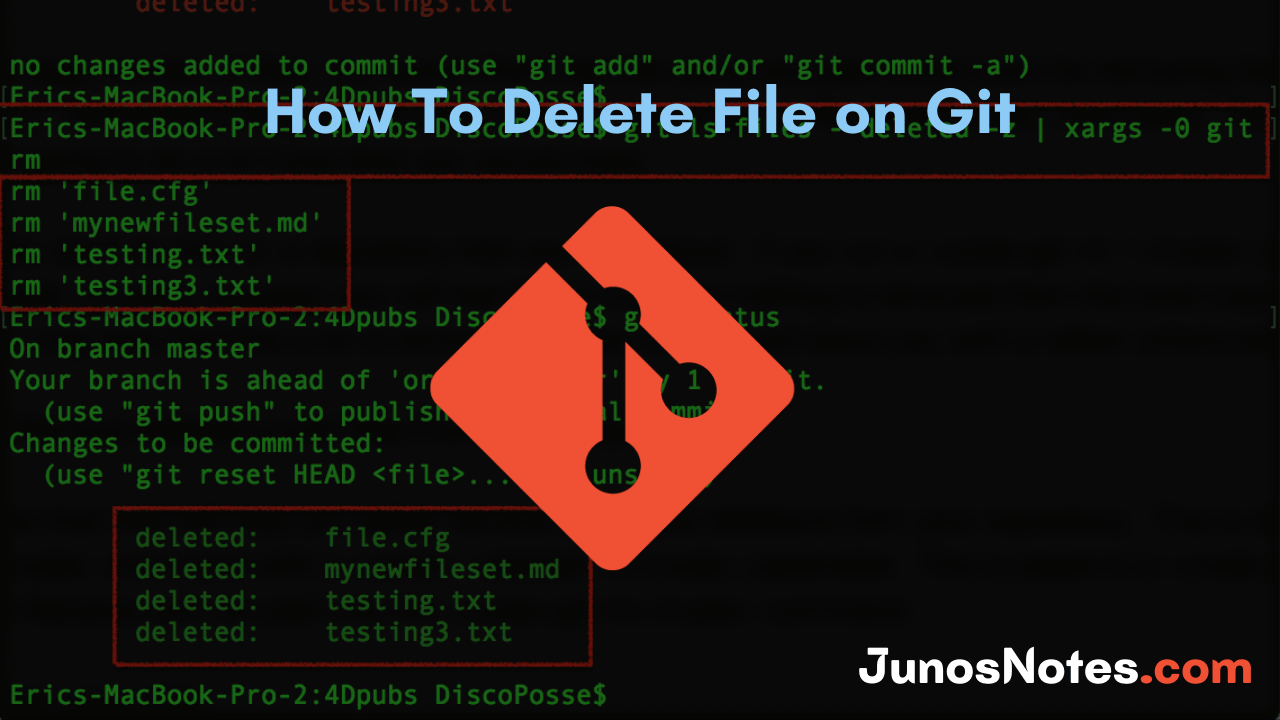
How To Delete File On Git Removing Files From Git Repository Using
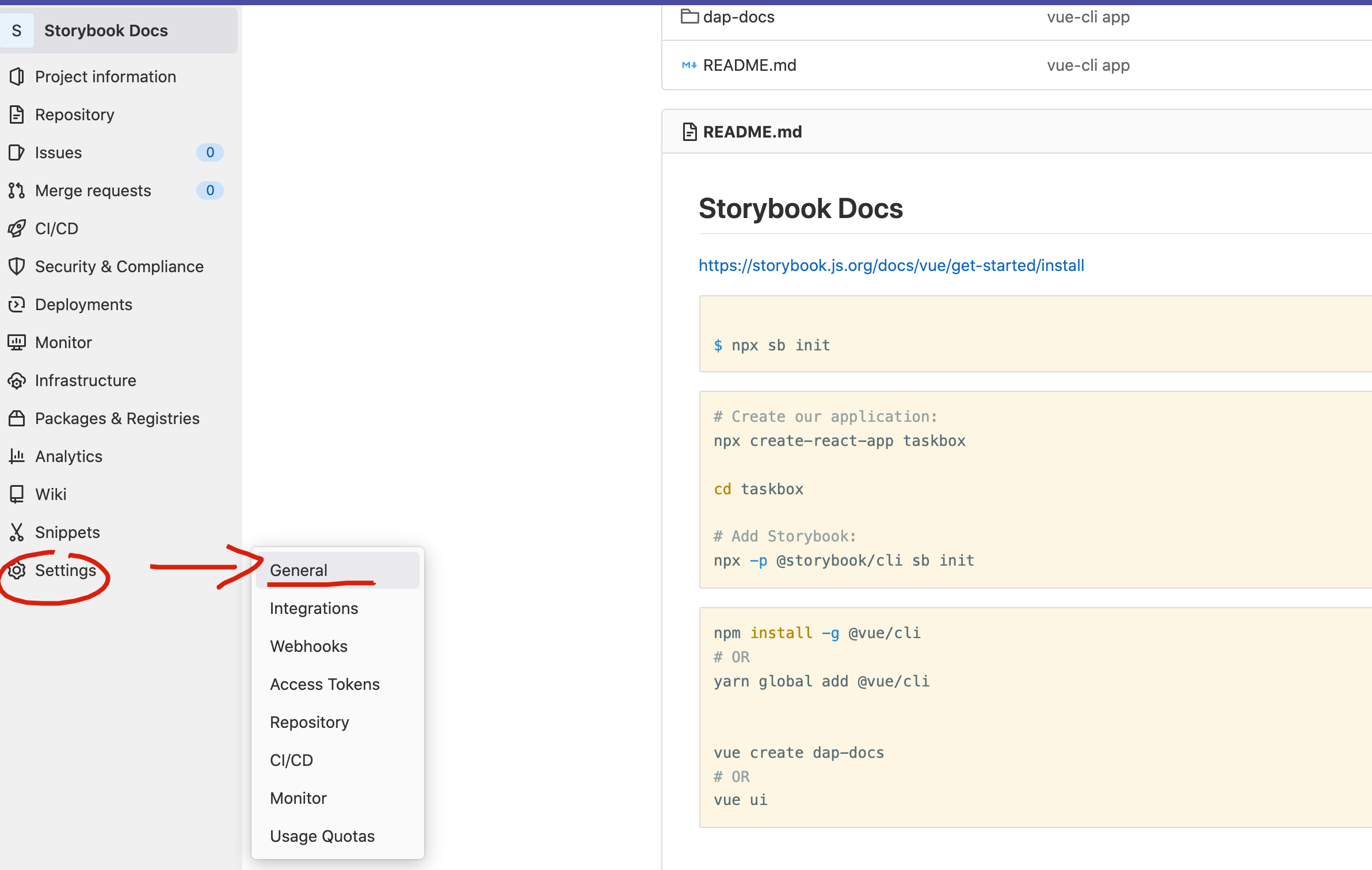
Web Jun 4 2014 nbsp 0183 32 Select the quot General quot section you must be in the repository you want to delete to delete it If you have enough rights then at the bottom of the page will be the section named quot Advanced quot Then Click the quot Expand quot button Scroll down in the quot Advanced quot section then Click the quot Delete project quot button
Web Dec 14 2018 nbsp 0183 32 Full 2023 solution to only reset the repository to a new clean state In your repository navigate to Code gt Branches and delete all branches except for master main In your repository settings navigate to Repository gt Protected branches and toggle Allowed to force push for the master main branch to ON
Web Remove a file from the repository by using git rm lt file folder gt If you want to keep it in the file system while removing it from the repository you can use git rm cached lt file folder gt If you want to delete a file recursively you can use git rm r lt folder gt

Web no Blame range curl header quot PRIVATE TOKEN lt your access token gt quot quot https gitlab example api v4 projects 13083 repository files path 2Fto 2Ffile rb blame ref main quot Example response quot commit quot quot id quot quot d42409d56517157c48bf3bd97d3f75974dde19fb quot quot message quot quot Add feature n nalso fix bug n quot quot parent ids quot
Web 30 Jul 2020 After a developer locally installs GitLab or signs up for a membership with the cloud based offering their first order of business will be to create a GitLab project But developers can also delete a GitLab project if they choose Here we demonstrate how to easily create and delete GitLab projects Project facets
Web On GitHub navigate to the main page of the repository Under your repository name click Settings If you cannot see the quot Settings quot tab select the dropdown menu then click Settings Scroll down to the quot Danger Zone quot section and click Delete this repository Click I want to delete this repository Web Apr 15 2023 nbsp 0183 32 1 First we need to login into GitLab 2 After that we need to click on the create project button and fill in the required information the name of the project the URL of the project and visibility of the project that is private or public etc 3
Web Mar 26 2021 nbsp 0183 32 Next click the repo that you want to delete in the quot Repositories quot group in the left hand pane Select the quot Settings quot button under the repo s analytics Now scroll to the bottom of the Settings page until you see the Danger Zone section Here click