Git Set Upstream Branch To Push 023 Git Push set upstream Remote Branch GitFichas Upstream Git Git fatal The Current Branch Master Has No Upstream Branch To How To Set Upstream Branch On Git What Is A Git Upstream Branch How To Set Or Change Upstream Branch In Git Web The easiest way to set an upstream branch is to use the quot set upstream quot option when pushing the branch to the remote repository for the first time git push set upstream origin lt branch gt A shorter synonym is the quot u quot option instead of the self explaining but clunky quot set upstream quot git push u origin lt branch gt
Web Mar 17 2021 nbsp 0183 32 1 Answer Sorted by 1 To push the current branch and set the remote as upstream use git push set upstream origin master When you use git push it means you are trying to upload your local repository to remote repository which is hosted somewhere online it could be github gitlab etc Web Jul 25 2013 nbsp 0183 32 I solved this issue by using this simple Bash script It won t work on existing branches but if you create all of your branches with this function you ll always have your upstream branch set automatically function con git checkout b 1 amp amp git push set upstream origin 1
How To Set Or Change Upstream Branch In Git Set Upstream Branch In Git How To Set Upstream Branch On Git What Is A Git Upstream Branch Wie Man Einen Lokalen Git Branch Dauerhaft L scht Computer Weekly Git Delft Git Set Upstream Explained Practical Examples GoLinuxCloud Auto Setup Remote Branch And Never Again See An Error About The Missing Git Set Upstream Learn Version Control With Git Git How To Automatically Create Upstream Branches Adam Johnson
Git Set Upstream Branch To Push
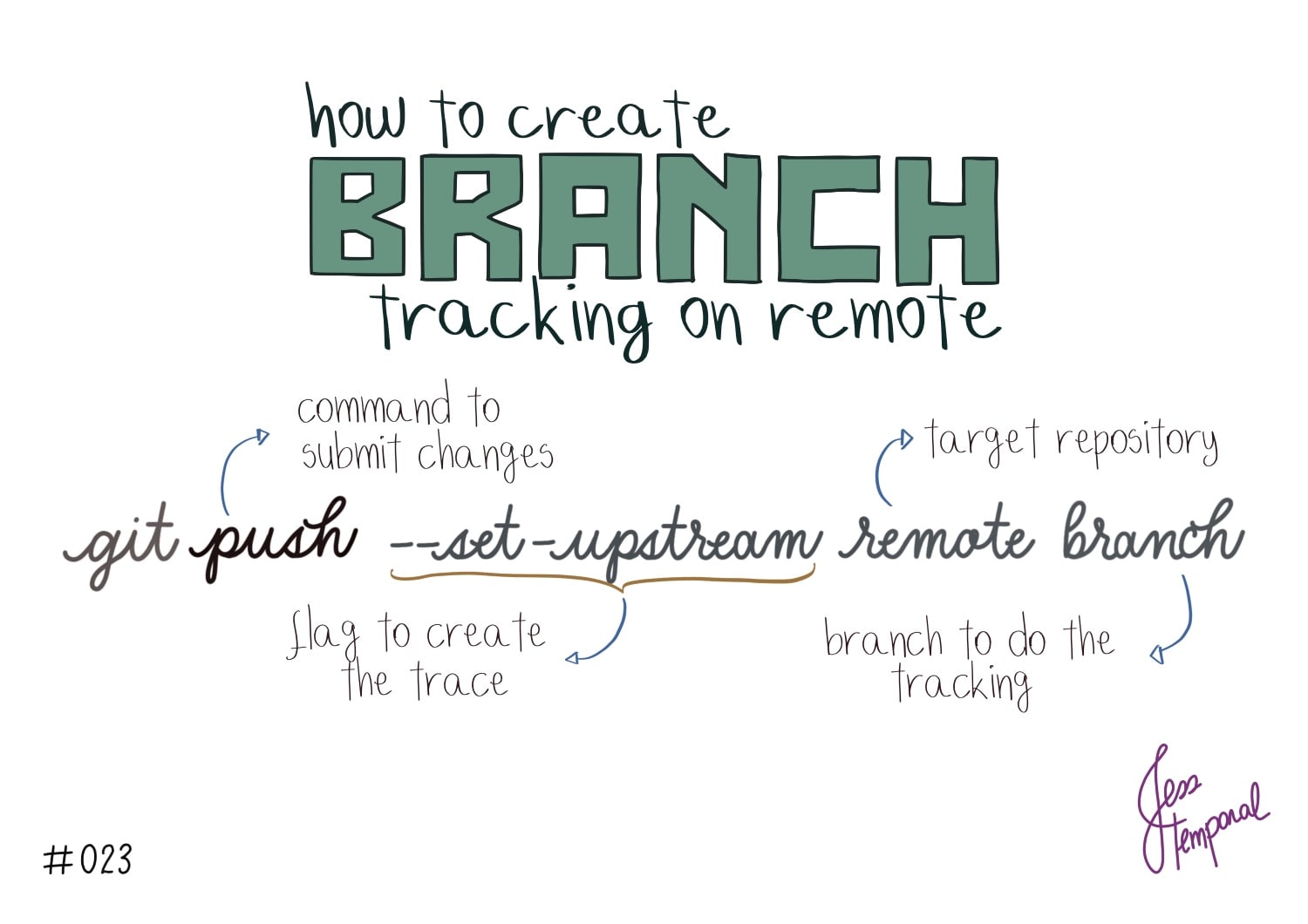 Git Set Upstream Branch To Push
https://res.cloudinary.com/jesstemporal/image/upload/f_auto/v1642878598/gitfichas/en/023/thumbnail_ep3jvp.jpg
Web The git push command takes two arguments A remote name for example origin A branch name for example main For example git push REMOTE NAME BRANCH NAME As an example you usually run git push origin main to push your local changes to your online repository Renaming branches
Pre-crafted templates offer a time-saving option for creating a varied range of documents and files. These pre-designed formats and layouts can be made use of for numerous individual and expert jobs, including resumes, invitations, flyers, newsletters, reports, presentations, and more, simplifying the content development process.
Git Set Upstream Branch To Push

How To Set Upstream Branch On Git Scaler Topics
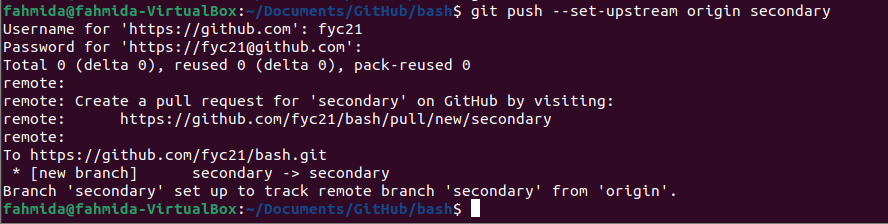
Set Upstream Branch In Git
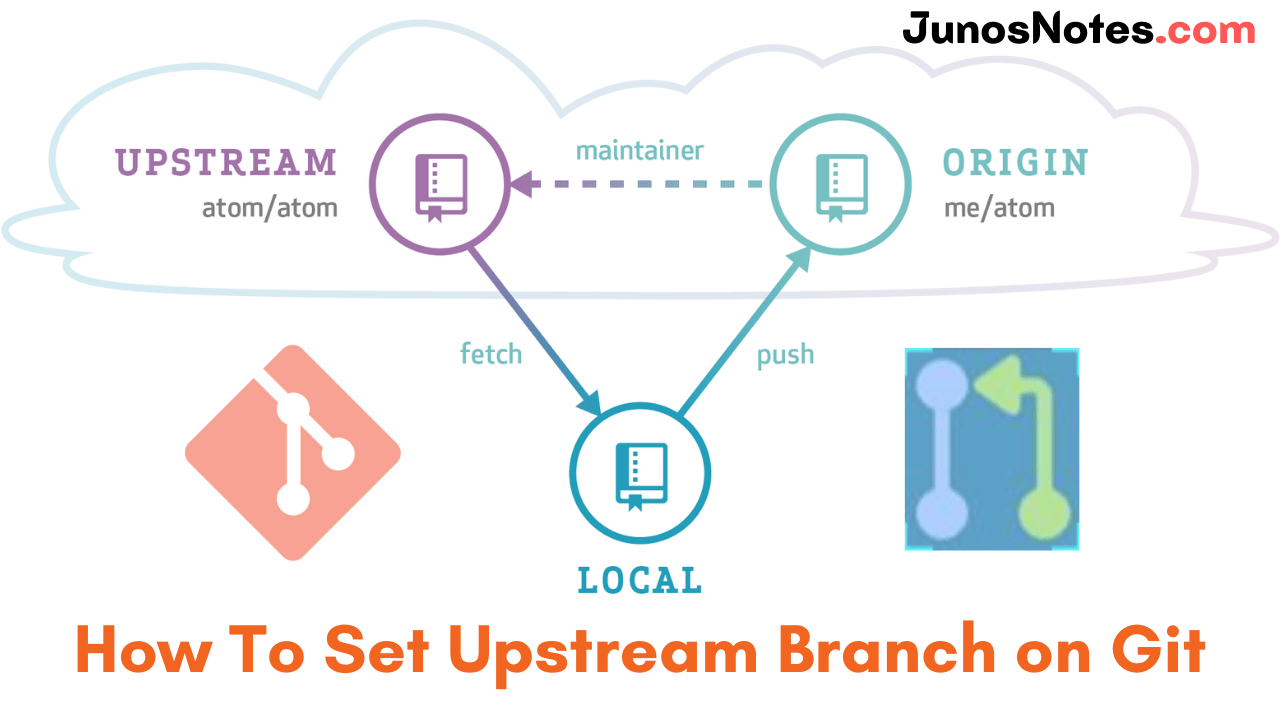
How To Set Upstream Branch On Git What Is A Git Upstream Branch
Wie Man Einen Lokalen Git Branch Dauerhaft L scht Computer Weekly

Git Set Upstream Explained Practical Examples GoLinuxCloud

Auto Setup Remote Branch And Never Again See An Error About The Missing
Web Oct 31 2019 nbsp 0183 32 The easiest way to set the upstream branch is to use the git push command with the u option for upstream branch git push u lt remote gt lt branch gt Alternatively you can use the set upstream option that is equivalent to the u option

Web Jun 12 2016 nbsp 0183 32 Briefly explained set upstream in git push as opposed to git branch with set upstream to is what b is to git checkout as opposed to git branch or nowadays git switch c This is insanity throughout and you shouldn t expect anything less

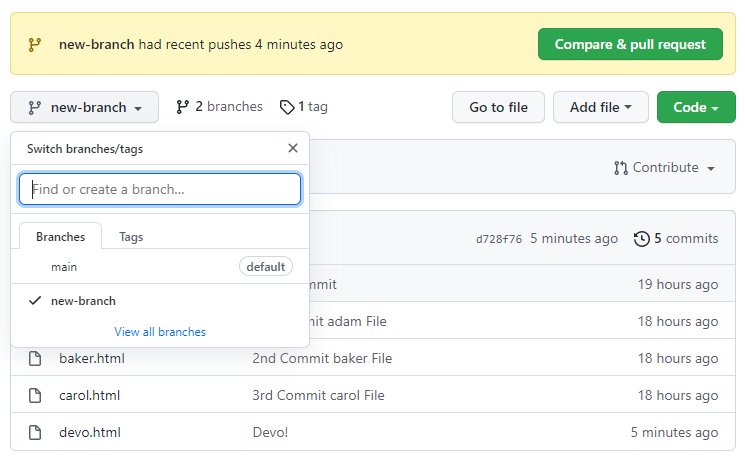
Web Feb 20 2022 nbsp 0183 32 When the current branch i e new branch has no Upstream branch set and we try to run the command Git push After running the below command in cmd Now you need to set the upstream branch using the Git push command with the u option Replace lt branch name gt with your branch name
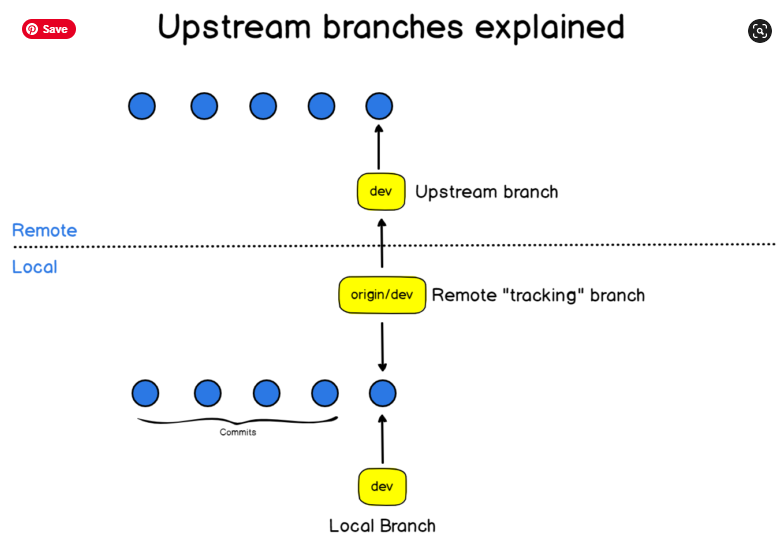
Web May 5 2020 nbsp 0183 32 git push u upstream mybranch That means quot Take my local mybranch push it up to the upstream remote where it too will be called mybranch and at the same time give me a tracking branch that will act as a linkage between the local mybranch and the remote mybranch quot

Web Jan 18 2021 nbsp 0183 32 Method 1 Set Upstream Branch Using Git Push Using git push to set an upstream branch is the most straightforward way to set upstream branches in Git Note Forgot how to clone a repository Freshen up your memory with our Git Commands Cheat Sheet 1 Create a new branch and give it a name We named ours test
Web That is a basic walk through on git upstream how to set up a git upstream create a new branch collect changes publish with git fork and a sweet tip for how many commits ahead behind you are of your remote branch Bitbucket Server includes fork synchronization which basically relieves the developer from all the burden of keeping up Web May 22 2011 nbsp 0183 32 The default for branch autosetupmerge means that the upstream configuration for a new branch is only automatically set when creating a branch from a remote tracking branch e g lt remote name gt lt branch name gt see git config 1 You are probably creating your branches from existing local branches
Web Jun 4 2021 nbsp 0183 32 git branch set upstream to By using this command you can make an existing local branch track a specified remote branch For example git branch set upstream to remote name branch name git push set upstream By using this command you can setup tracking information for the current branch during the push For