Git Set Author And Email Git Commit Author Identity Unknown Please Tell Me Who You Are Email How To Setup Multiple Git Accounts In The Same Machine Guia Dos Principais Comandos Do GIT Bins 3 How To Install Git On Windows And Set Username And User Email Basic Git Operations 38 Configure Git Author Name And Email YouTube 4 659 2 23 28 Add a comment 8 Answers Sorted by 155 git config user email bob example Doing that one inside a repo will set the configuration on THAT repo and not globally Seems like that s pretty much what you re after unless I m misreading you Share Follow answered May 24 2011 at 20 40 Dan Ray 21 6k 6 63 87
You can suppress this message by setting them explicitly git config global user name Your Name git config global user email you example After doing this you may fix the identity used for this commit with git commit amend reset author but it still didn t update my username for committing to the github project 1 Using multiple names in the user name The easiest solution is to list all the authors in the user name setting git config user name Dick Grayson Bruce Wayne This can work well if the pair programming session lasts for a couple of hours spanning multiple commits as it has to be set only once
Basic Git Operations 38 Configure Git Author Name And Email YouTube How To Set Your User name And User email In Git YouTube JACK DANIEL S LOVERS By Marcelo Bonet EDICI N SINGLE BARREL DE REGALO Author Identity Unknown Please Tell Me Who You Are Run Git Config Author Identity Unknown Please Tell Me Who You Are Run Git Config How To Configure Git Username And Email Scott Spence Git Tips Set Username For Repository By Alexander Tyutin Medium Comment Configurer Une Branche En Amont Sur Git StackLima How To Set Upstream Branch On Git What Is A Git Upstream Branch
Git Set Author And Email
 Git Set Author And Email
https://code2care.org/git/git-commit-author-identity-unknown-please-tell-who-you-are-email/images/Git - Author identity unknown.png
Otherwise the co author s email will be available to the public in the commit message If you want to keep your email private you can choose to use a GitHub provided no reply email for Git operations and ask other co authors to list your no reply email in commit trailers For more information see Setting your commit email address
Templates are pre-designed documents or files that can be utilized for various purposes. They can conserve time and effort by offering a ready-made format and layout for creating different type of material. Templates can be used for individual or professional tasks, such as resumes, invitations, flyers, newsletters, reports, presentations, and more.
Git Set Author And Email

Git Set SSH Private Key Per Repository
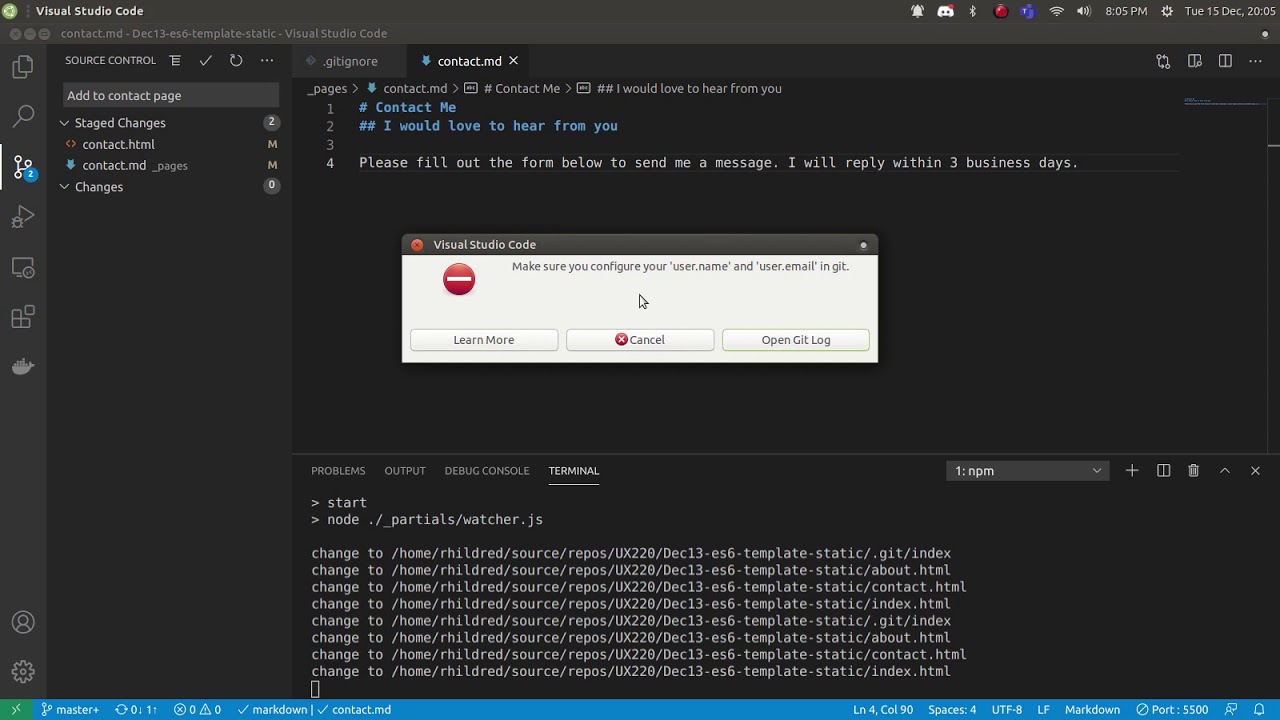
How To Set Your User name And User email In Git YouTube

JACK DANIEL S LOVERS By Marcelo Bonet EDICI N SINGLE BARREL DE REGALO

Author Identity Unknown Please Tell Me Who You Are Run Git Config
How To Configure Git Username And Email Scott Spence

Git Tips Set Username For Repository By Alexander Tyutin Medium

Download Now for Free Changing Your Git Author Identity There are three ways to change your committer identity in Git All of these methods only affect future commits not past ones Changing Your Committer Name Email Globally

First switch the repository root directory cd Code myapp Set a Git username and email address git config user name Your Name git config user email youremail yourdomain Verify that the changes were made correctly git config list user name Your Name user email youremail yourdomain
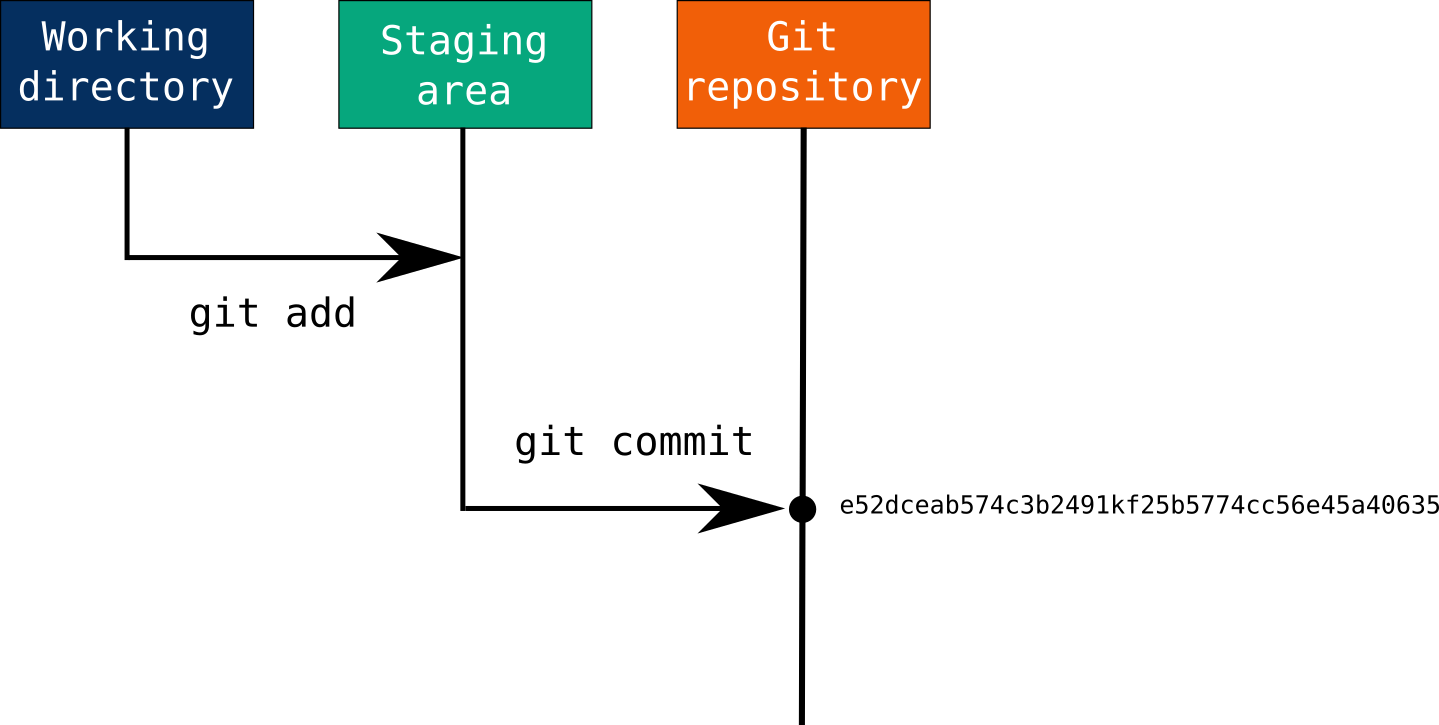
The first thing you should do when you install Git is to set your user name and email address This is important because every Git commit uses this information and it s immutably baked into the commits you start creating git config global user name John Doe git config global user email johndoe example

6 Answers Sorted by 629 For just one repo go into to the relevant repo DIR and git config user name Your Name Here git config user email your email example For global default email which is configured in your gitconfig git config global user name Your Name Here git config global user email your email example

You can set the email address that is used to author commits on GitHub and on your computer Windows Linux About commit email addresses GitHub uses your commit email address to associate commits with your account on GitHub
Set the Git namespace see gitnamespaces 7 for details The namespace command line option also sets this value GIT CEILING DIRECTORIES GIT AUTHOR EMAIL The email address used in the author identity when creating commit or tag objects or when writing reflogs A System level These settings apply to every user on the system and all their repositories The configuration file is typically located at etc gitconfig on Linux Ubuntu Mint Debian systems or C ProgramData Git config on Windows b
To update the author information your computer uses on a global level e g for all repositories add the global flag git config global user name Marty McFly git config global user email marty mcfly thepinheads Editing the history of previous commits safely