Git Save Local Changes To Another Branch Understanding Git Merge Rebase Bisect Git 10 Git Aliases You Should Use If You Have Not Given In To The Fancy How To Push Local Git Repository To Github YouTube What Is Git Merging Git Rebasing And Git Bisect And Differences Web The quot commit quot command is used to save your changes to the local repository Note that you have to explicitly tell Git which changes you want to include in a commit before running the quot git commit quot command This means that a file won t be automatically included in the next commit just because it was changed
Web There are lots of situations where a clean working copy is recommended or even required when merging branches when pulling from a remote or simply when checking out a different branch The quot git stash quot command can help you to temporarily but safely store your uncommitted local changes and leave you with a clean working copy Web May 8 2018 nbsp 0183 32 The command saves your local modifications away and reverts the working directory to match the HEAD commit The modifications stashed away by this command can be listed with git stash list inspected with git stash show and restored potentially on top of a different commit with git stash apply
What Is Git Merging Git Rebasing And Git Bisect And Differences Create Merge Requests Code Reviews And Other Space Updates In Git Merge Vs Git Rebase Hashnode Francesco On Twitter Some Common Git Commands Git Create Branch From Another Branch Console Lasopaireland SOLVED How To Save Local Changes Temporarily In GIT GoLinuxCloud GIT Branch And Its Operations An Easy Understanding Digital Varys Git Branch Command To Create New Branch BEST GAMES WALKTHROUGH Git Merge Ultimate Guide Part 1
Git Save Local Changes To Another Branch
 Git Save Local Changes To Another Branch
https://krishnamohan.dev/images/04_02.jpeg
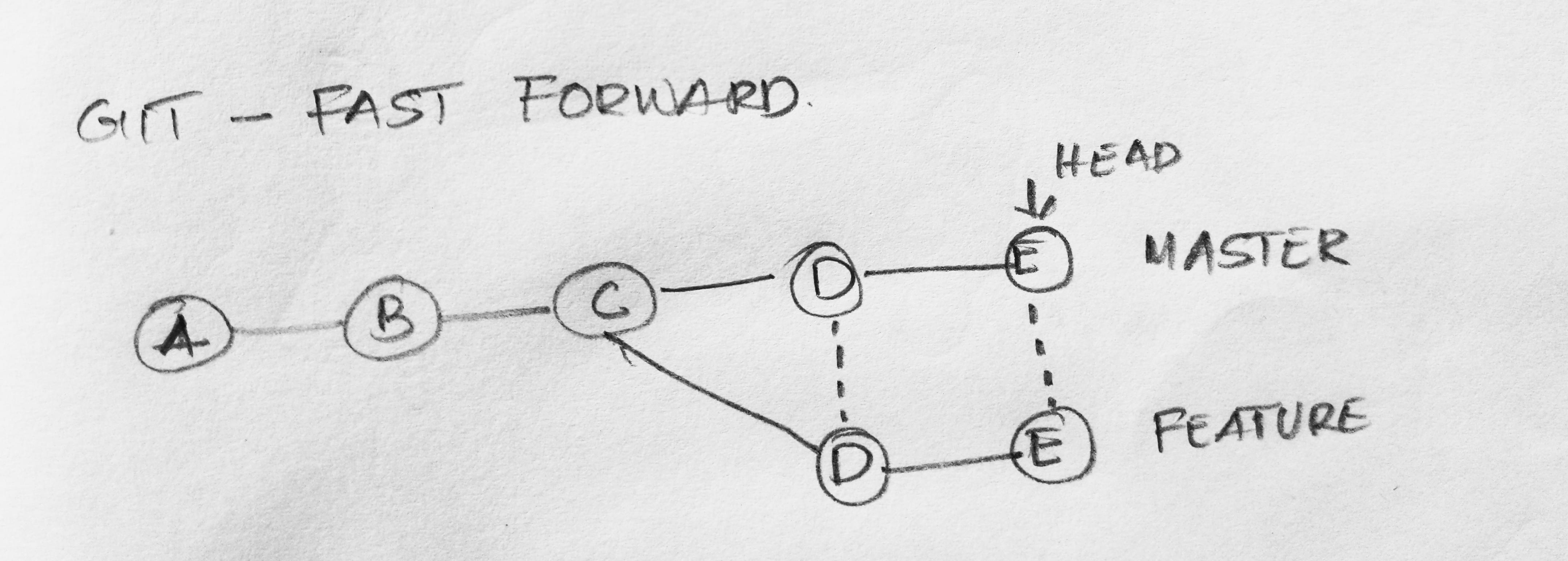
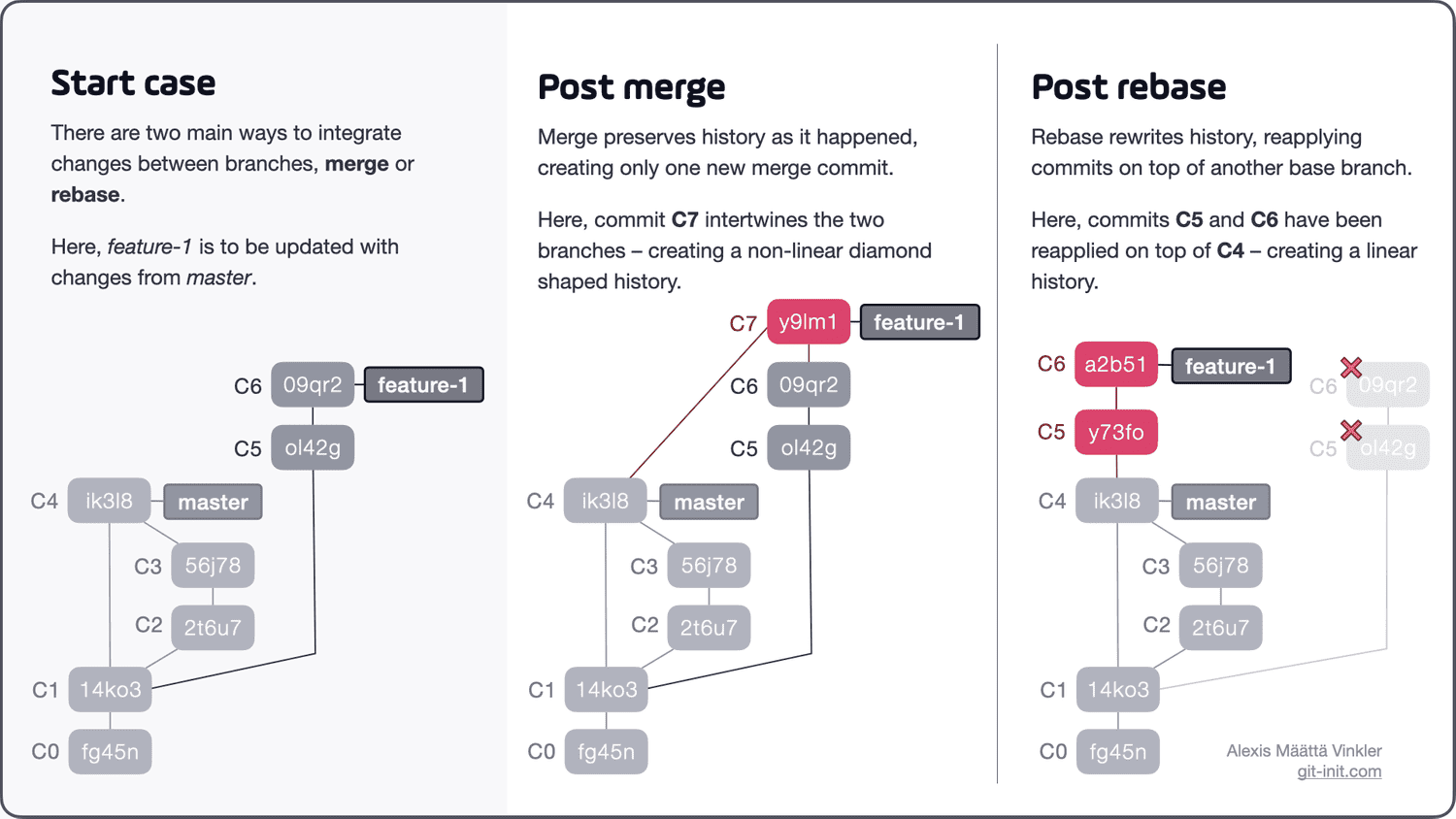
Web In Git there are two main ways to integrate changes from one branch into another the merge and the rebase In this section you ll learn what rebasing is how to do it why it s a pretty amazing tool and in what cases you won t want to use it The Basic Rebase
Templates are pre-designed files or files that can be utilized for different functions. They can save time and effort by providing a ready-made format and design for developing different sort of material. Templates can be used for individual or professional jobs, such as resumes, invites, leaflets, newsletters, reports, presentations, and more.
Git Save Local Changes To Another Branch

Git Rebase Vs Git Merge Git Coding How To Apply
Create Merge Requests Code Reviews And Other Space Updates In
Git Merge Vs Git Rebase Hashnode
Francesco On Twitter Some Common Git Commands

SOLVED How To Save Local Changes Temporarily In GIT GoLinuxCloud

GIT Branch And Its Operations An Easy Understanding Digital Varys
Web Nov 16 2021 nbsp 0183 32 You can get around this in a few ways The first is by making a new branch and then merging the diverging histories git checkout b tempfeature git checkout feature git merge tempfeature You can also use git stash to store changes for later and reapply them on a new branch git stash git switch feature git stash apply

Web May 31 2010 nbsp 0183 32 git stash git checkout other branch git stash pop The first stash hides away your changes basically making a temporary commit and the subsequent stash pop re applies them This lets Git use its merge capabilities

Web Dec 10 2016 nbsp 0183 32 Option 1 You can stash your changes If you have changes in Branch A while in branch A do git stash save quot hint to what stash contains quot To retrieve the changes git stash apply If you have multiple stashes you can list them and choose which stash to apply git stash list git stash apply stash lt STASH NUMBER gt
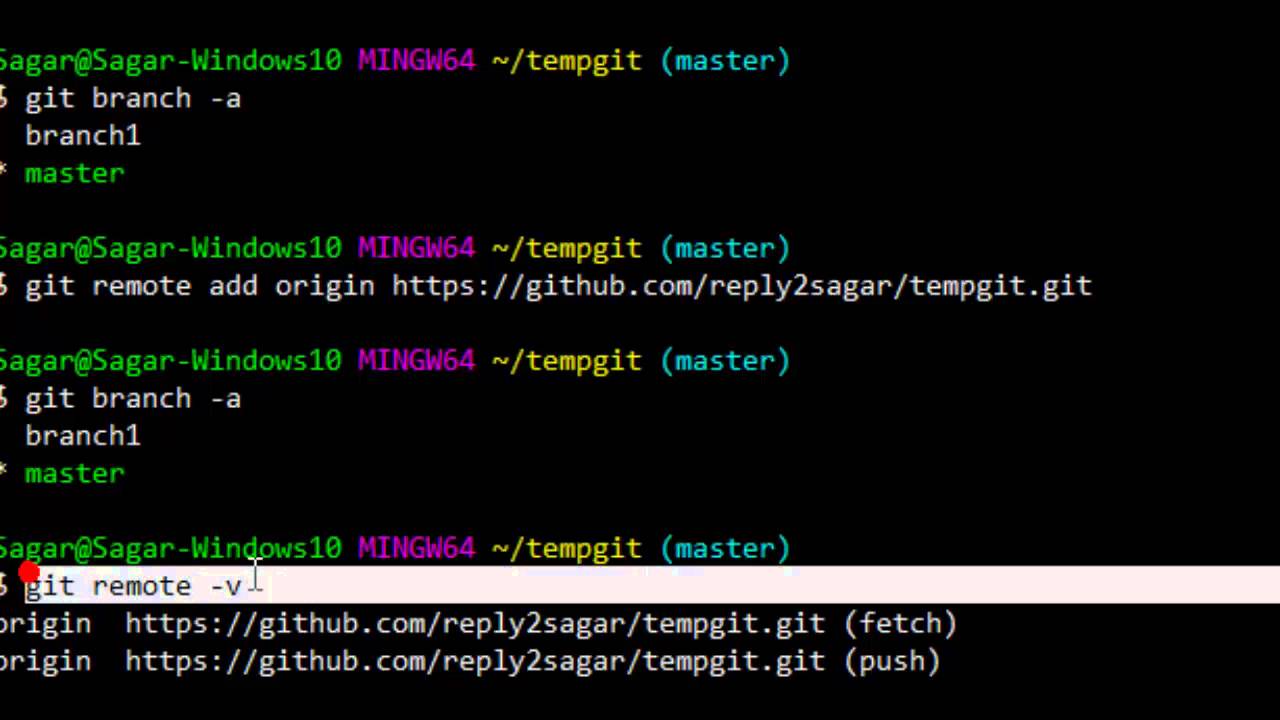
Web Oct 2 2021 nbsp 0183 32 Just run the following command git branchMINGW64 c example master git checkout b new git branch git branchMINGW64 c example new git branch ls The new Git branch will be created the local changes you made on the other branch waiting there for you Nothing has been deleted Save current changes in a new Git branch
Web Feb 6 2024 nbsp 0183 32 Next let s see how to move the changes to a new branch and keep master unchanged 3 Using the git checkout Command The git checkout b lt BranchName gt command will create a new branch and switch to it Moreover this command will leave the current branch as it is and bring all uncommitted changes to the new branch
Web Jan 27 2022 nbsp 0183 32 Switching unstaged changes to a new branch with the Git CLI it looks like this Here s how I generally switch unstaged changes to a new branch in Git git status git stash include untracked git checkout master git pull git branch content sharis git checkout content sharis git stash pop Web Apr 11 2019 nbsp 0183 32 Jan 28 2021 at 1 46 9 Answers Sorted by 992 Since your files are not yet committed in branch1 git stash git checkout branch2 git stash pop or git stash git checkout branch2 git stash list to check the various stash made in different branch git stash apply x to select the right one
Web Matt Forsyth Apr 19 2022 ADVERTISEMENT Table of Contents How Do You Save Changes in Git Background How Does Git Keep Track of Changes Git Saving Definitions Where Does Git Save Save Changes in Git How do I Save a Git Commit Git Status Git Add Command The staging area Ignoring Untracked Files Git Commit