Git Revert Ongoing Merge Git What Are Differences Between Revert Revert Commit And Reset Hot Git Revert Git Revert Commit Revert Last Commit StormIT pl How Do I Revert A Git Repo To A Previous Commit O Reilly Install Git On Windows How To Undo Changes In Git reset Vs Revert Vs Restore About version control and Git A version control system or VCS tracks the history of changes as people and teams collaborate on projects together As developers make changes to the
Git Git Git GitHub CLI GitHub GitHub CLI Git Git Pluralsight Git Git GitHub web GitHub
How To Undo Changes In Git reset Vs Revert Vs Restore gitattributes Best Practices Muhammad Rehan Saeed GIT EBook StudyEasy Organisation Revert Changes Merge Requests Project User Help GitLab Undo Changes With Git Revert Reverse The Committed Change DataGenX Git Ethereum After The Merge How To Revert A Git Commit The Git Revert Command YouTube Git Revert Merge
Git Revert Ongoing Merge
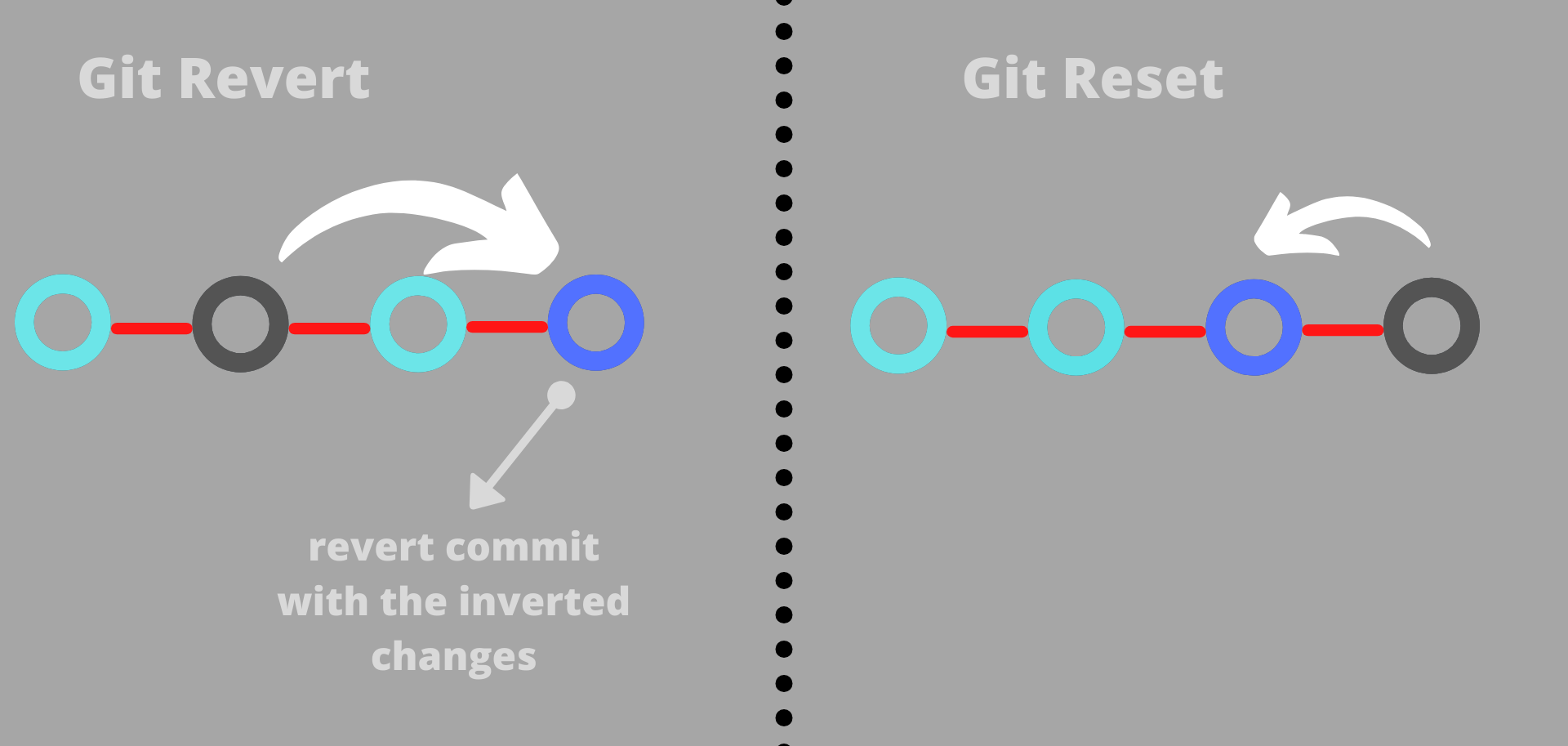 Git Revert Ongoing Merge
https://s3.ap-south-1.amazonaws.com/s3.studytonight.com/tutorials/uploads/pictures/1625062814-103268.png
Git basics Set up Git a distributed version control system to manage your GitHub repositories from your computer
Templates are pre-designed documents or files that can be used for different functions. They can conserve time and effort by supplying a ready-made format and layout for developing different type of material. Templates can be utilized for individual or professional jobs, such as resumes, invitations, leaflets, newsletters, reports, presentations, and more.
Git Revert Ongoing Merge

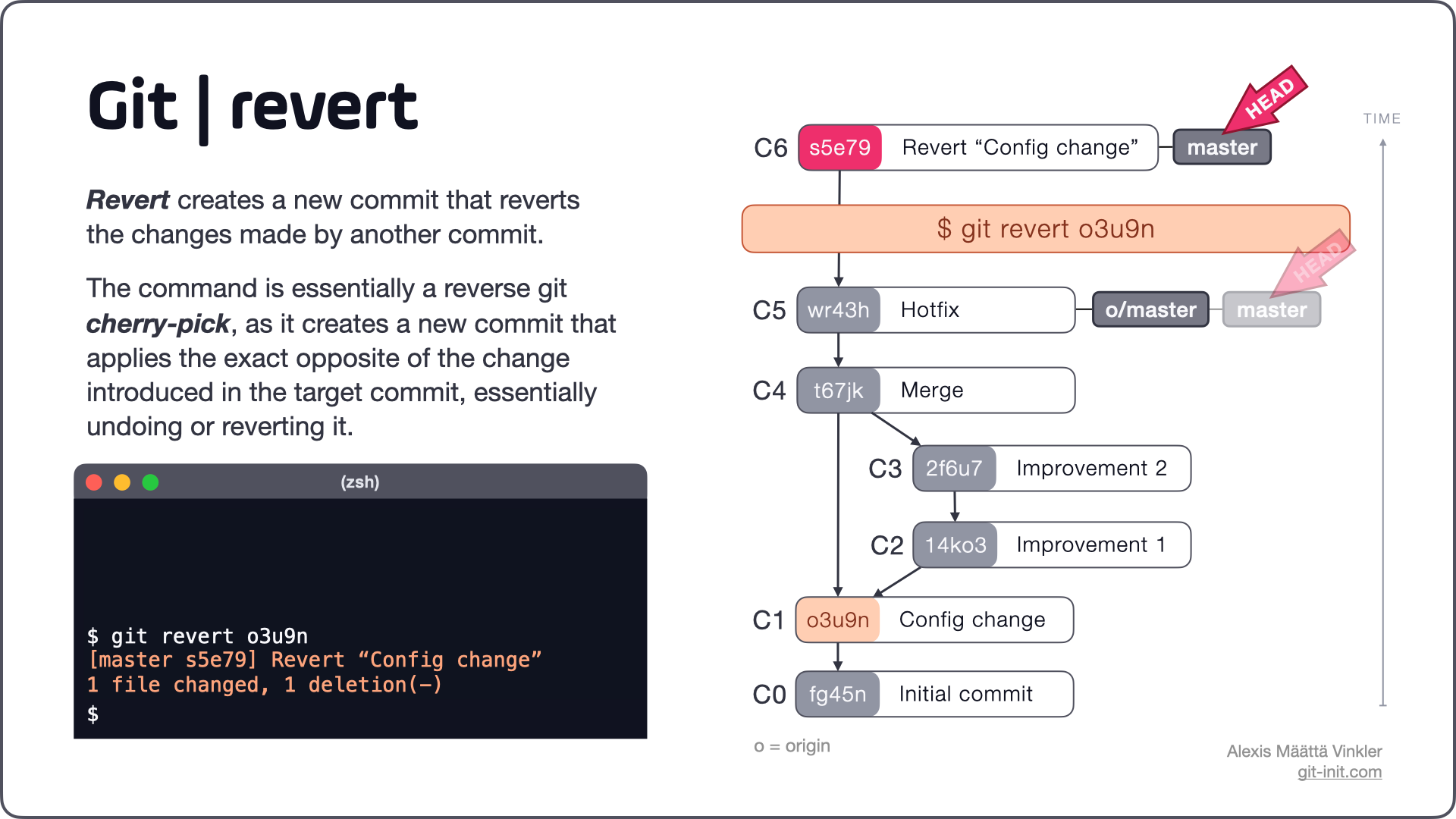
Git Revert A Pushed Merge To Erase Local Undesired Changes Pushed By
gitattributes Best Practices Muhammad Rehan Saeed
GIT EBook StudyEasy Organisation

Revert Changes Merge Requests Project User Help GitLab

Git

Ethereum After The Merge

Set up Git At the heart of GitHub is an open source version control system VCS called Git Git is responsible for everything GitHub related that happens locally on your computer

Join the world s most widely adopted AI powered developer platform where millions of developers businesses and the largest open source community build software that advances

Install Git Using GitHub Desktop Installing GitHub Desktop will also install the latest version of Git if you don t already have it With GitHub Desktop you get a command line version of Git with a
Git Public Git Source Code Mirror This is a publish only repository but pull requests can be turned into patches to the mailing list via GitGitGadget https gitgitgadget github io
Git figures out how to intelligently merge this flow of changes and GitHub helps you manage the flow through features such as quot pull requests quot Where do I start If you re new to GitHub and
[desc-11] [desc-12]
[desc-13]