Git Revert Multiple Commits After Merge How To Undo Pushed Commits With Git Sciencx Undo Changes With Git Revert Reverse The Committed Change DataGenX Git Revert Multiple Commits Delft Stack Git Revert A Pushed Merge To Erase Local Undesired Changes Pushed By Git Revert Multiple Commits Ajit Singh YouTube Tip When you revert multiple commits it s best to revert in order from newest to oldest If you revert commits in a different order you may see merge conflicts In the left sidebar click History Right click the commit you want to revert and click Revert Changes in Commit You can use GitHub Desktop to revert a specific commit to remove its
Since the methods discussed above will revert uncommitted changes Git provides a safer flag which is merge To undo a merge with the merge flag run git reflog to see the hashes of commits then run git reset merge previous commit You can also use the HEAD keyword with the merge flag by running git reset merge HEAD 1 N B How to Revert Multiple Git Commits By squashlabs Last Updated October 27 2023 Method 1 Using the git revert command Method 2 Using the git reset command Best Practices Reverting multiple Git commits can be a straightforward process if you follow the right steps
Git Revert Multiple Commits Ajit Singh YouTube Revert Changes Merge Requests Project User Help GitLab How To Revert Multiple Commits In Git How To Revert Multiple Commits In Git Git Revert File Reverting A File To A Previous Commit Git Revert Multiple Commits At A Time Grow Together By Sharing Knowledge Git Fetch And Checkout BlissWas Git Un Merge Deferred Procrastination Squash The Last X Commits Using Git Baeldung
Git Revert Multiple Commits After Merge
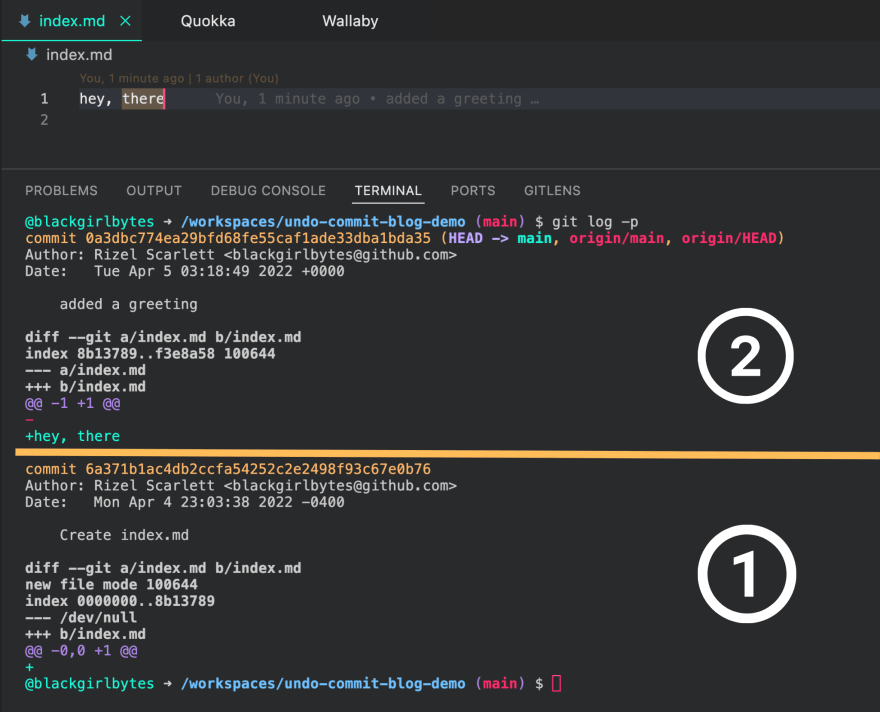 Git Revert Multiple Commits After Merge
https://res.cloudinary.com/practicaldev/image/fetch/s--WJ4vIovB--/c_limit%2Cf_auto%2Cfl_progressive%2Cq_auto%2Cw_880/https://dev-to-uploads.s3.amazonaws.com/uploads/articles/l2xkq5x8b08s7safkhdu.png
How to Undo an Unpushed Merge If you ve done a merge and haven t pushed it yet undoing the merge is very simple Use the git reset command to return to the revision before the merge thereby effectively undoing it git reset hard commit hash before merge
Templates are pre-designed files or files that can be utilized for various functions. They can conserve time and effort by supplying a ready-made format and layout for creating different kinds of material. Templates can be utilized for individual or expert tasks, such as resumes, invites, leaflets, newsletters, reports, discussions, and more.
Git Revert Multiple Commits After Merge
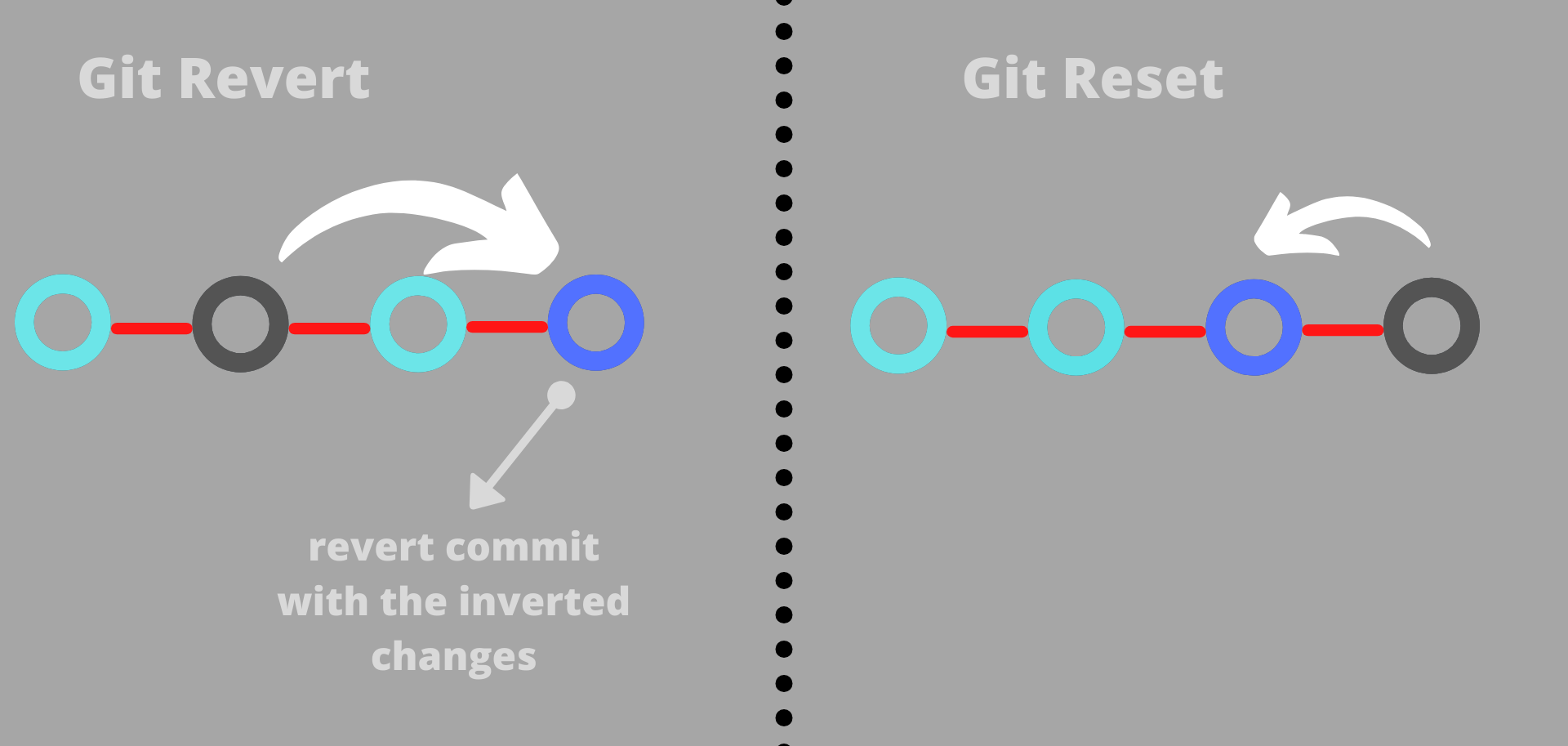
Git Revert Studytonight

Revert Changes Merge Requests Project User Help GitLab
How To Revert Multiple Commits In Git

How To Revert Multiple Commits In Git

Git Revert Multiple Commits At A Time Grow Together By Sharing Knowledge
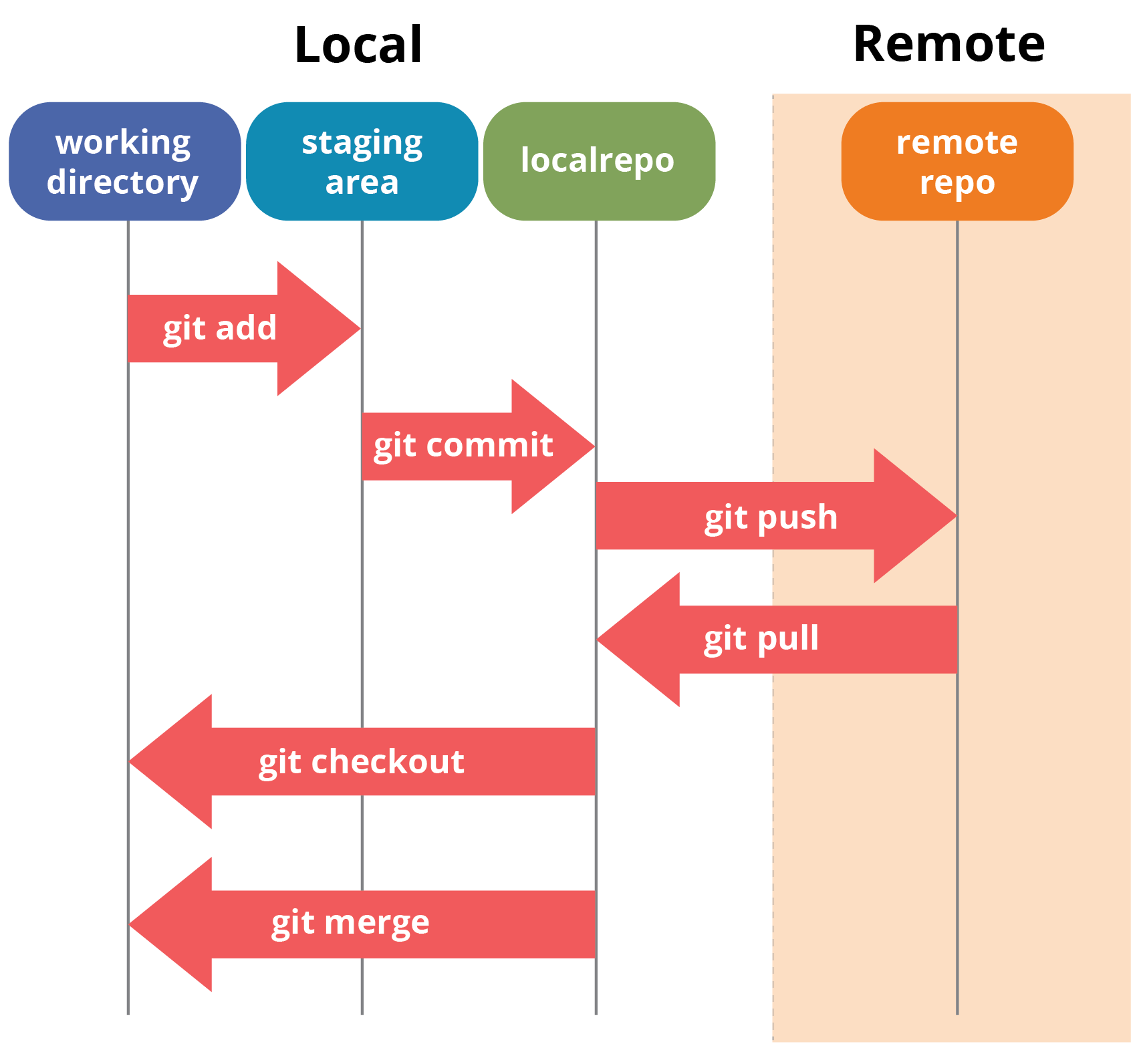
Git Fetch And Checkout BlissWas

The easiest way to revert multiple commits is to use the git reset command To revert multiple commits use the git reset command with the last commit s hash that you want to preserve like so bash git reset hard hash This article will explore different ways of reverting multiple commits at once Let s get to it

With this option git revert will let you edit the commit message prior to committing the revert This is the default if you run the command from a terminal m parent number mainline parent number Usually you cannot revert a merge because you do not know which side of the merge should be considered the mainline

Git How to revert multiple commits as part of a single commit Stack Overflow How to revert multiple commits as part of a single commit Asked 11 years 7 months ago Modified 8 years ago Viewed 61k times 78 This is not a major problem just something I want to know whether or not is possible

340 I have run into a bit of a problem here I had a problem specific branch 28s in Git that I merged in the general develop branch Turns out I had done it too fast so I used git revert to undo the merge

This displays the commit in the Changes tab of your merge request Select the commit hash you want to revert GitLab displays the contents of the commit Select Code Commits Select the title of the commit to display full information about the commit In the upper right corner select Options then select Revert
Resetting Locally Reverting a Commit That s Already Pushed Accidentally doing the wrong thing is very common when working with Git but luckily it s built to keep track of your repository s version history There s always a way to reverse changes made and if you want to undo a Git merge it s pretty easy Undoing a Git Merge 1 REVERTING A COMMIT First lets see what the revert command does git revert commit sha The revert command in git takes in a commit id and compares the changes with the parent The delta or the diff is calculated and the negation of it applied as a new commit
After reverting multiple commits in Git it s essential to conduct thorough testing and validation to ensure that the codebase remains stable and functional Here are some tips for effectively testing and validating your code after reverting commits Perform unit tests Run unit tests to verify that the codebase functions as expected after