Git Revert Branch Commits How Do I Revert A Git Repo To A Previous Commit O Reilly Git Revert Reset Branch Git What Are Differences Between Revert Revert Commit And Reset Hot Git Revert File Reverting A File To A Previous Commit How To Reset Your Git Branch To A Previous Commit both Local And WEB Use git checkout to move around and review the commit history git revert is the best tool for undoing shared public changes git reset is best used for undoing local private changes
WEB Jun 19 2018 nbsp 0183 32 How to revert a Git commit The net effect of the git revert command is similar to reset but its approach is different Where the reset command moves the branch pointer back in the chain typically to quot undo quot changes the revert command adds a new commit at the end of the chain to quot cancel quot changes WEB The git revert command is used for undoing changes to a repository s commit history Other undo commands like git checkout and git reset move the HEAD and branch ref pointers to a specified commit Git revert also takes a specified commit however git revert does not move ref pointers to this commit
How To Reset Your Git Branch To A Previous Commit both Local And Git Revert Multiple Commits At A Time Grow Together By Sharing Knowledge Git Revert Multiple Commits Ajit Singh YouTube GIT EBook StudyEasy Organisation Git Revert A Pushed Merge To Erase Local Undesired Changes Pushed By How To Revert Multiple Commits In Git How To Revert Multiple Commits In Git Revert Changes Merge Requests Project User Help GitLab GIT Commands Basic To Advanced GIT Commands List That You Should Know
Git Revert Branch Commits
 Git Revert Branch Commits
https://www.oreilly.com/content/wp-content/uploads/sites/2/2020/01/how-do-i-revert-a-git-repo-to-a-previous-commit-d44a29f2bb82503f44e0d253181be072-1024x576.png
WEB Jul 10 2020 nbsp 0183 32 When you have your commit id you can type git reset hard lt commit id gt It s important that you use the hard option because this way your files will also be reset locally Obviously only
Templates are pre-designed files or files that can be used for numerous functions. They can save time and effort by supplying a ready-made format and layout for creating various kinds of content. Templates can be utilized for individual or professional tasks, such as resumes, invitations, flyers, newsletters, reports, discussions, and more.
Git Revert Branch Commits

Git Revert File Reverting A File To A Previous Commit

Git Revert Multiple Commits At A Time Grow Together By Sharing Knowledge
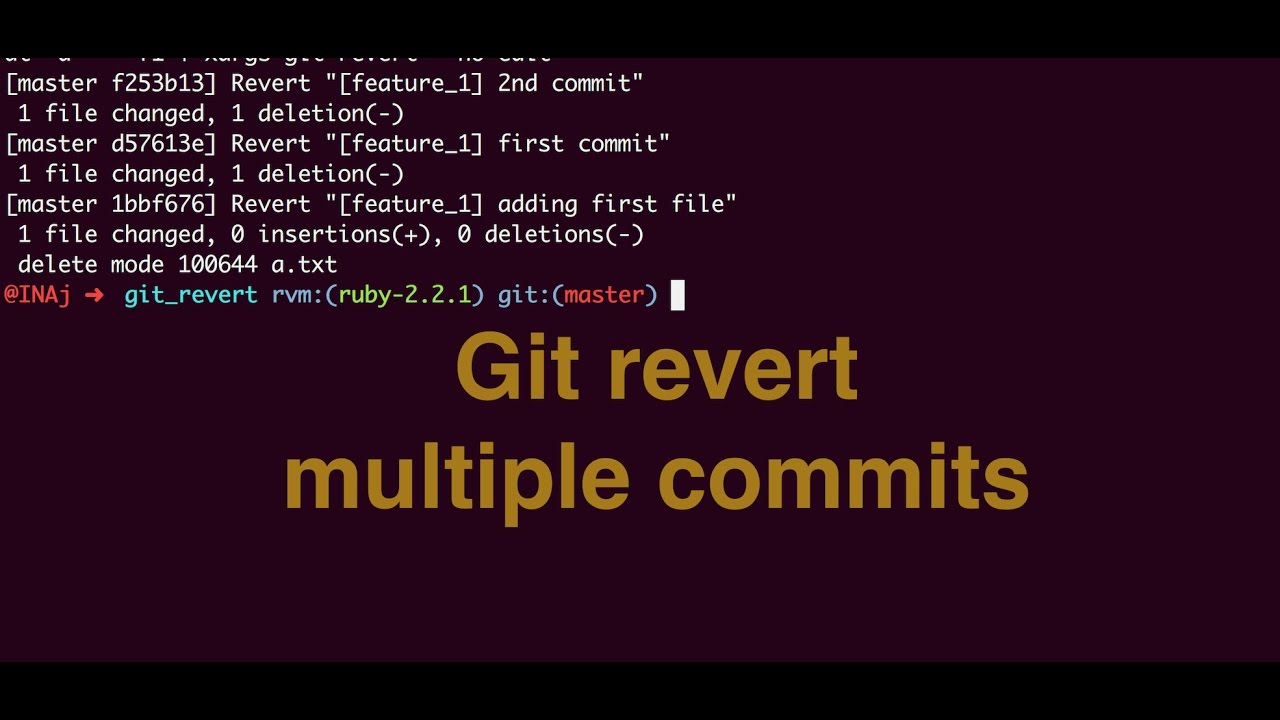
Git Revert Multiple Commits Ajit Singh YouTube

GIT EBook StudyEasy Organisation

How To Revert Multiple Commits In Git
How To Revert Multiple Commits In Git

WEB git revert no commit HEAD 2 is a slightly more idiomatic way to do it If you re on master branch no need to specify master again The no commit option lets git try to revert all the commits at once instead of littering the history with multiple revert commit messages assuming that s what you want
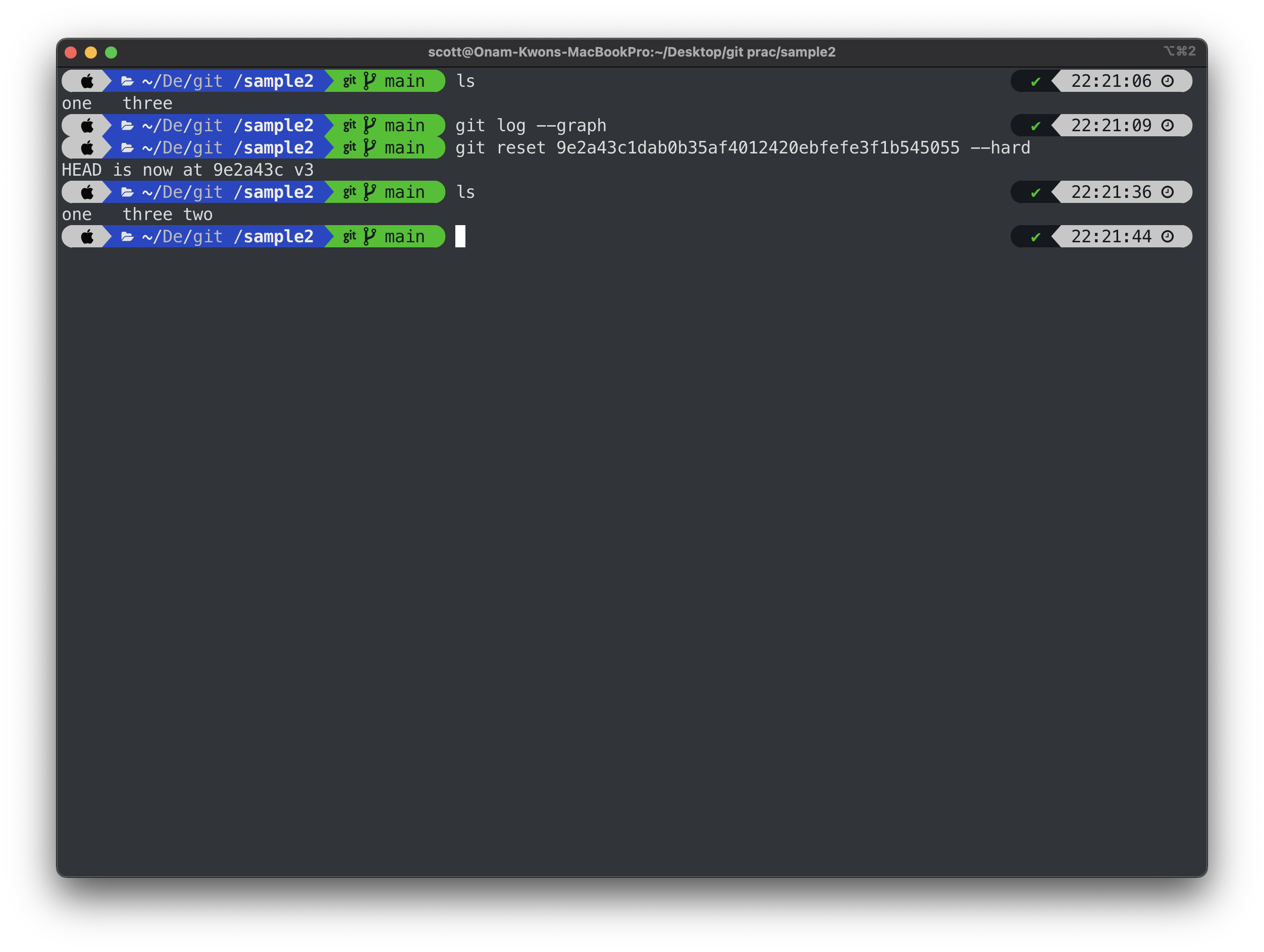
WEB Checkout the branch you want to revert then reset your local working copy back to the commit that you want to be the latest one on the remote server everything after it will go bye bye To do this in SourceTree I right clicked on the and selected quot Reset BRANCHNAME to this commit quot

WEB git revert n master 5 master 2 Revert the changes done by commits from the fifth last commit in master included to the third last commit in master included but do not create any commit with the reverted changes The revert only

WEB Feb 6 2024 nbsp 0183 32 With git revert we can safely undo a public commit whereas git reset is tailored toward undoing local changes in the working directory and staging index git reset will move the HEAD ref pointer whereas git revert will simply revert a commit and apply the undo via a new commit to the HEAD
WEB Oct 19 2022 nbsp 0183 32 To revert to the to the previous commit run the git revert command along with the commit ID of the current commit In our case we ll be using the ID of the third commit git revert 882ad02 The command above will undo the current commit and revert the file to the state of the previous commit
WEB Oct 24 2009 nbsp 0183 32 Reset your current branch to your desired commit with git reset git reset hard c2e7af2b51 Replace c2e7af2b51 with the commit that you want to go back to WEB You can use GitHub Desktop to revert a specific commit to remove its changes from your branch When you revert to a previous commit the revert is also a commit The original commit also remains in the repository s history
WEB May 30 2020 nbsp 0183 32 Go back to the selected commit on your local environment Use git checkout amp the ID in the same way you would checkout a branch to go back git checkout lt commit id gt