Git Remote Repository Url Change Git Change Remote URL In Local Repository TecAdmin How To Change Git Remote Origin URL DevsDay ru 34 Creating The First Repository In GitHub Get Remotes List In The How To Setup Multiple Git Accounts In The Same Machine Learn How To Use Local And Remote Repositories In Git YouTube To change the remote URL for a repository you ll need to update the configuration file with the new URL Otherwise you ll get an error when attempting to push your repository If you don t want to edit the configuration file you can also clone the repository from the new location
When this happens you ll need to change the URL for your remote repository in your local repo In this short article that s exactly what I ll cover First let s get straight to the command you re here for git remote set url remote repo remote repo url So if you re wanting to change the URL for origin to a new URL on my GitHub Following is a basic syntax which we will use through out this article to change remote URL For complete list of supported options you can check official git documentation bash git remote set url push name newurl oldurl git remote set url add push name newurl git remote set url delete push name url
Learn How To Use Local And Remote Repositories In Git YouTube Change Git Remote URL To SSH From HTTPS MSSQL DBA Blog Jan David Narkiewicz Developer Git Adding Remote Origin To A Local Git Will Remote URL For Fetch And Push Be Different Stack Overflow Getting Changes From A Remote Repository GitHub Docs GIT Tutorial Remote Repositories Vividbreeze Dev Blog Git Add Remote After Init Stormauctions The Git Experience In Visual Studio Microsoft Learn Git Tutorial A Comprehensive Beginner s Guide
Git Remote Repository Url Change
 Git Remote Repository Url Change
https://tecadmin.net/wp-content/uploads/2023/01/git-set-remote-url.png
The git remote set url command allows you to change a Git remote URL On Career Karma learn how to use the git change remote command Explore your training options in 10 minutes Get Started X Back You can change a Git repository s remote URL using the git remote set url command You can also modify a remote URL by modifying the git
Pre-crafted templates provide a time-saving service for producing a varied series of documents and files. These pre-designed formats and layouts can be utilized for numerous personal and expert projects, consisting of resumes, invites, flyers, newsletters, reports, presentations, and more, enhancing the material production process.
Git Remote Repository Url Change

VS Code Git Action Failing With Error Git Fatal git github name
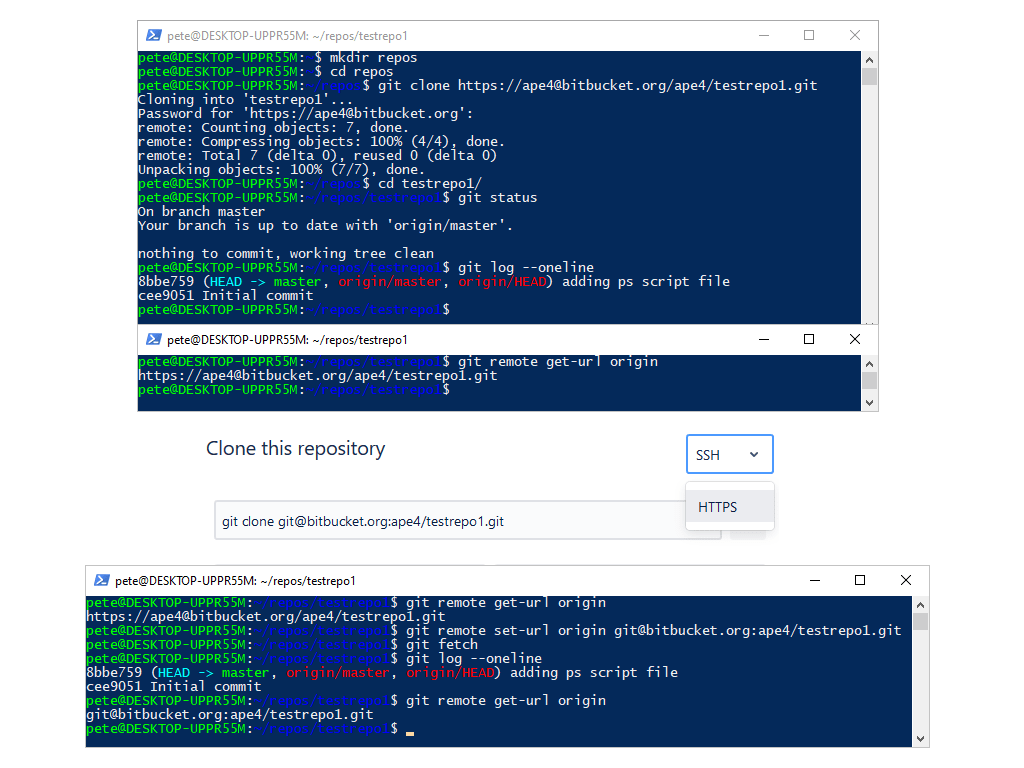
Change Git Remote URL To SSH From HTTPS MSSQL DBA Blog
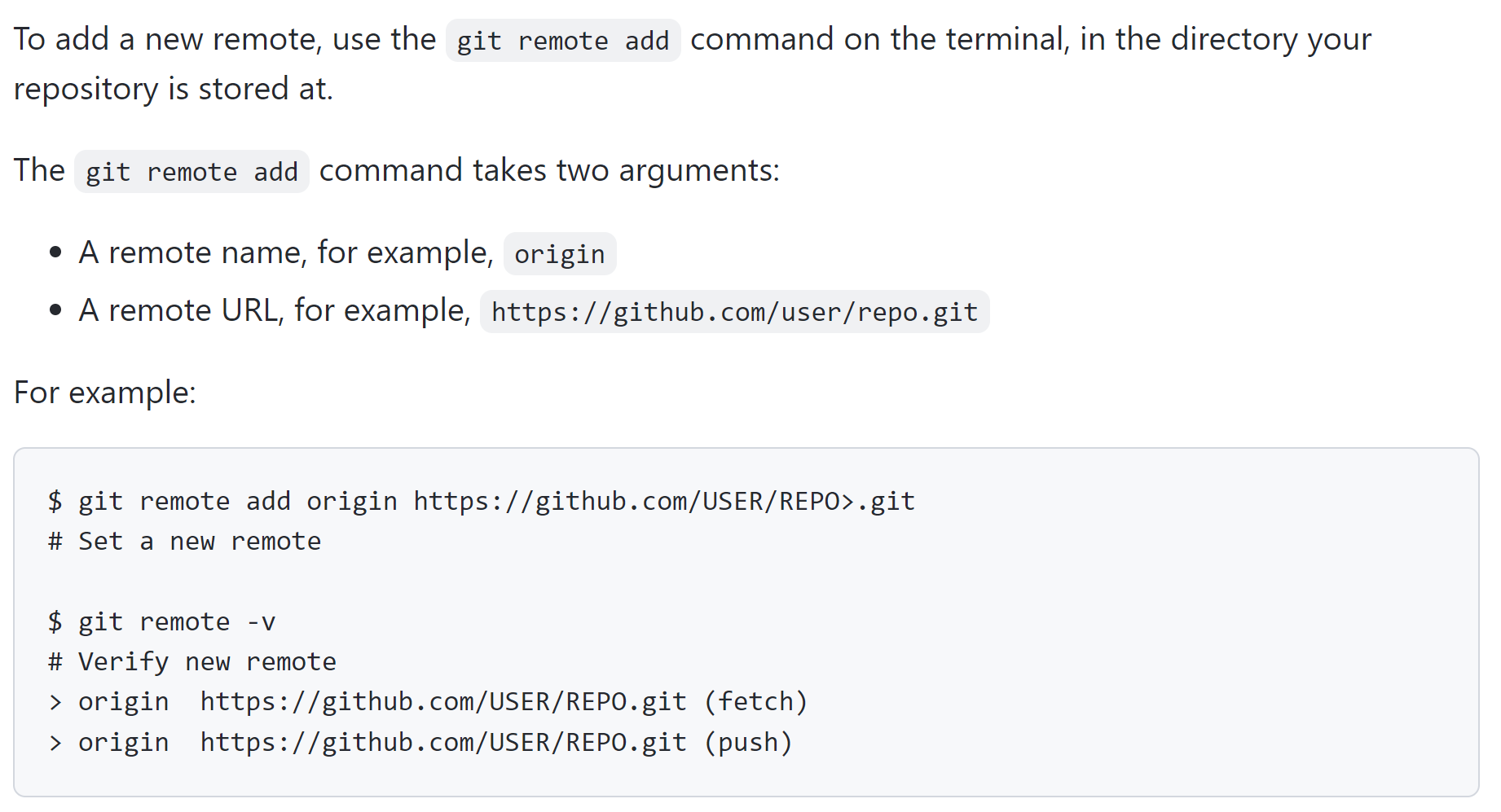
Jan David Narkiewicz Developer Git Adding Remote Origin To A Local

Git Will Remote URL For Fetch And Push Be Different Stack Overflow
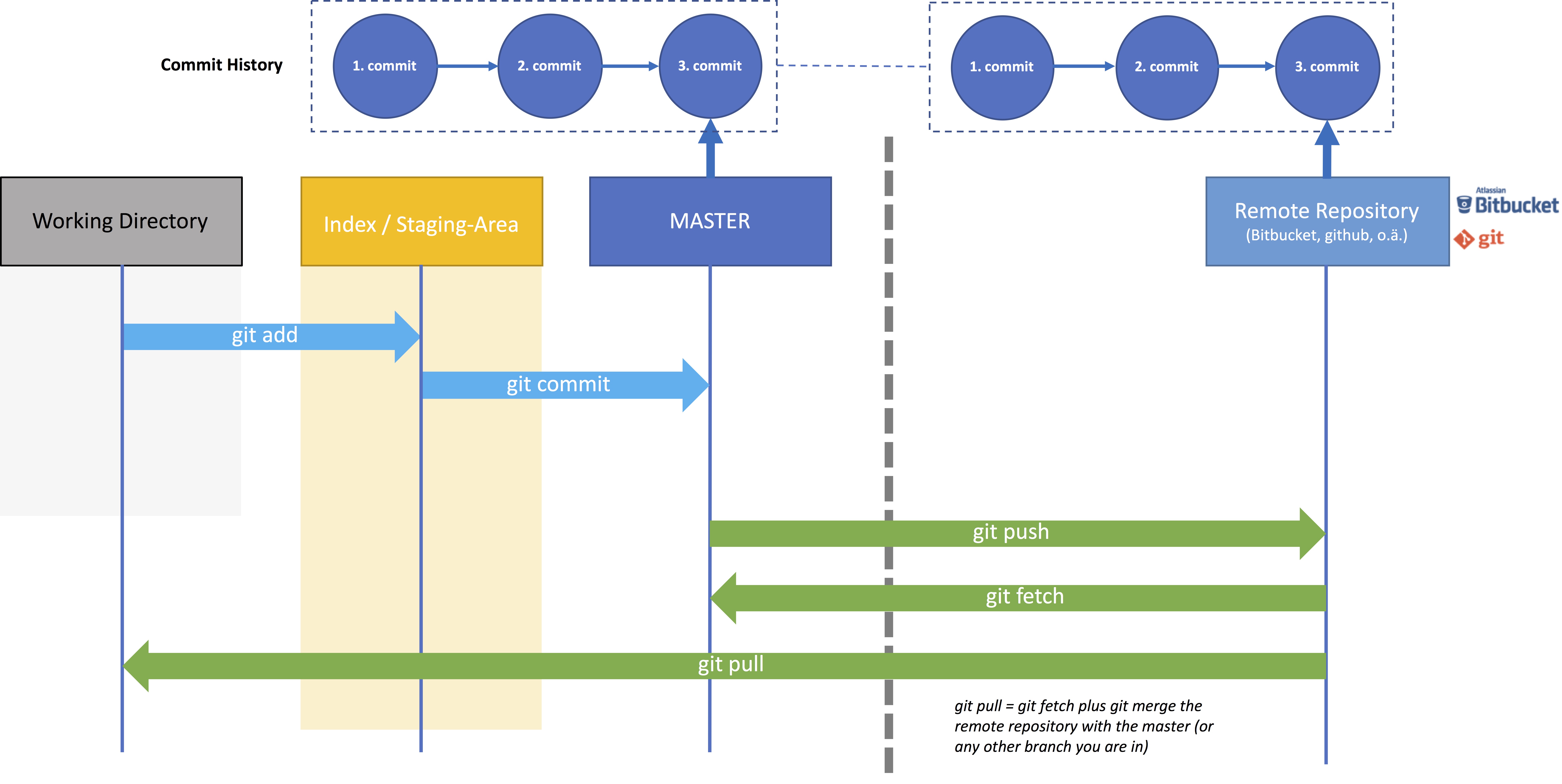
GIT Tutorial Remote Repositories Vividbreeze Dev Blog
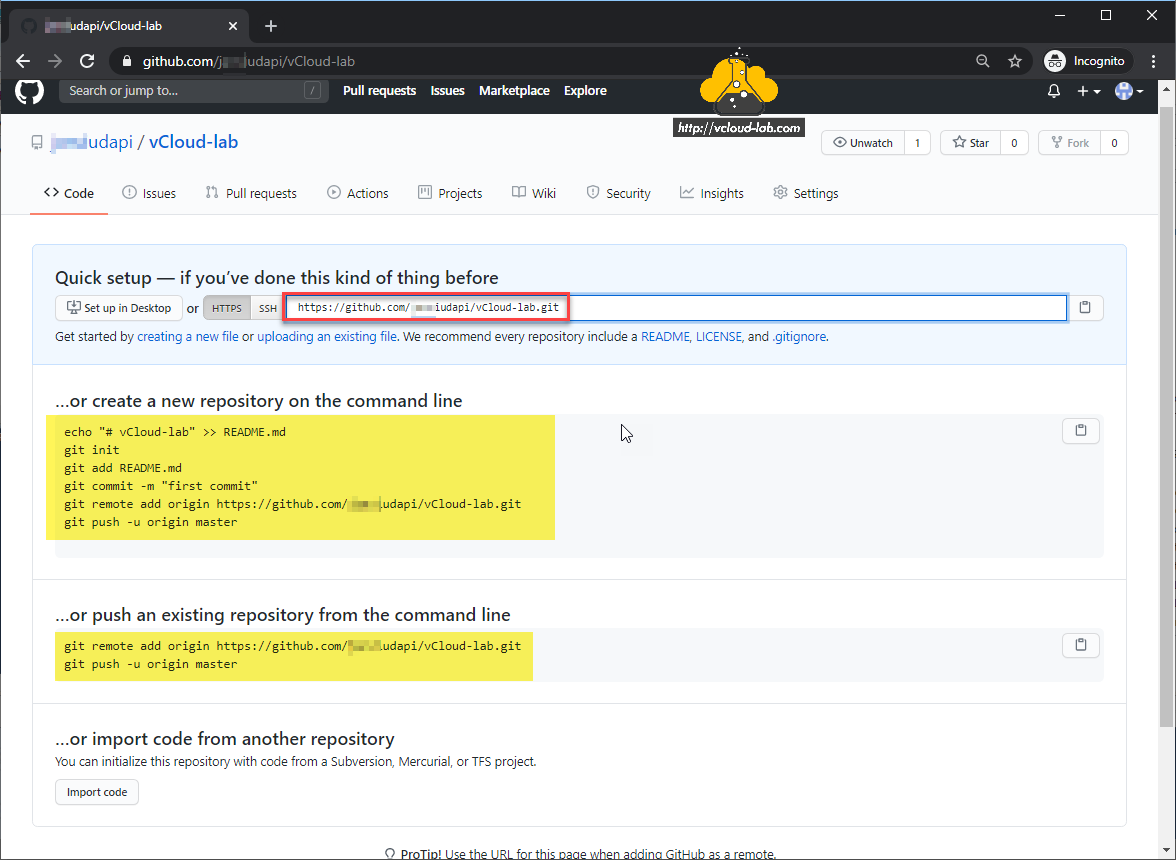
Git Add Remote After Init Stormauctions
Follow the steps below to change the URL of a remote Change to the directory where the repository is located cd path to repository Run git remote to list the existing remotes and see their names and URLs git remote v The output will look something like this
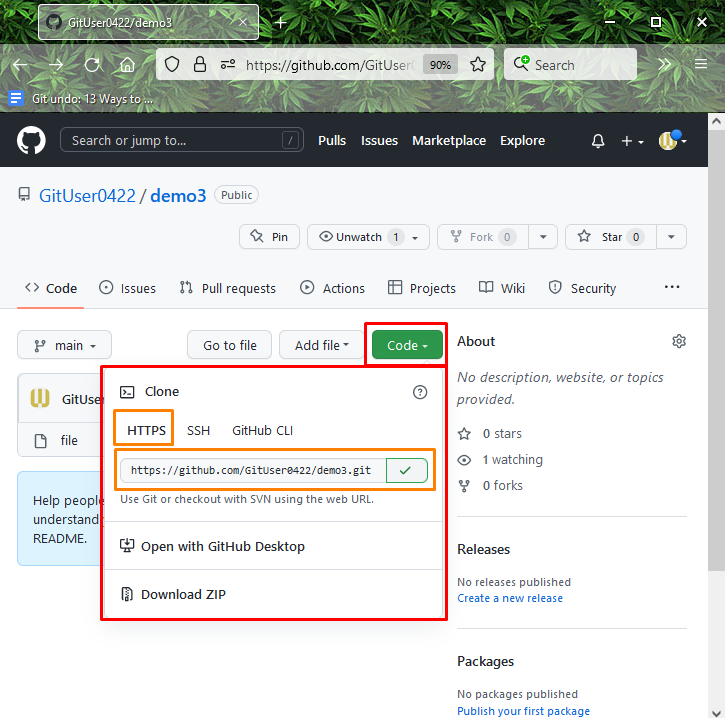
The git remote set url command takes two arguments An existing remote name For example origin or upstream are two common choices A new URL for the remote For example If you re updating to use HTTPS your URL might look like https github OWNER REPOSITORY git
You can use the command git remote set url to change a remote s URL Choosing a URL for your remote repository There are several ways to clone repositories available on GitHub When you view a repository while signed in to your account the URLs you can use to clone the project onto your computer are available below the repository details

COMMANDS With no arguments shows a list of existing remotes Several subcommands are available to perform operations on the remotes add Add a remote named name for the repository at URL The command git fetch name can then be used to create and update remote tracking branches name branch
If you need to quickly find the URL of your Git remote on Github you first need to select your repository by navigating to your repository list https github user repositories Under your repository list select the repository you are interested in
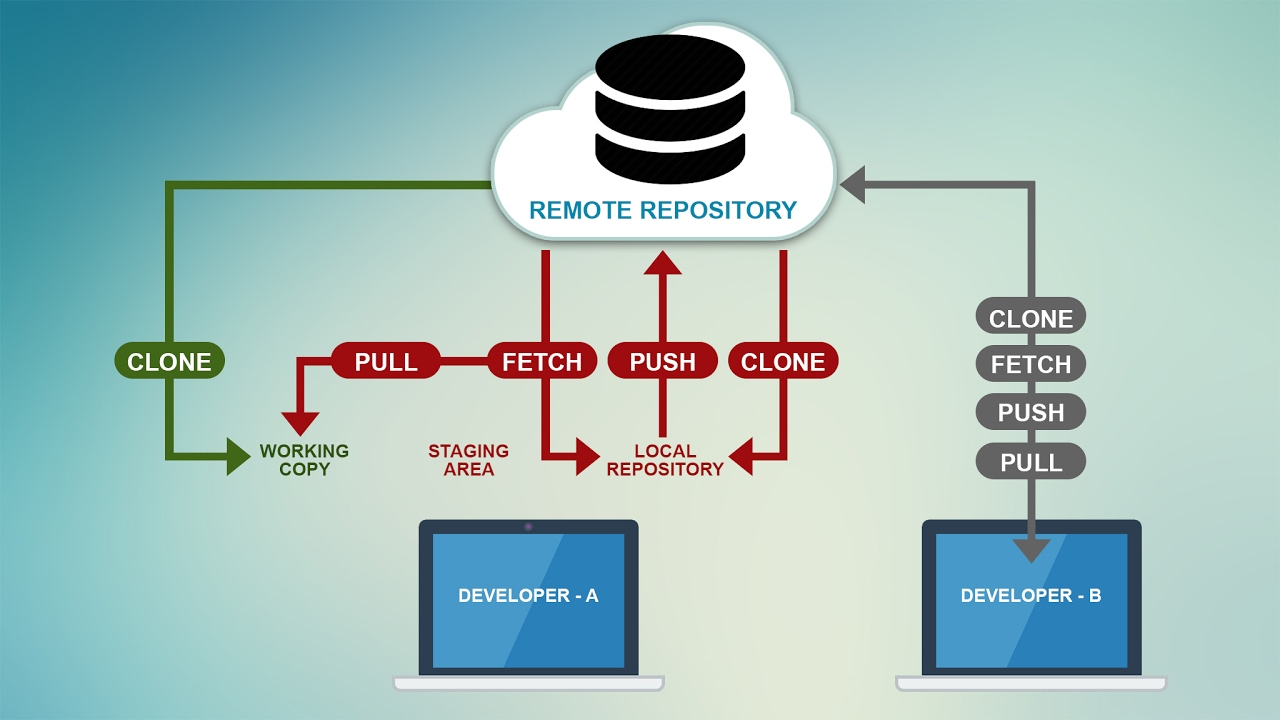
To solve this either use a different remote name or rename the original remote p n h2 tabindex 1 dir auto a id user content removing a remote repository class anchor aria hidden true tabindex 1 href removing a remote repository svg class octicon octicon link viewBox 0 0 16 16 version 1 1 width Options for getting changes These commands are very useful when interacting with a remote repository clone and fetch download remote code from a repository s remote URL to your local computer merge is used to merge different people s work together with yours and pull is a combination of fetch and merge Cloning a repository To grab a complete copy of another user s repository use git
There are a few different ways to change the remote URL for a Git repository depending on your needs Here are the steps for each method Method 1 Using Git Bash or Command Prompt The first method used the command line interface to manage the git repository A majority of users manage git repositories using command line clients