Git Push Local To Remote Command How To Push Local Git Repository To Github YouTube Git Push Local Branch To Remote How To Publish A New Branch In Git Leonardo Brombilla Antunes FreeCodeCamp Git Ashutosh Mishra FreeCodeCamp Web Jan 24 2012 nbsp 0183 32 8 018 12 52 70 Add a comment 9 Answers Sorted by 71 On your server create the git repositories as bare repository git init bare repo git then push the commits of your local repository git push mirror ssh yourserver repo git Share Improve this answer Follow answered Jan 23 2012 at 21 15 knittl 246k 53 318 364
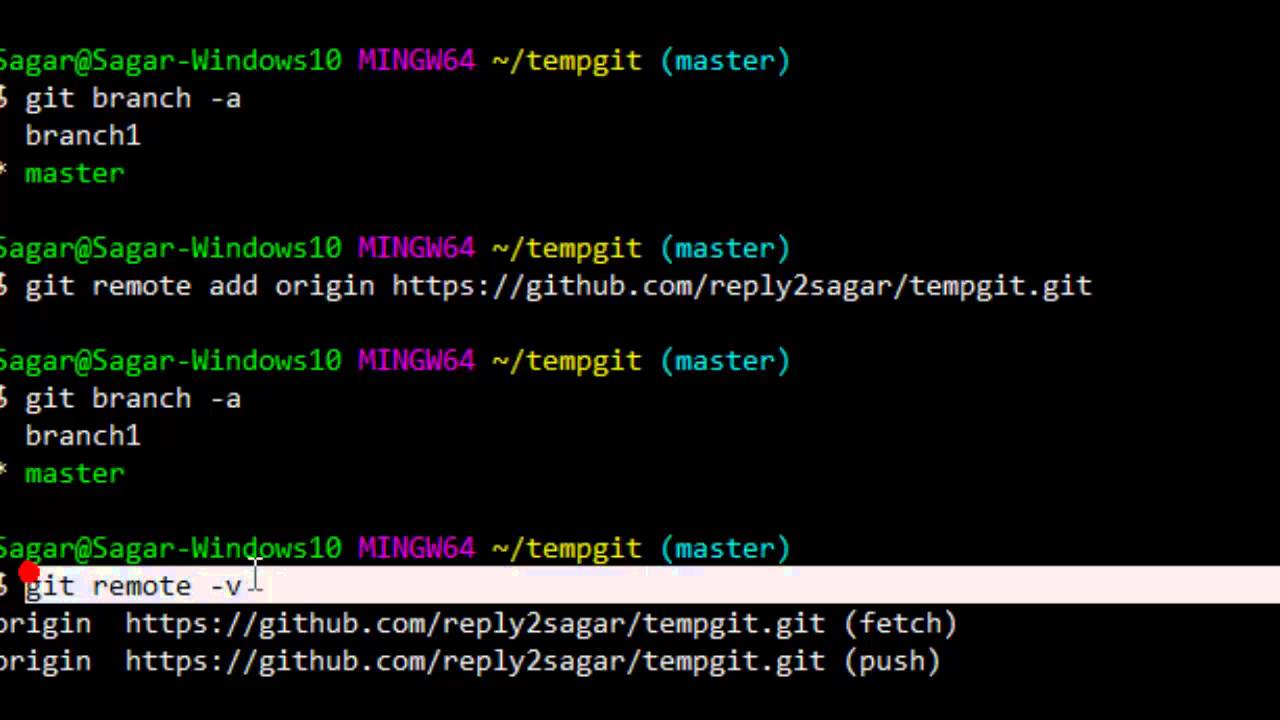
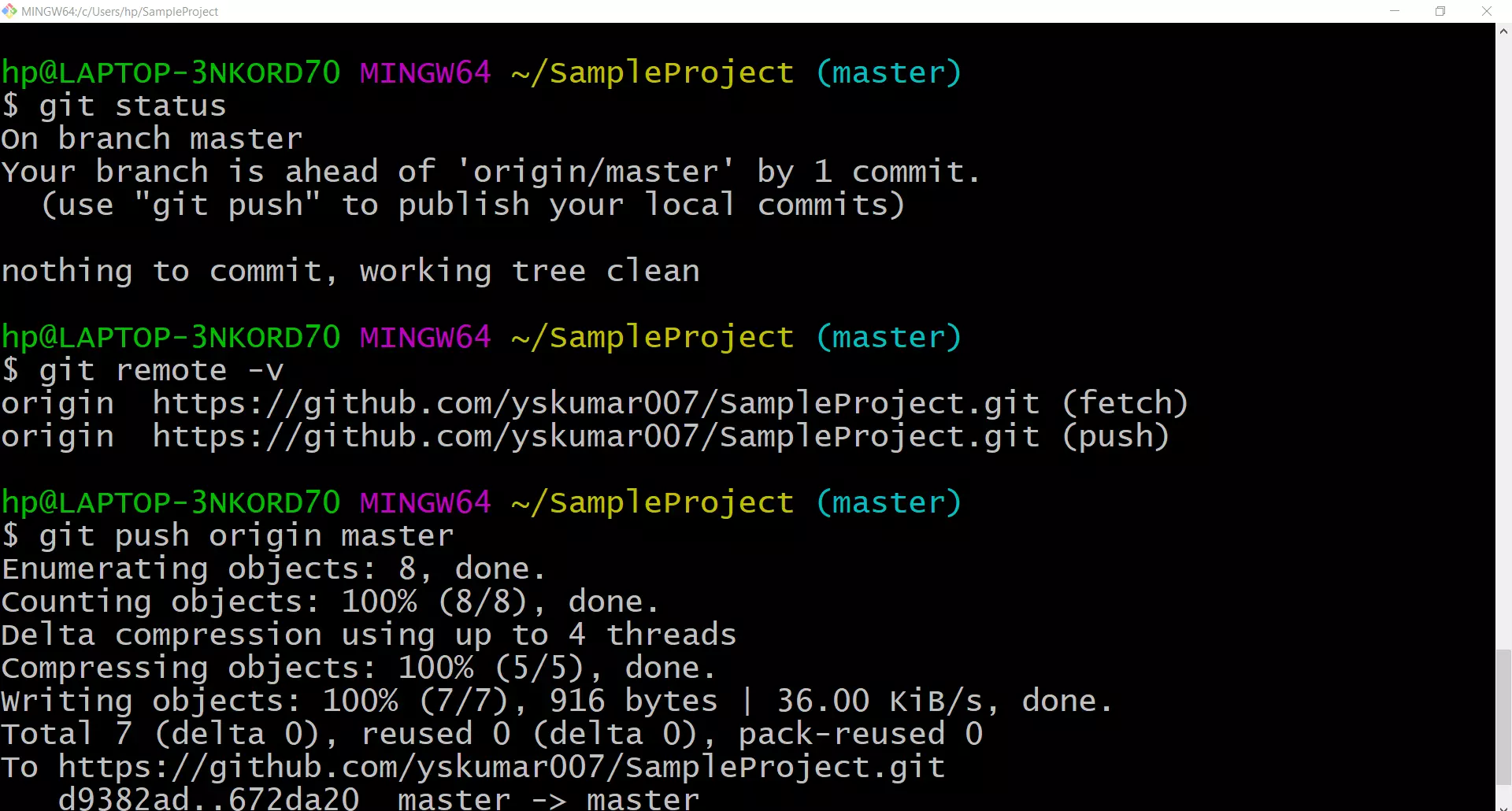
Web Apr 26 2021 nbsp 0183 32 The general form of the command is this git push lt remote gt lt branch gt By default Git chooses origin for the remote and your current branch as the branch to push If your current branch is main the command git push will supply the two default parameters effectively running git push origin main Web 10 Answers Sorted by 489 On server mkdir my project git cd my project git git bare init On client mkdir my project cd my project touch gitignore git init git add git commit m quot Initial commit quot git remote add origin youruser yourserver path to my project git git push origin master
Ashutosh Mishra FreeCodeCamp Apuntes De Git David Poza Ambreen Khan FreeCodeCamp Git Manual Uso Git VR EVO Portfolio Time Be Virtual And Not Reality Marko Denic FreeCodeCamp Push Changes To Git Remote Repository TestingDocs Kaushal Joshi FreeCodeCamp Pachi Carlson FreeCodeCamp
Git Push Local To Remote Command
 Git Push Local To Remote Command
https://i.ytimg.com/vi/ajxPz9x_q04/maxresdefault.jpg
Web Jan 22 2016 nbsp 0183 32 git push u origin mybranch in my case origin is the remote name Your remote name might be different You can use git remote v to see what your remote name should be After the push if you want you can get rid of your local branch using these two commands git checkout master git branch d mybranch hope that helps
Templates are pre-designed files or files that can be utilized for different purposes. They can conserve time and effort by offering a ready-made format and design for producing different sort of content. Templates can be utilized for individual or professional projects, such as resumes, invites, flyers, newsletters, reports, presentations, and more.
Git Push Local To Remote Command

Jalmari Ik valko FreeCodeCamp
Apuntes De Git David Poza

Ambreen Khan FreeCodeCamp
Git

Marko Denic FreeCodeCamp
Push Changes To Git Remote Repository TestingDocs
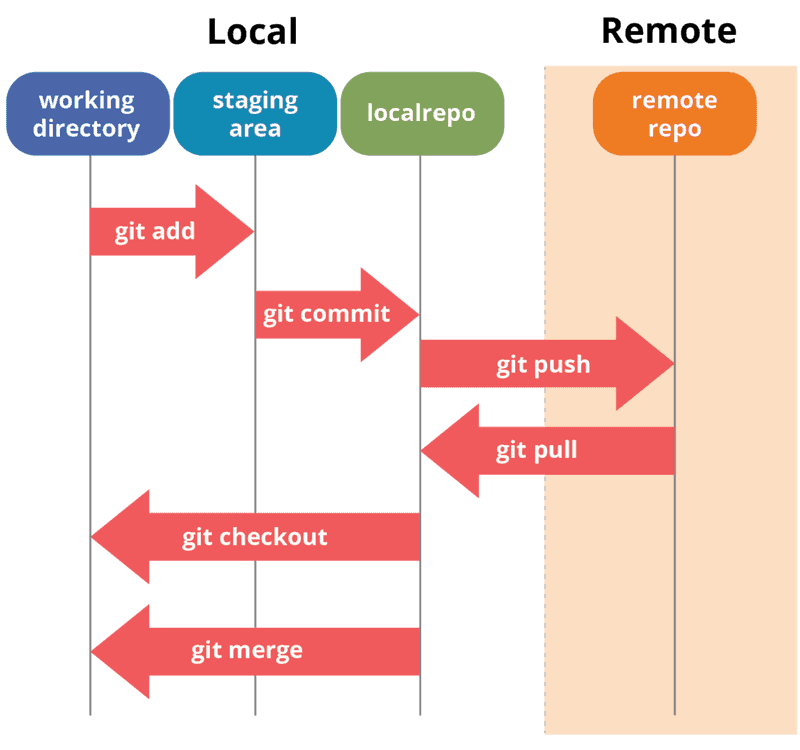
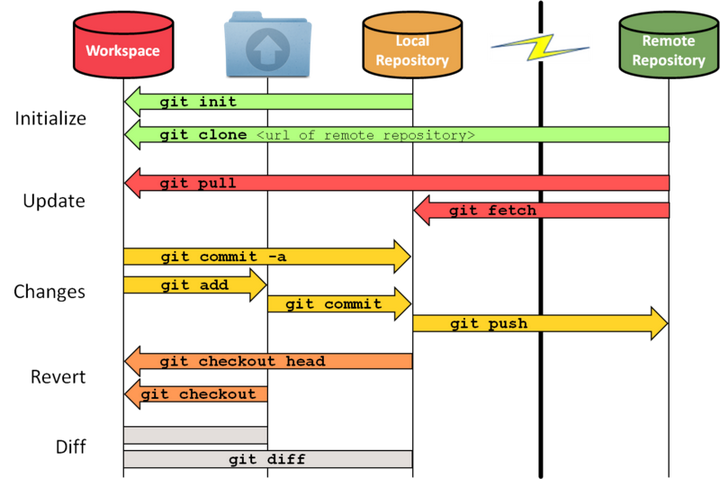
Web The git push command is used to upload local repository content to a remote repository Pushing is how you transfer commits from your local repository to a remote repo It s the counterpart to git fetch but whereas fetching imports commits to local branches pushing exports commits to remote branches

Web May 4 2010 nbsp 0183 32 You can do it in 2 steeps 1 Use the checkout for create the local branch git checkout b yourBranchName Work with your Branch as you want 2 Use the push command to autocreate the branch and send the code to the remote repository

Web Sep 9 2022 nbsp 0183 32 To push the branch to the remote server run git push u origin lt branch name gt In my case the name of that branch is bug fixes So I have to run git push u origin bug fixes To confirm that the branch has been pushed head over to GitHub and click the branches drop down You should see the branch there Conclusion

Web Jan 8 2020 nbsp 0183 32 0 You can use the command git remote to do this Just add a remote repo to your local repo with git remote add origin https github username yourRepository git Then you can do your first push With simple command git push After that you can do all remote operation like fetch pull and push Share

Web Mar 7 2022 nbsp 0183 32 First make this command git remote add origin URL for the remote repository Then tab this command git push origin master Note the name of master is the name of the remote repository on GitHub If it has another name like main or something else make it main instead of master
Web Jan 4 2014 nbsp 0183 32 5 Answers Sorted by 236 You push your local repository to the remote repository using the git push command after first establishing a relationship between the two with the git remote add alias url command If you visit your Github repository it will show you the URL to use for pushing Web git push Works like git push lt remote gt where lt remote gt is the current branch s remote or origin if no remote is configured for the current branch git push origin
Web The quot push quot command is used to publish new local commits on a remote server The source i e which branch the data should be uploaded from is always the currently checked out HEAD branch The target i e which branch the data should be uploaded to can be specified in the command s options