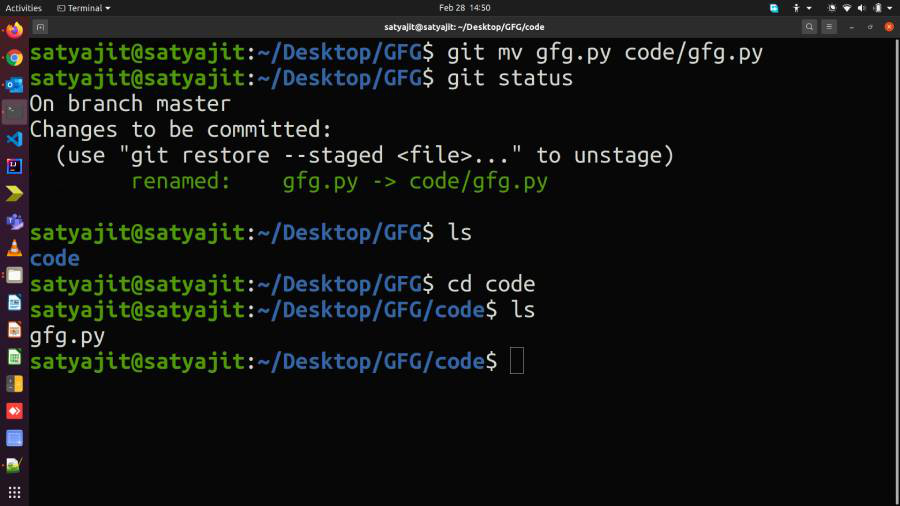
Git Push File Name Change Git D placer Des Fichiers StackLima Git Config How To Configure Git Settings To Improve Your Development How To Push Local Git Repository To Github YouTube Git Workflow 183 Gitbook Riset Git Revert File Reverting A File To A Previous Commit Web Nov 13 2018 nbsp 0183 32 Solution 1 Change to the directory containing your repository for example cd Repo MyProject 2 Run the following git command git mv mycoolclass cs myCoolClass cs There will be no output 3 Run the following command to commit the change git commit message Rename the cool class The output will like the following
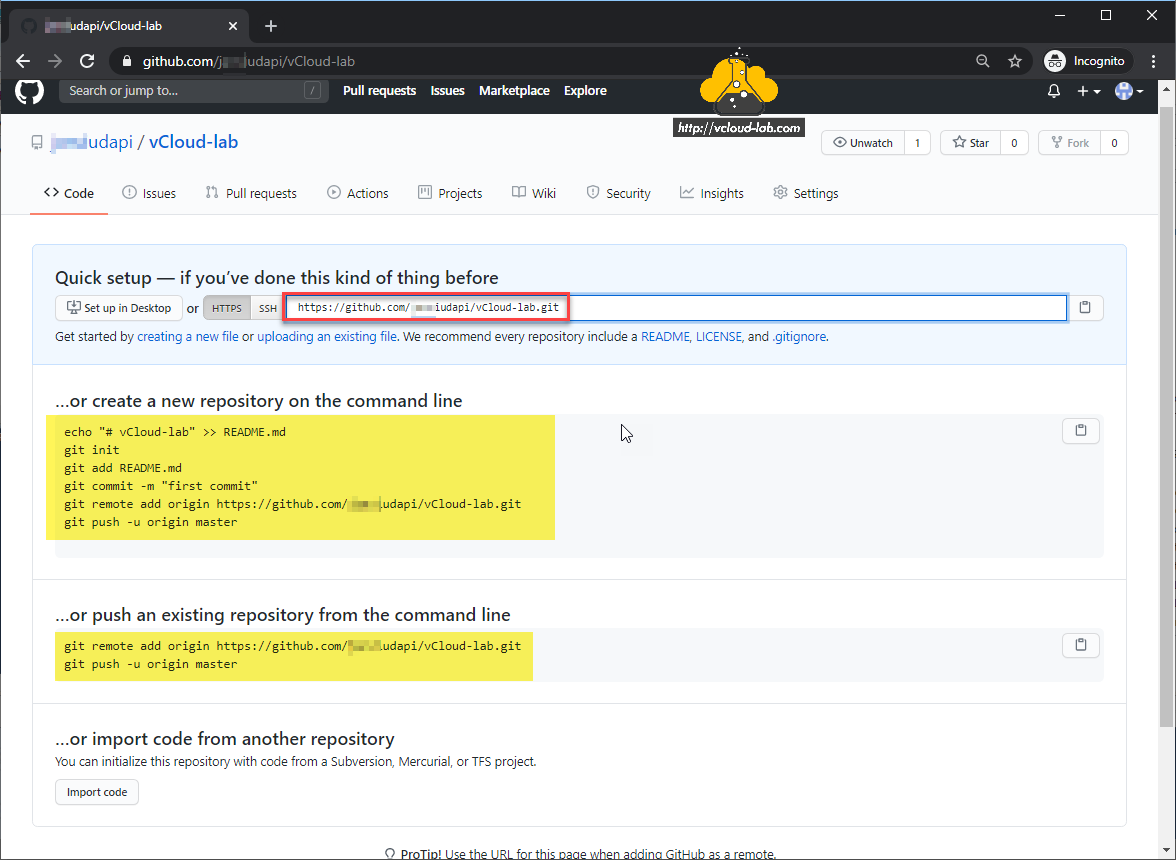
Web The git push command takes two arguments A remote name for example origin A branch name for example main For example git push REMOTE NAME BRANCH NAME As an example you usually run git push origin main to push your local changes to your online repository Renaming branches Web Oct 10 2021 nbsp 0183 32 To change a directory s casing ex data gt Data you have to do it in two steps git mv data tmp git mv tmp Data Code language Bash bash This will result in all of the files in the directory having rename changes which you can then commit Changes to be committed use quot git reset HEAD lt file gt quot
Git Revert File Reverting A File To A Previous Commit Git Add Remote After Init Stormauctions Solved Git Push File Doesnt Show File On Github SolveForum Confirmaci n De Git En Visual Studio Microsoft Learn Use gitkeep To Commit Push An Empty Git Folder Or Directory Crayon Couronne Crocodile Git Correct Commit Message Stylo Magasin La GIT Git Checkout To Previous Commit ID Didn t Revert The Changes Any What Is Git Add GeeksforGeeks
Git Push File Name Change
 Git Push File Name Change
https://media.geeksforgeeks.org/wp-content/uploads/20220228145241/3.jpg
Web Pushing is how you transfer commits from your local repository to a remote repo It s the counterpart to git fetch but whereas fetching imports commits to local branches pushing exports commits to remote branches Remote branches are
Pre-crafted templates offer a time-saving service for creating a varied variety of files and files. These pre-designed formats and designs can be made use of for various personal and professional projects, including resumes, invites, flyers, newsletters, reports, presentations, and more, improving the material production procedure.
Git Push File Name Change

Git How To Set A Different Username And Email For Each Repository In Git
Git Add Remote After Init Stormauctions

Solved Git Push File Doesnt Show File On Github SolveForum
Confirmaci n De Git En Visual Studio Microsoft Learn
Crayon Couronne Crocodile Git Correct Commit Message Stylo Magasin La
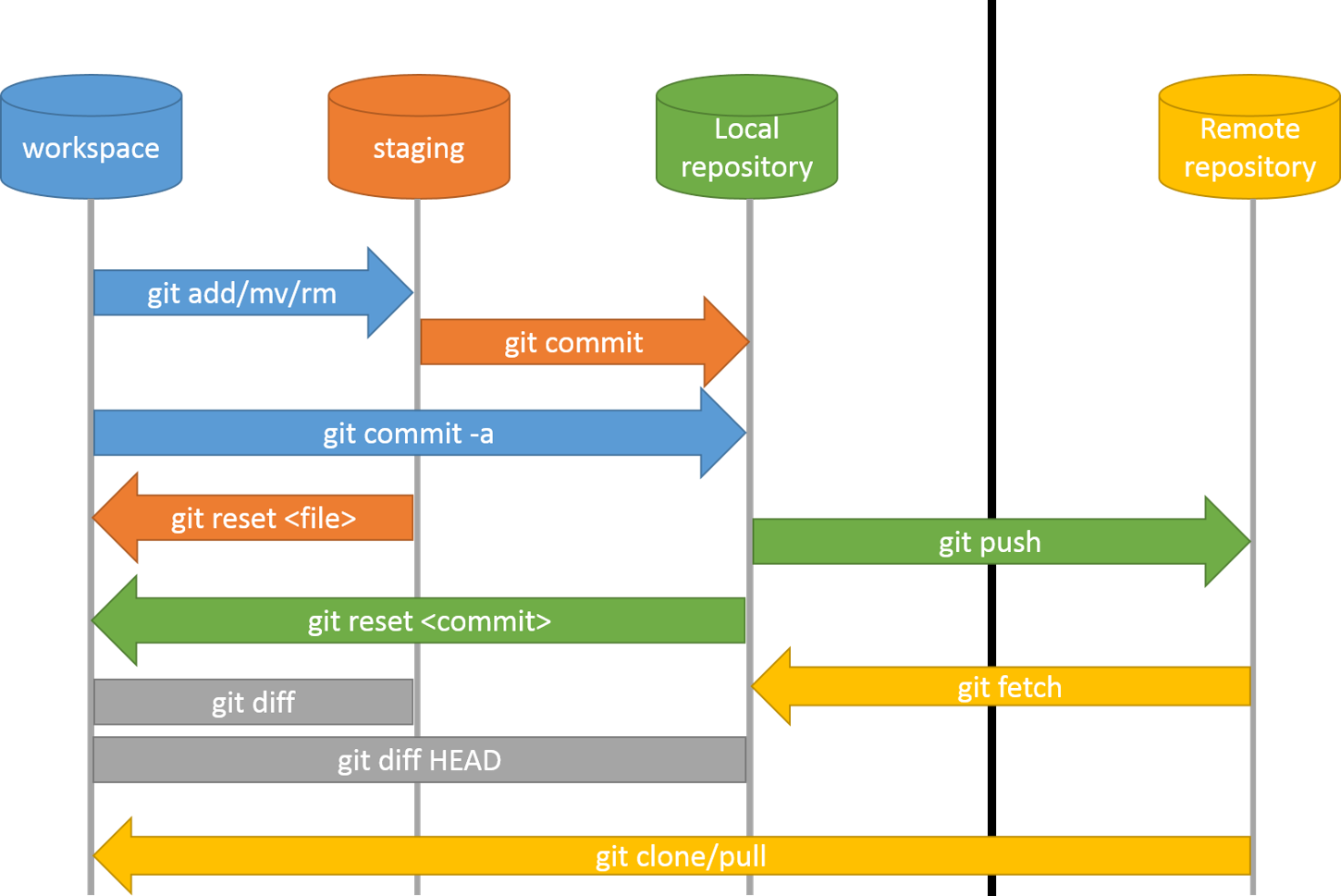
GIT
Web Apr 16 2021 nbsp 0183 32 6 Answers Sorted by 119 It will automatically be detected as a modification and the quot new quot file will be added to the index so you only need one command git mv application py newApplication py git status On branch buildServer Changes to be committed use quot git reset HEAD lt file gt quot to unstage

Web You can rename a file using git s mv command git mv file from file to Example git mv helo txt hello txt git status On branch master Changes to be committed use quot git reset HEAD lt file gt quot to unstage
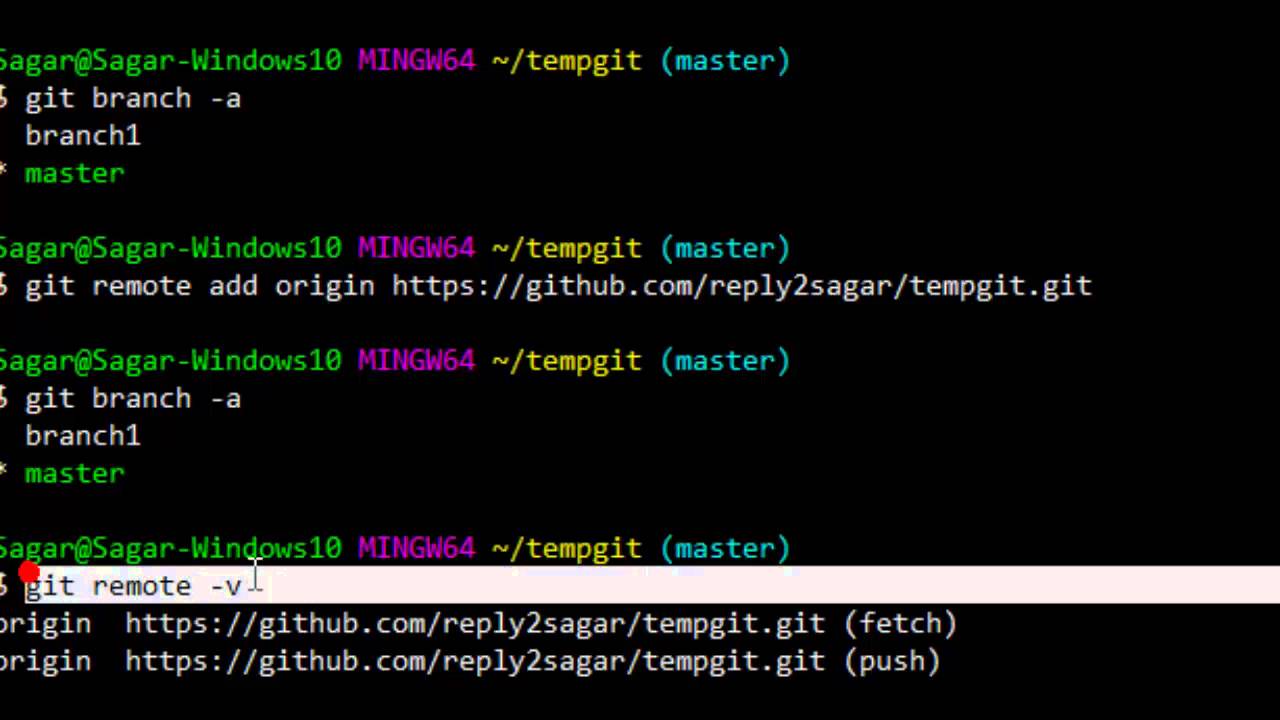
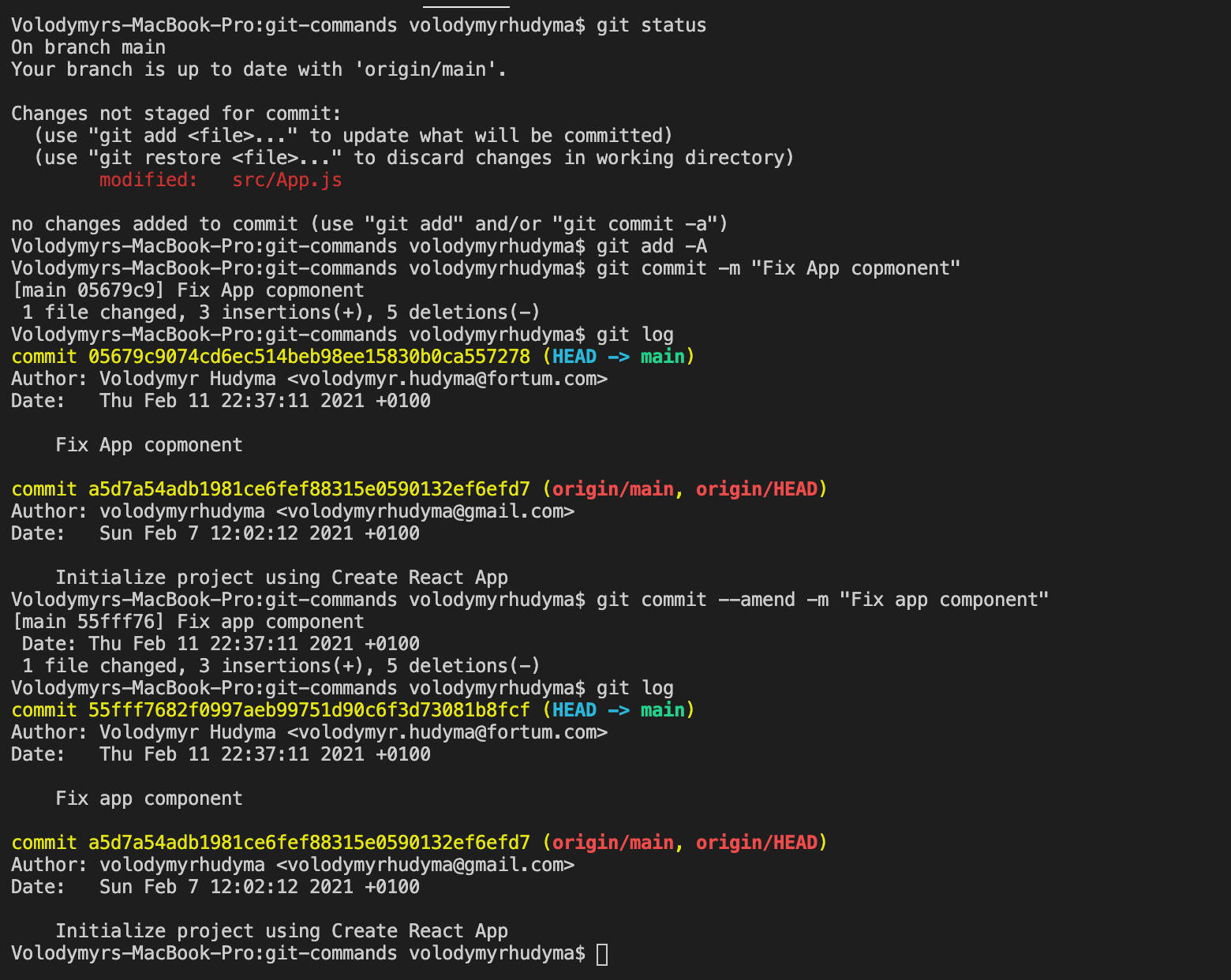
Web Apr 15 2010 nbsp 0183 32 Step 1 rename the file from oldfile to newfile git mv oldfile newfile Step 2 git commit and add comments git commit m quot rename oldfile to newfile quot Step 3 push this change to the remote sever git push origin localbranch remotebranch
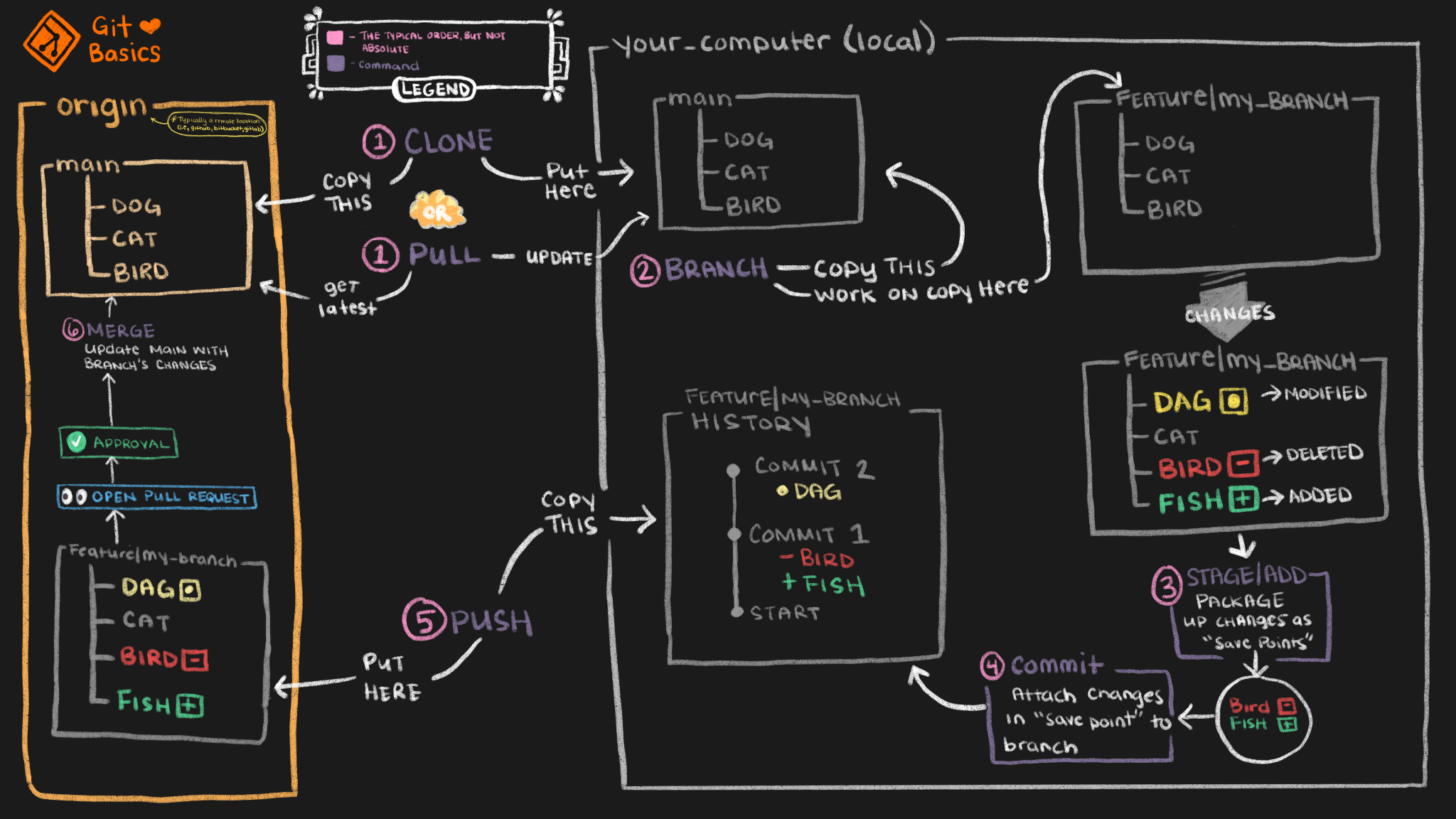
Web Git git push Documentation English Topics Version 2 45 0 git push last updated in 2 45 0 NAME git push Update remote refs along with associated objects SYNOPSIS git push all branches mirror tags follow tags atomic n dry run receive pack lt git receive pack gt

Web Nov 11 2023 nbsp 0183 32 There are two main ways to git rename file or directory You can use the mv or git rm commands 1 Rename file or directory using git mv command Replace the old file or directory with the new one bash git mv lt old file or directory gt lt new file or directory gt OR override the existing file with the f option bash
Web Git has a configuration setting that tells it whether to expect a case sensitive or insensitive file system core ignorecase To tell Git to be case senstive simply set this setting to false Be careful if you have already pushed the files then you should first move them given the other answers Web You can fix this a few ways Work was not yet on any branch Create and checkout to a new branch from your current commit git checkout b branchname Then push the new branch up to the remote git push u origin branchname Accidentally committed to
Web Jan 29 2022 nbsp 0183 32 Solution There could be multiple way we could solve case sensitive problem and we would use two different ways to solve the problem Let s move on to our first solution Using git mv command git mv lt your file name gt lt temporary file name gt git mv lt temporary file name gt lt new file name gt