Git Pull Origin Develop Overwrite Local Changes Rebase Need Clarity With Git Workflow Involving Git Pull And Pull How Do I Force git Pull To Overwrite Local Files YouTube Pull Latest Changes From Git Remote Repository To Local Branch Delft Git Pull D Delft Stack Git Pull Force How To Overwrite Local Changes With Git This command will discard and overwrite all of your uncommitted local changes and set the state of the branch to the state of the remote you just fetched The hard option performs a hard reset on the origin main branch You will lose any uncommitted local changes tracked by Git Local files and directories not tracked by Git are not affected
To overwrite your local files do git fetch all git reset hard remote branch name For example git fetch all git reset hard origin master How it works git fetch downloads the latest from remote without trying to merge or rebase anything Then the git reset resets the master branch to what you just fetched There are two ways to achieve this a Saving Local Changes on a Stash If you want to preserve your local changes you can safely store them on a Stash They will be available in case you want them back at a later point git stash include untracked b Discarding Local Changes
Git Pull Force How To Overwrite Local Changes With Git Git Pull Force To Overwrite Local Changes Right Way How To Force Git Pull To Overwrite Local Files Solving Conflicts In Git Jessica Temporal How To Force Overwrite Local Changes With git Pull How To Force Git Pull To Overwrite Local Files Git Pull Explained Git Pull Force Como Sobrescrever Altera es Locais Com O Git When Should I Use Git Pull rebase Learncado
Git Pull Origin Develop Overwrite Local Changes
 Git Pull Origin Develop Overwrite Local Changes
https://i.stack.imgur.com/pohSS.jpg
Method 1 Forcing a pull to overwrite local changes If you don t care about the changes done locally and want to obtain the code from the repository you can force a pull This will overwrite all the local changes done on your computer a duplicate copy of the version in the repository will appear Execute the following commands in your IDE
Templates are pre-designed documents or files that can be utilized for numerous functions. They can conserve time and effort by supplying a ready-made format and layout for creating different sort of content. Templates can be used for personal or expert tasks, such as resumes, invites, leaflets, newsletters, reports, discussions, and more.
Git Pull Origin Develop Overwrite Local Changes

How Do I Force git Pull To Overwrite Local Files 47 Solutions
Git Pull Force To Overwrite Local Changes Right Way

How To Force Git Pull To Overwrite Local Files
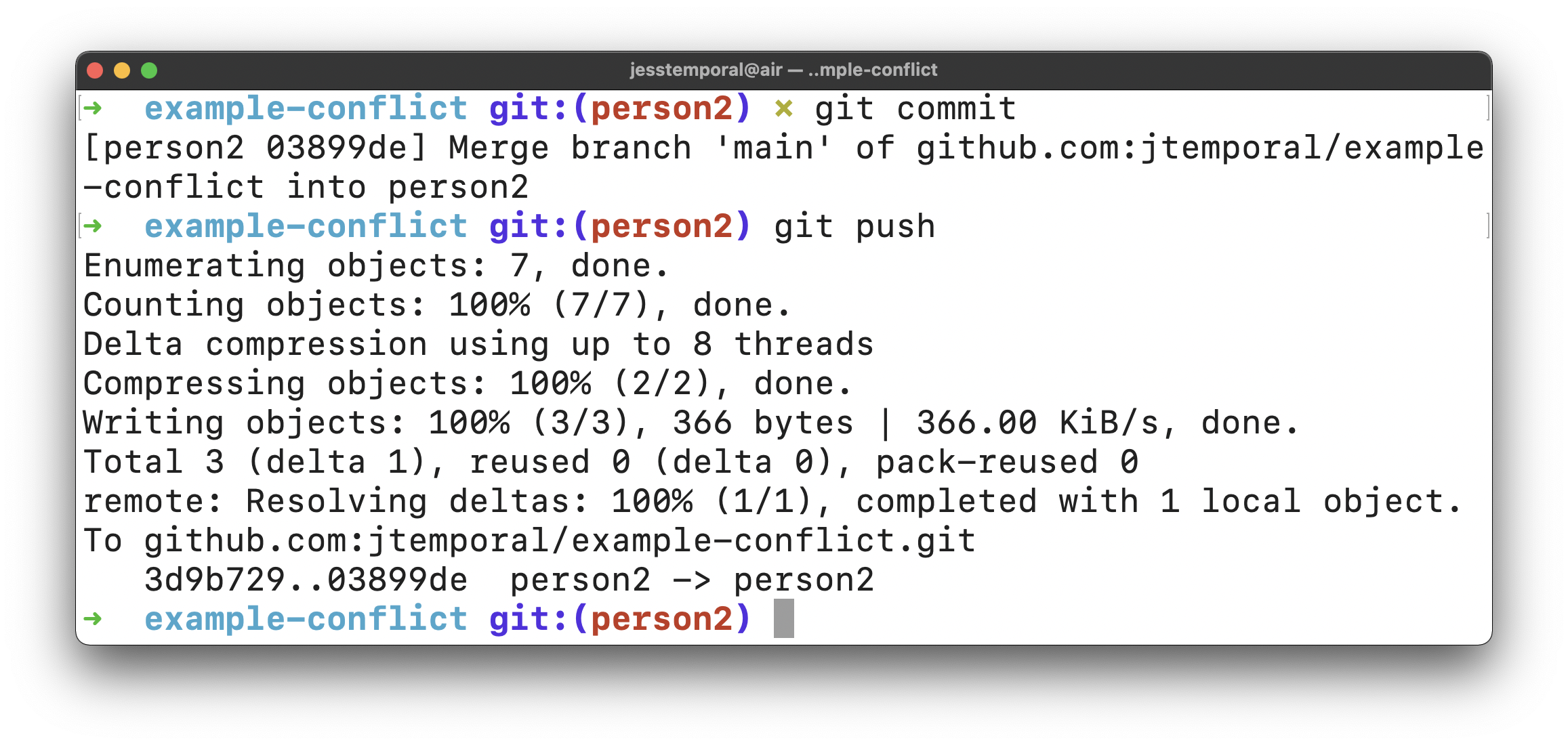
Solving Conflicts In Git Jessica Temporal
How To Force Git Pull To Overwrite Local Files

Git Pull Explained

Git Pull Force How to Overwrite Local Changes With Git Piotr Gaczkowski When you learn to code sooner or later you ll also learn about Version Control Systems And while there are many competing tools in this space one of them is the de facto standard used by almost everyone in the industry

Step 1 git stash in your local repo That will save away your local updates into the stash then revert your modified files back to their pre edit state Step 2 git pull to get any modified versions Now hopefully that won t get any new versions of the files you re worried about If it doesn t then the next step will work smoothly

111 git pull origin master pulls the master branch from the remote called origin into your current branch It only affects your current branch not your local master branch It ll give you history looking something like this x x x x develop x x x origin master

1 It s not committed I would rather not have to Johnny Everson May 2 2012 at 14 12 JhonnyEverson It s the same overall class of problem You have a configuration file and you don t want to commit specific settings but the configuration file structure needs to be tracked Daenyth May 2 2012 at 16 10

Your local changes to the following files would be overwritten by merge What if I want to overwrite them I ve tried things like git pull f but nothing works To be clear I only want to overwrite specific changes not everything git git pull git stash Share Improve this question Follow edited Apr 22 2018 at 11 05 Peter Mortensen
The key command to force a git pull from a remote repository is git reset hard origin master The other commands are to ensure you don t lose any data by making a backup Can t find origin master Keep Local Changes In this case when your uncommitted changes are important for you there are two ways to perform them Firstly you can commit them and then apply git pull Secondly you can stash them Precisely stashing can be explained as that we make a commit but it s not visible at that time on your current branch but we can
Step 1 Navigate to Your Project Directory Open your terminal or command prompt and navigate to the directory where your Git repository is located You can use the cd command to change directories bash cd path to your project Replace path to your project with the actual path to your Git project Step 2 Stash or Commit Local Changes Optional