Git Pull From Remote Branch Git it Guide Github How Do You Pull From A Different Branch Than The Master Using Git Create And Track Remote Branch SS DOTS Git Create Branch From Remote Branch Lasopaapps Git Create Branch In Local Jawerdu WEB git pull Fetch from and integrate with another repository or a local branch SYNOPSIS git pull lt options gt lt repository gt lt refspec gt DESCRIPTION Incorporates changes from a remote repository into the current branch In its default mode git pull is shorthand for git fetch followed by git merge FETCH HEAD
WEB The git pull command first runs git fetch which downloads content from the specified remote repository Then a git merge is executed to merge the remote content refs and heads into a new local merge commit To better demonstrate the pull and merging process let us consider the following example WEB This guide will explain how to pull a remote branch using Git detailing the necessary commands and procedures to ensure you can effectively synchronize your local repository with changes made remotely
Git Create Branch In Local Jawerdu How To Pull Git Remote Branch 3 Examples Of Command GUI BlogBrian Git Remote Branch Git Checking Out From Remote Branch Changes Local Files Stack Overflow Basic Git Workflow Get Git Wit Git Pull Git And GitFlow Champlin Technologies LLC Java Study Point Java IQ Git Pull From Master Into The Development Merge Accidentally Merged Other Branches When Using git Pull With
Git Pull From Remote Branch
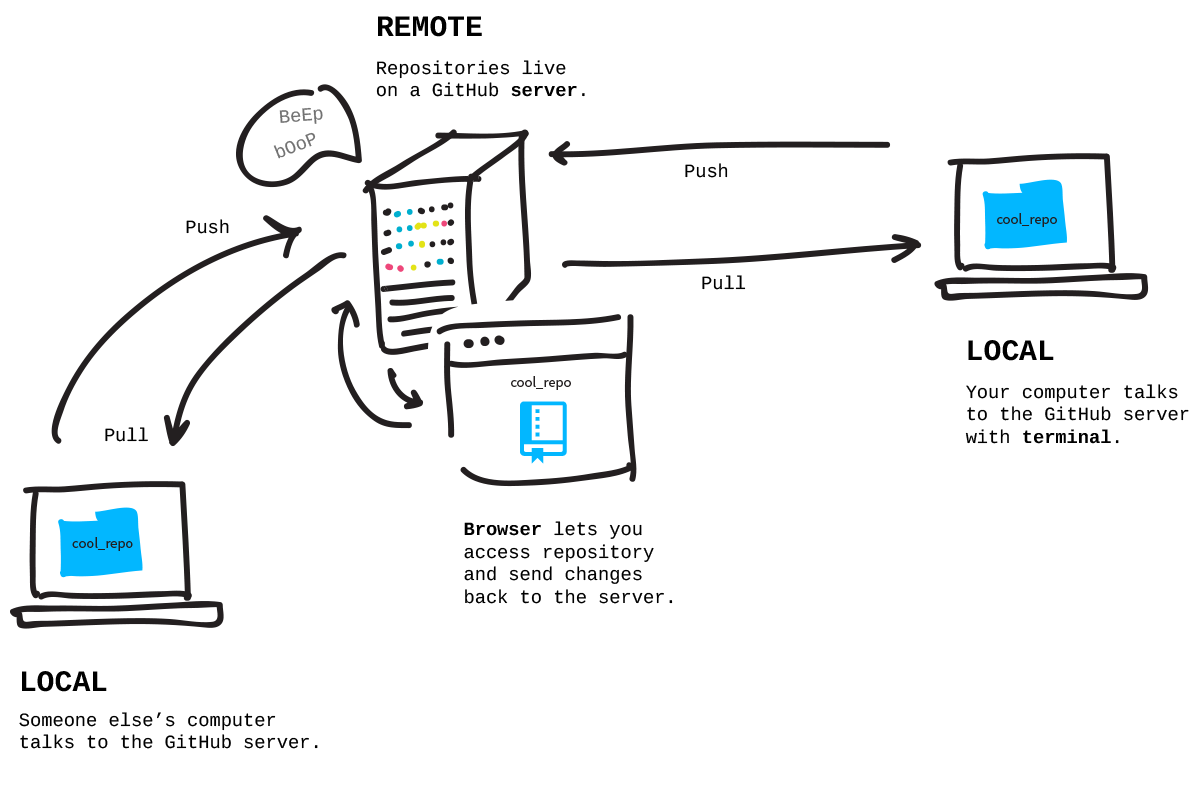 Git Pull From Remote Branch
http://jlord.us/git-it/assets/imgs/remotes.png
WEB Pulling changes from a remote repository git pull is a convenient shortcut for completing both git fetch and git merge in the same command git pull REMOTE NAME BRANCH NAME Grabs online updates and merges them with your local work
Pre-crafted templates provide a time-saving service for producing a diverse variety of files and files. These pre-designed formats and designs can be made use of for various personal and professional projects, consisting of resumes, invites, flyers, newsletters, reports, presentations, and more, enhancing the material creation process.
Git Pull From Remote Branch
Git How To Remove Commit From Remote Branch En Espa ol
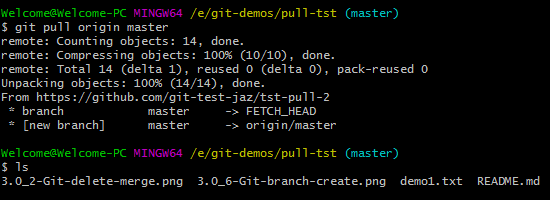
How To Pull Git Remote Branch 3 Examples Of Command GUI

BlogBrian Git Remote Branch

Git Checking Out From Remote Branch Changes Local Files Stack Overflow
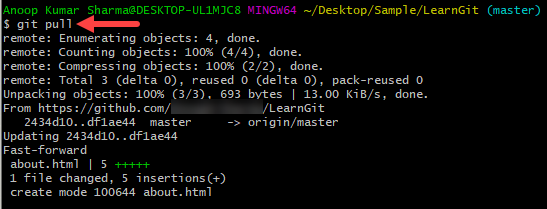
Git Pull
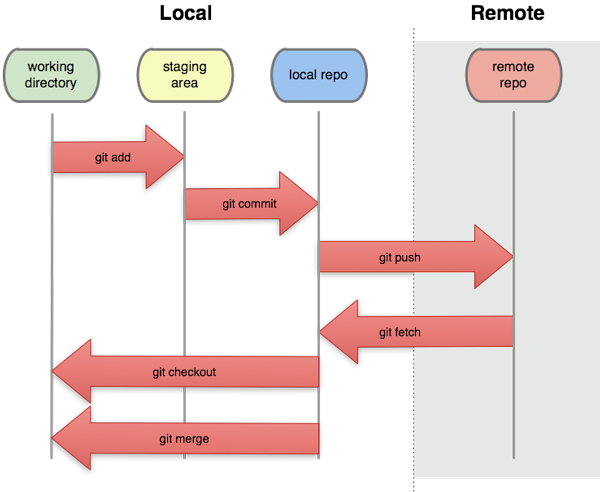
Git And GitFlow Champlin Technologies LLC

WEB May 4 2023 nbsp 0183 32 If you want to fetch remote branches and merge them with your work or modify your current work you can use the git pull command To achieve this use the following command git pull all You can then run the git branch r to verify if the remote repository has been added Wrapping Up

WEB Nov 8 2014 nbsp 0183 32 git pull origin frontend is equivalent to get fetch origin frontend and get merge frontend Note that this merges the remote branch named frontend to the current local branch in your case master If you want a local branch with the same name as the remote branch you should create it first One way to do this is

WEB git pull Update your local working branch with commits from the remote and update all remote tracking branches git pull rebase Update your local working branch with commits from the remote but rewrite history so any local commits occur after all new commits coming from the remote avoiding a merge commit
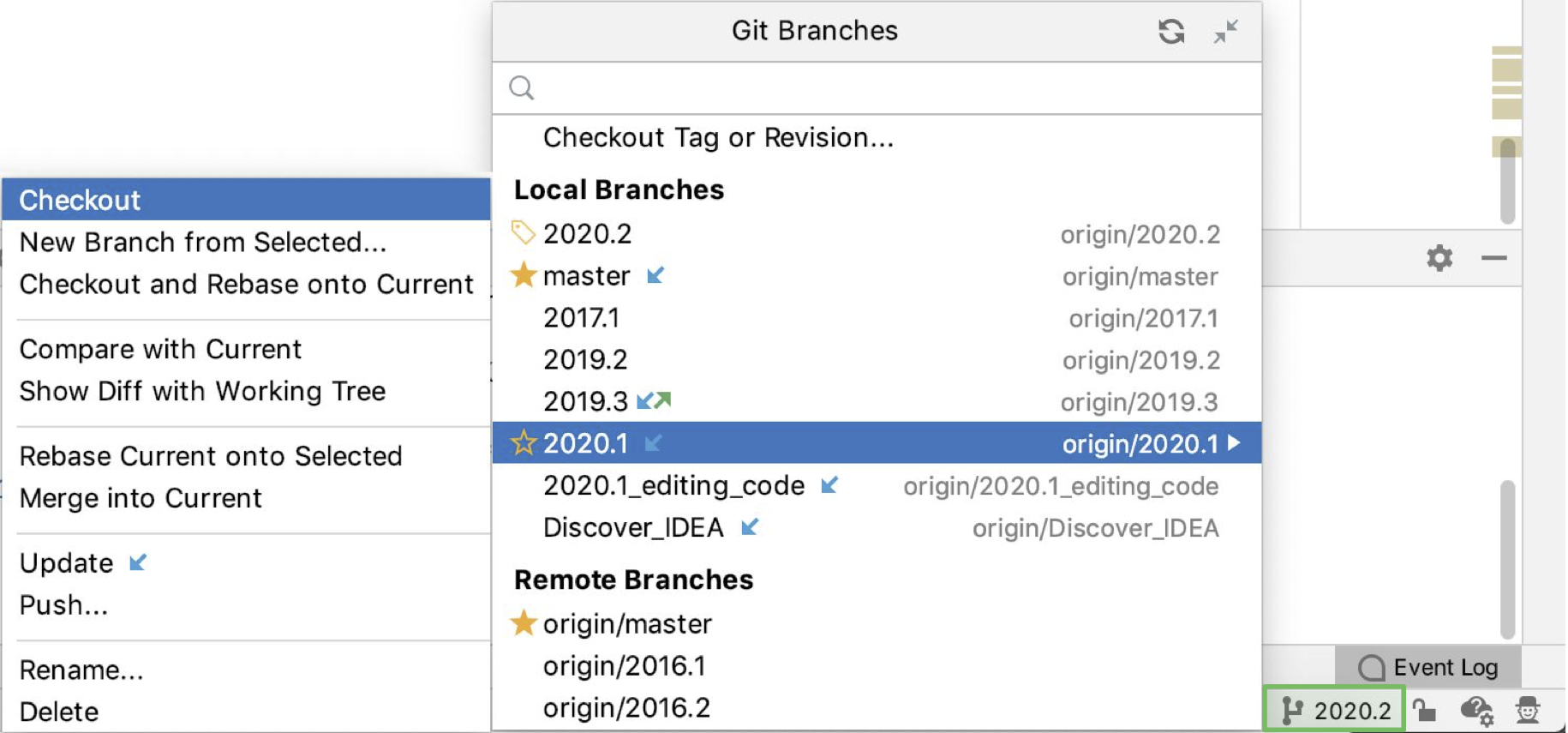
WEB May 18 2017 nbsp 0183 32 Use git branch a both local and remote branches or git branch r only remote branches to see all the remotes and their branches You can then do a git checkout t remotes repo branch to the remote and create a local branch
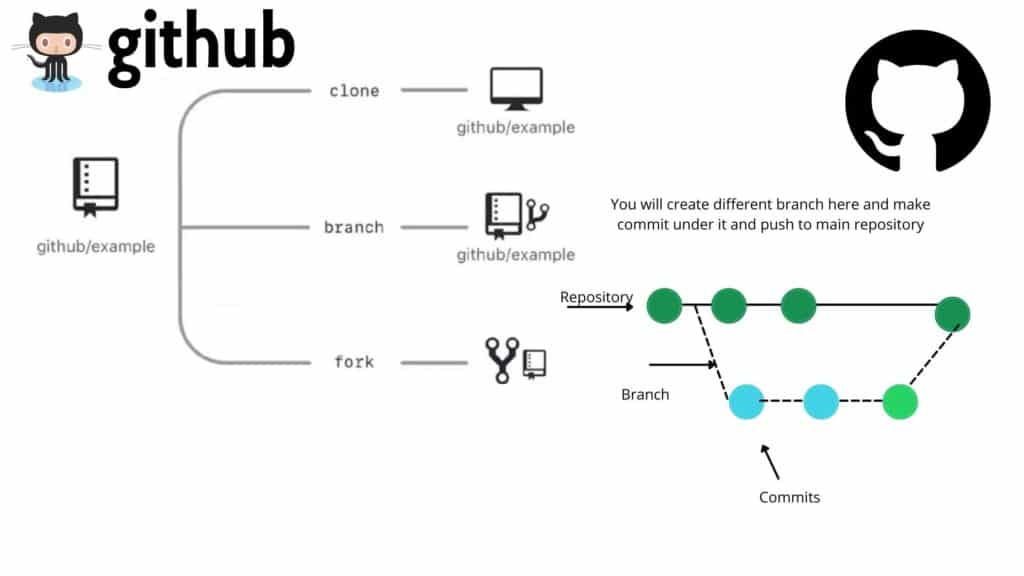
WEB git pull Fetch from and integrate with another repository or a local branch SYNOPSIS git pull lt options gt lt repository gt lt refspec gt DESCRIPTION Incorporates changes from a remote repository into the current branch If the current branch is behind the remote then by default it will fast forward the current branch to match the remote
WEB May 27 2024 nbsp 0183 32 This article will guide you through the process of pulling from a specific branch in Git Understanding Git Pull The git pull command performs two actions Fetch Retrieves changes from the remote repository Merge Integrates the fetched changes into the current branch By default git pull fetches and merges changes from the remote WEB git pull The quot pull quot command is used to download and integrate remote changes The target which branch the data should be integrated into is always the currently checked out HEAD branch By default pull uses a merge operation but it can also be configured to use rebase instead
WEB Assuming your remote is called origin your friend s branch is called Friend Remote and you want to name the branch locally as Friend Local Create a new branch and name is Friend Local git checkout b Friend Local Then pull the remote branch to your local one git pull origin Friend Remote