Git Pull File From Origin Master Calhoun s House Jsonp Git Git Damon s Blog Web Often people use git pull without giving any parameter Traditionally this has been equivalent to saying git pull origin However when configuration branch lt name gt remote is present while on branch lt name gt that value is used instead of origin
Web May 21 2010 nbsp 0183 32 git pull origin master will pull changes from the locally stored branch origin master and merge that to the local checked out branch The origin master branch is essentially a quot cached copy quot of what was last pulled from origin which is why it s called a remote branch in git parlance Web The git pull command is used to fetch and download content from a remote repository and immediately update the local repository to match that content Merging remote upstream changes into your local repository is a common task in Git based collaboration work flows
Git Damon s Blog Git SegmentFault gittub Koishi Forum git Rebase rebase Git Rebase Git Pull reba SD CN Gitee lian Remotely Github Git Branch Stable Diffusion SDXL
Git Pull File From Origin Master
 Git Pull File From Origin Master
https://i2.wp.com/digitalvarys.com/wp-content/uploads/2019/06/GIT-Branchand-its-Operations.png?w=1921&ssl=1
Web Get started Using Git Get changes from a remote Getting changes from a remote repository Options for getting changes Cloning a repository Fetching changes from a remote repository Merging changes into your local branch Pulling changes from a remote repository Further reading You can use common Git commands to access remote
Templates are pre-designed documents or files that can be utilized for different purposes. They can conserve effort and time by providing a ready-made format and design for producing various sort of material. Templates can be utilized for personal or expert tasks, such as resumes, invites, flyers, newsletters, reports, discussions, and more.
Git Pull File From Origin Master
Archimate Logo

Git SegmentFault

gittub Koishi Forum
git Rebase rebase Git Rebase Git Pull reba

Gitee lian
Remotely Github

Web git fetch git checkout origin master path to file The fetch will download all the recent changes but it will not put it in your current checked out code working area The checkout will update the working tree with the particular file from the downloaded changes origin master
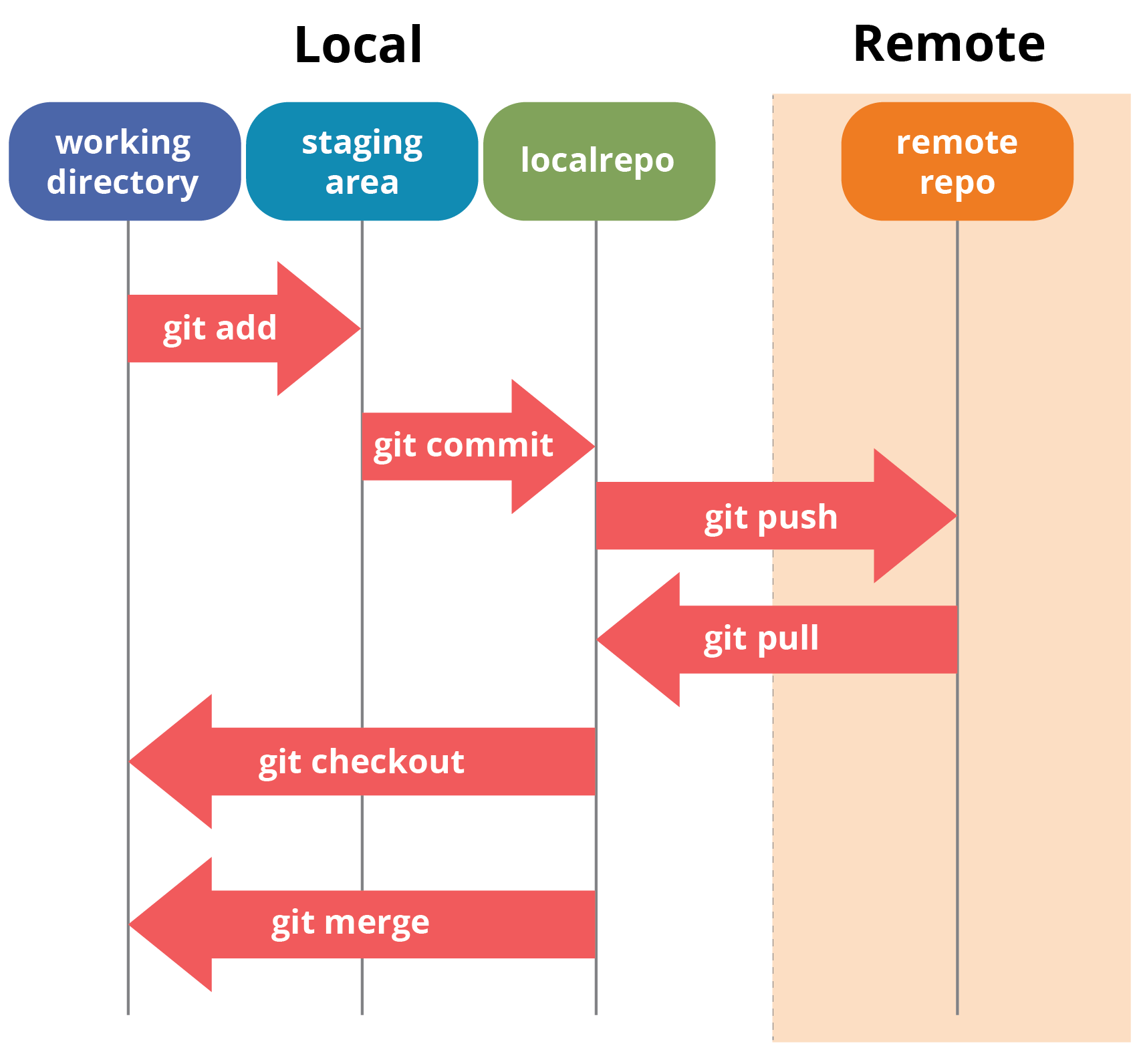
Web Feb 21 2022 nbsp 0183 32 git checkout dmgr2 git pull origin master the pull command instructs git to run git fetch and then the moral equivalent of git merge origin master So this is almost the same as doing the two steps by hand but there are some subtle differences that probably are not too concerning to you
Web Using git pull and git pull origin master is no exception will not only download new changes from the remote repository It will also directly integrate them into your local HEAD branch By default this integration will happen through a quot merge quot but you can also choose a quot rebase quot git pull origin master rebase

Web You can fetch and then check out only one file in this way git fetch git checkout m lt revision gt lt yourfilepath gt git add lt yourfilepath gt git commit Regarding the git checkout command lt revision gt a branch name i e origin master
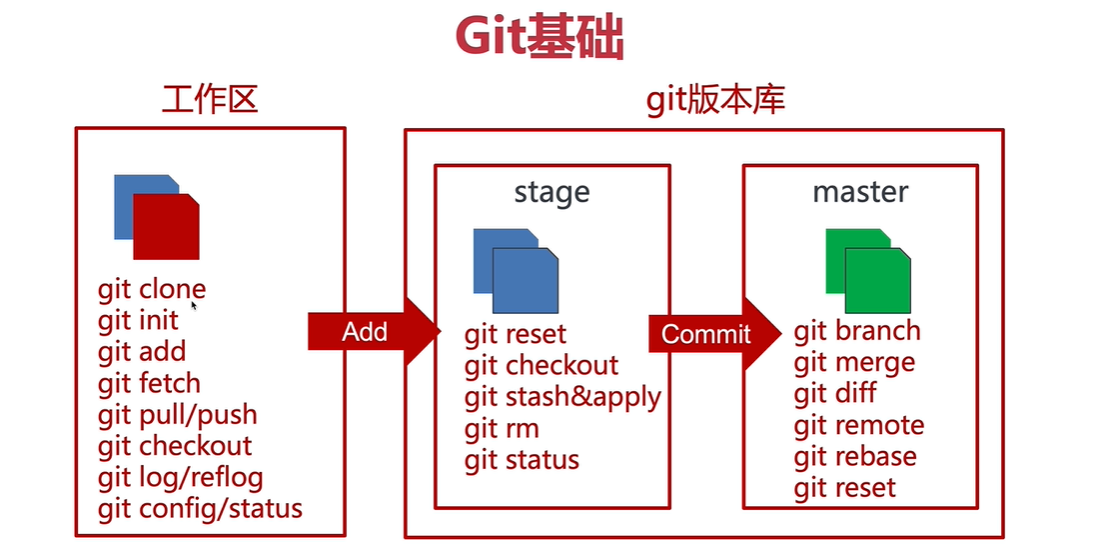
Web Jul 14 2009 nbsp 0183 32 Jump to the latest commit on origin master and checkout those files git reset hard origin master Explanation git fetch downloads the latest from remote without trying to merge or rebase anything git reset resets the master branch to what you just fetched The hard option changes all the files in your working tree to match the
Web git pull a combination of git fetch git merge updates some parts of your local repository with changes from the remote repository To understand what is and isn t affected by git pull you need to first understand the concept of remote tracking branches Web When git fetch is run with explicit branches and or tags to fetch on the command line e g git fetch origin master the lt refspec gt s given on the command line determine what are to be fetched e g master in the example which is a short hand for master which in turn means quot fetch the master branch but I do not explicitly say what remote
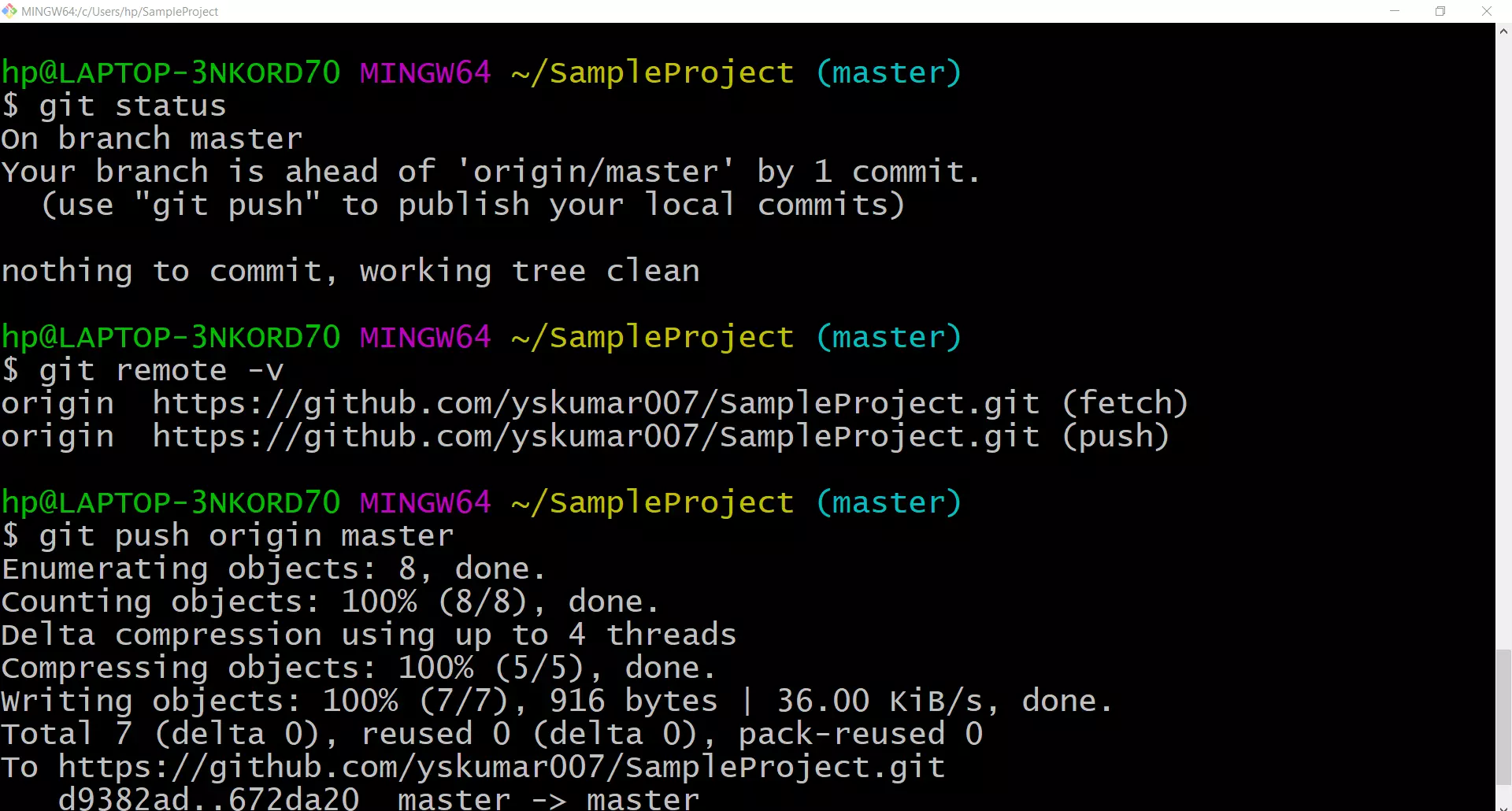
Web The command for this is simple git push lt remote gt lt branch gt If you want to push your master branch to your origin server again cloning generally sets up both of those names for you automatically then you can run this to push any commits you ve done back up to the server git push origin master