Git Merge Commit Into Other Branch Git Un Merge Deferred Procrastination Git Rebase Vs Git Merge Alvarezp Git Merge Vs Git Rebase Programmer Girl Git Fusionar Barcelona Geeks Git Merge And Stuff Halo Semua Kali Ini Saya Akan Membahas By Run the git cherry pick command to merge the commit with your branch git cherry pick sha1 commit hash Push the branch The final step is pushing the branch by running the git push command suppose the name of remote is origin which is by default git push origin branch name
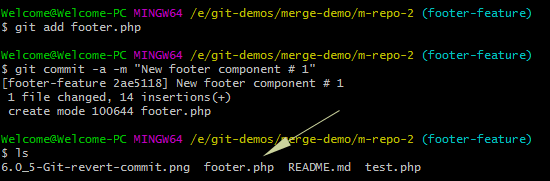
When you invoke a merge into HEAD git merge topic the new commit has two parents the first one is HEAD C6 and the second is the tip of the branch being merged in C4 In this case we want to undo all the changes introduced by merging in parent 2 C4 while keeping all the content from parent 1 C6 Here s what I found First you checkout the branch you want to merge the commits into git checkout the branch git cherry pick the branch you ve been working on What this does is It applies the change introduced by the commit at the tip of the working branch and creates a new commit with this change
Git Merge And Stuff Halo Semua Kali Ini Saya Akan Membahas By Learn Git Branching Juggling Commits My Blog My Learn Blog Git Rebase Vs Git Merge Git Coding How To Apply GIT Branch And Its Operations An Easy Understanding Digital Varys How To Stop Git From Making Extra Merge Commits When Team Members Make Update Your Branch History With Rebase Azure Repos Microsoft Learn Understanding Git Branch And Merge Kodementor Understanding Git Merge Git Rebase By Amit Prajapati MindOrks What s The Difference Between git Merge And git Rebase Gang Of
Git Merge Commit Into Other Branch
 Git Merge Commit Into Other Branch
http://marksabino.com/defproc/blog/uploads/2012/05/commit-merge.png
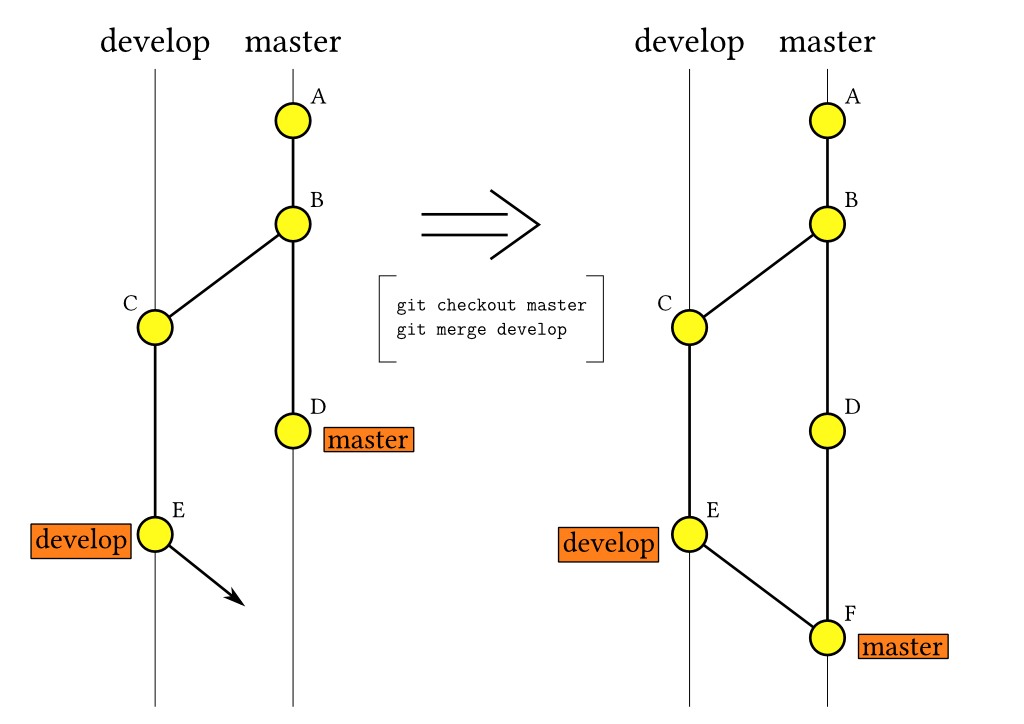
The result is the state of the new merge commit The three steps of the 3 way merge algorithm 1 locate the common ancestor 2 calculate diffs from the merge base to the first branch and from the merge base to the second branch 3 apply both patches together Source Brief So back to our example
Templates are pre-designed documents or files that can be utilized for numerous functions. They can save time and effort by providing a ready-made format and design for producing different type of content. Templates can be utilized for individual or expert jobs, such as resumes, invites, leaflets, newsletters, reports, discussions, and more.
Git Merge Commit Into Other Branch
Manual Uso Git VR EVO Portfolio Time Be Virtual And Not Reality
Learn Git Branching Juggling Commits My Blog My Learn Blog

Git Rebase Vs Git Merge Git Coding How To Apply

GIT Branch And Its Operations An Easy Understanding Digital Varys
Update Your Branch History With Rebase Azure Repos Microsoft Learn

Understanding Git Branch And Merge Kodementor

You ll follow these steps Do some work on a website Create a branch for a new user story you re working on Do some work in that branch At this stage you ll receive a call that another issue is critical and you need a hotfix You ll do the following Switch to your production branch Create a branch to add the hotfix
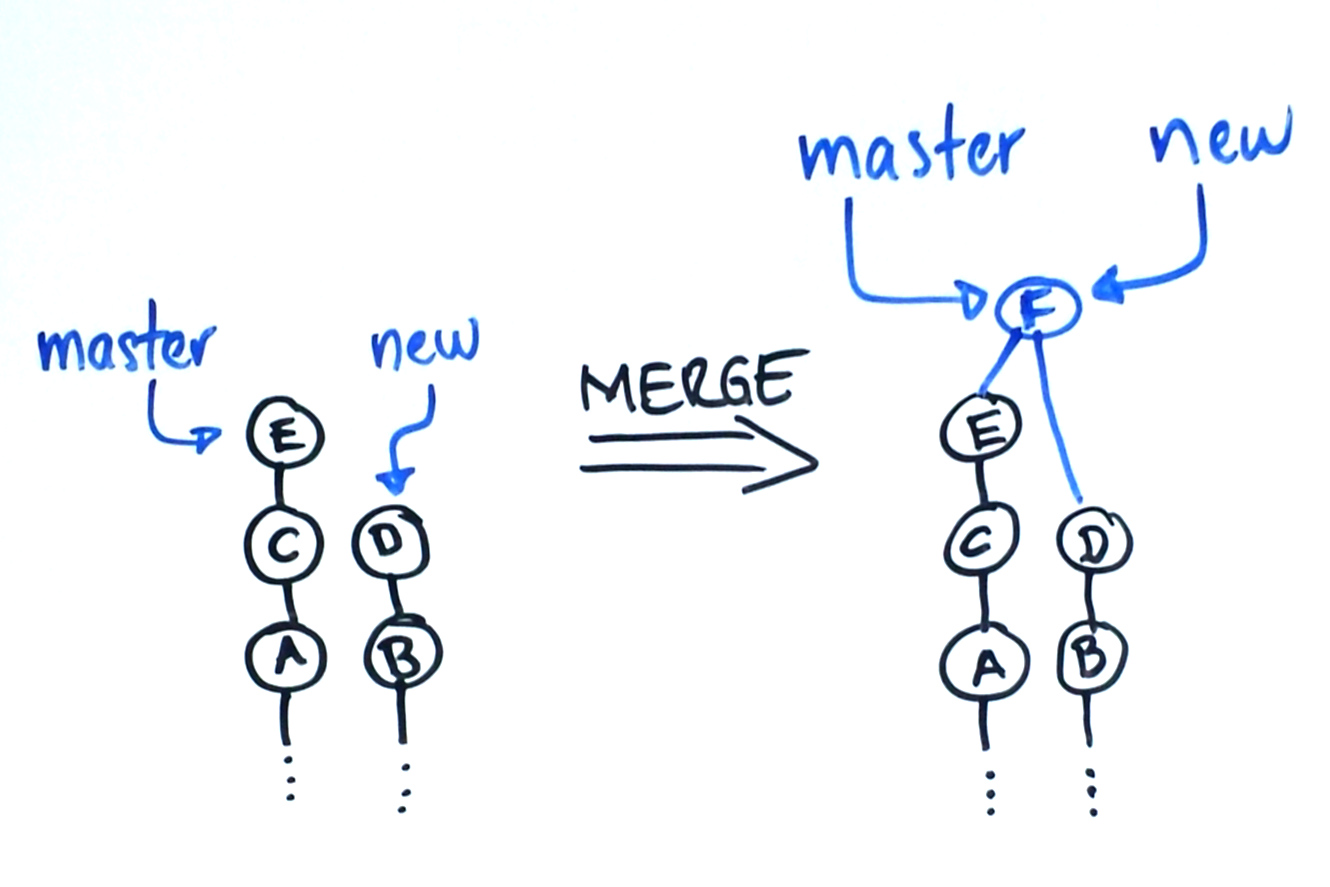
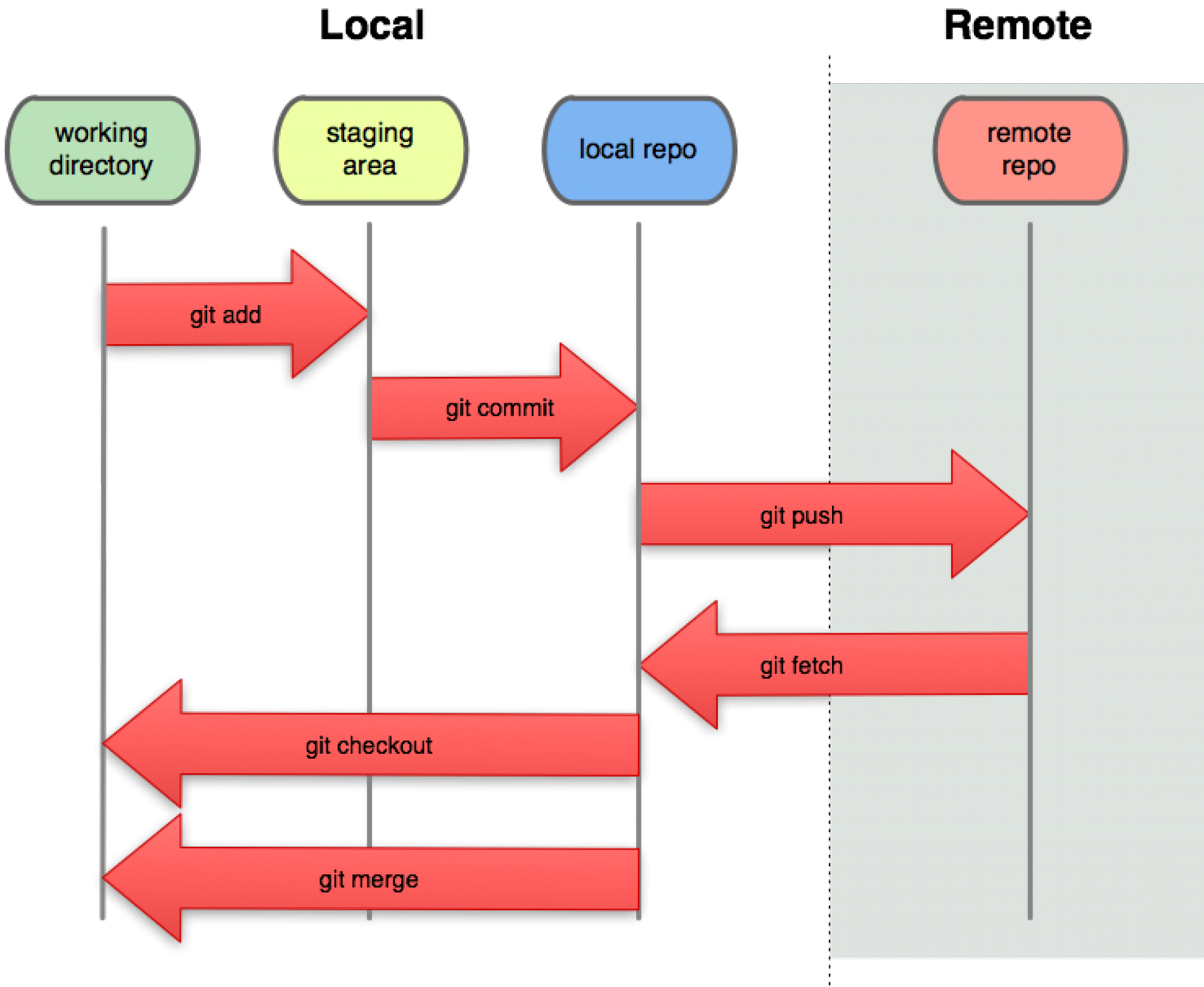
DESCRIPTION Incorporates changes from the named commits since the time their histories diverged from the current branch into the current branch This command is used by git pull to incorporate changes from another repository and can be used by hand to merge changes from one branch into another
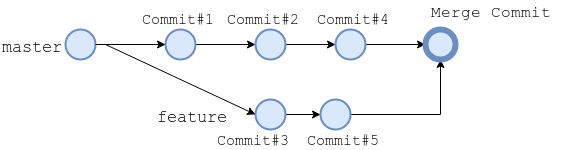
The git merge command lets you take the independent lines of development created by git branch and integrate them into a single branch Note that all of the commands presented below merge into the current branch The current branch will be updated to reflect the merge but the target branch will be completely unaffected

The merge command is used to integrate changes from another branch The target of this integration i e the branch that receives changes is always the currently checked out HEAD branch While Git can perform most integrations automatically some changes will result in conflicts that have to be solved by the user
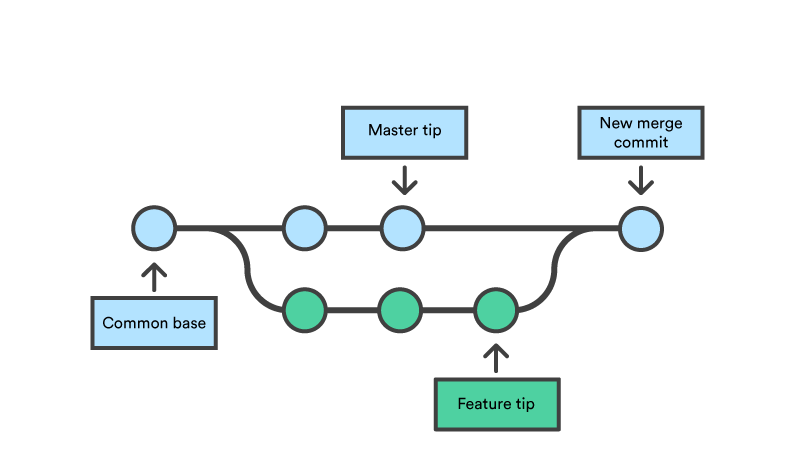
To merge a development branch into the current branch use git merge dev branch name If you get conflict warnings about a merge use git merge abort to back out of it or edit the affected files and then commit them Git uses branches to isolate development streams to prevent the stable release branch from becoming polluted
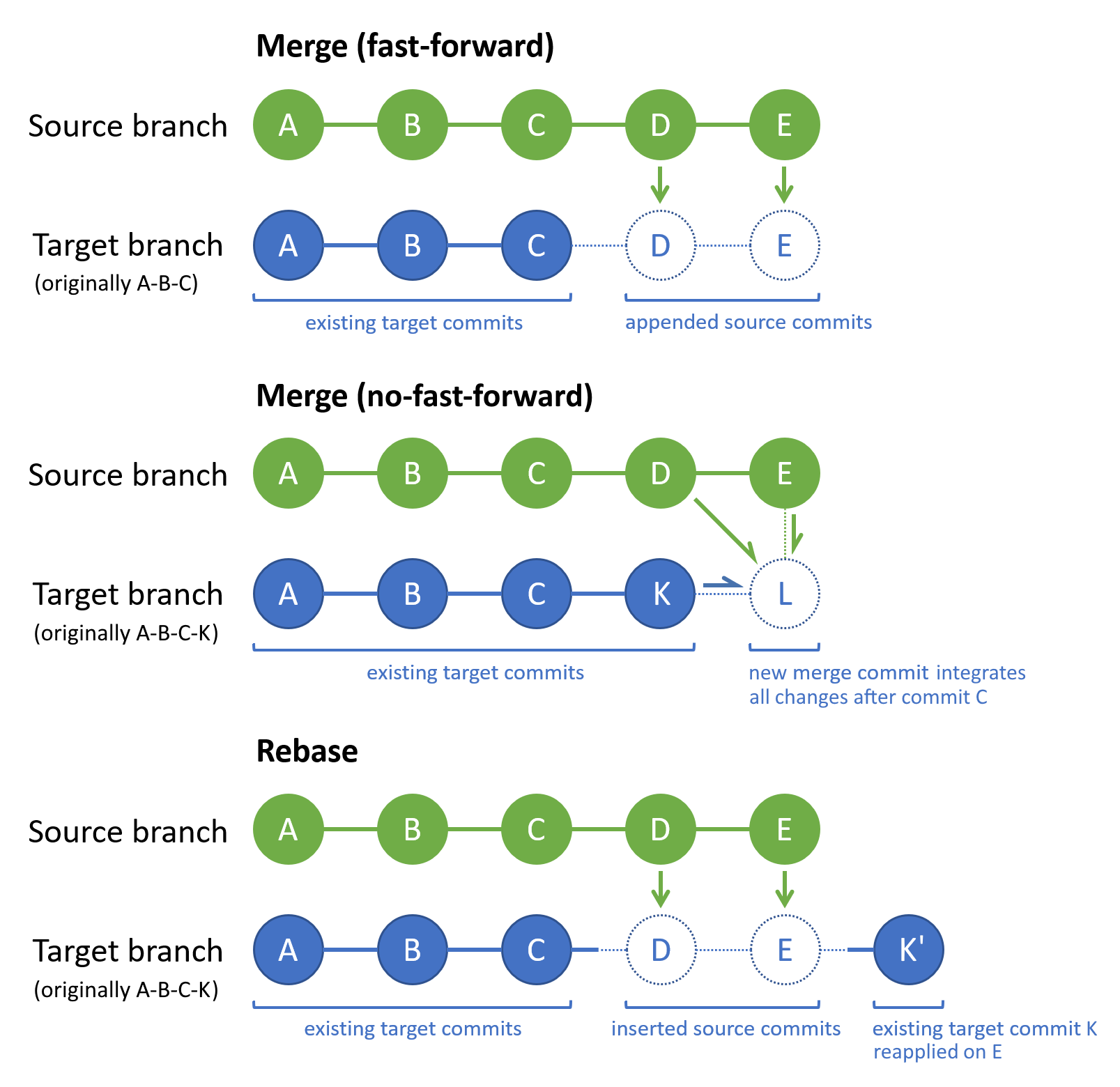
By default Git will use fast forward merge to merge the branch This means that it will create a linear history by placing the commits from the source branch at the tip of the target branch Creating a merge commit If instead you want to create a merge commit you can use the no ff flag when merging After merge creates a new merge commit labelled as new merge commit That means any time you make a merge a commit will also be made Performing a merge As mentioned you ll want to use git merge to merge another branch into your current branch However you will have to commit everything on your current branch before doing that
To merge a commit in branch B with SHA 1 checksum of 0afc917e754e03 to branch A If you are not already in branchA checkout to the branch git checkout branchA Run git cherry pick 0afc917e754e03 If there is any conflict fix it stage the changes and commit Easy as pie