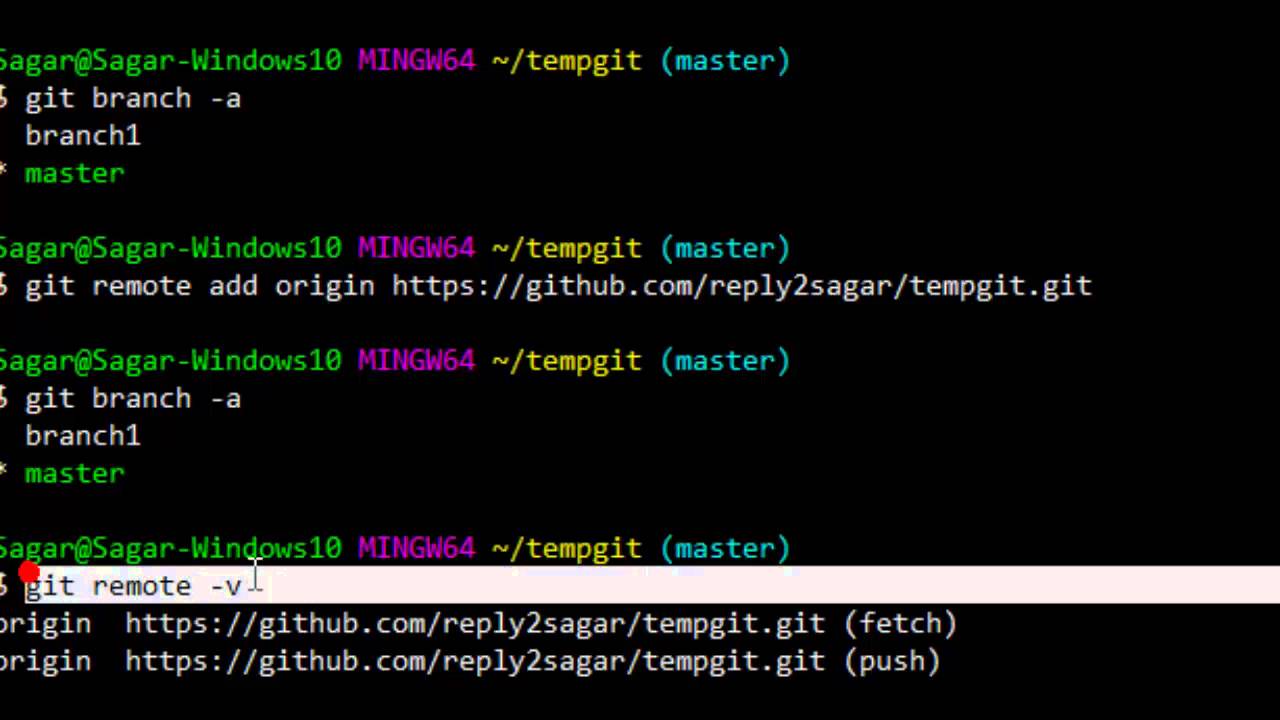
Git Init Local Repo From Remote Git KKKPJSKEY s Case Archives How To Push Local Git Repository To Github YouTube Creare E Mantenere Un Repository Git Su Synology Davide Permunian How To Push An Existing Project To GitHub Tutorial Work In Your Local Git Repository Manage Your Code Project With Git Add a remote named name for the repository at URL The command git fetch name can then be used to create and update remote tracking branches name branch With f option git fetch name is run immediately after the remote information is set up With tags option git fetch name imports every tag from the remote repository
Showing Your Remotes To see which remote servers you have configured you can run the git remote command It lists the shortnames of each remote handle you ve specified If you ve cloned your repository you should at least see origin that is the default name Git gives to the server you cloned from Navigate to the root directory of your project Initialize the local directory as a Git repository
Work In Your Local Git Repository Manage Your Code Project With Git Tutorial Git And GitHub 7 Branching Merging 2020 Deploy Simple Spring Boot Project To Heroku Using Git And Heroku CLI Git Fork Git Francesco On Twitter Some Common Git Commands Git Commands Cloud Studio Git How To Clear Github Repo Commit History Chris Nielsen Code Walk Bestia io Distributed Version Control GIT Jan David Narkiewicz Developer Git Adding Remote Origin To A Local
Git Init Local Repo From Remote
 Git Init Local Repo From Remote
https://kkkpjskey.github.io/git-repo-init/featured-image.jpg
The git remote set url command takes two arguments An existing remote name For example origin or upstream are two common choices A new URL for the remote For example If you re updating to use HTTPS your URL might look like https github OWNER REPOSITORY git
Templates are pre-designed files or files that can be used for various purposes. They can save effort and time by offering a ready-made format and design for producing different kinds of content. Templates can be utilized for personal or expert projects, such as resumes, invitations, leaflets, newsletters, reports, presentations, and more.
Git Init Local Repo From Remote
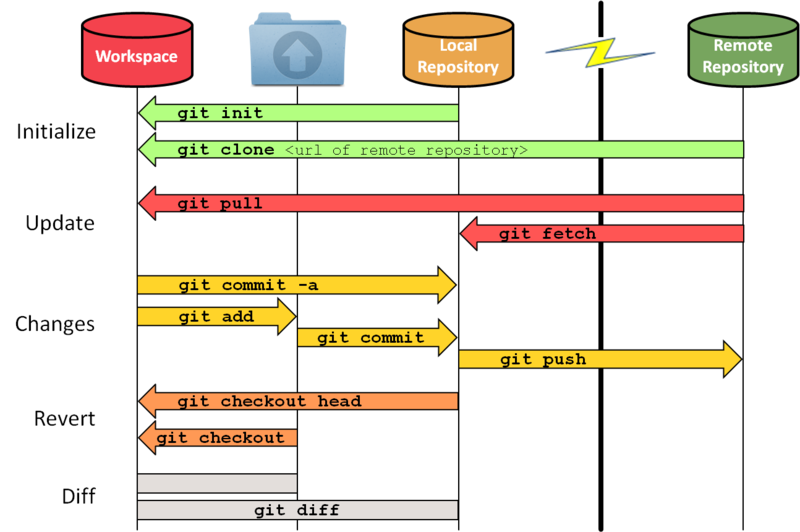
Git Most Frequently Used Commands LaptrinhX
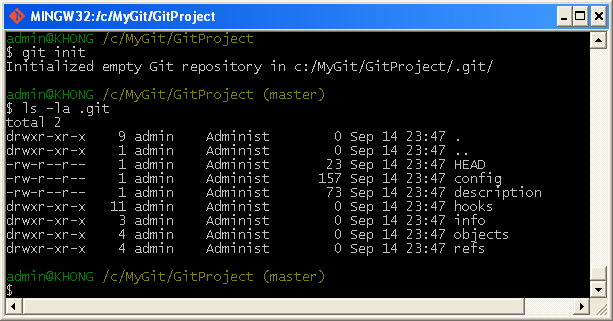
Tutorial Git And GitHub 7 Branching Merging 2020

Deploy Simple Spring Boot Project To Heroku Using Git And Heroku CLI

Git Fork Git
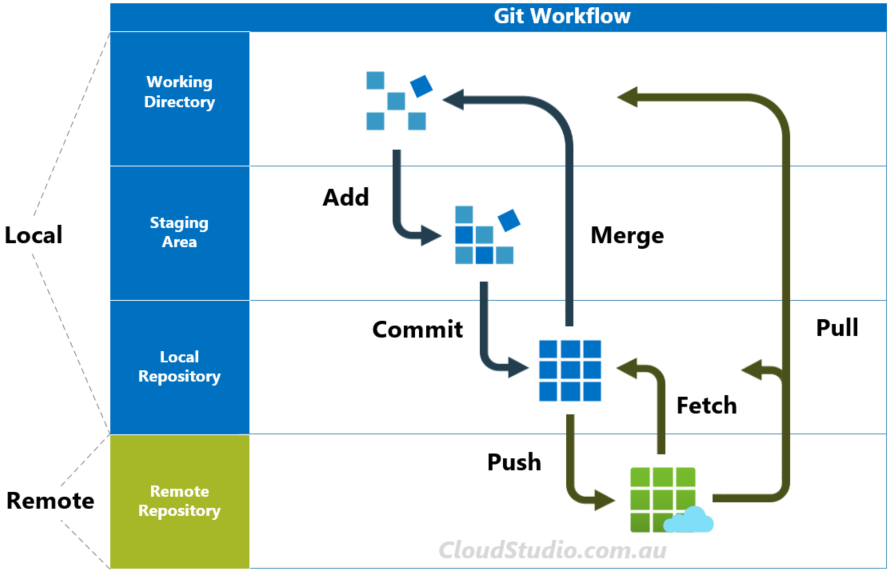
Git Commands Cloud Studio
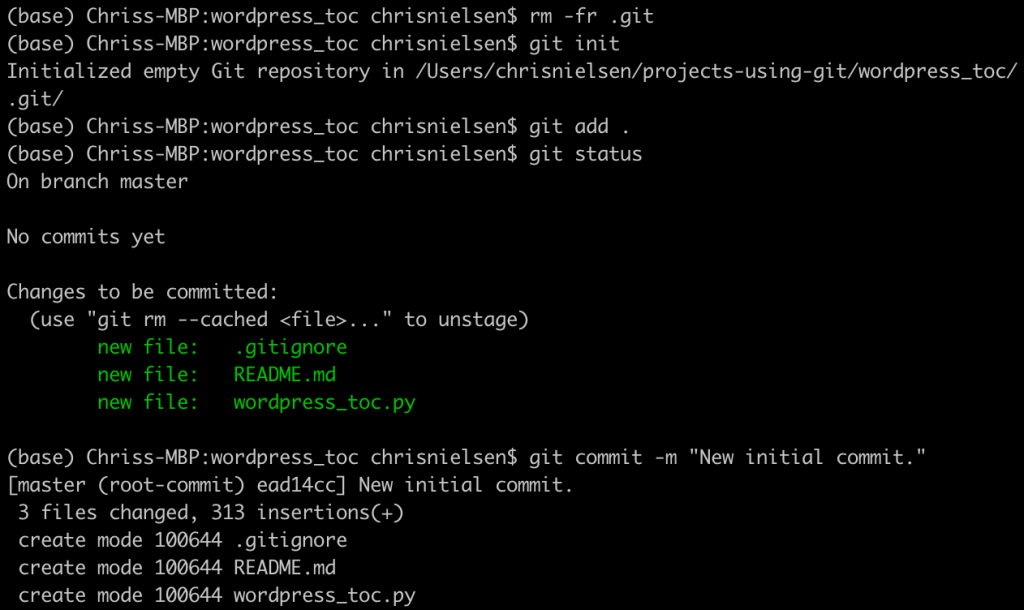
Git How To Clear Github Repo Commit History Chris Nielsen Code Walk
First initialize the repository and make at least one commit Once you have initialized the repository create a remote repository somewhere like GitHub Then add the remote URL to your local git repository with git remote add origin URL This stores the remote URL under a more human friendly name origin
How to add a local repo and treat it as a remote repo Ask Question Asked 11 years 7 months ago Modified 11 months ago Viewed 256k times 352 I m trying to make a local repo act as a remote with the name bak for another local repo on my PC using the following git remote add home sas dev apps smx repo bak ontologybackend git bak

9 Answers Sorted by 71 On your server create the git repositories as bare repository git init bare repo git then push the commits of your local repository git push mirror ssh yourserver repo git Share Improve this answer Follow answered Jan 23 2012 at 21 15 knittl 252k 53 320 367
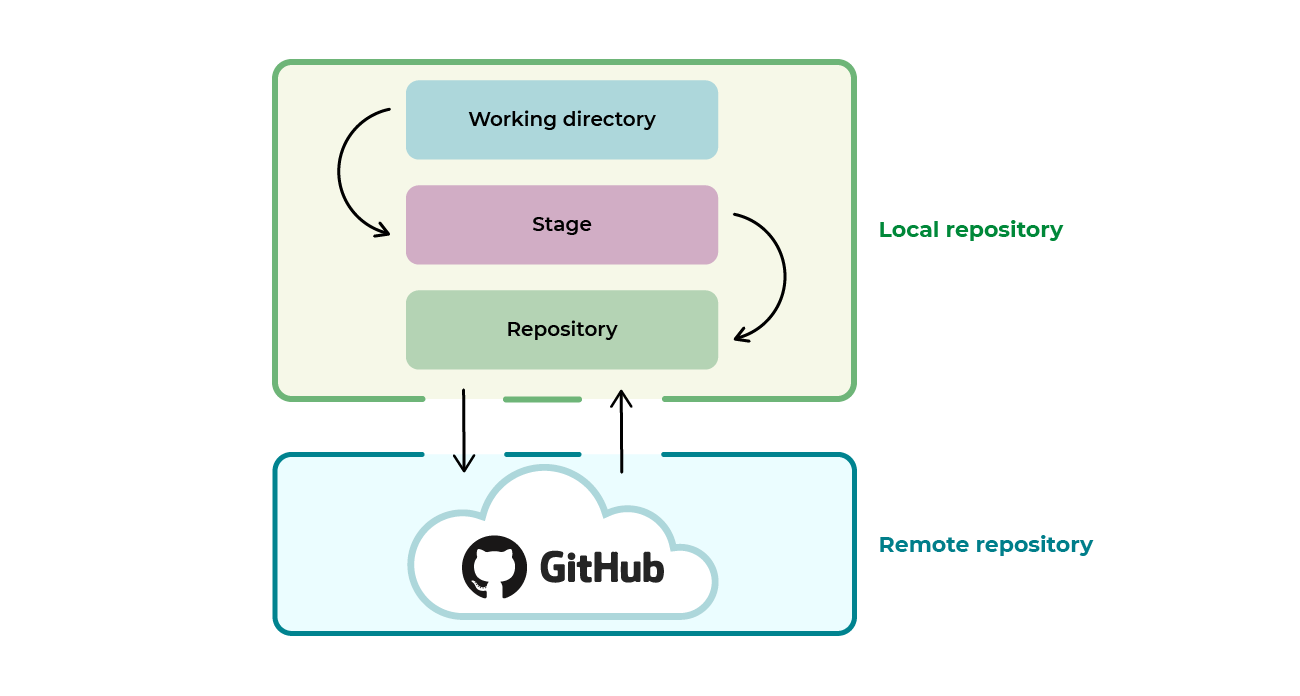
This tutorial provides an overview of how to set up a repository repo under Git version control This resource will walk you through initializing a Git repository for a new or existing project Included below are workflow examples of repositories both created locally and cloned from remote repositories
4 This question already has answers here Git push existing repo to a new and different remote repo server 16 answers Closed 3 years ago I am new to GIT I have used git init to create a new GIT repo locally I have practiced with add commit Now I want to try using git pull push and for this I need a remote repository
You can use the command git remote set url to change a remote s URL Choosing a URL for your remote repository There are several ways to clone repositories available on GitHub When you view a repository while signed in to your account the URLs you can use to clone the project onto your computer are available below the repository details 5 Answers Sorted by 92 As hinted in GitHub help Create a new repository on GitHub Open Git Bash Change the current working directory to your local project Initialize the local directory as a Git repository git init Add the files in your new local repository This stages them for the first commit git add
A quick note git init and git clone can be easily confused At a high level they can both be used to initialize a new git repository However git clone is dependent on git init git clone is used to create a copy of an existing repository Internally git clone first calls git init to create a new repository It then copies the data from