Git How To Pull Master Into Branch Git Pull Master Into Branch Delft Stack Como Fa o Para Excluir Um Git Branch Localmente E Remotamente How To Push Local Git Repository To Github YouTube Merge Master Into Branch Quick Answer Ar taphoamini Th c M c V Git Dev Chat D y Nhau H c To perform a git pull from the master branch into the development branch follow these steps Checkout the development branch Before you start the pull process make sure that you are on the development branch You can use the following command to checkout the development branch git checkout development
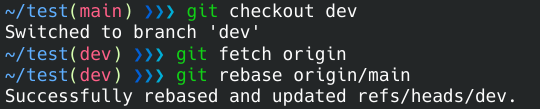
1 Open a Git bash window or terminal in Linux and navigate to the directory with your Git repository 2 Switch to the branch you want the master branch to merge into Use the git checkout or git switch command For example 3 Run the following command to rebase the branch git rebase master 3 Answers Sorted by 16 I ve seen developer branches used in two main scenarios The open source community where these branches are actually repository forks so that project maintainers can lock down access to the master repository and require integration through pull requests
Th c M c V Git Dev Chat D y Nhau H c Git Pull Master Into Branch Delft Stack Git Merge Master Into Branch Pull Changes From Master Into Branch Top Answer Update Brandiscrafts Zero to mastery start here guidelines PythonTechWorld Git Merge Master Into Branch GIT Branch And Its Operations An Easy Understanding Digital Varys Merge Master Into Branch Quick Answer Ar taphoamini How To Merge A Branch Into Master Branch In Git YouTube
Git How To Pull Master Into Branch
 Git How To Pull Master Into Branch
https://www.delftstack.com/img/Git/feature image - git pull master into branch.png
On GitHub navigate to the main page of the repository In the Branch menu choose the branch that contains your commits Above the list of files in the yellow banner click Compare pull request to create a pull request for the associated branch Use the base branch dropdown menu to select the branch you d like to merge your changes into then use the compare branch drop down menu to
Templates are pre-designed documents or files that can be utilized for different functions. They can conserve effort and time by providing a ready-made format and design for producing different sort of content. Templates can be utilized for individual or expert jobs, such as resumes, invitations, leaflets, newsletters, reports, discussions, and more.
Git How To Pull Master Into Branch

Git Pull Master Into Branch Delft Stack
Git Pull Master Into Branch Delft Stack
Git Merge Master Into Branch
Pull Changes From Master Into Branch Top Answer Update Brandiscrafts
Git Merge Master Into Branch

GIT Branch And Its Operations An Easy Understanding Digital Varys

Step 1 Check Out the master Branch Start by switching to the master branch You can do this using the git checkout command git checkout master This command ensures that you re on the master branch which is the source of the changes you want to bring into your feature branch Step 2 Pull Latest Changes
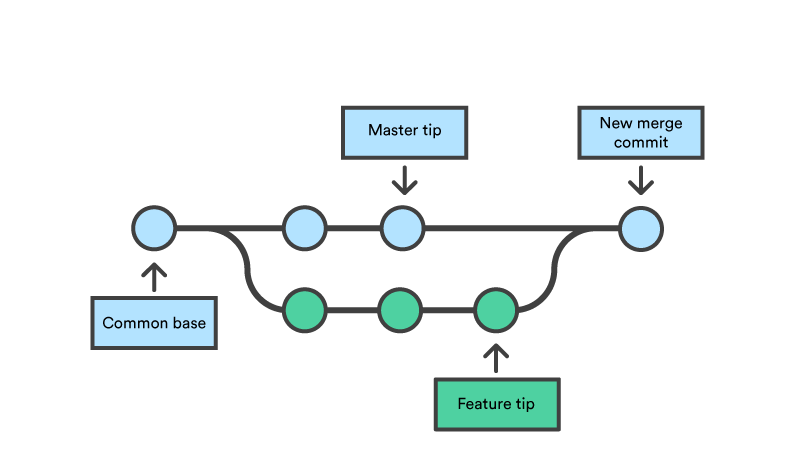
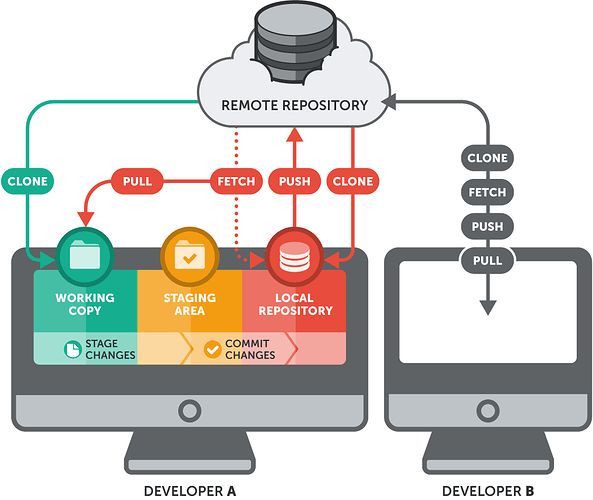
DESCRIPTION Incorporates changes from a remote repository into the current branch If the current branch is behind the remote then by default it will fast forward the current branch to match the remote
In case you are using the Tower Git client pulling from a remote is very easy simply drag the remote branch and drop it onto your current HEAD in the sidebar or click the Pull button in the toolbar Just like pulling many other Git commands can also be executed with a simple drag and drop operation in Tower Learn More

Git pull Update your local working branch with commits from the remote and update all remote tracking branches git pull rebase Update your local working branch with commits from the remote but rewrite history so any local commits occur after all new commits coming from the remote avoiding a merge commit
You ll follow these steps Do some work on a website Create a branch for a new user story you re working on Do some work in that branch At this stage you ll receive a call that another issue is critical and you need a hotfix You ll do the following Switch to your production branch Create a branch to add the hotfix
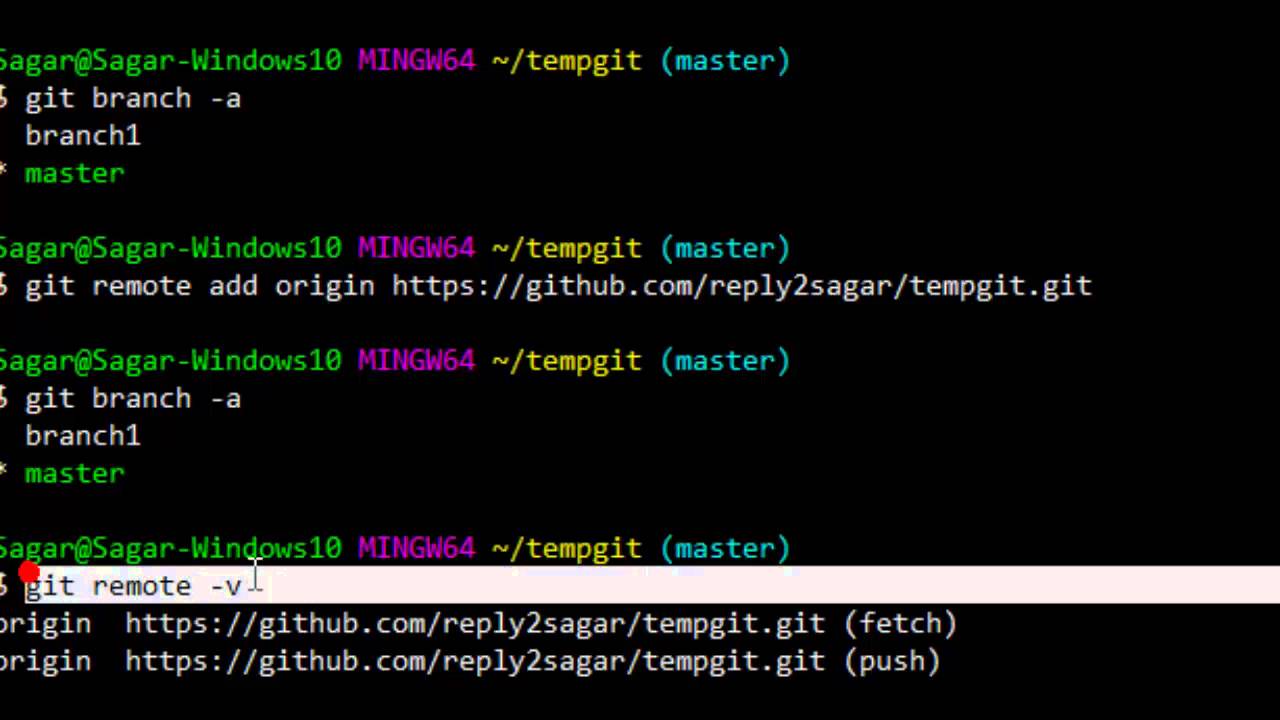
The git pull command is used to fetch and download content from a remote repository and immediately update the local repository to match that content Merging remote upstream changes into your local repository is a common task in Git based collaboration work flows If you want to fetch remote branches and merge them with your work or modify your current work you can use the git pull command To achieve this use the following command git pull all You can then run the git branch r to verify if the remote repository has been added
Updating your pull request branch Under your repository name click Pull requests In the Pull requests list click the pull request you d like to update In the merge section near the bottom of the page you can Click Update branch to perform a traditional merge Click the update branch drop down menu click Update with rebase and then