Git Fix Merge Conflicts Command Line Using Visual Studio Code As Git Merge Tool Igor Kulman How To Resolve Merge Conflicts In Git Handle Merge Conflicts In VSCode LinuxPip Fix Merge Conflicts Nbdev How To Understand And Solve Conflicts In Git How a Merge Conflict Occurs In Git merging is the act of integrating another branch into your current working branch You re taking changes from another context that s what a branch effectively is a context and combine them with your current working files
You can only resolve merge conflicts on GitHub that are caused by competing line changes such as when people make different changes to the same line of the same file on different branches in your Git repository For all other types of merge conflicts you must resolve the conflict locally on the command line You can resolve merge conflicts using the command line and a text editor
How To Understand And Solve Conflicts In Git How To Resolve Merge Conflicts In Bitbucket Yuri Shwedoff Resolve Git Conflicts MPS Documentation Mergify Case Study Quick 28 Fix Branches Merge Conflicts With Git YouTube GIT Merge Conflict In GIT GitHub GitLab MergeConflict Force Journal Git How To Resolve Merge Conflicts Using The Command Line A Better Way To Look At Git Branching For Small Growing Development Teams One Blink Technology Resolve Simple Merge Conflicts On GitHub The GitHub Blog
Git Fix Merge Conflicts Command Line
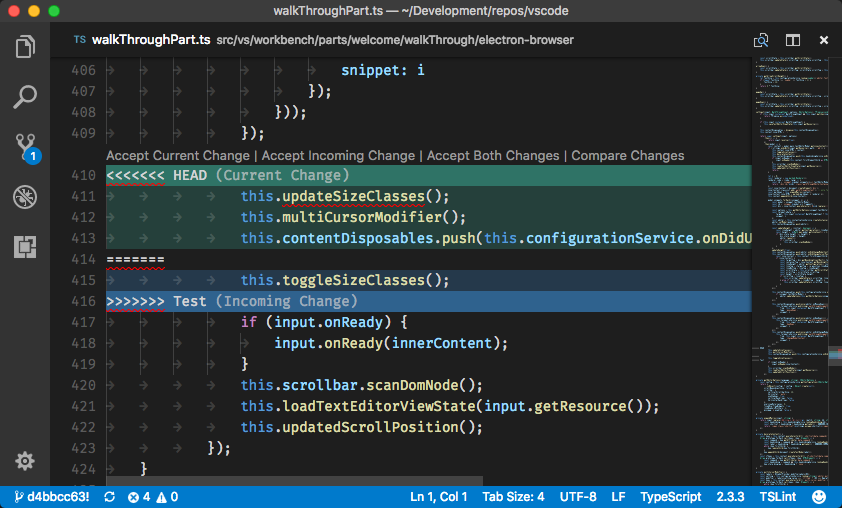 Git Fix Merge Conflicts Command Line
https://blog.kulman.sk/using-vscode-as-git-merge-tool/merge-conflict.png
1 In your local repository check out the contributing branch git checkout my feature branch 2 Fetch the latest from the shared main branch with git fetch origin main 3 This will assign the latest commit of main to a git variable called FETCH HEAD 4 Now it s time to merge changes from main git merge FETCH HEAD
Templates are pre-designed files or files that can be utilized for various functions. They can conserve effort and time by offering a ready-made format and layout for creating various kinds of content. Templates can be used for personal or professional tasks, such as resumes, invitations, flyers, newsletters, reports, discussions, and more.
Git Fix Merge Conflicts Command Line
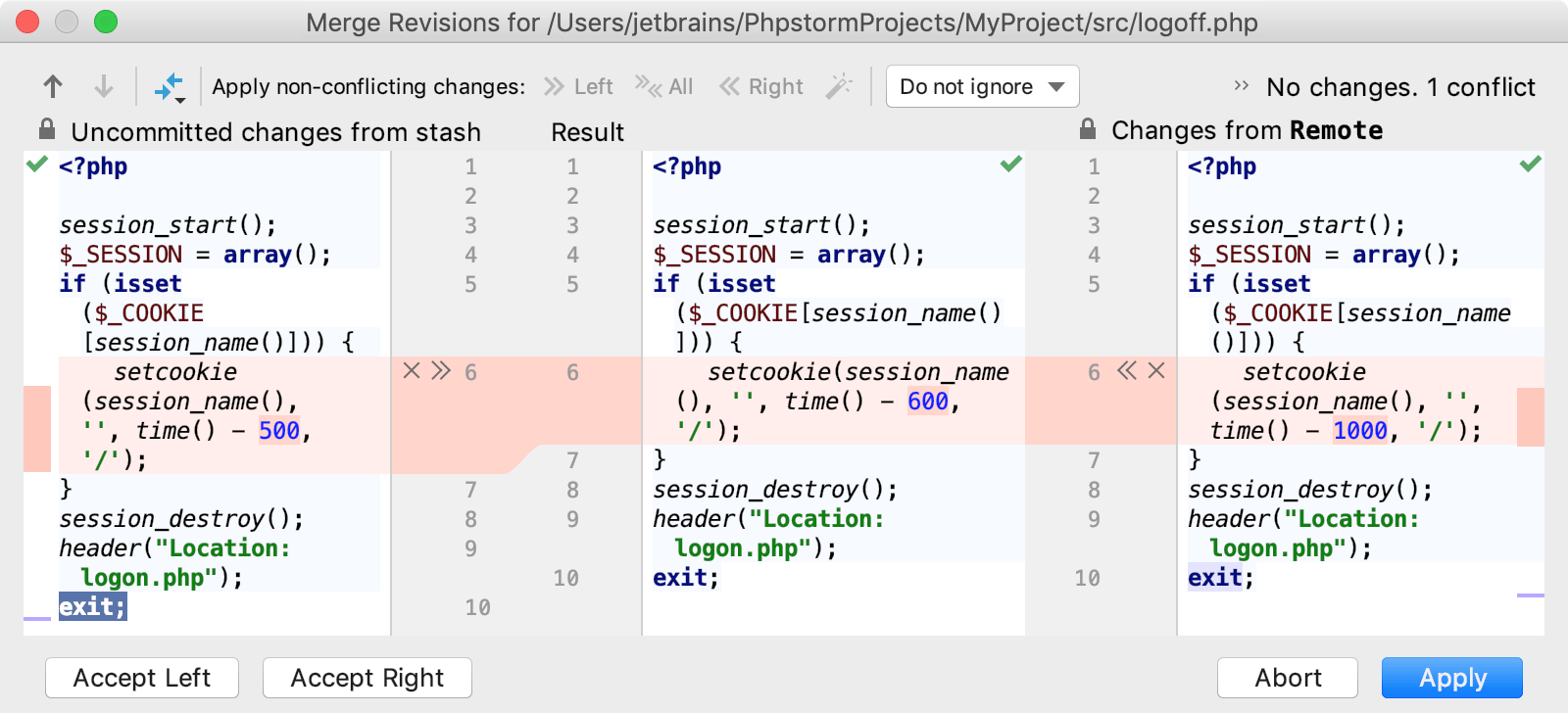
Resolve Git Conflicts PhpStorm

How To Resolve Merge Conflicts In Bitbucket Yuri Shwedoff

Resolve Git Conflicts MPS Documentation

Mergify Case Study Quick

GIT Merge Conflict In GIT GitHub GitLab MergeConflict Force Journal

Git How To Resolve Merge Conflicts Using The Command Line
Please follow the following steps to fix merge conflicts in Git Check the Git status git status Get the patchset git fetch checkout the right patch from your Git commit Checkout a local branch temp1 in my example here git checkout b temp1 Pull the recent contents from master git pull rebase origin master

The git merge command s primary responsibility is to combine separate branches and resolve any conflicting edits Understanding merge conflicts Conflicts generally arise when two people have changed the same lines in a file or if one developer deleted a file while another developer was modifying it

1 Answer Sorted by 22 This can be achieved using git merge file although its API is rather low level In order to have an easy to use command you can use the following bash script to be imported to bashrc or you can also install it with npm install g git resolve conflict
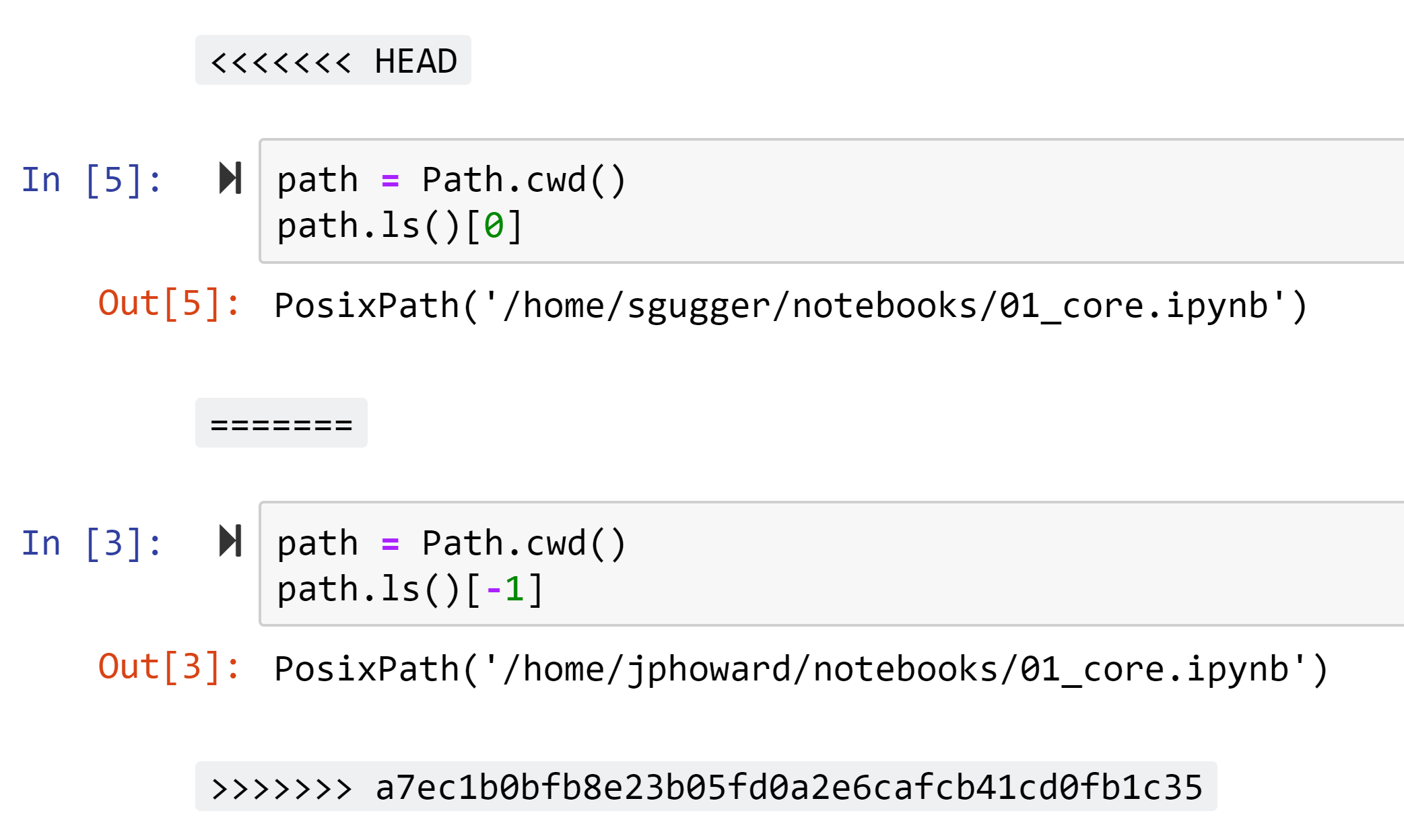
There are three ways to resolve a merge conflict in Git 1 Accept the local version To accept all changes on a file from the local version run git checkout ours file name Alternatively to accept the local version for all conflicting files use

In Git a merge conflict occurs when you or any of your team members make conflicting changes to the same file from two different branches Merge conflicts can also occur even if you re not working with team members If you ve made changes to the same file from different branches and the changes are conflicting there will be a merge conflict
Solve Merge Conflict with git merge abort A valid way to solve the conflict is to abort from it and stop the MERGING phase This is typically done when the solution isn t to fix a single line and when large changes need to be made This usually necessitates a plan with a team member as well Click View Conflicts to view a list of conflicted files Then when you click a file it will open the merge tool showing you the conflicting changes between the two branches along with an output view at the bottom You may check the box for each hunk of code you wish to keep or select the code one line at a time
Commit the new changes and complete the merge using the following command git commit a no edit new b3b2fd2 Merge branch main into new Note The a no edit option allows you to preserve the commit message used in the commit prior to the merge conflict while incorporating the changes you just made