Git Create A Branch From Remote Git Create Branch From A Branch Vseraselling How To Create A Git Branch Learn Git Create New Branch From Current Create A New Branch Github Command Line Hot Sex Picture Create A Branch From A Tag In Git Delft Stack How To Create A Branch From Another Branch In Git Sabe io Web Steps to creating a remote branch Creating a local branch and switching to it Pushing a local branch to remote The git branch Command The git checkout Command The git push Command Related Resources Branching is an efficient way of code management in any version control system This snippet will help you create a remote branch in Git
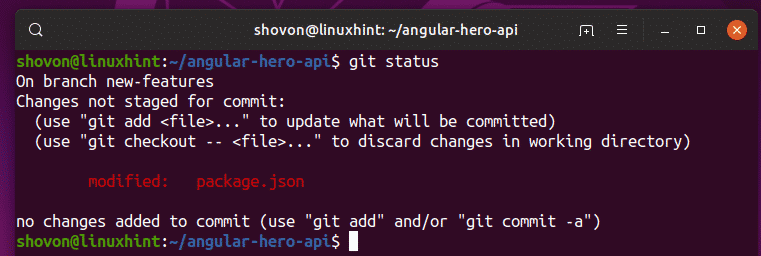
Web NAME git branch List create or delete branches SYNOPSIS git branch color lt when gt no color show current v abbrev lt n gt no abbrev column lt options gt no column sort lt key gt merged lt commit gt no merged lt commit gt contains lt commit gt no contains lt commit gt points at lt object gt Web To create a new branch that is based on your currently checked out HEAD branch simply use quot git branch quot with the name of the new branch as the only parameter git branch lt new branch gt How do I create a new branch based on some existing one
How To Create A Branch From Another Branch In Git Sabe io Git Create Branch From Current Local Branch Naxretalking Create A Branch From A Previous Commit In Git Techie Delight Git Create Branch From Remote Branch Lasopaapps Git Create And Track Remote Branch SS DOTS Solved Git Create A Branch From Unstaged uncommitted 9to5Answer Git Create Branch From Terminal Lasopachristian How To Switch Branch In Git YouTube Git Create A Branch From Another Branch Trying To Post Some Tech
Git Create A Branch From Remote
 Git Create A Branch From Remote
https://miro.medium.com/max/1162/1*uWPkN9CozeIQP9QN8bYTGw.png
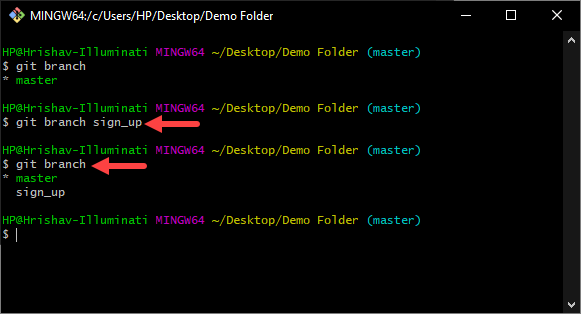
Web The git branch command lets you create list rename and delete branches It doesn t let you switch between branches or put a forked history back together again For this reason git branch is tightly integrated with the git checkout and git merge commands Common options git branch List all of the branches in your repository
Templates are pre-designed documents or files that can be utilized for numerous purposes. They can save effort and time by providing a ready-made format and layout for developing different kinds of material. Templates can be utilized for individual or professional tasks, such as resumes, invitations, leaflets, newsletters, reports, presentations, and more.
Git Create A Branch From Remote

Git Support To Create Local Branch From Specific Remote Branch Issue
Git Create Branch From Current Local Branch Naxretalking

Create A Branch From A Previous Commit In Git Techie Delight

Git Create Branch From Remote Branch Lasopaapps

Solved Git Create A Branch From Unstaged uncommitted 9to5Answer

Git Create Branch From Terminal Lasopachristian
Web Oct 5 2009 nbsp 0183 32 If you want to create a branch from the current branch git checkout b your local branch name you want a branch from a remote branch you can try git checkout b your local branch name origin lt remote branch name gt If you are done with changes you can add the file git add A or git add lt each file names gt

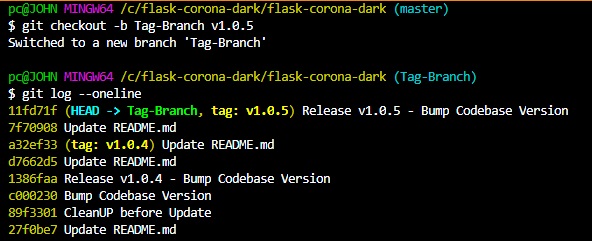
Web Dec 17 2010 nbsp 0183 32 To create and check out a new branch from the branch you do have checked out the standard quot classic quot command most people still use b stands for quot create b ranch quot git checkout b new branch the newer quot experimental quot command now available as of Git v2 23 c stands for quot c reate branch quot
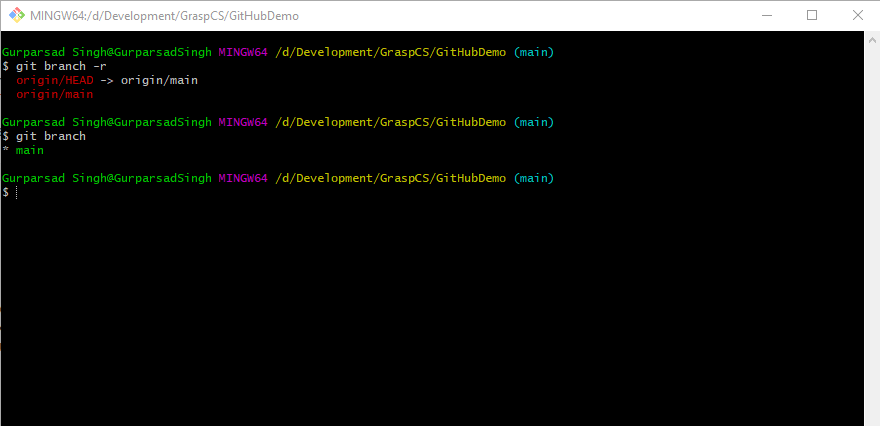
Web How to Create a Remote Branch in Git Actually Git does not allow creating a new isolated branch on a remote repository Instead you can push an existing local branch and thereby publish it on a remote repository In this short article we ll explain how to do this and what to watch out for
Web Just like the branch name master does not have any special meaning in Git neither does origin While master is the default name for a starting branch when you run git init which is the only reason it s widely used origin is the default name for a remote when you run git clone If you run git clone o booyah instead then you will have booyah master as your

Web To add a new remote Git repository as a shortname you can reference easily run git remote add lt shortname gt lt url gt git remote origin git remote add pb https github paulboone ticgit git remote v origin https github schacon ticgit fetch origin https github schacon ticgit push pb
Web Dec 8 2021 nbsp 0183 32 Solution Update global git config git config global branch autoSetupMerge false Create new branch from latest release git fetch all git checkout b feature 123 origin release 1 0 git push set upstream origin feature 123 github edited Dec 9 2021 at 18 41 asked Dec 8 2021 at 21 46 Josh 860 2 10 25 Web May 4 2023 nbsp 0183 32 A remote branch is a branch that exists on a remote repository such as GitHub GitLab or Bitbucket When you clone a repository Git automatically creates a quot remote quot that points to the original repository You can then use this remote to fetch changes made by other collaborators on the project How to Fetch Remote Branches in Git
Web Mar 19 2024 nbsp 0183 32 A tracking branch in Git refers to local branches that directly relate to a remote branch To create a tracking branch we can use the git checkout b command Importantly to make the local branch track a remote branch the git checkout b command must be followed by the local branch name and the name of the remote tracking branch